Introduction
Thank you for choosing the Nilox XSNAP2 LIME ACTION CAM. This manual provides essential information for setting up, operating, and maintaining your action camera. The XSNAP2 LIME ACTION CAM is designed to capture your adventures in stunning 4K Ultra HD video at 60 frames per second and high-resolution 48-megapixel photos. It features a durable, waterproof design, making it suitable for various environments, including underwater activities up to 131 feet (40 meters). With its 2.0-inch touch screen, Electronic Image Stabilization (EIS), and Wi-Fi connectivity, you can easily record, review, and share your experiences.
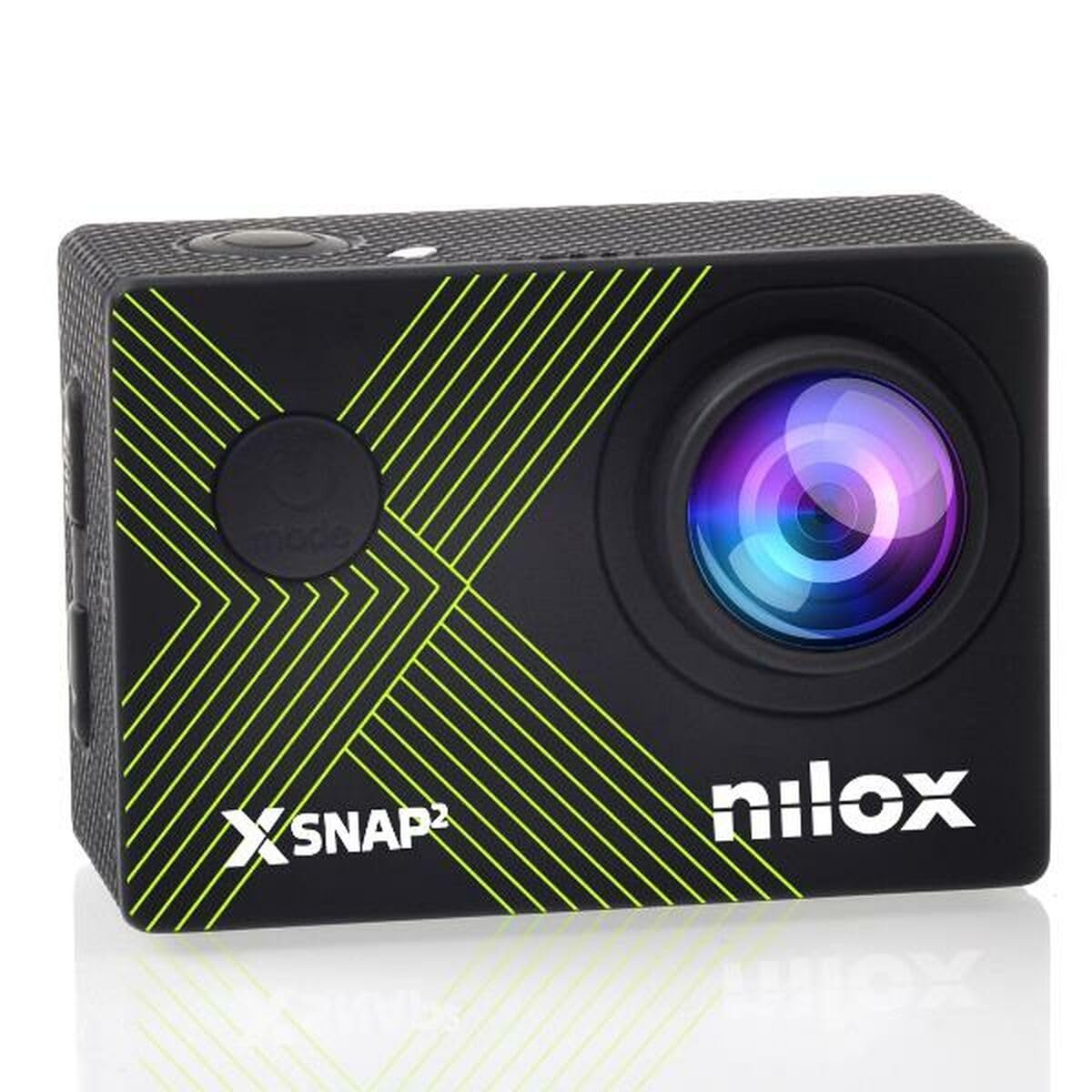
Image: The Nilox XSNAP2 LIME ACTION CAM, a compact black action camera with a lens on the front and a screen on the back.
What's in the Box
Your Nilox XSNAP2 LIME ACTION CAM package includes the following items:
- Nilox XSNAP2 LIME ACTION CAM unit
- Waterproof housing (for depths up to 131 feet / 40 meters)
- 3 x Rechargeable Lithium-Ion Batteries (1350mAh each)
- 64GB MicroSD Card
- USB Charging Cable
- External Microphone
- Remote Shutter Control
- USB SD Card Reader
- Various Mounting Accessories (e.g., helmet mounts, straps, adhesive pads)
- Battery Charging Box
- User Manual

Image: All components of the Nilox XSNAP2 LIME ACTION CAM package laid out on a table, including the camera, waterproof case, batteries, cables, and various mounts.
Unboxing and Overview Video
Video: An unboxing and initial overview of the Nilox XSNAP2 LIME ACTION CAM, showcasing all included accessories and basic camera features.
Setup
1. Inserting the MicroSD Card and Battery
- Open the battery compartment cover on the bottom of the camera.
- Insert the 64GB MicroSD card into the designated slot until it clicks into place.
- Insert one of the rechargeable batteries into the battery compartment, ensuring correct orientation.
- Close the battery compartment cover securely.

Image: A hand inserting a rechargeable battery into the open battery compartment of the action camera.

Image: A hand inserting a MicroSD card into the dedicated slot on the side of the action camera.
2. Charging the Batteries
Use the provided USB charging cable and battery charging box to charge the batteries. The charging box allows you to charge multiple batteries simultaneously.
3. Attaching the Waterproof Housing
For underwater use or protection against impacts, place the camera inside the transparent waterproof housing. Ensure the housing is properly sealed before use.

Image: The Nilox XSNAP2 LIME ACTION CAM securely placed inside its transparent waterproof housing.
4. Mounting the Camera
Utilize the various mounting accessories to attach your camera to helmets, handlebars, or other surfaces, depending on your activity.
Camera Mounting Demonstration
Video: A demonstration of how to mount the action camera using various accessories.
Operating Instructions
1. Powering On/Off
Press and hold the Power button (usually on the top or front) for a few seconds to turn the camera on or off. The 2.0-inch touch screen will illuminate.

Image: The action camera's screen displaying the startup logo, indicating it has been powered on.
2. Navigating Menus and Modes
Use the physical buttons on the camera or the touch screen to navigate through different modes (Video, Photo, Playback) and settings. The camera supports various resolutions and settings for both video and photo capture.

Image: The action camera's menu interface, showing options for video playback, photo playback, and general settings.
3. Wi-Fi Connectivity and App Control
The camera features Wi-Fi connectivity, allowing you to connect it to your smartphone via a dedicated app. This enables remote control, live preview, and easy transfer of your media.

Image: The action camera's screen displaying a QR code for easy Wi-Fi connection to a smartphone app.
4. Video Recording and Photo Capture
Press the Shutter/Record button to start or stop video recording, or to take a photo. The camera supports 4K 60FPS video and 48MP photos. Utilize the zoom function (up to 7x) and the 170° wide-angle lens to capture dynamic shots.
Key Features Demonstration
Video: A promotional video highlighting the key features of the action camera, including 4K 60FPS video, 48MP photos, waterproof capabilities, EIS, zoom, and wide-angle lens.
Underwater Usage Demonstration
Video: A demonstration of the action camera's performance and video quality during underwater activities.
Maintenance
- Cleaning: Wipe the camera and waterproof housing with a soft, damp cloth after each use, especially after exposure to saltwater. Ensure no debris is left on the lens.
- Battery Care: Store batteries in a cool, dry place. Do not expose them to extreme temperatures. Charge them fully before extended storage and periodically during storage to maintain their lifespan.
- SD Card: Format the MicroSD card regularly to ensure optimal performance and prevent data corruption.
- Storage: Store the camera in a protective case when not in use to prevent scratches and damage.
Troubleshooting
- Camera not turning on: Ensure the battery is fully charged and correctly inserted. Try using a different charged battery.
- Video/Photo quality issues: Check the resolution settings in the camera menu. Ensure the lens is clean and free from smudges.
- Wi-Fi connection problems: Ensure Wi-Fi is enabled on the camera and your smartphone. Restart both devices and try reconnecting. Refer to the app's instructions for detailed connection steps.
- SD card errors: Ensure the SD card is properly inserted. Try formatting the card (this will erase all data) or use a different compatible MicroSD card.
- Water leakage in housing: Always check the waterproof housing for any cracks or damage before use. Ensure the seals are clean and properly seated.
Specifications
| Feature | Specification |
|---|---|
| Brand | Nilox |
| Model Number | S0458598 |
| Video Resolution | 4K Ultra HD (up to 60FPS) |
| Photo Resolution | 48 Megapixels |
| Waterproof Depth | 131 feet (40 meters) with housing |
| Display | 2.0-inch LCD Touch Screen |
| Connectivity | Wi-Fi, USB, HDMI |
| Image Sensor Technology | CMOS |
| Memory Card Support | MicroSD (TransFlash) up to 128 GB |
| Battery Type | Lithium-Ion (3 x 1350mAh included) |
| Dimensions | 6 x 21.5 x 15.5 cm |
| Weight | 520 g |
| Special Features | Electronic Image Stabilization (EIS), Zoom (up to 7x), 170° Wide-Angle Lens |
Warranty and Support
For warranty information and technical support, please refer to the documentation included in your product package or visit the official Nilox website. Keep your proof of purchase for any warranty claims.


