
1. Introduction
This user manual provides important information for the safe and efficient operation of your Parkside 4V Cordless Screwdriver, model PAS 4 D7. Please read this manual thoroughly before first use and keep it for future reference. Proper use and maintenance will ensure the longevity and optimal performance of your tool.
2. Safety Instructions
Always observe basic safety precautions to reduce the risk of fire, electric shock, and personal injury. Keep the work area clean and well-lit. Do not operate power tools in explosive atmospheres, such as in the presence of flammable liquids, gases, or dust. Always wear appropriate personal protective equipment, including eye protection.
2.1 General Safety Warnings
- Work Area Safety: Keep your work area clean and well lit. Cluttered or dark areas invite accidents.
- Electrical Safety: Avoid body contact with earthed or grounded surfaces.
- Personal Safety: Stay alert, watch what you are doing and use common sense when operating a power tool. Do not use a power tool while you are tired or under the influence of drugs, alcohol or medication.
- Tool Use and Care: Do not force the power tool. Use the correct power tool for your application.
3. Product Overview
The Parkside 4V Cordless Screwdriver PAS 4 D7 is a compact and versatile tool designed for various screwdriving tasks. It features an integrated LED work light, an LED display for rotation direction, and a battery charge indicator. The ergonomic Softgrip ensures comfortable handling.
3.1 Components
- Cordless Screwdriver Unit
- 14 Bits (25 mm)
- 1 Bit Extension (60 mm)
- 1 USB-C Charging Cable (1.50 m)

Image 3.1: The Parkside 4V Cordless Screwdriver PAS 4 D7, showing its compact design and integrated LED light.

Image 3.2: The complete set of accessories included with the screwdriver, featuring 14 different bits, a bit extension, and the USB-C charging cable.
4. Setup
4.1 Charging the Battery
Before first use, fully charge the screwdriver's internal battery. The device is powered by a built-in battery and charges via a USB-C port.
- Connect the provided USB-C charging cable to the screwdriver's USB-C port.
- Connect the other end of the USB-C cable to a suitable USB power adapter (not included) or a USB port on a computer.
- The LED battery charge indicator will show the charging status. Allow the battery to charge completely before use.

Image 4.1: The screwdriver connected to its USB-C charging cable, demonstrating the charging setup.
4.2 Inserting Bits
The screwdriver is compatible with standard 1/4-inch hex bits. Use the included bit extension for reaching recessed screws.
- Ensure the screwdriver is turned off.
- Insert the desired bit directly into the magnetic bit holder at the front of the tool.
- For extended reach, first insert the bit into the 60mm bit extension, then insert the extension into the screwdriver's bit holder.
5. Operating Instructions
5.1 Powering On/Off and Rotation Direction
The screwdriver features an LED display to indicate the rotation direction (forward/reverse).
- To activate the screwdriver, press the trigger.
- To select forward (clockwise) rotation for tightening screws, push the direction switch to the left.
- To select reverse (counter-clockwise) rotation for loosening screws, push the direction switch to the right.
- The integrated LED work light will illuminate the work area when the trigger is pressed.

Image 5.1: A hand demonstrating the use of the screwdriver to drive a screw into a wooden surface, highlighting its ease of use.
5.2 Screwdriving Tips
- Always select the correct bit for the screw head to prevent stripping.
- Apply firm, steady pressure to the screwdriver to keep the bit engaged with the screw.
- Start at a low speed if available (this model has a fixed speed) and increase as needed for better control.
- Avoid over-tightening screws, especially in soft materials.

Image 5.2: A person using the screwdriver for assembly work, illustrating its practical application in various tasks.
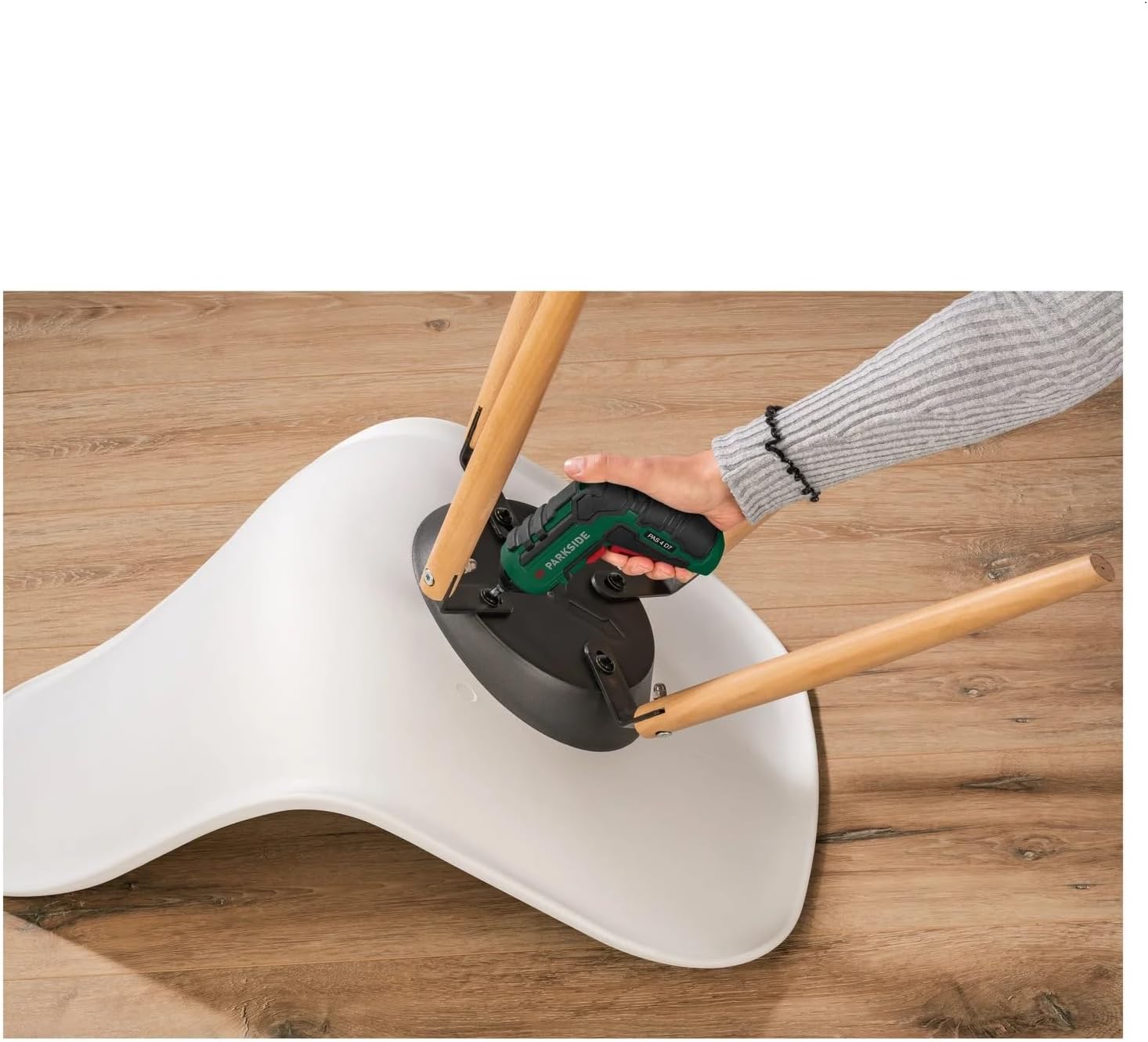
Image 5.3: The screwdriver being used to tighten screws on a chair, demonstrating its utility for furniture assembly and repairs.
6. Maintenance
Regular maintenance ensures the longevity and safe operation of your screwdriver.
6.1 Cleaning
- Always disconnect the tool from the charger before cleaning.
- Wipe the tool's exterior with a soft, damp cloth. Do not use harsh chemicals or abrasive cleaners.
- Keep the ventilation openings free from dust and debris.
6.2 Storage
- Store the screwdriver and its accessories in a clean, dry place, out of reach of children.
- Avoid storing in direct sunlight or extreme temperatures.
- For long-term storage, ensure the battery is partially charged (around 50%) to maintain battery health.
7. Troubleshooting
| Problem | Possible Cause | Solution |
|---|---|---|
| Screwdriver does not turn on. | Battery is depleted. | Charge the battery fully. |
| Screwdriver loses power quickly. | Battery not fully charged or aging battery. | Ensure full charge. If problem persists, battery may need replacement (contact support). |
| Bit slips from screw head. | Incorrect bit size or insufficient pressure. | Use the correct bit. Apply firm, steady pressure. |
8. Specifications
| Feature | Detail |
|---|---|
| Model Number | PAS 4 D7 |
| Brand | Crivit (Parkside) |
| Voltage | 4 Volts |
| Power Source | Battery Powered |
| Speed | 2E+2 (RPM) |
| Dimensions (L x W x H) | 11.5 x 4.5 x 14 cm |
| Material | Alloy Steel, Plastic |
| Included Components | 14 bits (25 mm), 1 bit extension (60 mm), 1 USB-C charging cable (1.50 m) |
9. Warranty and Support
Information regarding warranty and availability of spare parts is not provided in the product details. For any issues or support inquiries, please refer to the retailer or manufacturer's official website for the most up-to-date contact information.
Manufacturer: Crivit
