
Introduction
This manual provides detailed instructions for the setup, operation, and maintenance of your bemi Kix-m Smartwatch Fitness Tracker. Please read this manual thoroughly before using the device to ensure proper function and to maximize your user experience. The bemi Kix-m is designed to assist you in monitoring your fitness activities and health metrics.
What's in the Box
- bemi Kix-m Smartwatch
- Charging Cable
- User Manual (this document)
Setup
1. App Installation
The bemi Kix-m Smartwatch operates with the "H Band" application. This application is compatible with smartphones running Android 4.4 or newer and iOS 8.0 or newer.
- Search for "H Band" in the App Store (for iOS devices) or Google Play Store (for Android devices).
- Download and install the application on your smartphone.
- Follow the on-screen prompts to create an account and set up your personal profile.
2. Device Pairing
To connect your smartwatch with the "H Band" app:
- Ensure your smartphone's Bluetooth is enabled.
- Open the "H Band" application.
- Navigate to the device pairing section within the app (usually found under "Device" or "My Device").
- The app will search for available devices. Select "Kix-m" from the list to initiate pairing.
- Confirm the pairing request on both your smartphone and the smartwatch if prompted.
Note: If you experience issues with pairing, ensure the watch is charged and within Bluetooth range of your phone. Refer to the troubleshooting section for further assistance.
Operating Instructions
1. Basic Navigation
The bemi Kix-m Smartwatch features a 1.5-inch touchscreen display for navigation. Swipe left, right, up, or down to access different functions and menus. Tap to select options.
2. Music Playback
The Kix-m includes a built-in audio player with 512MB of internal memory, allowing you to store and play music directly from the watch.
- Transferring Music: Connect the smartwatch to a computer using the charging cable. The watch should appear as a removable storage device. Drag and drop your MP3 files into the designated music folder on the watch.
- Connecting Headphones/Speakers: The watch features a dual Bluetooth module. Navigate to the Bluetooth settings on your watch, enable Bluetooth, and pair with your wireless headphones or speaker.
- Controlling Playback: Access the music player from the watch's menu. You can play, pause, skip tracks, and adjust volume directly from the watch screen.
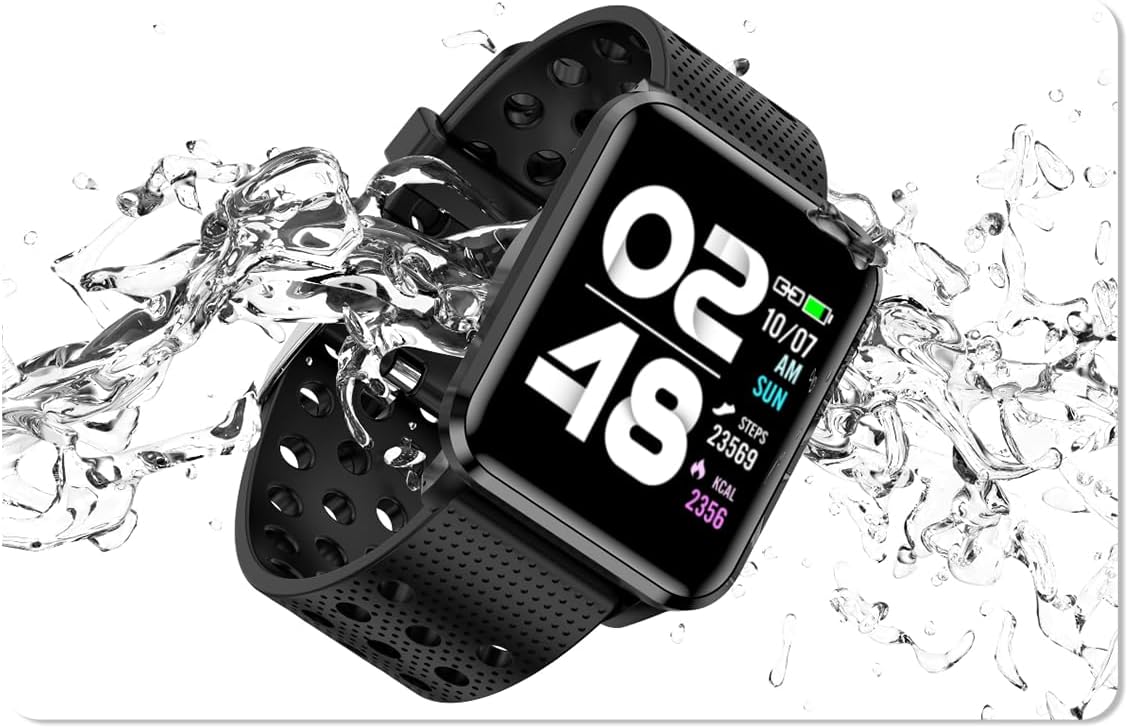
Image: The bemi Kix-m Smartwatch showing its music playback interface, with wireless earbuds positioned next to it, illustrating the device's audio capabilities.
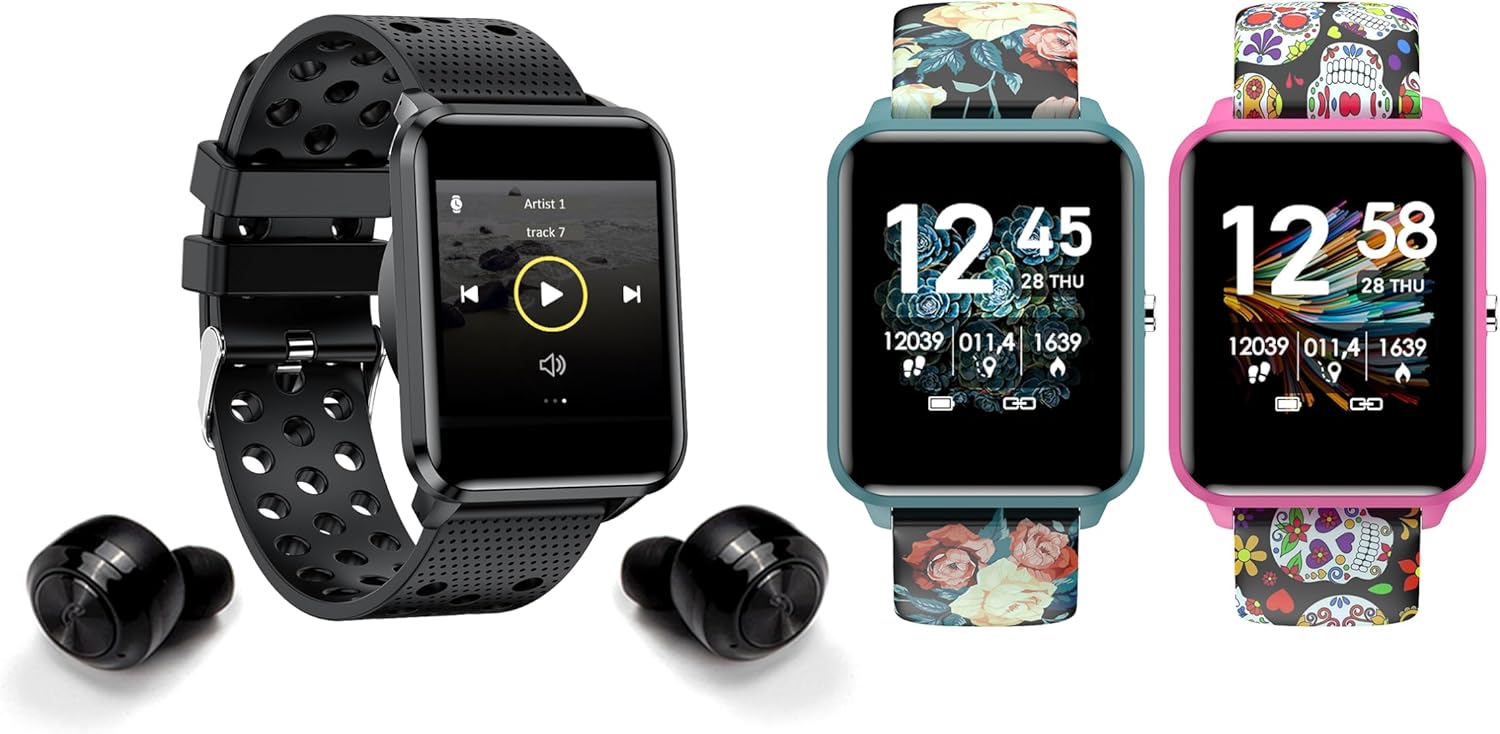
Image: The bemi Kix-m Smartwatch showing its music playback interface, with wireless earbuds positioned next to it, illustrating the device's audio capabilities.
3. Activity Tracking
The smartwatch continuously monitors your daily activity, including steps taken, distance covered, and calories burned. This data is synchronized with the "H Band" app for detailed analysis.

Image: A screenshot of the H Band application dashboard, displaying various activity metrics such as steps, blood oxygen saturation (SpO2), heart rate, and sleep patterns, alongside a smartwatch face.
4. Sport Modes
The Kix-m offers 10 different sport modes to track specific workouts. Select the appropriate mode before starting an activity to get accurate data for your performance.
- Access sport modes from the main menu.
- Choose your desired activity (e.g., running, cycling).
- The watch will display real-time metrics relevant to your chosen sport.
5. Health Monitoring
The smartwatch provides continuous monitoring of several health metrics:
- Heart Rate Monitor: Tracks your heart rate throughout the day. View real-time data on the watch or detailed graphs in the app.
- Blood Oxygen (SpO2): Measures your blood oxygen levels.
- Sleep Tracking: Monitors your sleep patterns, including deep sleep, light sleep, and awake times. Data is analyzed in the "H Band" app to provide insights into sleep quality.

Image: The rear view of the bemi Kix-m Smartwatch, highlighting the optical sensors used for heart rate and blood oxygen monitoring.

Image: The bemi Kix-m Smartwatch screen showing current blood pressure and heart rate measurements, with a background graph indicating historical data.

Image: A detailed view of the H Band application's sleep tracking interface, showing sleep duration, quality, and different sleep stages.
6. Smart Features
- Notifications: Receive alerts for calls, messages, and app notifications directly on your wrist. Configure notification settings within the "H Band" app.
- Camera Control: Use your smartwatch as a remote shutter for your smartphone camera. Access this feature from the watch's menu.
- Women's Health Tracking: A dedicated mode for women's health tracking, including menstrual cycle and ovulation predictions. Set up and manage this feature in the "H Band" app.
- Movement Reminder: The watch can remind you to move after periods of inactivity.
- Alarm, Stopwatch, Timer: Standard utility functions available on the watch.
- Find Phone: Use this feature to locate your paired smartphone by making it ring.

Image: The bemi Kix-m Smartwatch screen showing a photo, demonstrating its remote camera control functionality with a smartphone in the background.

Image: A screenshot of the H Band application displaying the women's health tracking interface, including menstrual cycle and ovulation prediction features.
7. Customization
Choose from 24 clock faces available in the "H Band" application. You can also upload a photo from your phone to use as a custom watch face.

Image: A display of multiple bemi Kix-m Smartwatches showcasing different customizable watch faces, including a personalized photo option.
Maintenance
1. Charging
Connect the provided charging cable to the charging port on the back of the smartwatch and to a USB power source. The watch will display a charging indicator. A full charge typically takes 1-2 hours.
2. Water Resistance
The bemi Kix-m Smartwatch is IP68 waterproof, meaning it is resistant to dust and can withstand immersion in water up to 1.5 meters for up to 30 minutes. It is suitable for daily use, such as washing hands or light rain. Avoid hot water, saunas, or diving, as these conditions may compromise the water resistance.

Image: The bemi Kix-m Smartwatch being splashed with water, illustrating its IP68 water resistance rating for daily activities.
3. Cleaning
Wipe the watch screen and strap with a soft, damp cloth. Avoid using harsh chemicals or abrasive materials, which can damage the device.
Troubleshooting
- Watch not turning on: Ensure the watch is fully charged. Connect it to the charging cable and a power source for at least 30 minutes.
- Unable to pair with phone:
- Ensure Bluetooth is enabled on your phone.
- Make sure the watch is within close proximity to your phone.
- Restart both your phone and the smartwatch.
- Check if the "H Band" app is updated to the latest version.
- If previously paired, try unpairing the device from your phone's Bluetooth settings and then re-pairing through the app.
- Inaccurate health data:
- Ensure the watch is worn snugly on your wrist, but not too tight.
- Clean the sensor on the back of the watch.
- Note that smartwatches are not medical devices and readings are for reference only.
- Notifications not appearing:
- Verify that the watch is successfully paired with your phone.
- Check notification permissions for the "H Band" app in your phone's settings.
- Ensure notifications are enabled within the "H Band" app for the desired applications.
Specifications
| Model Number | Kix-m |
| Screen Size | 1.5 Inches |
| Memory Storage Capacity | 512MB (for music) |
| Connectivity Technology | Bluetooth, Wi-Fi |
| Water Resistance | IP68 |
| Operating System Compatibility | Android 4.4+, iOS 8.0+ |
| Battery Type | Lithium Polymer |
| Item Weight | 4.2 ounces |
| Package Dimensions | 4.8 x 2.83 x 2.24 inches |
Note: Specifications are subject to change without prior notice.
Warranty and Support
For warranty information and customer support, please refer to the official bemi website or contact your retailer. Keep your purchase receipt as proof of purchase for warranty claims.
For further assistance, please visit the bemi Store on Amazon.

