
1. Introduction
This manual provides instructions for the proper setup, operation, and maintenance of your RADIWOW XHDATA D219 AM FM Shortwave Radio and the XHDATA AN-80 FM/SW External Antenna. Please read this manual thoroughly before using the product to ensure optimal performance and longevity.
2. Product Overview
2.1 XHDATA D219 Radio Features
- Compact and Portable Design: The D219 radio measures approximately 4.92 x 1.1 x 2.95 inches, making it easy to carry.
- Three Band Reception: Supports FM (64-108MHz), AM (520-1710kHz), and Shortwave (4.75-22.0MHz).
- DSP Chip Technology: Enhances reception sensitivity and selectivity, reducing interference.
- Integrated Telescopic Antenna: A 21-inch, 360-degree rotating antenna improves FM and SW reception.
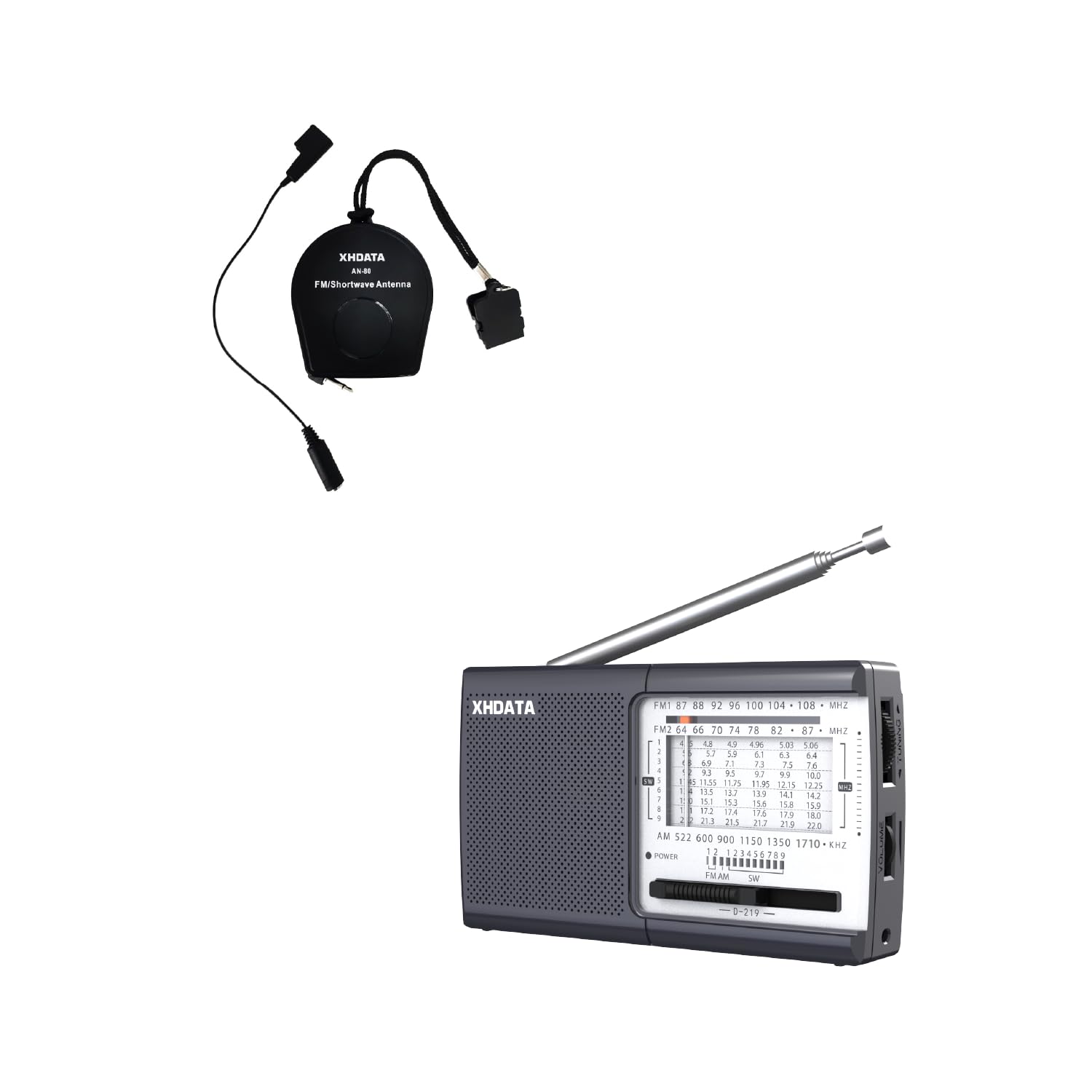
Front view of the XHDATA D219 radio, showing the display and controls.

Side view of the XHDATA D219 radio, illustrating its compact dimensions of 4.92 inches length, 1.1 inches width, and 2.95 inches height.
2.2 XHDATA AN-80 External Antenna Features
- Enhanced Reception: Designed to improve FM and Shortwave signal reception.
- Universal Compatibility: Suitable for radios with or without an external antenna jack.
- Extended Length: The antenna extends up to 720 cm (23 feet) for optimal signal capture.
- Portable Design: Small and lightweight, making it easy to transport and deploy.

The XHDATA AN-80 FM/Shortwave External Antenna, a compact reel-type antenna with connection cables.
3. Setup
3.1 Power Supply
The XHDATA D219 radio can be powered by two methods:
- DC Power: Insert two UM3 AA 1.5V batteries into the battery compartment located on the back of the radio. Ensure correct polarity.
- AC Power: Connect a compatible AC power adapter (not included) to the DC input jack on the radio.

Image showing two power supply options for the XHDATA D219 radio: DC power using two AA batteries and AC power via a wall adapter.
3.2 AN-80 External Antenna Connection
The AN-80 antenna can be connected to your radio in two ways:
- Direct Connection (for radios with antenna jack): Plug the 3.5mm audio jack from the AN-80 antenna into the external antenna input port on your radio.
- Inductive Connection (for radios without antenna jack): If your radio does not have an external antenna jack, position the inductive coupler of the AN-80 antenna near the radio's built-in telescopic antenna or the radio body to enhance reception.
Extend the AN-80 antenna fully (up to 23 feet) and position it for optimal signal reception, ideally away from obstructions and electrical interference.

Diagram illustrating two methods of connecting the XHDATA AN-80 external antenna: directly to a radio's antenna jack and inductively to a radio without a jack.
4. Operating Instructions
4.1 Power On/Off
Locate the power switch on the radio. Slide it to the 'ON' position to power on the device. Slide it to 'OFF' to power off.
4.2 Band Selection
Use the band selector switch to choose between FM, AM, or SW (Shortwave) bands. The selected band will typically be indicated on the radio's display or by a physical marker.
4.3 Tuning
Rotate the tuning knob to scan through frequencies within the selected band. For FM and Shortwave, extend and rotate the telescopic antenna for better signal clarity. If using the AN-80 external antenna, ensure it is properly connected and extended.

The XHDATA D219 radio with its telescopic antenna extended, showing the FM, AM, and SW frequency ranges it can receive.
5. Maintenance
- Cleaning: Use a soft, dry cloth to clean the radio's exterior. Do not use liquid cleaners or abrasive materials.
- Battery Replacement: Replace batteries when the radio's performance degrades or if it fails to power on. Always use fresh batteries of the specified type. Remove batteries if the radio will not be used for an extended period.
- Storage: Store the radio in a cool, dry place away from direct sunlight and extreme temperatures.
6. Troubleshooting
| Problem | Possible Cause | Solution |
|---|---|---|
| Radio does not power on | Dead batteries; Incorrect battery polarity; Power adapter not connected (if using AC) | Replace batteries; Check battery orientation; Ensure power adapter is securely connected. |
| Poor reception / Static | Weak signal; Antenna not extended; Interference from electronics | Extend and rotate the telescopic antenna; Connect and extend the AN-80 external antenna; Move radio away from other electronic devices; Try tuning to a stronger station. |
| No sound | Volume too low; Headphone jack in use | Increase volume; Remove headphones if connected. |
7. Specifications
- Brand: RADIWOW
- Model: D219
- Dimensions (L x W x H): 4.92" x 1.1" x 2.95"
- Weight: Approximately 152g (without batteries)
- Frequency Ranges:
- FM: 64-108 MHz
- AM: 520-1710 KHz
- SW: 4.75-22.0 MHz
- Power Source: 2 x UM3 AA 1.5V batteries or AC power adapter (not included)
- Material: Plastic
- Special Features: Portable, DSP Chip, 360° Rotating Antenna
- AN-80 Antenna Length: Extends to 720 cm / 23 feet
8. Warranty and Support
For warranty information and technical support, please refer to the documentation provided at the time of purchase or contact RADIWOW customer service directly. Keep your purchase receipt as proof of purchase.
