
Introduction
The Bushnell Golf Phantom 3 Slope GPS device provides accurate golf course distances with ease. It features a large, easy-to-read touchscreen display, an integrated BITE magnetic cart mount, and GreenView with moveable pin placement. This manual will guide you through setting up, operating, and maintaining your device to enhance your golf experience.
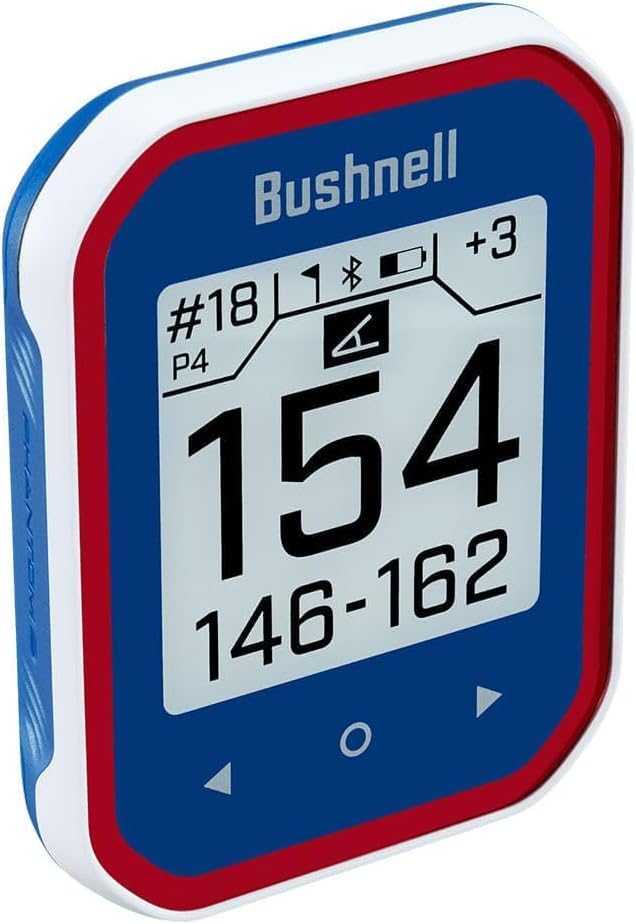
Image: Front view of the Bushnell Golf Phantom 3 GPS device, showing its display with current hole information and distances.
What's in the Box
Upon opening your Bushnell Golf Phantom 3 package, verify that all the following components are included:
- Phantom 3 Golf GPS Device
- USB-C Charging Cable
- Belt Clip with Carabiner
- Quick Start Guide
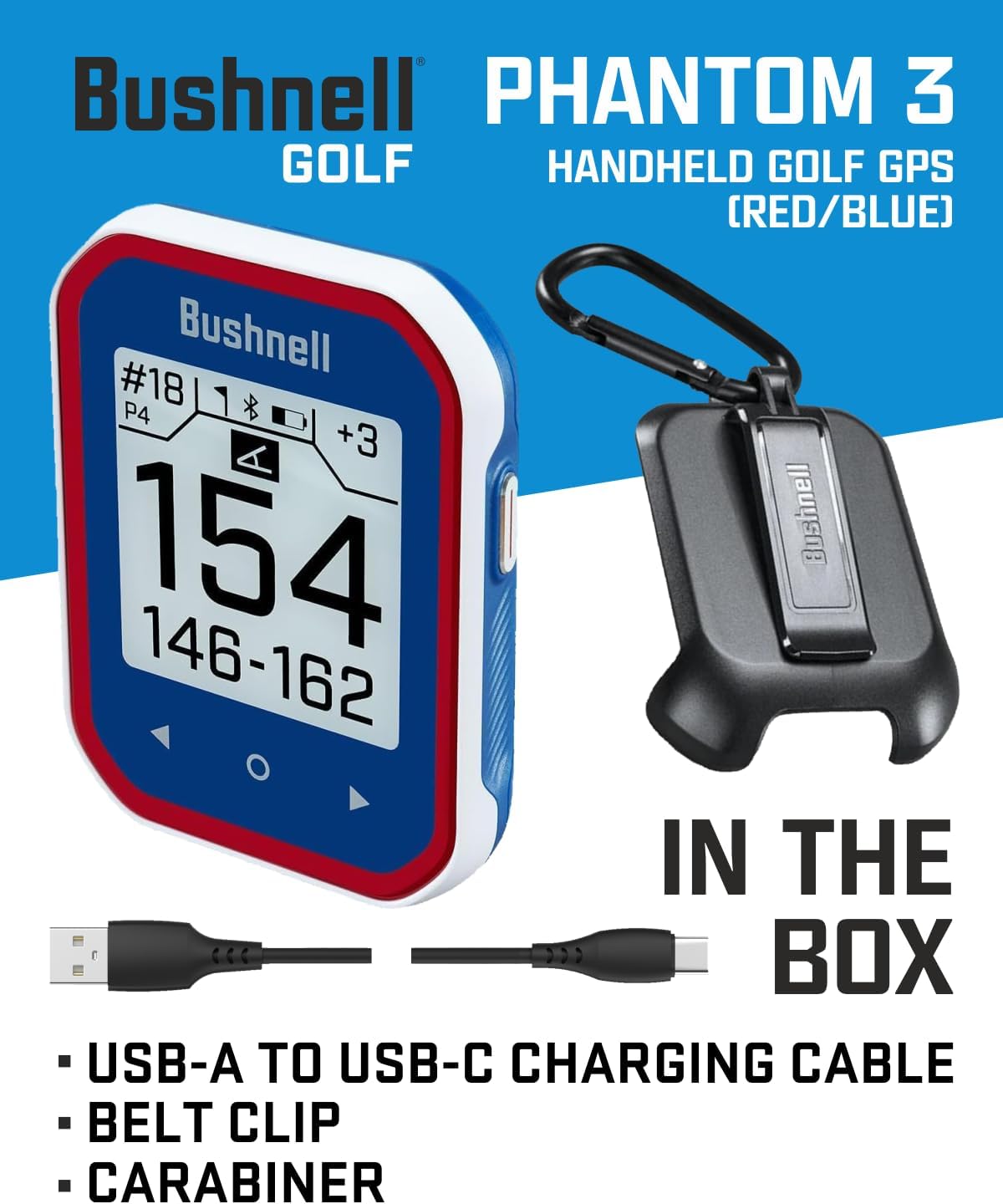
Image: The Bushnell Phantom 3 GPS device, USB-A to USB-C charging cable, belt clip, and carabiner, illustrating the items included in the product packaging.
Product Features
The Phantom 3 Slope GPS is equipped with several features designed to enhance your golf game:
- Slope Compensated Distances: Provides adjusted distances based on elevation changes.
- Touchscreen with Intuitive User Interface: Features auto course/hole recognition, auto score prompt, and auto course updates for minimal interaction during play.
- Front, Center, Back Distances: Displays clear, easy-to-read distances to the front, center, and back of the green. Preloaded with over 38,000 worldwide courses.
- Extended Battery Life: Rechargeable battery provides up to 18 hours of use, typically sufficient for four rounds of golf.
- GreenView with Movable Pin Placement: Allows cycling through different pin locations to obtain more precise distances to the flag.
- Integrated BITE Magnetic Cart Mount: Securely attaches the device to a golf cart.
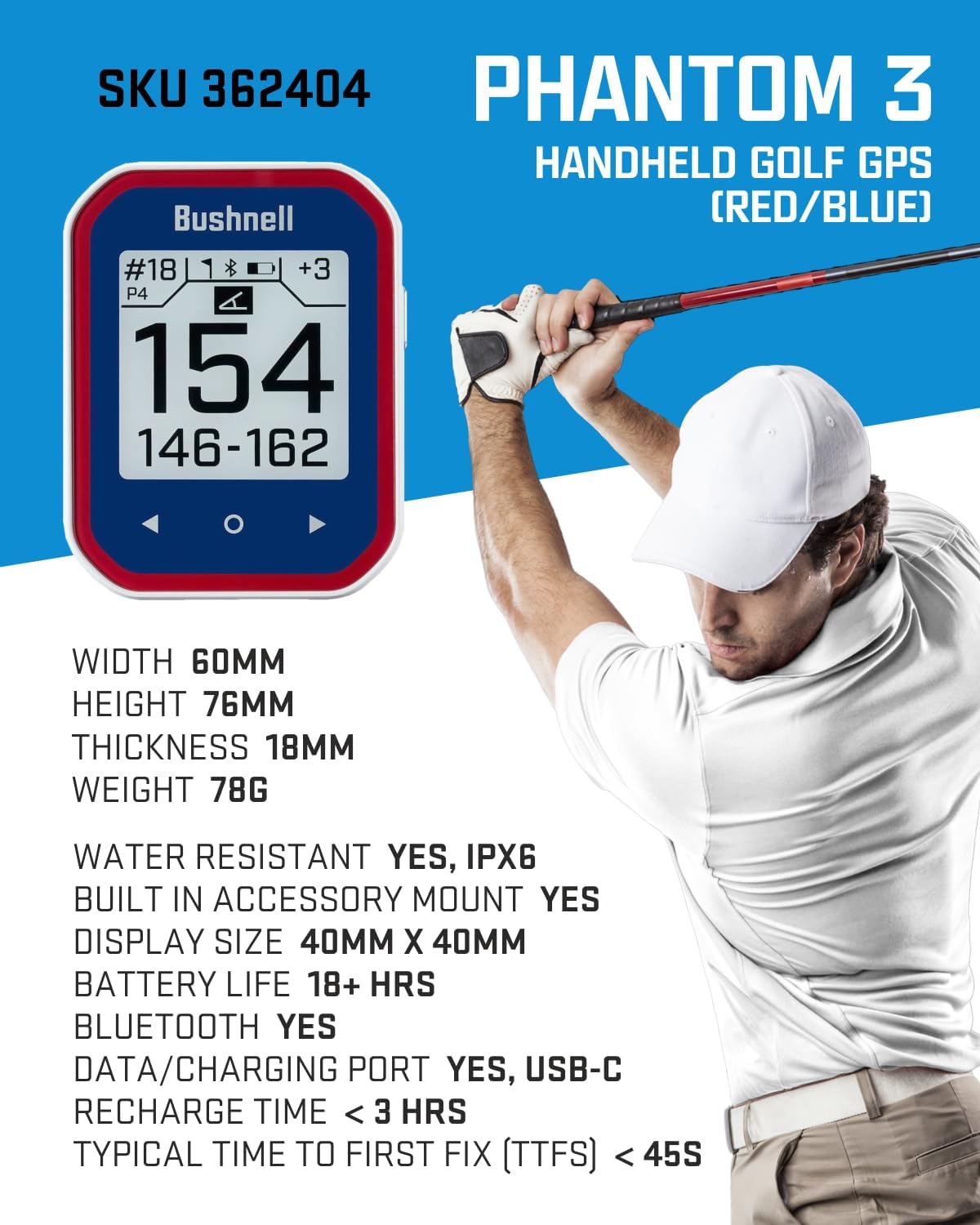
Image: The Bushnell Phantom 3 GPS device alongside a golfer, highlighting its compact size and key technical specifications.
Setup
1. Initial Charging
Before first use, fully charge your Phantom 3 device. Connect the supplied USB-C charging cable to the device and a USB power source (e.g., computer USB port, wall adapter). The battery icon on the display will indicate charging status. A full charge typically takes less than 3 hours.
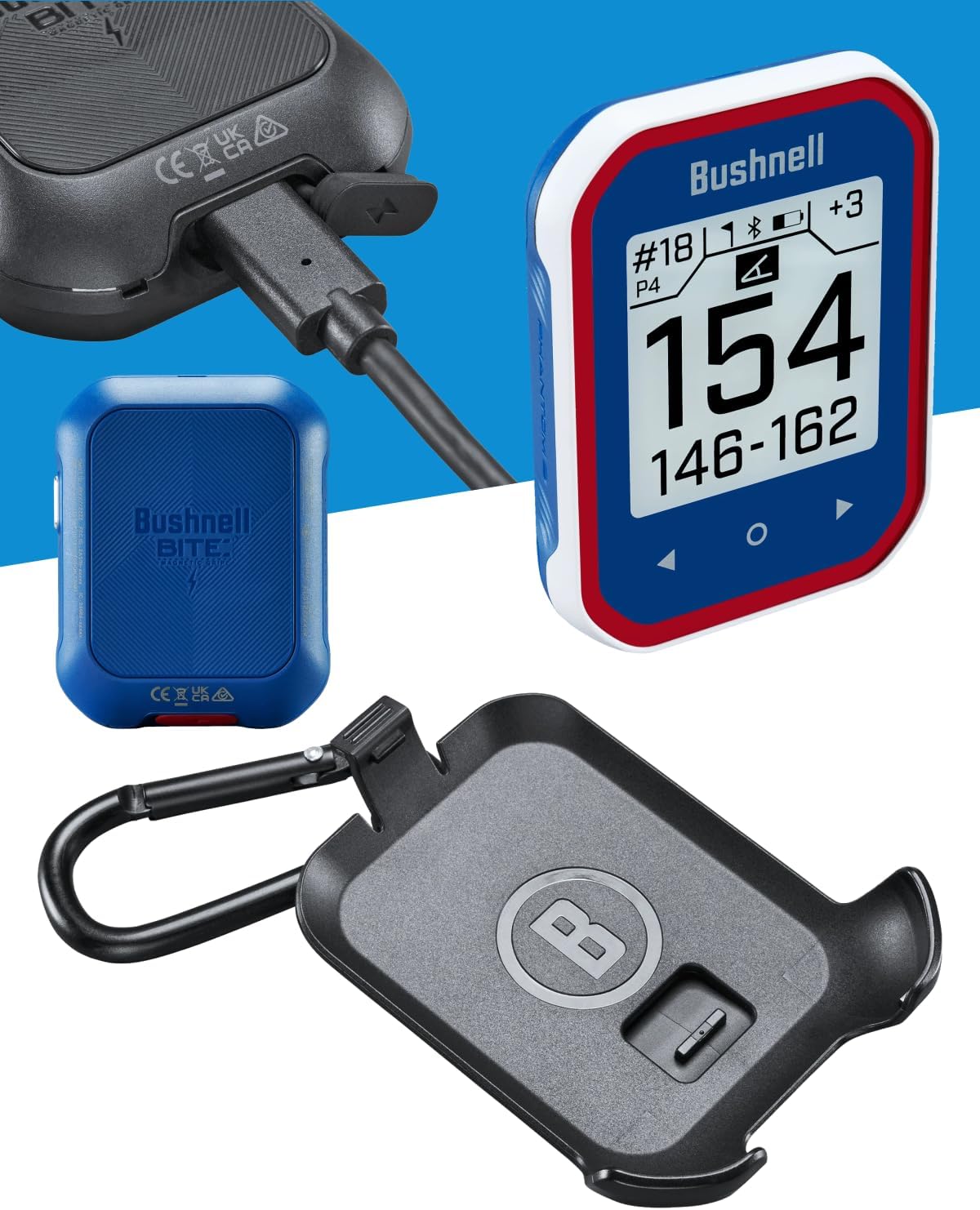
Image: Close-up of the Bushnell Phantom 3 GPS device with the USB-C charging cable connected, demonstrating the charging process.
2. Powering On/Off
To power on the device, press and hold the power button located on the side. To power off, press and hold the power button again until the device shuts down.
3. Course Recognition
Once powered on, the Phantom 3 will automatically search for nearby golf courses. Ensure you are outdoors with a clear view of the sky for optimal GPS signal acquisition. The device will list available courses; select your desired course from the touchscreen.
Operating Instructions
1. Basic Distance Display
After selecting a course, the device will automatically advance to the first hole. The main screen displays distances to the front, center, and back of the green. The large central number represents the distance to the center of the green.
2. GreenView and Pin Placement
To access GreenView, tap the screen or navigate to the GreenView option. This feature provides a visual representation of the green. You can move the pin icon on the touchscreen to its current location on the green to get a more precise distance to the flag.
3. Auto Hole Advance
The Phantom 3 automatically advances to the next hole as you move around the course. If the device does not advance automatically, you can manually change holes using the touchscreen interface.
4. Scorekeeping
The device includes an auto score prompt feature. After completing a hole, the device may prompt you to enter your score. Use the touchscreen to input your score for each hole.
5. Using the BITE Magnetic Mount
The integrated BITE magnetic mount allows you to easily attach the Phantom 3 to the metal frame of a golf cart for convenient access during your round.
Maintenance
1. Cleaning
Wipe the device with a soft, damp cloth. Avoid using abrasive cleaners or solvents that could damage the screen or casing. The device is water-resistant (IPX6), but it should not be submerged in water.
2. Battery Care
To prolong battery life, avoid fully discharging the device frequently. Store the device in a cool, dry place when not in use. Recharge the battery regularly, even if the device is not used for extended periods.
3. Software Updates
Periodically check the Bushnell Golf website for software updates to ensure your device has the latest course data and features. Updates can typically be performed by connecting the device to a computer.
Troubleshooting
- Device Not Powering On: Ensure the device is fully charged. If the battery is completely drained, it may take a few minutes of charging before the device responds.
- No GPS Signal: Ensure you are outdoors with a clear view of the sky. Avoid areas with tall buildings or dense tree cover that can obstruct the GPS signal. Allow a few minutes for the device to acquire satellites.
- Incorrect Distances: Verify that the correct course and hole are selected. Ensure the device has a strong GPS signal. If issues persist, check for software updates.
- Touchscreen Unresponsive: Try restarting the device. If the issue continues, ensure the screen is clean and dry.
Specifications
| Item Weight | 2.75 ounces |
| Product Dimensions | 5.1 x 1.7 x 7.2 inches |
| Model Number | 362404 |
| Display Size | 3.9 Inches |
| Battery Life | 18 Hours |
| Voice Command | Touchscreen |
| Water Resistance | IPX6 |
| Connectivity Technology | Bluetooth |
| Map Type | North America (Preloaded 38,000+ worldwide courses) |
| Manufacturer | Bushnell Golf |
Warranty and Support
Warranty Information
The Bushnell Golf Phantom 3 GPS device comes with a 1-year manufacturer's warranty. Please retain your proof of purchase for warranty claims. For detailed warranty terms and conditions, refer to the official Bushnell Golf website or the documentation included with your product.
Customer Support
For technical assistance, troubleshooting, or service inquiries, please visit the official Bushnell Golf support website or contact their customer service department. Contact information can typically be found on the Bushnell Golf website or in the Quick Start Guide.


