
1. Introduction
This manual provides essential information for the safe and efficient operation of your ABSAAR AB800A 800W PV WiFi Micro Inverter. The AB800A is designed for balcony PV systems, offering high efficiency, intelligent monitoring, and robust durability. It features two Maximum Power Point (MPP) trackers and integrated WiFi for easy system management.
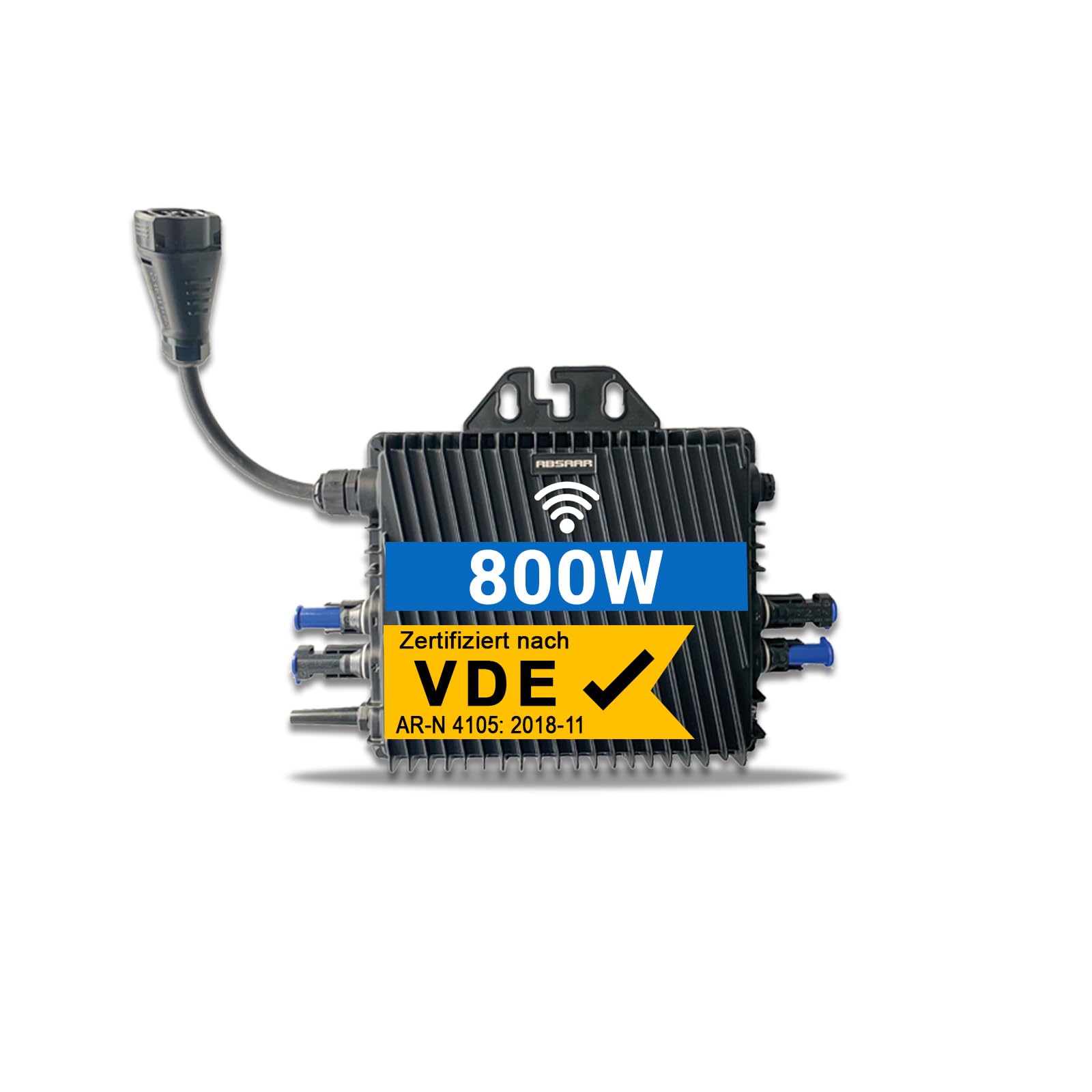
Figure 1: ABSAAR AB800A 800W PV WiFi Micro Inverter. This image shows the compact design of the inverter with its various connection points.
2. Safety Information
Important Safety Instructions: Read all instructions carefully before installation and operation. Failure to follow these instructions may result in electric shock, fire, or serious injury.
- Ensure all electrical connections are made by qualified personnel.
- Do not attempt to open or repair the inverter yourself. Contact qualified service personnel.
- The inverter is designed for outdoor use with IP67 protection, ensuring durability in harsh conditions.
- Comply with all local and national electrical codes and regulations. The microinverter complies with German standards DIN VDE V 0124-100 and VDE-AR-N 4105.
- Disconnect all power sources before performing any maintenance or cleaning.

Figure 2: The ABSAAR AB800A inverter highlighting its IP67 protection rating and VDE certification, indicating compliance with safety standards.
3. Package Contents
Verify that all items are present in the package:
- 1 x ABSAAR AB800A 800W WiFi Inverter (ABSAAR-800)
Note: Connection cables are not included and must be purchased separately.
4. Setup and Installation
The ABSAAR AB800A inverter is designed for easy, plug-and-play installation, making it ideal for balcony PV systems. Follow these general steps for setup:
- Mounting: Securely mount the inverter in a suitable location, ensuring proper ventilation and protection from direct sunlight if possible, despite its IP67 rating.
- DC Connection: Connect your solar panels to the DC input terminals of the inverter. The inverter features two MPP trackers for optimized performance.
- AC Connection: Connect the AC output of the inverter to your home's electrical grid according to local regulations.
- WiFi Setup: Utilize the integrated WiFi communication for system monitoring. Refer to the AbsaarEMS app instructions for connecting the inverter to your network.

Figure 3: An illustration of solar panel system components, including the inverter, demonstrating how they connect. This provides a visual aid for understanding the setup.
5. Operating Instructions
Once installed and connected, the inverter will automatically begin converting solar energy into AC power. The primary method for monitoring and managing your inverter's performance is through the AbsaarEMS application.
- Power On: Ensure all connections are secure and power is supplied to the solar panels. The inverter will initiate its startup sequence.
- Monitoring with AbsaarEMS App: Download and install the AbsaarEMS app on your smartphone. Follow the in-app instructions to connect to your inverter via WiFi. The app allows for real-time performance monitoring and management.
- Efficiency: The inverter operates with an efficiency of up to 96.70%, effectively converting solar energy.

Figure 4: A smartphone screen displaying the AbsaarEMS application, showing real-time energy generation data and monitoring capabilities for the inverter.
6. Maintenance
The ABSAAR AB800A inverter is designed for high durability and requires minimal maintenance due to its IP67 protection rating and natural cooling system.
- Regular Inspection: Periodically inspect the inverter and its connections for any visible damage, loose cables, or signs of corrosion.
- Cleaning: If necessary, gently clean the exterior of the inverter with a soft, damp cloth. Do not use abrasive cleaners or solvents. Ensure the inverter is disconnected from all power sources before cleaning.
- Software Updates: Keep the AbsaarEMS app updated to ensure optimal performance and access to the latest features.

Figure 5: The ABSAAR AB800A inverter with a list of its key features, including "Natural Cooling," which contributes to its low maintenance requirements.
7. Troubleshooting
If you encounter issues with your ABSAAR AB800A inverter, consider the following general troubleshooting steps:
- No Power Output:
- Check all DC and AC connections for secure fit.
- Ensure solar panels are receiving sufficient sunlight.
- Verify that the grid connection is active.
- App Connectivity Issues:
- Ensure your smartphone is connected to the same WiFi network as the inverter.
- Restart your router and the inverter.
- Check for app updates.
- Unusual Noises or Smells: Immediately disconnect the inverter from all power sources and contact customer support.
For persistent issues, refer to the warranty and support section for contact information.
8. Specifications
| Feature | Specification |
|---|---|
| Model Name | AB800A |
| Rated Power (W) | 800 W |
| Max PV Input Power (W) | 210~560W x 2 |
| Max PV Input Voltage (V) | 16 ~ 60 V |
| Startup Voltage (V) | 30 V |
| MPPT Voltage Range (V) | 33 ~ 55 V |
| Max Input Current (A) | 14A x 2 |
| Number of MPP Trackers | 2 |
| Rated Output Current (A) | 3.48 A |
| Rated Voltage (V) | 230 V (Single-phase) |
| Grid Voltage Range (V) | 180 ~ 264 VAC |
| Nominal Grid Frequency (Hz) | 50 Hz / 60 Hz |
| Power Factor | >0.99 |
| Efficiency | Up to 96.70% |
| Protection Rating | IP67 |
| Weight | 3.6 kg |
| Electrical Wave Shape | Pure Sine Wave |
9. Warranty and Support
The ABSAAR AB800A Micro Inverter comes with a 10-year warranty, ensuring long-term reliability and customer satisfaction.
For technical assistance, troubleshooting, or warranty claims, please contact your retailer or the manufacturer's dedicated support team. Refer to your purchase documentation for specific contact details.

