
1. Introduction
Thank you for choosing the Bloomfold Digital Hygrometer Thermometer. This device is designed to accurately measure indoor temperature and humidity, providing essential data for maintaining a comfortable and healthy living environment. Understanding your indoor climate can help you make informed decisions, especially if you are sensitive to environmental factors due to skin conditions, respiratory issues, or heart problems.
The Bloomfold hygrometer is suitable for monitoring indoor climate in various settings such as homes, schools, offices, and hotels.

Image 1.1: The Bloomfold hygrometer is versatile for use in homes, schools, offices, and hotels.
2. Safety Information
- Keep the device away from water and high humidity environments to prevent damage.
- Do not expose the device to extreme temperatures or direct sunlight for prolonged periods.
- Handle the device with care; avoid dropping or subjecting it to strong impacts.
- Keep batteries out of reach of children. If swallowed, seek medical attention immediately.
- Dispose of used batteries according to local regulations.
3. Package Contents
Upon opening the package, please ensure all items are present and in good condition:
- 1 x Bloomfold Digital Hygrometer Thermometer (Model BF101)
- 1 x CR2032 Lithium Cell Battery (pre-installed or included separately)
- 1 x Instruction Manual (this document)

Image 3.1: The Bloomfold hygrometer and its packaging.
4. Product Overview
The Bloomfold Digital Hygrometer Thermometer is a compact and user-friendly device designed for accurate indoor climate monitoring. It features a clear display and multiple functionalities.
Key Features:
- Accurate Measurement: Measures temperature with an accuracy of ±1°C and humidity with ±4-5%.
- Fast Updates: Performs new measurements every 10 seconds for real-time data.
- Comfort Indicator: Displays a comfort level using three different smileys for quick assessment.
- Temperature Unit Switch: Easily switch between Celsius (°C) and Fahrenheit (°F).
- Versatile Placement: Can be mounted magnetically, hung, or placed freestanding.
- Long Battery Life: Low energy consumption ensures the included CR2032 battery lasts longer.

Image 4.1: Key features of the Bloomfold hygrometer.
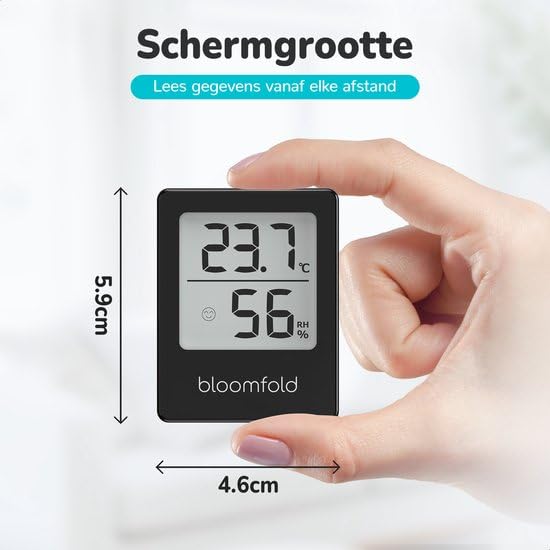
Image 4.2: The compact dimensions of the Bloomfold hygrometer (4.6 cm x 5.9 cm).
5. Setup
5.1 Battery Installation
The Bloomfold hygrometer is designed for user-friendliness. Simply insert the included CR2032 battery to power on the device.
- Locate the battery compartment on the back of the device.
- Open the battery compartment cover.
- Insert the CR2032 battery with the positive (+) side facing up.
- Close the battery compartment cover securely.
The device will power on automatically, and readings will appear on the display within a few minutes.
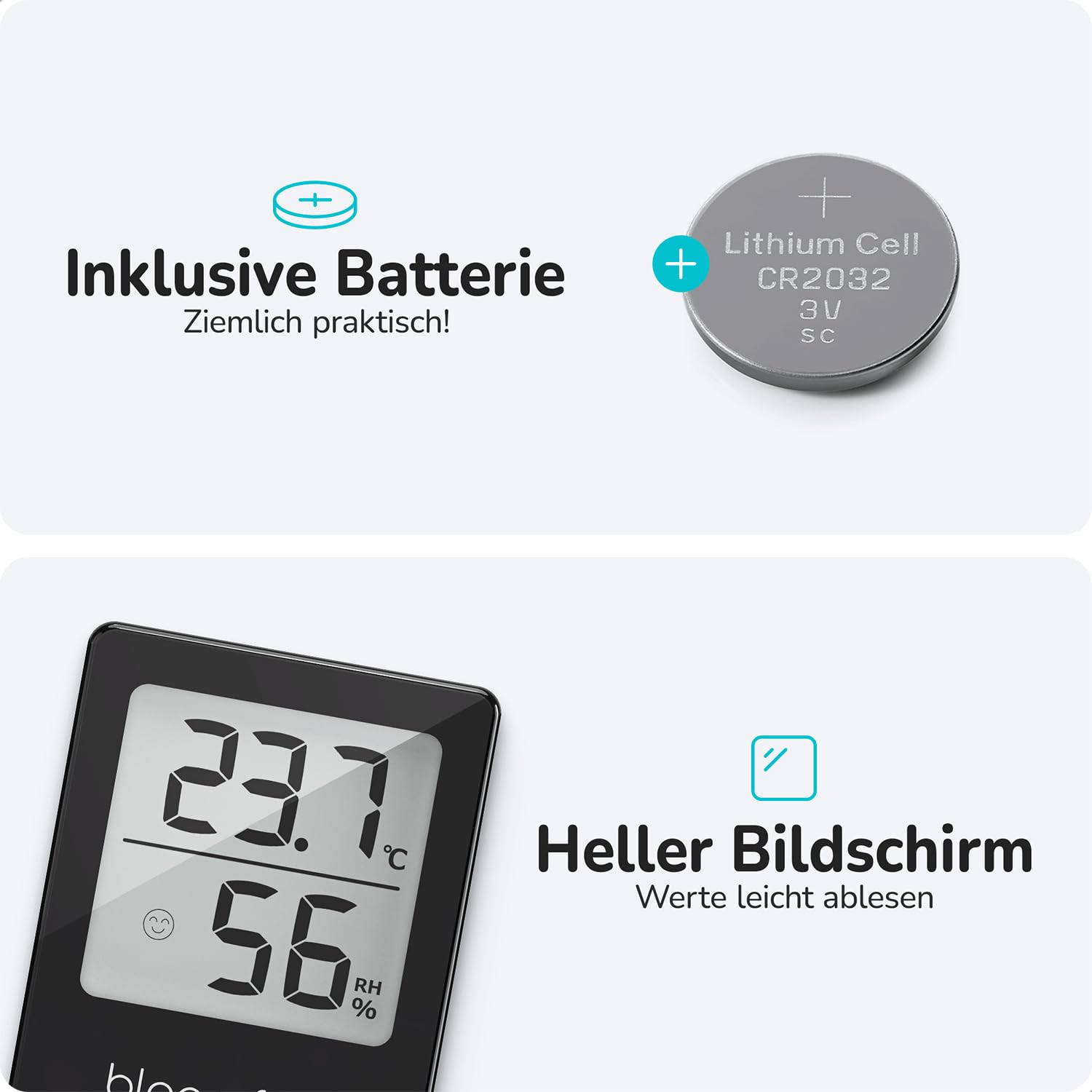
Image 5.1: The Bloomfold hygrometer includes a CR2032 battery.
5.2 Placement Options
The hygrometer offers flexible placement options to suit your needs:
- Magnetic Attachment: Use the strong magnet on the back to attach the device to metal surfaces, such as a refrigerator.
- Freestanding: Place the device on any flat surface using its integrated stand.
- Hanging: Utilize the hanging eyelet to mount the device on a wall hook.

Image 5.2: The hygrometer can be magnetically attached or placed freestanding.
6. Operating Instructions
6.1 Reading the Display
The clear digital display shows the current temperature and humidity levels. The temperature is typically displayed in the upper section, and humidity in the lower section.
6.2 Understanding the Comfort Indicator
The device features a comfort indicator, represented by three different smileys, to give you an immediate visual cue of the indoor climate comfort level:
- Happy Face: Indicates optimal comfort (e.g., temperature 20-26°C, humidity 40-60%).
- Neutral Face: Indicates acceptable but not ideal conditions.
- Sad Face: Indicates uncomfortable conditions (e.g., too dry or too humid).
6.3 Switching Temperature Units (°C/°F)
To switch between Celsius (°C) and Fahrenheit (°F), locate the small button on the back or side of the device. Press this button once to toggle the temperature unit.
7. Maintenance
- Cleaning: Wipe the device with a soft, dry cloth. Do not use abrasive cleaners or immerse the device in water.
- Battery Replacement: When the display becomes dim or stops working, it's time to replace the CR2032 battery. Follow the battery installation steps in Section 5.1.
- Storage: If storing the device for an extended period, remove the battery to prevent leakage.
8. Troubleshooting
| Problem | Possible Cause | Solution |
|---|---|---|
| No display or dim display | Battery is dead or incorrectly installed. | Replace the CR2032 battery or ensure it is installed correctly with the positive (+) side up. |
| Inaccurate readings | Device placed near heat sources, vents, or in direct sunlight. | Relocate the device to a stable indoor environment away from extreme temperature fluctuations or direct airflow. Allow a few minutes for readings to stabilize. |
| Comfort indicator not changing | Room conditions are stable or outside the range for indicator change. | Ensure the device has been in the current environment for at least 30 minutes. If conditions are stable, the indicator will not change. |
9. Specifications
| Feature | Specification |
|---|---|
| Temperature Measurement Range | -20°C to 50°C (-4°F to 122°F) |
| Temperature Accuracy | ±1°C |
| Humidity Measurement Range | 20% to 95% RH |
| Humidity Accuracy | ±4-5% RH |
| Measurement Update Rate | Every 10 seconds |
| Wireless Range (if applicable) | 15m |
| Dimensions (W x H x D) | 4.6 x 5.9 x 3.4 cm |
| Power Source | 1 x CR2032 Lithium Cell Battery |
| Color | Black |
10. Warranty
Bloomfold stands behind the quality of its products. The Bloomfold Digital Hygrometer Thermometer (Model BF101) comes with a 2-year warranty from the date of purchase. This warranty covers manufacturing defects and ensures reliable performance under normal use.
Please retain your proof of purchase for warranty claims. The warranty does not cover damage caused by misuse, accidents, unauthorized modifications, or normal wear and tear.

Image 10.1: The Bloomfold hygrometer comes with a 2-year warranty.
11. Support
If you encounter any issues or have questions regarding your Bloomfold Digital Hygrometer Thermometer, please refer to the troubleshooting section first. If the problem persists, please contact Bloomfold customer support through the retailer where you purchased the product or visit the official Bloomfold website for assistance.
When contacting support, please have your product model (BF101) and purchase details ready.