
Introduction
This manual provides detailed instructions for the TMEHM S660pro2 3-in-1 Sleep Sound Machine. This device combines a sleep sound machine with 8 mixable nature sounds, a portable Bluetooth speaker, and a 12-color night light, designed to assist with sleep, relaxation, and calming for babies, kids, and adults.
Safety Information
- Please fully charge the device before first use.
- Keep away from water and heat sources during use.
- Do not cover the product to avoid damage.
- Children must use the device under adult supervision.
Package Contents
The TMEHM S660pro2 package includes the following items:
- TMEHM S660pro2 Sleep Sound Machine
- USB Type-C Charging Cable
- Power Adapter
- User Manual
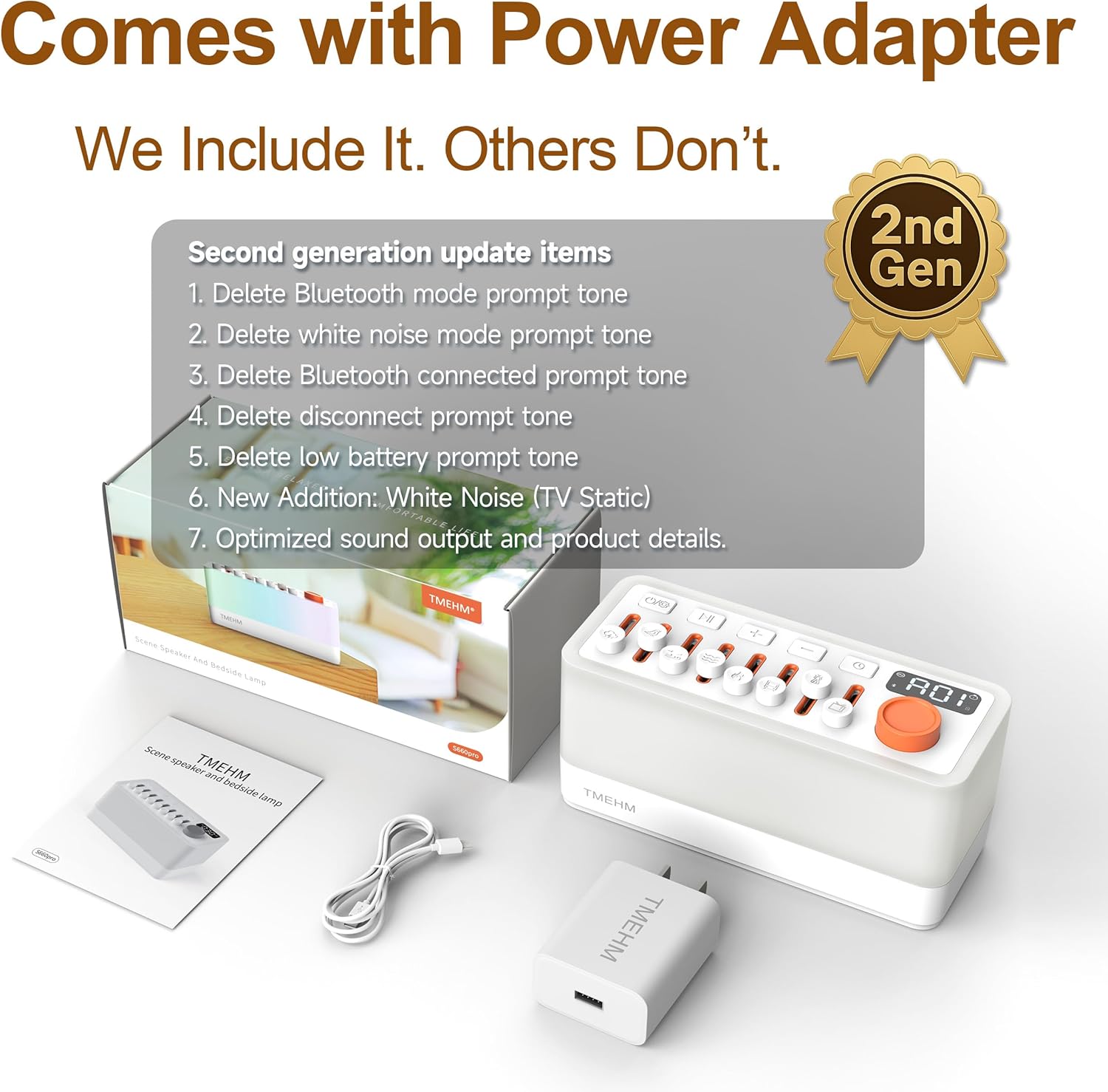
Image: The TMEHM S660pro2 Sleep Sound Machine shown with its included USB-C charging cable, power adapter, and user manual.
Product Overview
Familiarize yourself with the device's controls and features:

Image: Top-down view of the TMEHM S660pro2 Sleep Sound Machine, highlighting the power button, sound selection sliders, volume controls, timer button, screen display, and light/mode knob.
- Power Button: Press and hold to power on/off. Short press to switch Bluetooth mode.
- Sound Sliders: Individual sliders for 8 natural sounds (rain, bird chirping, ocean waves, stream, campfire, train, crickets, TV static). Adjust each slider to mix sounds and control individual volume.
- Play/Pause Button: For Bluetooth audio playback.
- Volume Buttons (+/-): Adjust overall volume for sounds and Bluetooth.
- Timer Button: Set auto-off timer.
- Screen Display: Shows timer settings, light brightness, and Bluetooth status.
- Light/Mode Knob: Press to turn on/off the night light. Rotate to adjust brightness and cycle through colors/modes.
- USB Type-C Charging Port: Located at the back for charging the device.
Setup
- Initial Charge: Before first use, fully charge the device using the provided USB Type-C cable and power adapter. The battery indicator on the screen will show charging status.
- Power On: Press and hold the power button for 2 seconds to turn on the device.
Operating Instructions
1. Sound Selection and Mixing
The device offers 8 distinct natural sounds that can be mixed to create up to 256 combinations. Each sound has an independent volume control.

Image: The TMEHM S660pro2 showing the 8 individual sound sliders with icons for rain, birdsong, ocean waves, stream, campfire, train, crickets, and TV static.
- Select Sounds: Push up the individual sliders corresponding to the desired sounds (rain, bird chirping, ocean waves, stream, campfire, train, crickets, TV static).
- Adjust Individual Volume: Move each slider up or down to increase or decrease the volume of that specific sound.
- Overall Volume: Use the '+' and '-' buttons to adjust the master volume of all active sounds.
2. Night Light and Color Modes
The device features a night light with adjustable brightness and multiple color options, including a breathing therapy mode.
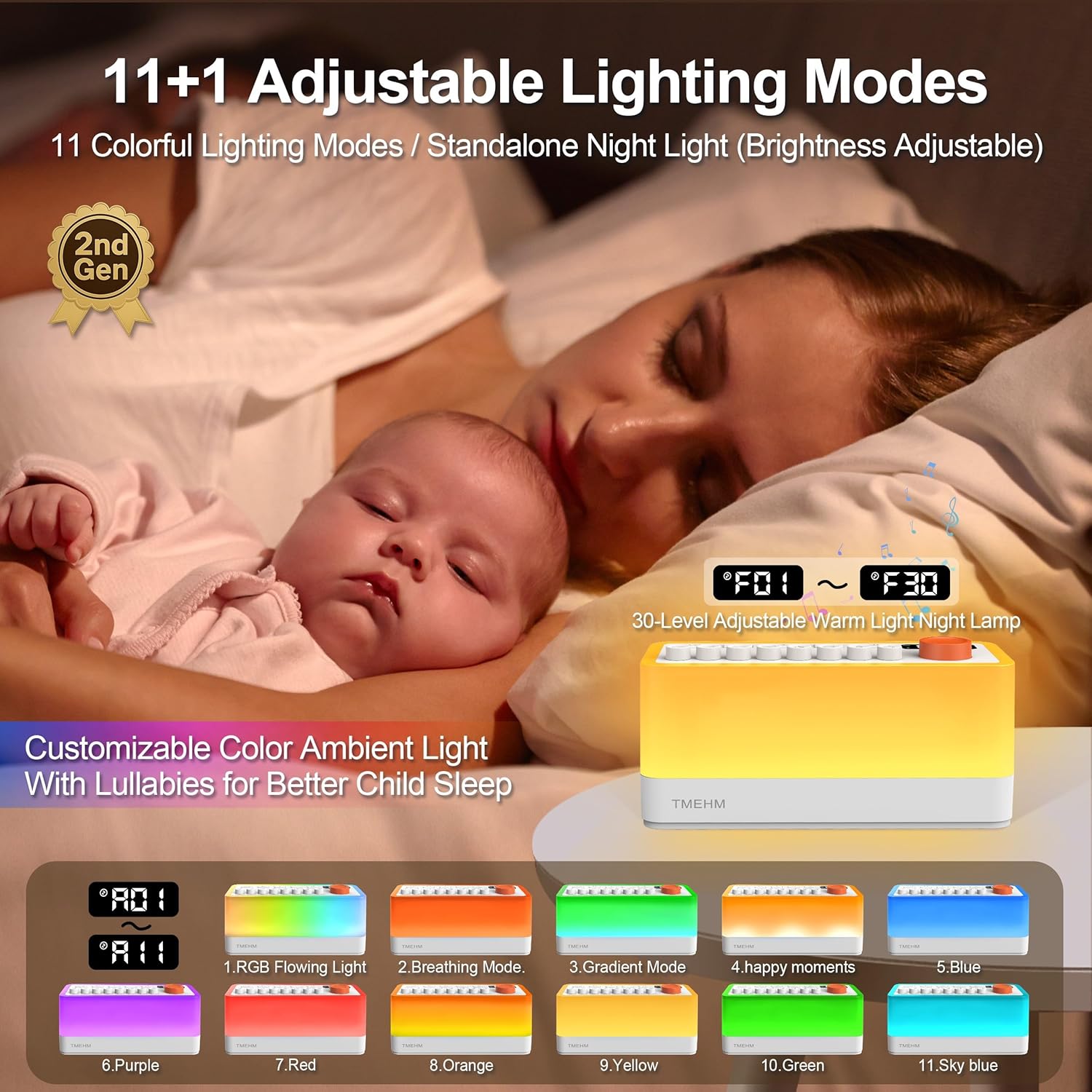
Image: The TMEHM S660pro2 functioning as a night light, showcasing different colors and a display indicating brightness levels from F01 to F30.
- Turn On/Off: Short press the Light/Mode knob to turn the night light on or off.
- Adjust Brightness: Rotate the Light/Mode knob to adjust the warm night light brightness (30 levels). The screen will display 'F01' to 'F30'.
- Change Color: Long press the Light/Mode knob to switch between 11 color modes and a breathing therapy mode. Rotate the knob to cycle through the available colors.
- Breathing Therapy: In breathing therapy mode, follow the light's gentle pulsing pattern to aid relaxation.
3. Bluetooth Speaker Function
Connect your smartphone or other Bluetooth-enabled device to play your personal audio.
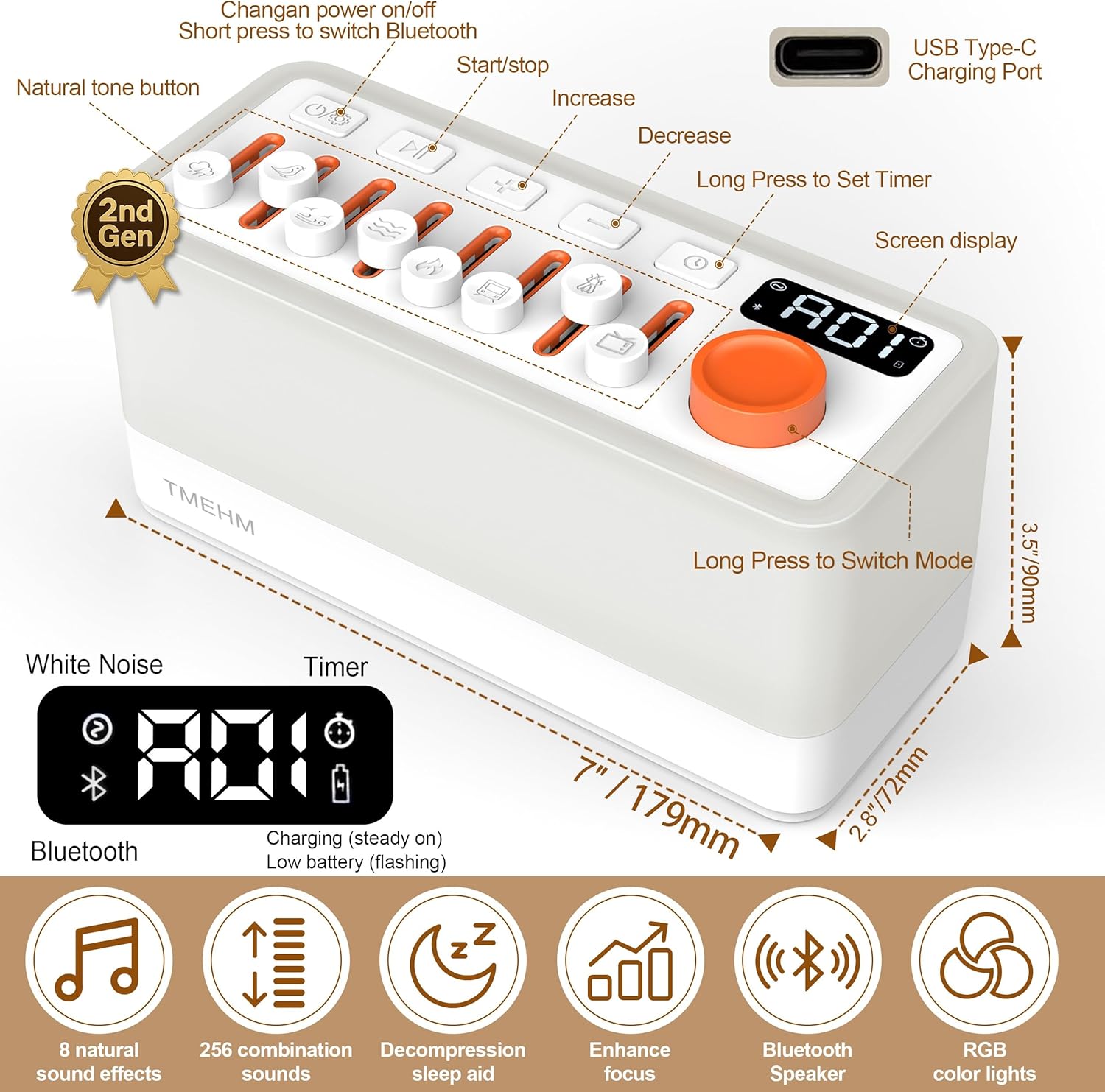
Image: The TMEHM S660pro2 with an illustration of sound waves emanating from its speakers, indicating Bluetooth connectivity and dual speaker functionality.
- Activate Bluetooth: Short press the power button to switch to Bluetooth mode. The screen will show a Bluetooth icon.
- Pairing: On your device, enable Bluetooth and search for 'S660pro'. Select it to pair.
- Playback Control: Use the Play/Pause button on the device or your connected device to control audio playback. Use the '+' and '-' buttons for volume adjustment.
4. Sleep Timer Settings
Set an auto-off timer for the sound and light functions.

Image: The TMEHM S660pro2 on a bedside table, showing its timer display set between 5 and 180 minutes, with a person sleeping peacefully in the background.
- Set Timer: Press the Timer button. The screen will display the current timer setting.
- Adjust Duration: Use the '+' and '-' buttons to select the desired duration from 5 to 180 minutes in 5-minute increments.
- Auto-Off: The sound and light will gradually fade out and turn off after the set time. If no timer is set, the device will remain on continuously.
5. Video Demonstration: Analysis of Each Function
Video: A detailed demonstration of each function of the TMEHM S660pro2 Sleep Sound Machine, including sound mixing, light adjustments, and timer settings.
Maintenance
- Clean the device with a soft, dry cloth. Do not use abrasive cleaners or solvents.
- Ensure the device is unplugged before cleaning.
- Store in a cool, dry place when not in use for extended periods.
Troubleshooting
| Problem | Solution |
|---|---|
| Device does not power on. | Ensure the device is fully charged. Connect to power adapter and charging cable. |
| No sound or low volume. | Check individual sound sliders and master volume buttons. Ensure Bluetooth is not connected if using internal sounds. |
| Bluetooth not connecting. | Ensure the device is in Bluetooth mode (short press power button). Check your device's Bluetooth settings and ensure 'S660pro' is selected. |
| Night light not working. | Short press the Light/Mode knob to turn on. Rotate the knob to adjust brightness. |
Specifications
| Feature | Detail |
|---|---|
| Product Dimensions | 7 x 2.8 x 3.5 inches |
| Item Weight | 1 Pounds |
| Item Model Number | S660pro2 |
| Battery Capacity | 2600mAh (1 Nonstandard Battery included) |
| Power Source | Battery Powered |
| Connector Type | USB Type-C |
| Number of Tracks | 8 (Mixable Nature Sounds) |
| Night Light Levels | 30-level warm night light, 11 color modes |
| Timer Settings | 5 to 180 minutes (in 5-minute increments) |
| Material Type | Acrylonitrile Butadiene Styrene (ABS), Plastic |
Warranty
The TMEHM S660pro2 Sleep Sound Machine comes with a manufacturer warranty. Replacement with a new unit is provided within one year for non-human damage.
Support
For further assistance, troubleshooting, or warranty claims, please contact TMEHM customer support through the retailer where the product was purchased or visit the official TMEHM website.