
1. Introduction
This manual provides detailed instructions for the setup, operation, and maintenance of your SERPHIX 15.2" Gym Timer. Please read this manual thoroughly before using the product to ensure proper function and to maximize its capabilities. This device is designed to assist with various timing needs in home gyms, garages, and other fitness environments.

Image 1.1: The SERPHIX 15.2" Gym Timer, showcasing its large LED display, included remote control, and a smartphone displaying the companion app interface.
2. Package Contents
Verify that all items listed below are present in your package:
- SERPHIX 15.2" Gym Timer
- 96-inch USB Cable
- Remote Control (batteries not included, requires 2xAAA)
- Power Adapter
- M4 Screws (x2)
- Wall Screws (x2)
- Fixed Brackets (x2)
- Instruction Manual (this document)
- Free App Download Information

Image 2.1: Visual representation of the SERPHIX Gym Timer and its complete packing list, including accessories for installation and operation.
3. Product Features
- Large LED Digital Display: The timer measures 15.2" x 4" x 1.5" and features 2.7" large digits for clear visibility. It offers 6 levels of brightness adjustment.
- Customizable LED Colors: The LED display colors are fully customizable, allowing users to select any RGB color for the main and secondary screens independently.
- Dual Control Methods: Supports control via a dedicated mobile application and an included remote control for versatile operation.
- Rich Customization Options: The app allows for free configuration of timing program parameters, including adding or deleting rest and work modules.
- Multiple Timing Modes: Includes Custom Intervals (P1-P9), Tabata, EMOM, AMRAP, Count Up/Down, and Stopwatch functions.
- Stored Program Management: The timer can store up to 9 user-customized timing programs, accessible and manageable through the app or remote control.
- Voice Countdown Alerts: Features a built-in speaker with male and female voice options for countdown alerts, allowing users to focus on their workout without constantly looking at the screen. Includes 6-level volume control and silent mode.
- Enhanced Screen Information: A clever design with main and secondary screens provides intuitive and clear information, helping to better control exercise rhythm.
- Digital Wall Clock Functionality: Supports 12/24-hour format, Bluetooth auto time synchronization, and displays week, temperature, and date. Includes custom hourly chime and up to 10 alarms with loud 6-level volume control.

Image 3.1: The timer's large display, dimensions, and brightness adjustment capabilities.

Image 3.2: Various timing modes available on the SERPHIX Gym Timer, illustrating its versatility for different workout routines.
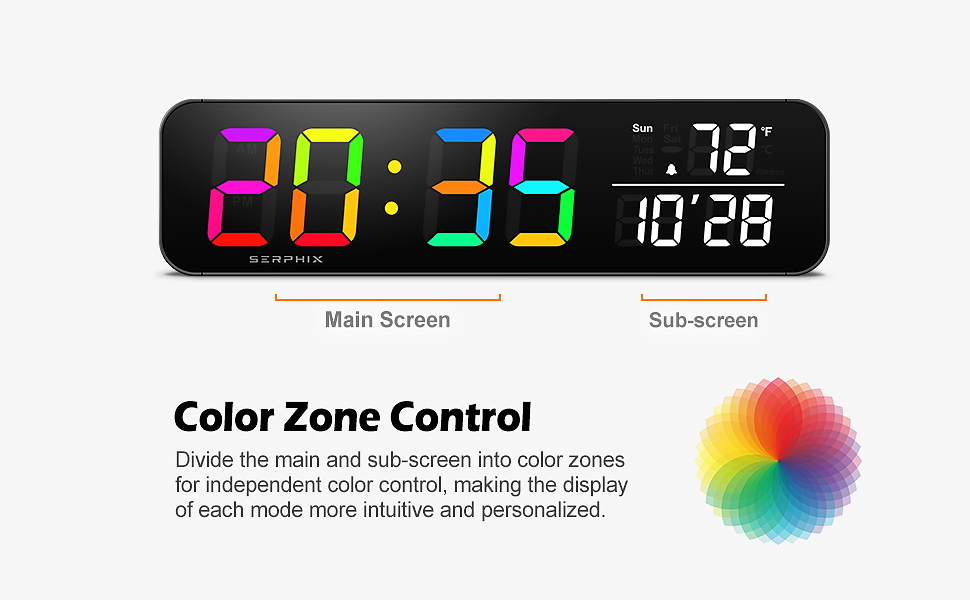
Image 3.3: The color zone control feature, allowing independent color customization for the main and sub-screens of the timer.
4. Setup
4.1 Power Connection
- Connect the provided USB cable to the timer.
- Plug the USB cable into the power adapter.
- Insert the power adapter into a standard electrical outlet.
- The timer is designed to operate only when plugged into a power source; it is not battery-powered.
4.2 Remote Control Battery Installation
- Open the battery compartment on the back of the remote control.
- Insert two AAA batteries, ensuring correct polarity (+/-).
- Close the battery compartment securely.
4.3 Mounting Options
The SERPHIX Gym Timer can be used as a desktop unit or wall-mounted.
- Desktop Use: Simply place the timer on a flat, stable surface.
- Wall Mounting: Use the provided M4 screws, wall screws, and fixed brackets to securely mount the timer to a wall. Ensure the mounting surface is suitable to support the timer's weight.
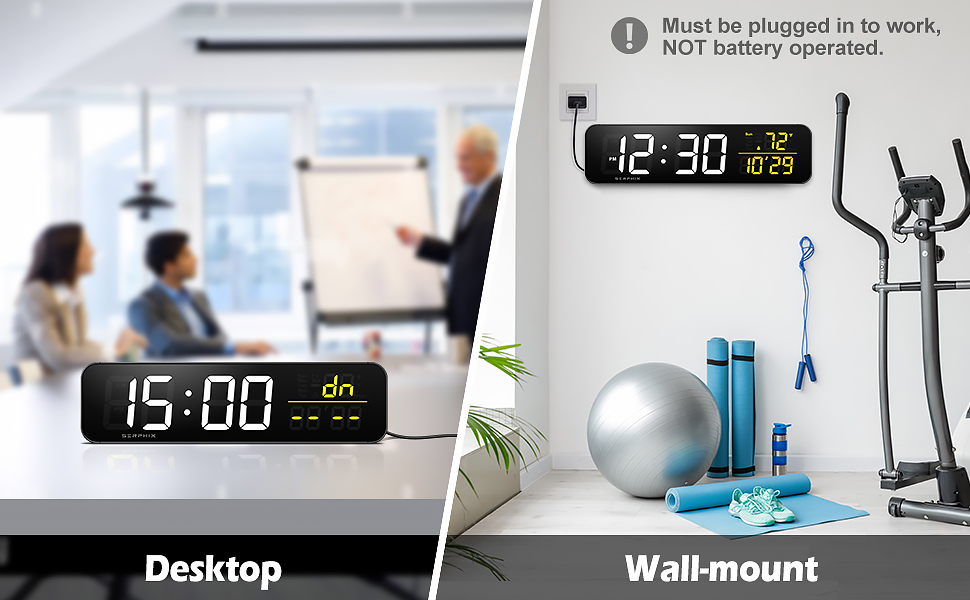
Image 4.1: Examples of the timer being used in both desktop and wall-mounted configurations.
5. Operating Instructions
5.1 Initial Power On and Time Sync
Upon connecting to power, the timer will activate. It supports Bluetooth auto time synchronization. Refer to the app control section for details on connecting to the app for time synchronization and other settings.
5.2 Basic Remote Control Functions
The remote control provides convenient access to the timer's primary functions:
- Power Button: Turns the display on/off.
- Mode Selection: Cycle through different timing modes (e.g., Clock, Interval, Stopwatch).
- Start/Pause: Initiates or pauses the current timing program.
- Reset: Resets the timer to its initial state for the current mode.
- Volume: Adjusts the volume of alerts.
- Brightness: Adjusts the display brightness.
- Navigation Buttons (Up/Down/Left/Right/OK): Used for navigating menus and adjusting values.
5.3 App Control
The dedicated mobile application offers extensive customization and control over your SERPHIX Gym Timer.
- Download the App: Scan the QR code provided in the package or search for the "SERPHIX Timer" app on your smartphone's app store (iOS/Android).
- Connect via Bluetooth: Enable Bluetooth on your smartphone and open the app. Follow the in-app instructions to pair with your SERPHIX Gym Timer.
- Customizing Programs: Use the app to configure parameters for various timing programs. You can add or delete work and rest modules, set durations, and define rounds for interval training.
- Managing Stored Data: The app allows you to view, manage, and activate up to 9 user-customized timing programs stored on the timer.
- Color Selection: Independently adjust the RGB colors for the main and secondary screens through the app's settings.
- Voice Alert Settings: Configure voice alert options, including male/female voices, alert tones, and volume levels.
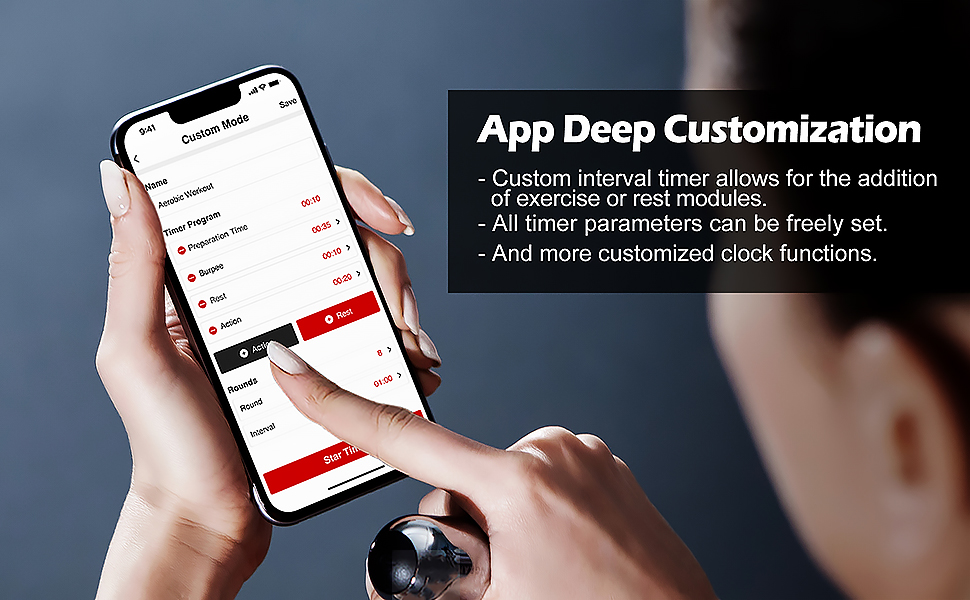
Image 5.1: The app's deep customization interface for creating and modifying workout programs.

Image 5.2: The app interface for managing and accessing stored custom timing programs.
5.4 Timing Modes
The timer supports various modes to suit different training needs:
- Custom Intervals (P1-P9): Program specific work and rest periods.
- Tabata: Pre-set 20 seconds work, 10 seconds rest, 8 rounds. Customizable via app.
- EMOM (Every Minute On the Minute): Set a duration for each minute.
- AMRAP (As Many Rounds As Possible): Set a total time for continuous exercise.
- Count Up: Measures elapsed time from zero.
- Count Down: Counts down from a set time to zero.
- Stopwatch: Measures time with precision, including lap functions if available via app.
5.5 Voice Countdown Alerts
The built-in speaker provides audible cues to guide your workout.
- Voice alerts indicate countdowns and transitions between work/rest periods.
- Choose between male and female voice options.
- Adjust the volume through 6 levels or enable silent mode.
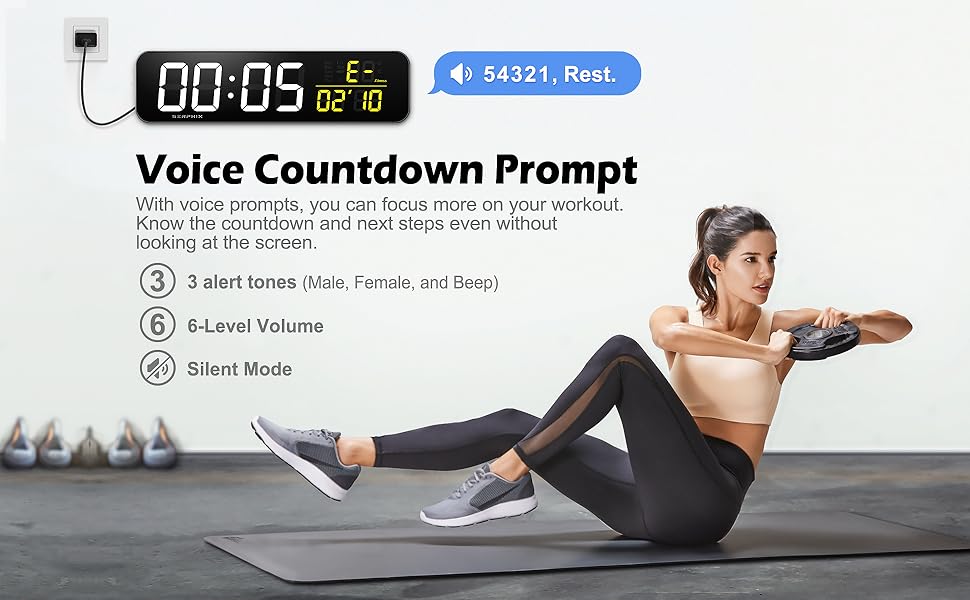
Image 5.3: The voice countdown prompt feature, assisting users during workouts without needing to constantly view the screen.
6. Maintenance
- Cleaning: Wipe the timer's surface with a soft, dry cloth. Avoid using abrasive cleaners or solvents.
- Storage: When not in use for extended periods, store the timer in a cool, dry place.
- Remote Control: Replace AAA batteries in the remote control as needed. Remove batteries if the remote will not be used for a long time to prevent leakage.
7. Troubleshooting
- Timer does not power on:
- Ensure the power adapter is securely plugged into both the timer and a working electrical outlet. The timer is not battery-operated and requires continuous power.
- Remote control is not responding:
- Check if the AAA batteries are inserted correctly with the correct polarity. Replace batteries if they are depleted. Ensure there are no obstructions between the remote and the timer's IR receiver.
- App cannot connect to the timer:
- Ensure Bluetooth is enabled on your smartphone. Make sure the timer is powered on. Try restarting the app and your phone's Bluetooth. If issues persist, try unpairing and re-pairing the device in your phone's Bluetooth settings.
- Timer loses time or date settings after power cycle:
- The timer does not have internal clock memory for power outages. It will revert to factory clock settings if power is disconnected. Re-sync time via Bluetooth through the app after power restoration. Stored workout programs (P1-P9) will be retained.
- Display is too dim or too bright:
- Adjust the brightness using the remote control or through the settings in the mobile application.
- Voice alerts are not audible or too loud:
- Adjust the volume using the remote control or within the app's settings. Ensure silent mode is not enabled if you expect audible alerts.
8. Specifications
| Feature | Detail |
|---|---|
| Brand | SERPHIX |
| Model Number | CT-103 |
| Product Dimensions | 1.5"D x 15.2"W x 4"H |
| Screen Size | 2.7 Inches (digit height) |
| Material | Aluminum |
| Color | Black |
| Item Weight | 7.7 ounces |
| Number of Settings | 20 (referring to various customizable options) |
| Power Source | Plug-in (not battery operated) |
| Control Methods | App, Remote Control |
| Display Features | Customizable RGB LED Colors, 6-level Brightness, 12/24hr format, Week/Temp/Date display |
| Alarm Features | 10 Alarms, Custom Hourly Chime, 6-level Volume Control |
9. Warranty and Support
For warranty information and customer support, please refer to the documentation included with your purchase or contact SERPHIX customer service directly. Contact details can typically be found on the product packaging or the official SERPHIX website.
