1. Product Overview
The 1Mii SafeFly Min Bluetooth Transmitter is a versatile audio adapter designed to provide wireless audio connectivity. It allows you to transmit audio from various devices with a 3.5mm audio jack to your Bluetooth headphones or speakers, making it ideal for use on airplanes, with TVs, gaming consoles, gym equipment, and more.
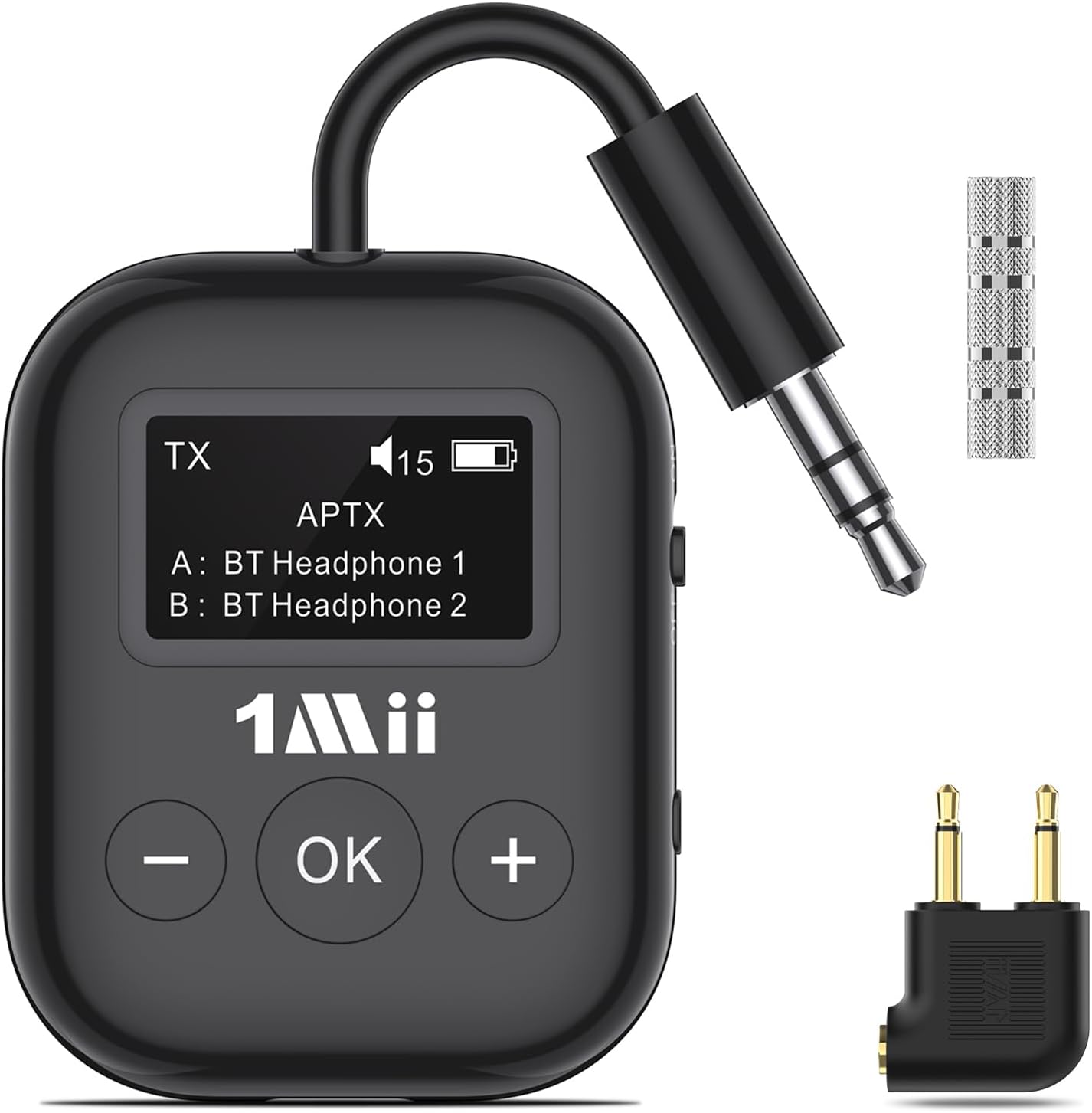
Image 1: The 1Mii SafeFly Min Bluetooth Transmitter, showcasing its compact design, 3.5mm audio jack, and control buttons. Also visible are the included 3.5mm audio adapter and airplane headphone adapter.
Key Features:
- Bluetooth 5.3 Technology: Ensures a stable wireless signal and a transmission range of up to 20 meters.
- Dual Device Connection: Connects to two Bluetooth audio devices simultaneously for shared listening.
- OLED Display: Provides real-time information including battery capacity, volume levels, paired devices, and audio format (SBC/AAC/aptX-HD/LL/AD).
- Low Latency Audio: Utilizes aptX Low Latency technology to reduce audio delay to less than 40ms, ensuring synchronized sound.
- Extended Battery Life: Offers up to 25 hours of continuous use on a single charge.
- Automatic Shutdown: Powers off automatically after 5 minutes of inactivity to conserve battery.
- Wide Compatibility: Works with any audio device equipped with a 3.5mm audio jack, including in-flight entertainment systems, computers, gaming consoles, TVs, and portable DVD players.

Image 2: This diagram clarifies that the 1Mii SafeFly Min functions solely as a Bluetooth transmitter, streaming audio from 3.5mm sources to Bluetooth headphones or speakers. It is not a Bluetooth receiver and cannot connect to devices like iPhones or tablets via Bluetooth.
2. Safety Warnings
WARNING: Do not damage or dispose of the battery improperly. Consult safety instructions for proper disposal.
- Keep the device away from water and excessive moisture.
- Avoid exposing the device to extreme temperatures.
- Do not attempt to disassemble or repair the device yourself. Refer to qualified service personnel.
- Use only the provided charging cable and a compatible power source.
3. Setup
3.1. Charging the Device
Before first use, fully charge the 1Mii SafeFly Min. Connect the provided USB Type-C charging cable to the device's charging port and a USB power source (e.g., computer USB port, USB wall adapter).
- Charging time is approximately 2 hours.
- The OLED display will show the battery status during charging.

Image 3: A detailed diagram of the SafeFly Min Bluetooth Transmitter, highlighting its components including the 3.5mm audio connection, flexible audio cable, visible OLED screen, USB Type-C charging port, ON/OFF power button, reset button, "OK" button, and "+", "-" buttons.
3.2. Powering On/Off
- To power on, slide the ON/OFF power button (located on the side) to the "ON" position. The OLED screen will light up.
- To power off, slide the ON/OFF power button to the "OFF" position.
3.3. Pairing with Bluetooth Headphones/Speakers
- Ensure the SafeFly Min is powered on and in pairing mode (usually indicated by a flashing Bluetooth icon or "Pairing" on the OLED screen). If not, press and hold the "OK" button for 3 seconds to enter pairing mode.
- Put your Bluetooth headphones or speakers into pairing mode. Refer to your audio device's manual for specific instructions.
- The SafeFly Min will automatically search for nearby Bluetooth devices. The OLED screen will display found devices.
- Use the "+" and "-" buttons to navigate through the list of available devices on the OLED screen.
- Press the "OK" button to select and connect to your desired device. Once connected, the device name will appear on the OLED screen, and the Bluetooth icon will become solid.

Image 4: A user enjoying a seamless in-flight audio experience by connecting their Bluetooth headphones to the airplane's entertainment system via the SafeFly Min transmitter.
3.4. Dual Device Connection
The SafeFly Min can connect to two Bluetooth headphones/speakers simultaneously.
- First, pair and connect the first Bluetooth device as described in section 3.3.
- Once the first device is connected, put the second Bluetooth device into pairing mode.
- On the SafeFly Min, press the "OK" button again to enter pairing mode for the second device.
- Select the second device from the list on the OLED screen using "+" and "-" buttons and press "OK" to connect.
- Both connected devices will be displayed on the OLED screen (e.g., "A: BT Headphone 1", "B: BT Headphone 2").
Note: When connected to two headphones, the device does not support aptX LL/HD for both headphones simultaneously. It will default to a compatible codec for dual connection.
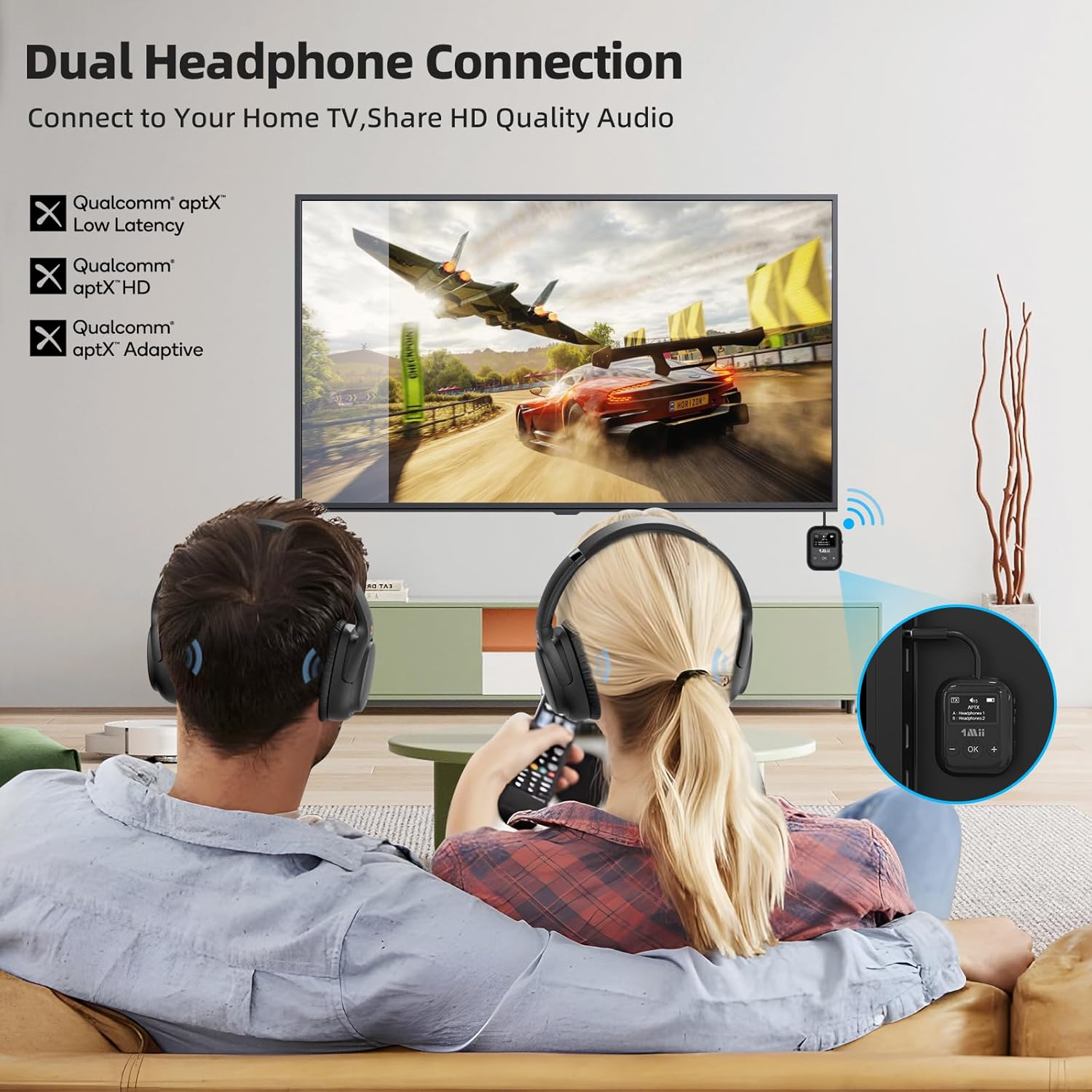
Image 5: A couple enjoying shared audio from their TV using the dual headphone connection feature of the SafeFly Min, highlighting its use for home entertainment.
3.5. Connecting to Audio Source
Plug the 3.5mm audio jack of the SafeFly Min into the audio output port of your desired device (e.g., airplane entertainment system, TV, computer, gaming console, MP3 player).
- For airplane use, ensure you use the appropriate adapter if the airplane jack is not a standard 3.5mm single jack.

Image 6: Two individuals using the SafeFly Min to connect their Bluetooth headphones to gaming consoles, demonstrating its versatility for various audio sources.
4. Operating Instructions
4.1. Understanding the OLED Display
The OLED display provides crucial information at a glance:
- TX: Indicates Transmitter mode.
- Battery Icon: Shows real-time battery capacity.
- Volume Level: Displays the current audio volume.
- Paired Devices: Lists the names of connected Bluetooth headphones/speakers (e.g., "A: AirPods", "B: BT Headphone 2").
- Audio Format: Shows the active audio codec (e.g., SBC, AAC, aptX-HD, aptX-LL, AD).
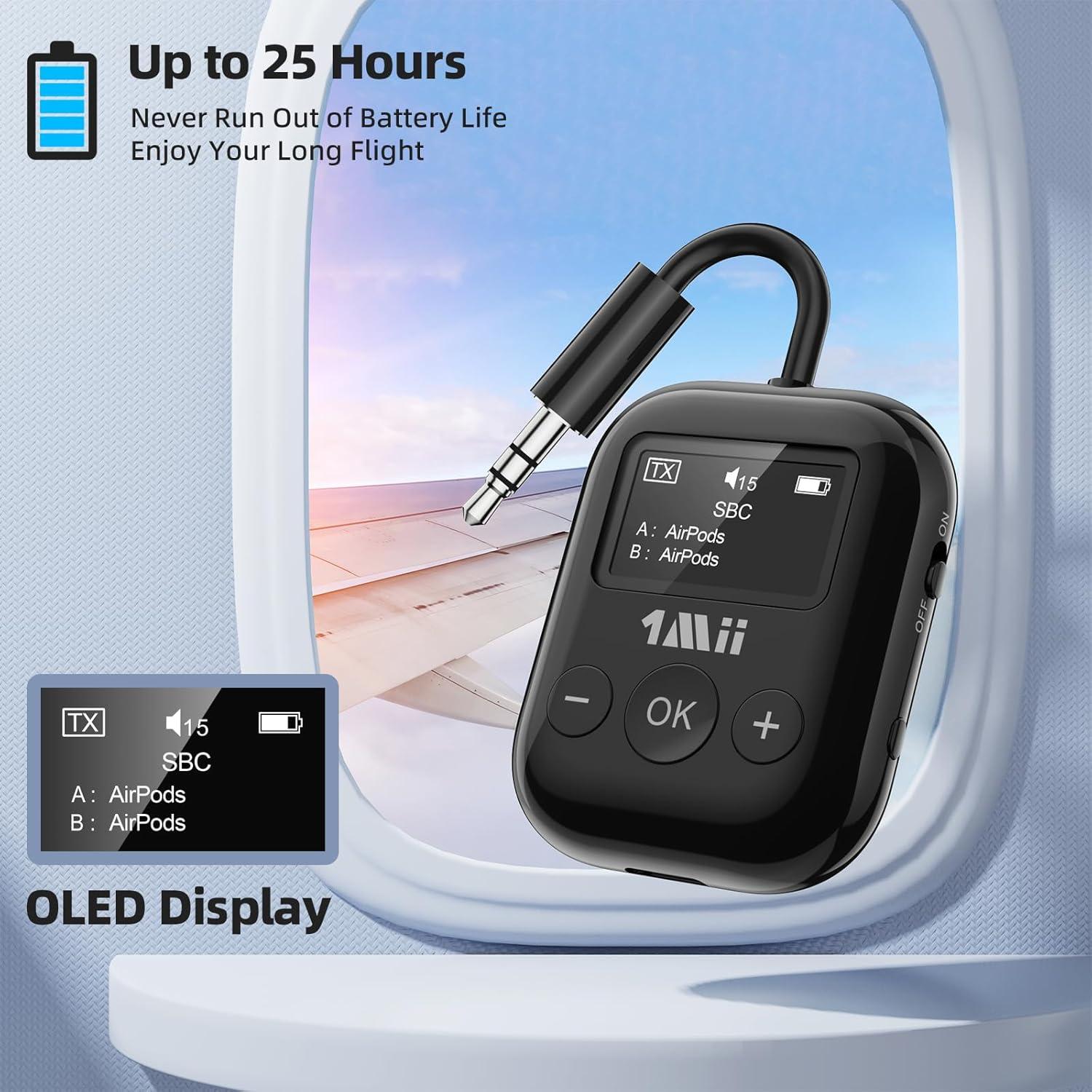
Image 7: The SafeFly Min's OLED display showing battery level, active audio codec (SBC), and two paired devices (AirPods), emphasizing its clear informational interface.
4.2. Volume Control
- Use the "+" button to increase the volume.
- Use the "-" button to decrease the volume.
- The volume level will be displayed on the OLED screen.
4.3. Resetting the Device
If you encounter issues with pairing or connectivity, you can reset the device:
- Press and hold the Reset button (refer to Image 3 for location) for 3 seconds. This will clear all previous pairing records.
5. Maintenance
- Clean the device with a soft, dry cloth. Do not use liquid cleaners or aerosols.
- Store the device in a cool, dry place when not in use.
- Avoid dropping or subjecting the device to strong impacts.
6. Troubleshooting
| Problem | Possible Cause | Solution |
|---|---|---|
| Device does not power on. | Low battery. | Charge the device for at least 2 hours. |
| Cannot pair with headphones. | Headphones not in pairing mode; device out of range; interference. | Ensure headphones are in pairing mode. Bring devices closer. Reset the SafeFly Min and try pairing again. |
| Audio latency/delay. | Headphones do not support aptX Low Latency; environmental interference. | For optimal performance, ensure your headphones also support aptX LL. Minimize interference sources. |
| No sound. | Volume too low; incorrect audio source connection; device not connected. | Increase volume on both SafeFly Min and connected headphones. Ensure 3.5mm jack is fully inserted. Verify successful Bluetooth connection on OLED display. |
| Automatic shutdown too quickly. | Device inactive for 5 minutes. | This is a power-saving feature. Simply power the device back on when needed. |
7. Specifications
| Feature | Detail |
|---|---|
| Brand | 1Mii |
| Model Number | RT7027Q1 |
| Bluetooth Version | 5.3 |
| Wireless Range | Up to 20 meters |
| Charging Time | Approximately 2 hours |
| Battery Life | Up to 25 hours |
| Audio Formats Supported | SBC, AAC, aptX-HD, aptX-LL, AD |
| Connectivity | 3.5mm Audio Jack, Bluetooth |
| Compatible Devices | Headphones, computers, gaming consoles, TVs, MP3 players |
| Battery Composition | Lithium-polymer |
| Dimensions (L x W x H) | 39mm x 14mm x 103mm |
8. Warranty and Support
For warranty information and technical support, please refer to the official 1Mii website or contact their customer service directly. Keep your purchase receipt as proof of purchase.
Official 1Mii Brand Store: 1Mii Store on Amazon


