
1. Introduction
This manual provides essential information for the safe and efficient operation of your Ailsa Hexi SW220HA2 AC 220V Cooling Fan. This fan is designed for general-purpose cooling applications requiring high airflow and reliable performance. Please read this manual thoroughly before installation and use, and retain it for future reference.
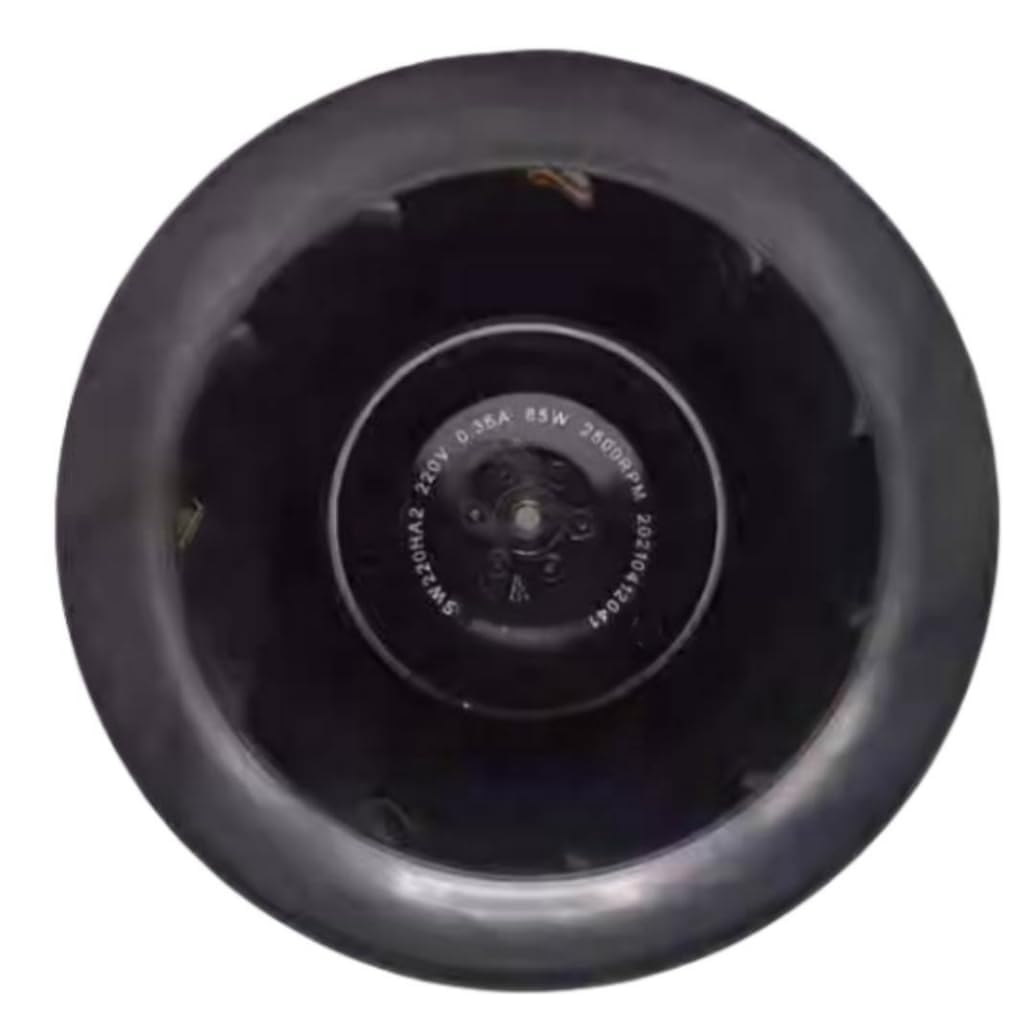
Figure 1: Rear view of the Ailsa Hexi SW220HA2 AC 220V Cooling Fan, illustrating the motor housing and power cable entry point.
2. Safety Information
Always observe the following safety precautions to prevent injury or damage to the product:
- Electrical Hazard: This fan operates on 220V AC. Ensure all power connections are made by a qualified electrician and comply with local electrical codes. Disconnect power before installation, maintenance, or troubleshooting.
- Moving Parts: Keep fingers, hair, and loose clothing away from the fan blades during operation. Install appropriate safety guards if the fan is accessible during use.
- Ventilation: Ensure adequate ventilation around the fan to prevent overheating of the motor.
- Environment: Do not operate the fan in explosive atmospheres, near flammable materials, or in excessively dusty or corrosive environments unless specifically rated for such conditions.
- Damage Inspection: Before each use, inspect the fan for any signs of damage, including the power cord and housing. Do not operate a damaged fan.
3. Package Contents
The package contains the following items:
- 1 x Ailsa Hexi SW220HA2 AC 220V Cooling Fan
No other accessories are included with this product.
4. Specifications
| Feature | Specification |
|---|---|
| Model Number | SW220HA2 |
| Brand | Ailsa Hexi |
| Voltage | AC 220V |
| Current | 0.35A |
| Power | 85W |
| Rotational Speed | 2500 RPM |
| Cooling Method | Air |
| Noise Level | 62 Decibels |
| Compatible Devices | General purpose cooling for various devices and applications |
| UPC | 723907216618 |
5. Setup
Proper installation is crucial for the fan's performance and longevity. Follow these steps:
- Power Disconnection: Ensure the power source is completely disconnected before beginning installation.
- Mounting Location: Select a stable and secure location for mounting the fan. Ensure there is sufficient space for airflow both into and out of the fan. The fan should be mounted to a rigid surface to minimize vibration.
- Mounting: Secure the fan using appropriate fasteners (not included) through the designated mounting holes. Ensure the fan is firmly attached and does not wobble.
- Electrical Connection:
- Connect the fan's power cable to a compatible 220V AC power supply.
- Ensure proper polarity if applicable, and secure all connections with appropriate connectors or terminal blocks.
- All electrical wiring must comply with local electrical codes and safety standards. It is recommended that a qualified electrician perform the electrical connections.
- Initial Check: After mounting and wiring, double-check all connections and ensure no obstructions are near the fan blades.
6. Operating Instructions
Once the fan is properly installed and wired:
- Power On: Restore power to the circuit. The fan should begin operating immediately.
- Observe Operation: Listen for any unusual noises or vibrations. The fan should operate smoothly at its rated speed of 2500 RPM.
- Power Off: To stop the fan, disconnect power from the circuit.
This fan is designed for continuous operation within its specified parameters. Avoid frequent power cycling if not necessary for your application.
7. Maintenance
Regular maintenance helps ensure optimal performance and extends the lifespan of your fan.
- Power Disconnection: Always disconnect power to the fan before performing any maintenance.
- Cleaning: Periodically clean the fan blades and housing to remove dust and debris. Use a soft brush or compressed air. Do not use harsh chemicals or abrasive materials.
- Inspection: Regularly inspect the fan for any signs of wear, damage, or loose connections. Check the power cord for fraying or cuts.
- Lubrication: This fan typically uses sealed bearings that do not require lubrication. Do not attempt to lubricate the motor unless specified by the manufacturer.
8. Troubleshooting
If you encounter issues with your fan, refer to the following troubleshooting guide:
| Problem | Possible Cause | Solution |
|---|---|---|
| Fan does not start | No power supply; Loose electrical connection; Damaged motor. | Check power source and circuit breaker; Verify all electrical connections are secure; If motor is damaged, replace the fan. |
| Fan makes unusual noise or vibrates excessively | Loose mounting; Obstruction in fan blades; Worn bearings. | Ensure fan is securely mounted; Disconnect power and remove any obstructions; If bearings are worn, replacement may be necessary. |
| Reduced airflow | Dust or debris on blades; Obstruction in intake/exhaust. | Disconnect power and clean fan blades and surrounding areas; Remove any obstructions. |
If the problem persists after attempting these solutions, contact customer support or a qualified technician.
9. Warranty and Support
For warranty information or technical support, please contact the manufacturer, Ailsa Hexi, or your point of purchase. Keep your purchase receipt as proof of purchase.
For further assistance, please refer to the contact information provided with your product or visit the official Ailsa Hexi website.