
Ugoos SK1
Ugoos SK1 8K Ultra HD TV Box User Manual
Model: SK1
Introduction
Thank you for choosing the Ugoos SK1 8K Ultra HD TV Box. This device is designed to provide a superior home entertainment experience with its advanced hardware and software capabilities. Running on Android 11.0, the SK1 supports stunning 8K resolution, high-efficiency video codecs like AV1, and next-generation wireless connectivity with WiFi6. This manual will guide you through the setup, operation, and maintenance of your new TV box.

Figure 1: Ugoos SK1 TV Box and included remote control.
What's in the Box
Please check the package contents to ensure all items are present:
- 1 x Ugoos SK1 Box
- 1 x Remote Control
- 1 x HD Cable
- 1 x Power Adapter (12V/2A, US Plug)
- 1 x English User Manual

Figure 2: All components included in the Ugoos SK1 package.
Setup
Follow these steps to set up your Ugoos SK1 TV Box:
- Connect to TV: Connect one end of the provided HD Cable (HDMI) to the HDMI OUT port on the Ugoos SK1 Box and the other end to an HDMI input port on your TV or display.
- Connect Power: Plug the DC power adapter into the 'DC IN' port on the TV Box, then plug the adapter into a power outlet. The device will automatically boot up.
- Connect Network (Optional): For a wired connection, connect an Ethernet cable from your router to the 'NET' (RJ45) port on the TV Box. For wireless, the device supports WiFi6 (2.4G+5G+6G) and can be configured in the settings.
- Connect Peripherals: You can connect USB devices (e.g., external hard drives, keyboards, mice) to the USB 3.0 or USB 2.0 ports.
- Audio Output (Optional): For optical audio, connect a SPDIF cable to the 'OPTICAL' port. For analog audio, use the 'AUDIO' port.
Figure 3: Rear panel interfaces of the Ugoos SK1 TV Box.
Operating Instructions
The Ugoos SK1 runs on Android 11.0, offering a user-friendly interface. Use the included remote control (UR02) to navigate the menus and select applications.
Remote Control (UR02)
The UR02 remote features voice control and gyroscope functionality for intuitive navigation. Ensure batteries are inserted correctly. Refer to the remote's specific instructions for learning functions.
Key Features
- Android 11.0: Enjoy the latest Android OS with enhanced privacy features and improved performance.
- 8K Ultra HD: Experience stunning visuals with support for 8Kx4K resolution at 60 frames per second.
- AV1 Codec Support: Efficiently stream high-quality video with AV1 coding format support.
- WiFi6 Connectivity: Benefit from faster and more stable wireless connections with dual-band (2.4G+5G+6G) WiFi6 and MIMO technology.
- Bluetooth 5.2: Connect wireless peripherals like headphones or game controllers with improved speed and efficiency.

Figure 4: Ugoos SK1 operating on Android 11.0.

Figure 5: The Ugoos SK1 supports 8K resolution for ultra-high-definition viewing.
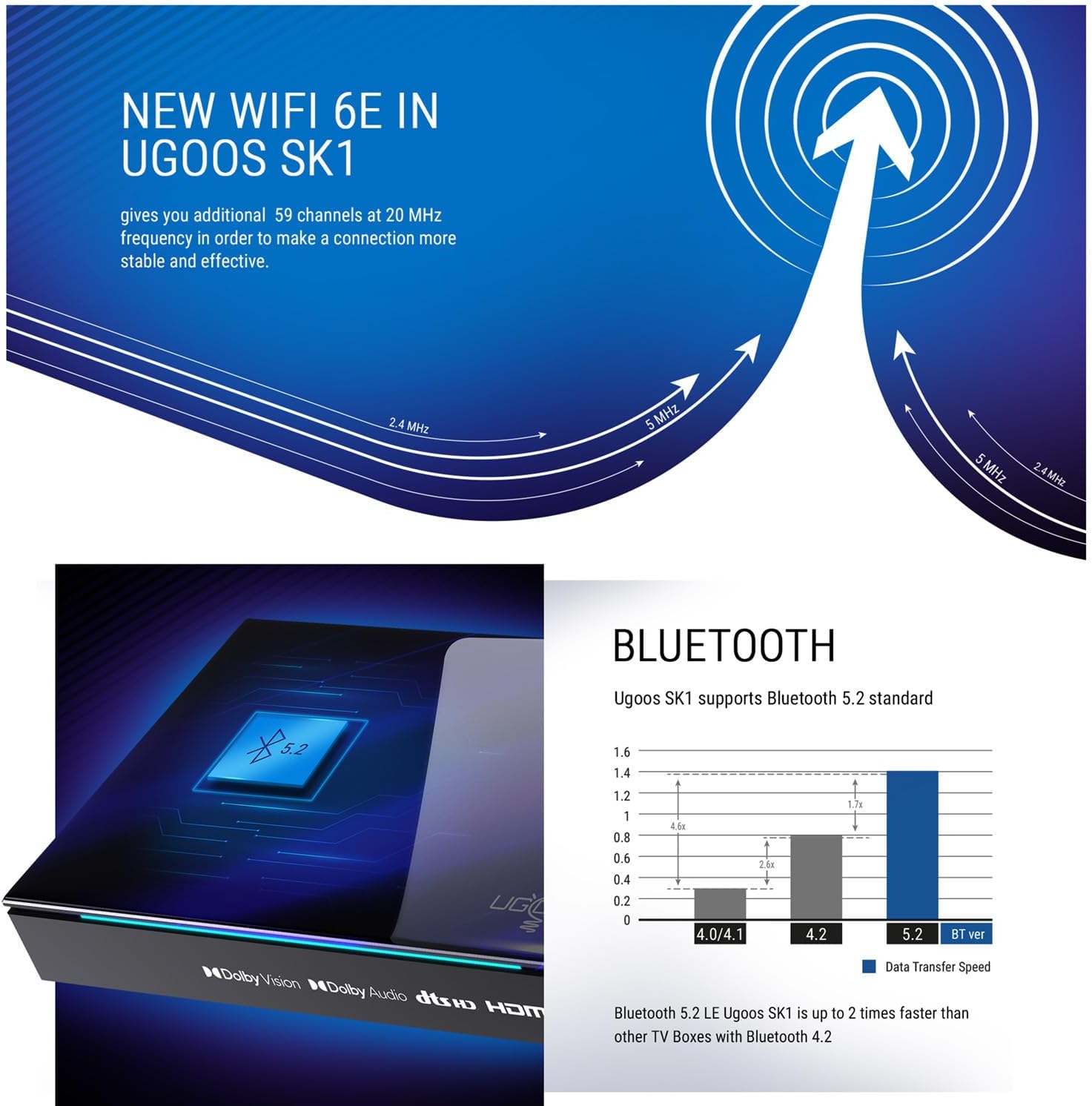
Figure 6: The SK1 supports the AV1 video coding format for efficient streaming.

Figure 7: Advanced WiFi 6E technology in Ugoos SK1 for stable connections.
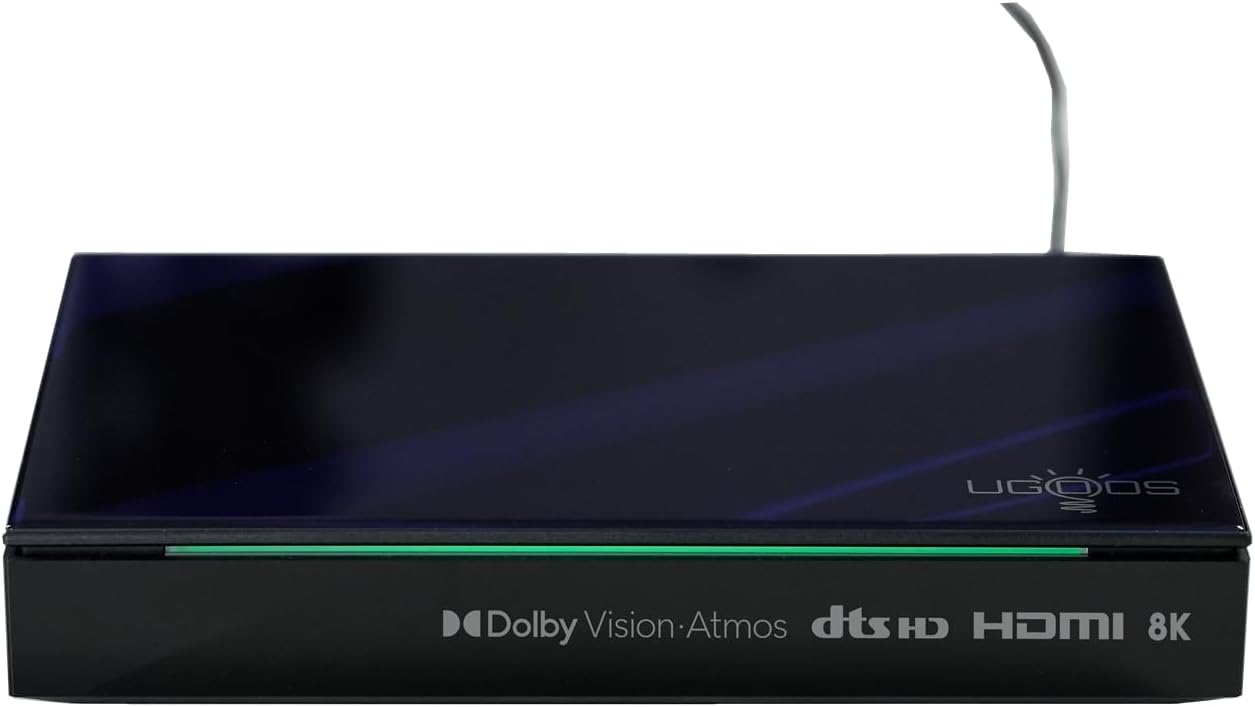
Figure 8: Bluetooth 5.2 support for faster data transfer and connectivity.
Video 1: Overview of Ugoos SK1 8K Ultra HD TV Box features and capabilities.
Video 2: Detailed look at the Ugoos SK1's connectivity options and performance.
Maintenance
To ensure the longevity and optimal performance of your Ugoos SK1 TV Box:
- Cleaning: Use a soft, dry cloth to clean the device. Avoid liquid cleaners or abrasive materials.
- Ventilation: Ensure the device is placed in a well-ventilated area to prevent overheating. Do not block any ventilation openings.
- Software Updates: The device supports Over-The-Air (OTA) updates. Regularly check for and install system updates to get the latest features and performance improvements.
- Storage Management: Periodically clear cache and unnecessary files to maintain optimal performance.
Troubleshooting
If you encounter issues with your Ugoos SK1, refer to the following common problems and solutions:
| Problem | Possible Cause | Solution |
|---|---|---|
| No Power | Power adapter not connected or faulty outlet. | Check power connections. Try a different outlet. |
| No Signal on TV | Incorrect HDMI input selected on TV; faulty HDMI cable. | Ensure TV is on correct HDMI input. Try a different HDMI cable. |
| Wi-Fi Connection Issues | Incorrect password; router too far; interference. | Re-enter Wi-Fi password. Move device closer to router. Check for interference. |
| Remote Control Not Responding | Low batteries; remote not paired. | Replace batteries. Re-pair the remote control according to its instructions. |
Specifications
Detailed technical specifications for the Ugoos SK1 TV Box:
| Feature | Detail |
|---|---|
| Operation System | Android 11.0 |
| CPU | Amlogic S928X-K (12nm 2.0G HZ, ARM Cortex-A76 & Quad core ARM Cortex-A55) |
| GPU | Mali G57 MC2 |
| RAM | LPDDR4 8GB |
| Storage Capacity (Flash) | 128GB (EMMC) |
| WIFI | AP6276P (WIFI6) 2.4G+5G+6G (IEEE 802.11 a/b/g/n/ac/ax 2x2 MIMO) |
| Bluetooth | Bluetooth 5.2 with LE technology |
| Extended Storage | TF Card, up to 32GB |
| Power Supply | DC Power adapter 12V/2.0A |
| Video Support | AV1, 8Kx4K @ 60fps, VP9, H.265 |
| HDR Support | Dolby Vision, HDR10, HDR10+, HLG |
| HD Output | HD 2.1a Type-A 8Kx4K max resolution |
| USB Ports | 1 USB 3.0 & 1 USB 2.0 |
| Optical Output | 1*SPDIF |
| Network | 1*RJ45 1000M Ethernet |
| Audio Container | MP3, AAC, WMA, RM, FLAC, Ogg Vorbis, Opus, SRS Truvolume, Dolby Audio, DTS |
| Dimensions | 17X11.5x3CM |
| Net Weight | 530g |

Figure 9: Internal specifications highlighting the processor and memory.
Warranty and Support
The Ugoos SK1 TV Box comes with a standard manufacturer's warranty. For detailed warranty information, please refer to the warranty card included in your package or visit the official Ugoos website. For technical support, troubleshooting assistance, or further inquiries, please contact Ugoos customer service through their official support channels.
Related documentsSK1


Ask a question about this manual
Ask about setup, troubleshooting, compatibility, parts, safety, or missing instructions. Manuals+ will review the question and use this page’s manual context to help answer it.