
Introduction
This manual provides detailed instructions for the safe and effective use of your comfheat Cordless Shoulder Heating Pad with Vibration Massage. This device is designed to provide targeted heat and vibration therapy for shoulder discomfort, including issues related to rotator cuff injuries, frozen shoulder, and muscle stiffness. Please read this manual thoroughly before first use and retain it for future reference.

Image: The comfheat Cordless Shoulder Heating Pad with Vibration Massage, showing its grey fabric and control panel.
Safety Information
- Do not use the device while sleeping.
- Avoid prolonged use beyond the recommended 45-minute auto shut-off period.
- Keep the device away from water and moisture.
- This product is not suitable for children or individuals with skin sensitivities without medical supervision.
- Consult a doctor before use if you have a pre-existing medical condition.
- The device features an integrated overheat protection chip and a 45-minute auto shut-off function for user safety.
Product Overview
The comfheat Cordless Shoulder Heating Pad offers a combination of heat and vibration therapy for comprehensive shoulder pain relief. Key features include:
- Portable Design: Includes a 5000mAh rechargeable power bank for use at home, in the office, or on the go.
- Customizable Therapy: Three heat levels (104°F, 122°F, 140°F) and three vibration intensities. Heat and vibration can be used independently or combined.
- Adjustable Compression: Features a compression layer for added stability and support, aiding in recovery.
- Easy to Wear: Designed with Velcro straps and an adjustable chest buckle for simple application, even for individuals with limited mobility.
- Safety Features: Equipped with a 45-minute auto shut-off and overheat protection.

Image: The shoulder heating pad highlighting the three heat settings and three vibration intensities.
Setup Instructions
- Charge the Power Bank: Ensure the included 5000mAh power bank is fully charged before first use. The blue indicator lights on the power bank will show its charge level.
- Connect Power Bank: Plug the USB connector from the shoulder pad into the fully charged power bank. Place the power bank into the designated pocket on the shoulder brace.
- Position the Brace: Place the shoulder pad over the affected shoulder. The design allows for use on both left and right shoulders.
- Secure the Straps:
- Secure the Velcro strap around your arm.
- Bring the chest strap across your body and fix it with the buckle.
- Adjust all straps for a snug yet comfortable fit. The brace fits chest sizes 29 to 42.5 inches and arm circumference up to 14 inches.
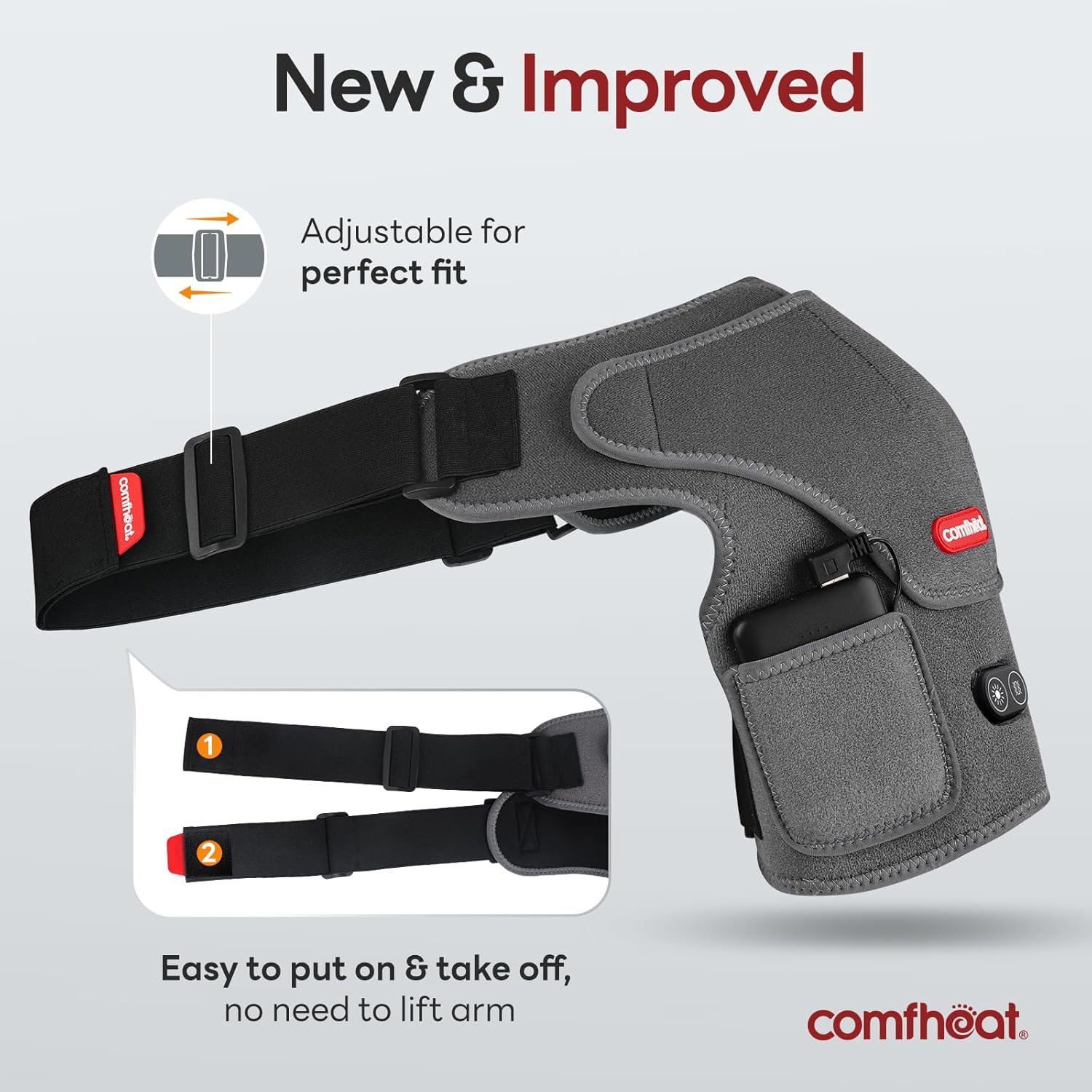
Image: The shoulder brace showing adjustable straps for a customized and secure fit.

Image: Visual guide demonstrating three steps to correctly wear the shoulder heating pad.
Video: Demonstrates how to connect the power bank and wear the comfheat shoulder heating pad.
Operating Instructions
The control panel on the shoulder pad features two buttons: one for heat and one for vibration.
- Power On/Off: Long press either the heat button (sun icon) or the vibration button (wave icon) to turn the respective function on or off.
- Adjust Heat Level: Once the heat function is on, short press the heat button to cycle through the three temperature levels:
- Red light: High level (140°F)
- Blue light: Medium level (122°F)
- Green light: Low level (104°F)
- Adjust Vibration Intensity: Once the vibration function is on, short press the vibration button to cycle through the three intensity levels.
- Automatic Shut-off: The device will automatically turn off after 45 minutes of continuous use for safety.
Video: Demonstrates how to operate the heat and vibration functions and switch between levels.
Maintenance
- Cleaning: Disconnect the power bank before cleaning. Clean the shoulder pad with mild soap and water. Do not submerge the device in water.
- Storage: Store the device in a dry place when not in use, away from direct sunlight and extreme temperatures.
Troubleshooting
| Problem | Possible Cause | Solution |
|---|---|---|
| Device not turning on or no heat/vibration. |
|
|
| Insufficient heat. |
|
|
| Power bank drains quickly. |
|
|
Specifications
- Model Number: 2.0880.138
- Power Bank Capacity: 5000mAh (included)
- Heat Settings: 3 levels (104°F, 122°F, 140°F)
- Vibration Intensities: 3 levels
- Auto Shut-off: 45 minutes
- Voltage: 5 Volts
- Wattage: 10 watts
- Number of Heating Elements: 2
- Item Weight: 0.45 Kilograms (approximately 15.84 ounces)
- Material Type: Heating & Vibration Massage
- Color: Grey
- Adjustable Fit: Fits chest sizes 29 to 42.5 inches, arm circumference up to 14 inches.
Warranty and Support
For warranty information or technical support, please refer to the product packaging or contact comfheat customer service directly. Keep your purchase receipt as proof of purchase.