
1. Important Safety Information
Please read all instructions carefully before operating your ecozy Nugget Ice Maker. Retain this manual for future reference. Always ensure the appliance is placed on a stable, level surface away from direct sunlight or heat sources. Do not immerse the appliance in water or other liquids. Supervise children when the appliance is in use. Unplug the ice maker before cleaning or when not in use for extended periods.
2. Product Overview
The ecozy Nugget Ice Maker is a countertop appliance designed to produce soft, chewable pebble ice. It features smart controls, including APP connectivity, and a self-cleaning function for convenience.

Figure 2.1: The ecozy Nugget Ice Maker, showcasing its sleek design and accompanying mobile application interface.
Key Features:
- IceLumix Full-Color Panel: Industry-first display with vibrant icons, real-time TDS and temperature readings for smarter control and clearer visuals.
- Advanced Double-Layer Insulation: Keeps ice colder 20% longer with upgraded thermal insulation, enhancing efficiency and convenience.
- Simplify Water Refills & Ice Access: Features a pull-out water tank for streamlined refills and cleaning, and an easily removable basket for mess-free ice transfer.
- Smart App & Voice Control: Control the ice maker using the EcozyHome app or voice commands via Alexa and Google Assistant.
- Enough Ice, Easy to See: Produces up to 44 lbs of ice daily and includes a built-in LED basket light for quick ice level checks.
- Voice-Controlled Ice: Seamlessly integrate with Alexa and Google Assistant for hands-free operation.
- Effortless Self-Cleaning: Features a self-cleaning mode and removable parts for thorough maintenance.
- Perfect for Any Countertop: Compact dimensions (9.33"D x 14.01"W x 15.51"H) ensure it fits well in most kitchen spaces.

Figure 2.2: Detail of the IceLumix Full-Color Panel, providing intuitive control and real-time data.
Figure 2.3: Visual representation of the double-layer insulation, designed to keep ice frozen longer.
Figure 2.4: Demonstrating the ease of refilling the pull-out water tank.

Figure 2.5: The EcozyHome app provides convenient remote control over the ice maker.

Figure 2.6: The ice maker provides a generous supply of ice, easily visible through the clear window.
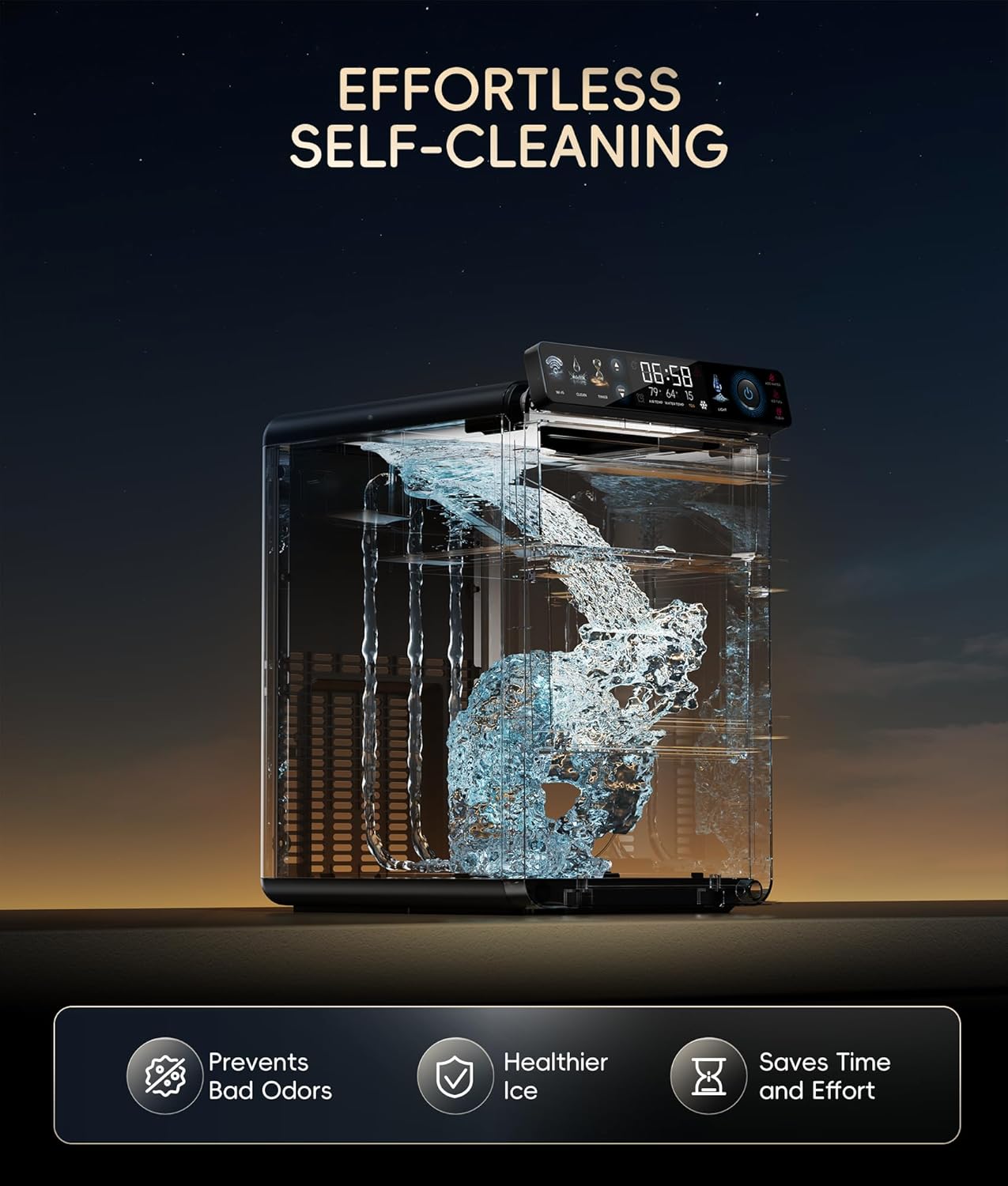
Figure 2.7: Voice control functionality allows for convenient operation of the ice maker.

Figure 2.8: The self-cleaning feature ensures hygiene and simplifies maintenance.

Figure 2.9: The compact design allows for easy placement on various countertops.
3. Setup
- Unpacking and Initial Cleaning: Upon arrival, unpack the ice maker and clean all removable parts thoroughly with mild soap and water.
- Placement: Place the ice maker upright on a stable, level surface. Allow it to sit for approximately one hour before plugging it in to allow the coolant to settle.
- Water Filling: Open the front door and pull out the water tank. Fill the tank with standard drinking water up to the MAX fill line. You can either use a pitcher or remove the entire tank to fill it at a sink.
- Power Connection: Plug the ice maker into a standard wall outlet.
4. Operating Instructions
Control Panel:
The ice maker features a full-color touch screen control panel with various options:
- Wi-Fi: Connects the device to your home network for app control.
- Clean: Initiates the self-cleaning cycle.
- Timer: Allows you to set a timed operation for ice making.
- Light: Controls the internal LED basket light.
- Power Button: Turns the ice maker on or off.
Display Information:
The central display shows:
- Current Time
- Ambient Air Temperature
- Water Temperature
- TDS (Total Dissolved Solids) reading
- Ice Making Indicator
- Timer Active Indicator
Ice Making Process:
The ice maker begins producing ice within approximately 5 minutes of activation. A full bucket of ice can be produced in about one hour. The machine is designed to be quiet during operation.
Smart Control:
Utilize the EcozyHome app (available for Android and iPhone) to remotely control the ice maker. The app allows you to start/stop ice production, set timers, and monitor the machine's status. Voice control is also supported via Alexa and Google Assistant for hands-free operation.
Ice Storage:
The insulated design of the ice maker allows it to keep ice frozen for up to 24 hours. Any melted ice will drain back into the water reservoir to be re-used in subsequent ice-making cycles.
Ice Type:
The machine produces small, soft, and chewy square-shaped nugget ice that melts quickly in drinks.
5. Maintenance
- Self-Cleaning: The ice maker features an effortless self-cleaning function. It is recommended to run the self-cleaning cycle approximately once every two weeks for optimal performance and hygiene.
- Water Tank Cleaning: The pull-out water tank and ice basket are removable, allowing for thorough and effortless cleaning to prevent residue buildup.
- Hard Water Scaling: The TDS sensor monitors water quality. If the TDS reading exceeds 200, the ice maker may not function optimally (e.g., unusual sounds, reduced ice production). Descaling is recommended monthly in slightly to moderately hard water areas, and every two weeks in hard to very hard water areas. Using purified or bottled water (TDS 0-200) is recommended for best performance.
6. Troubleshooting
- "Add Water" Indicator: If this indicator illuminates, the water reservoir needs to be refilled.
- "Ice Full" Indicator: This indicates the ice basket is full. The machine will pause ice production until ice is removed.
- Unusual Noises or Reduced Production: Check the TDS reading. High TDS can lead to scaling, affecting performance. Refer to the maintenance section for descaling instructions.
- Connectivity Issues: Ensure the ice maker's Wi-Fi is enabled and your mobile device is connected to the same network. Refer to the app's instructions for pairing.
7. Specifications
| Product Dimensions | 9.33"D x 14.01"W x 15.51"H |
| Item Model Number | IM-NS451B |
| Capacity | 44 Pounds (daily production) |
| Wattage | 192 watts |
| Manufacturer | ecozy |
8. What's in the Box
- Ice Maker
- Ice Scoop
- Ice Bags
- User Guide
9. Warranty and Support
For warranty information and customer support, please refer to the warranty card included with your product or visit the official ecozy website. You may also contact ecozy customer service directly for assistance with product inquiries, troubleshooting, or service requests.
