
Highttoy HH918
Highttoy Electronic Piggy Bank HH918 User Manual
Model: HH918 | Brand: Highttoy
Introduction
This manual provides detailed instructions for the safe and efficient operation of your Highttoy Electronic Piggy Bank, Model HH918. This electronic safe is designed to help users manage their savings with features like a touch screen, fingerprint lock, and automatic banknote feeding.
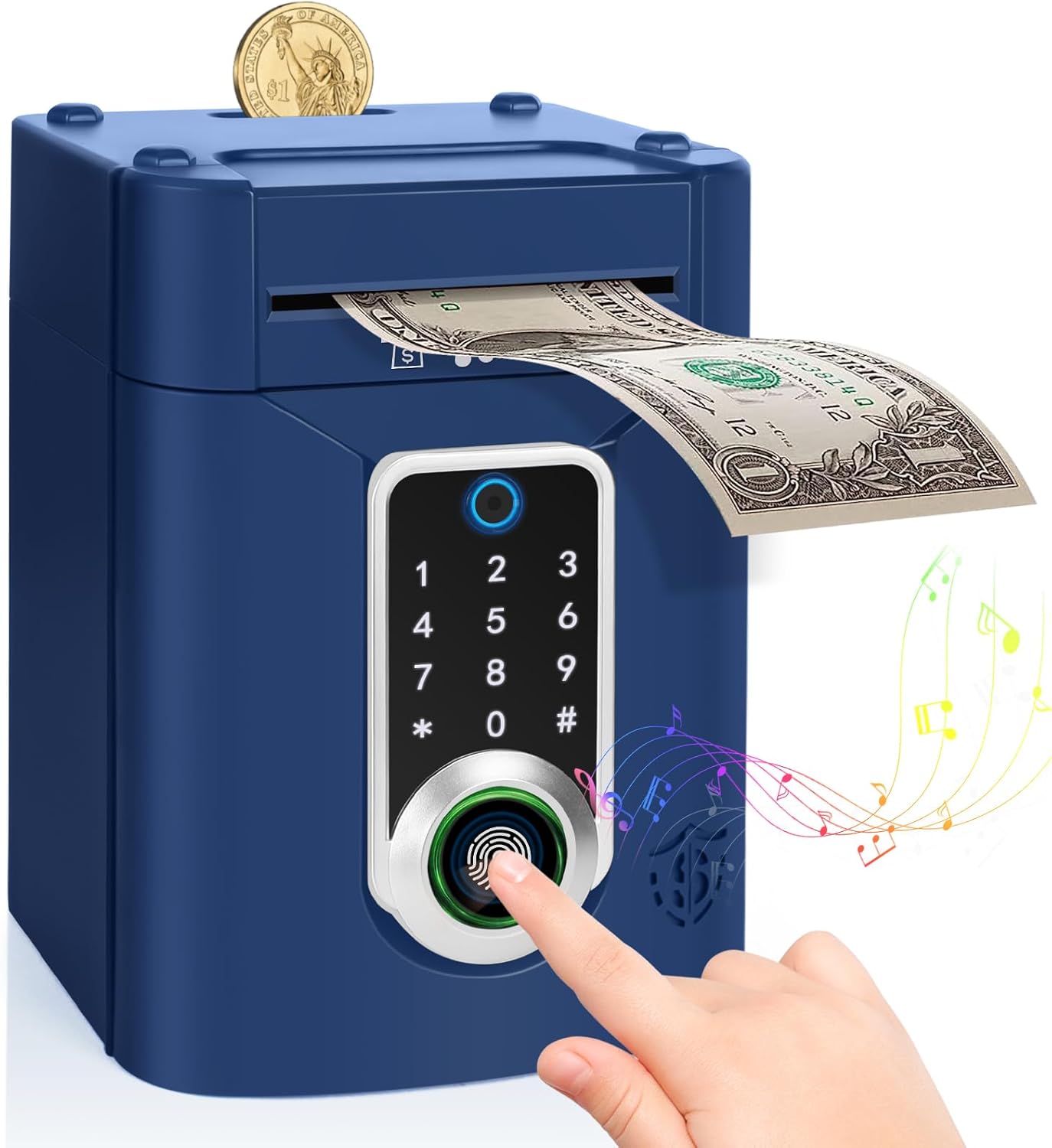
Image: The Highttoy Electronic Piggy Bank in blue, showing a hand interacting with the fingerprint sensor and a banknote being deposited.
Safety Information
- Do not mix old and new batteries.
- Do not mix alkaline, standard (carbon-zinc), or rechargeable (nickel-cadmium) batteries.
- Insert batteries with correct polarity.
- Remove exhausted batteries promptly.
- Do not dispose of batteries in fire.
- Keep away from water and extreme temperatures.
- This product is intended for indoor use only.
Product Features and Components
Familiarize yourself with the key features of your electronic piggy bank:

Image: Detailed diagram highlighting the coin port, automatic note feeder, indicator light, touchscreen, and fingerprint lock.
- Coin Port: Slot on top for depositing coins.
- Automatic Note Feeder: Slot for automatically drawing in banknotes.
- Touchscreen Keypad: For entering the security code.
- Fingerprint Sensor: For confirming access after entering the code.
- Indicator Light: Provides visual feedback on operation status.
- Music/Mute Switch: Located at the back for sound control.
Setup
1. Battery Installation
- Locate the battery compartment on the back of the piggy bank.
- Use a screwdriver to open the battery compartment cover.
- Insert 3 x AA batteries (not included), ensuring correct polarity (+/-).
- Close the battery compartment cover and secure it with the screw.
2. Initial Password Setting
The default password for your piggy bank is "0000".

Image: Visual guide for battery installation, money deposit, and opening the safe with the default code and fingerprint.
Operating Instructions
1. Depositing Money
- For Coins: Insert coins into the coin port located on the top of the safe.
- For Banknotes: Place banknotes into the automatic note feeder slot. The safe will automatically draw the banknote inside.
2. Opening the Safe
- Enter the 4-digit password on the touchscreen keypad. (Default: "0000").
- Place your finger on the fingerprint sensor to confirm.
- The indicator light will turn green, and the door will automatically open.
- If the incorrect password is entered three times, an alarm will sound.
3. Changing the Password
- With the safe door open, press and hold the '*' key.
- Enter a new 4-digit password.
- Press the '#' key to confirm the new password.
- The new password is now set.


Images: Steps for changing the password using the '*' and '#' keys.
4. Music Mode
- Press the '#' key to enter music mode.
- Press any number from 0 to 9 to play different melodies.
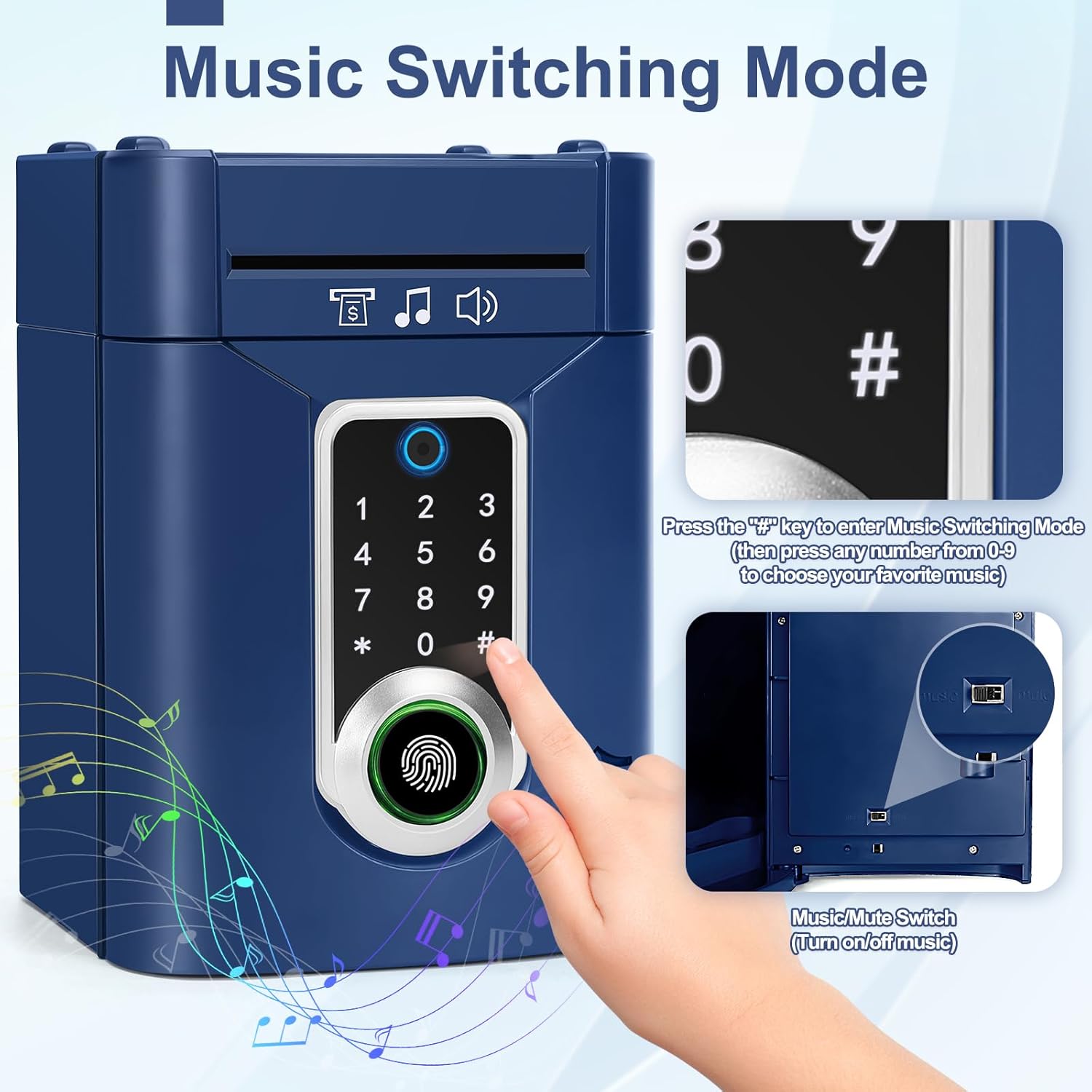
Image: Activating music mode by pressing the '#' key.
5. Silent Mode
To turn off the sound, locate the Music/Mute switch on the back of the piggy bank and slide it to the 'Mute' position.

Image: Location of the Music/Mute switch on the back of the unit.
6. Official Product Video
Watch this video for a visual guide on the features and operation of the Highttoy Electronic Piggy Bank.
Video: Demonstration of the Highttoy Electronic Piggy Bank's features, including money deposit, code entry, and music functions.
Maintenance
- Clean the exterior with a soft, dry cloth. Do not use abrasive cleaners or solvents.
- Avoid exposing the product to direct sunlight or moisture.
- If the product will not be used for an extended period, remove the batteries to prevent leakage.
Troubleshooting
| Problem | Possible Cause | Solution |
|---|---|---|
| Safe does not open. | Incorrect password entered. | Ensure the correct 4-digit password is entered. The default is "0000". |
| Safe does not open. | Batteries are low or depleted. | Replace all 3 AA batteries with new ones. |
| Forgotten password. | Password was changed and forgotten. | Remove and reinsert the batteries. This will reset the password to the default "0000". Note: This will not affect deposited money. |
| Banknote feeder not working. | Banknote is creased or inserted incorrectly. | Straighten the banknote and reinsert it carefully. Ensure it is not too thick or damaged. |
| No sound or music. | Silent mode is activated. | Check the Music/Mute switch on the back of the unit and ensure it is in the 'Music' position. |
Specifications
- Brand: Highttoy
- Model Number: HH918
- Color: Blue
- Dimensions (L x W x H): 20 x 14.5 x 14.5 cm (7.9 x 5.7 x 5.7 inches)
- Weight: 610 g (1.34 lbs)
- Material: Acrylonitrile Butadiene Styrene (ABS)
- Power Source: 3 x AA Batteries (not included)
- Storage Capacity: Approximately 600 coins or 100 banknotes
Warranty and Support
For warranty information or technical support, please refer to the product packaging or contact the retailer where the product was purchased. Keep your proof of purchase for any warranty claims.
Ask a question about this manual
Ask about setup, troubleshooting, compatibility, parts, safety, or missing instructions. Manuals+ will review the question and use this page’s manual context to help answer it.