
1. Introduction
Thank you for choosing the FLEXISPOT QB2W-2080-IE Height Adjustable Standing Desk. This electric standing desk is designed to provide a versatile and ergonomic workspace, allowing you to easily switch between sitting and standing positions. Featuring a robust dual-motor lift system, intelligent control panel with memory functions, and an anti-collision system, this desk offers stability, efficiency, and safety for your daily work.
2. Safety Information
Please read all safety instructions carefully before assembly and use to prevent injury or damage to the product. Keep this manual for future reference.
- Maximum Weight Capacity: Do not exceed the maximum static load capacity of 120 kg (264 lbs) or dynamic load capacity of 100 kg (220 lbs). Overloading can cause instability and damage.
- Height Adjustment Range: Ensure the desk operates within its specified height range of 70 cm to 119 cm (27.6 inches to 46.9 inches) for optimal stability and safety.
- Children and Pets: Keep children and pets away from the desk during operation to prevent accidents.
- Power Supply: Connect the desk only to a properly grounded power outlet. Do not use damaged power cords or adapters.
- Clearance: Ensure there are no obstructions above or below the desk during height adjustments to allow the anti-collision system to function effectively.
- Assembly: Assembly requires two people. Ensure all components are securely fastened before use.
- Liquid Spills: Avoid spilling liquids on the control panel or electrical components. In case of a spill, immediately disconnect power and allow to dry completely before reconnecting.
3. Package Contents
Before beginning assembly, verify that all parts are present and undamaged. If any parts are missing or damaged, please contact customer support.
- Desktop (4 parts)
- Desk Legs (2)
- Frame Components
- Dual Motor Lift System
- Control Panel
- Power Adapter and Cable
- All necessary assembly tools and connection elements
- User Manual
4. Setup and Assembly
Assembly of the FLEXISPOT QB2W-2080-IE desk requires approximately 2 people and includes all necessary tools. Follow these general steps:
- Unpack Components: Carefully remove all parts from the packaging and lay them out on a clean, soft surface to prevent scratches.
- Assemble the Frame: Attach the crossbars to the lifting columns (desk legs) using the provided hardware. Ensure all screws are tightened securely.
- Attach Desk Legs: Secure the feet to the bottom of the lifting columns.
- Mount the Desktop: Place the desktop sections onto the assembled frame. The desktop is made of 4 parts and includes connection elements for stability. Align the pre-drilled holes and secure the desktop to the frame using the provided screws.
- Connect Control Panel and Power: Connect the control panel cable to the motor control box. Then, connect the power adapter to the control box and plug it into a grounded power outlet.
- Cable Management: Use the included cable ties or management accessories to organize cables neatly under the desk.
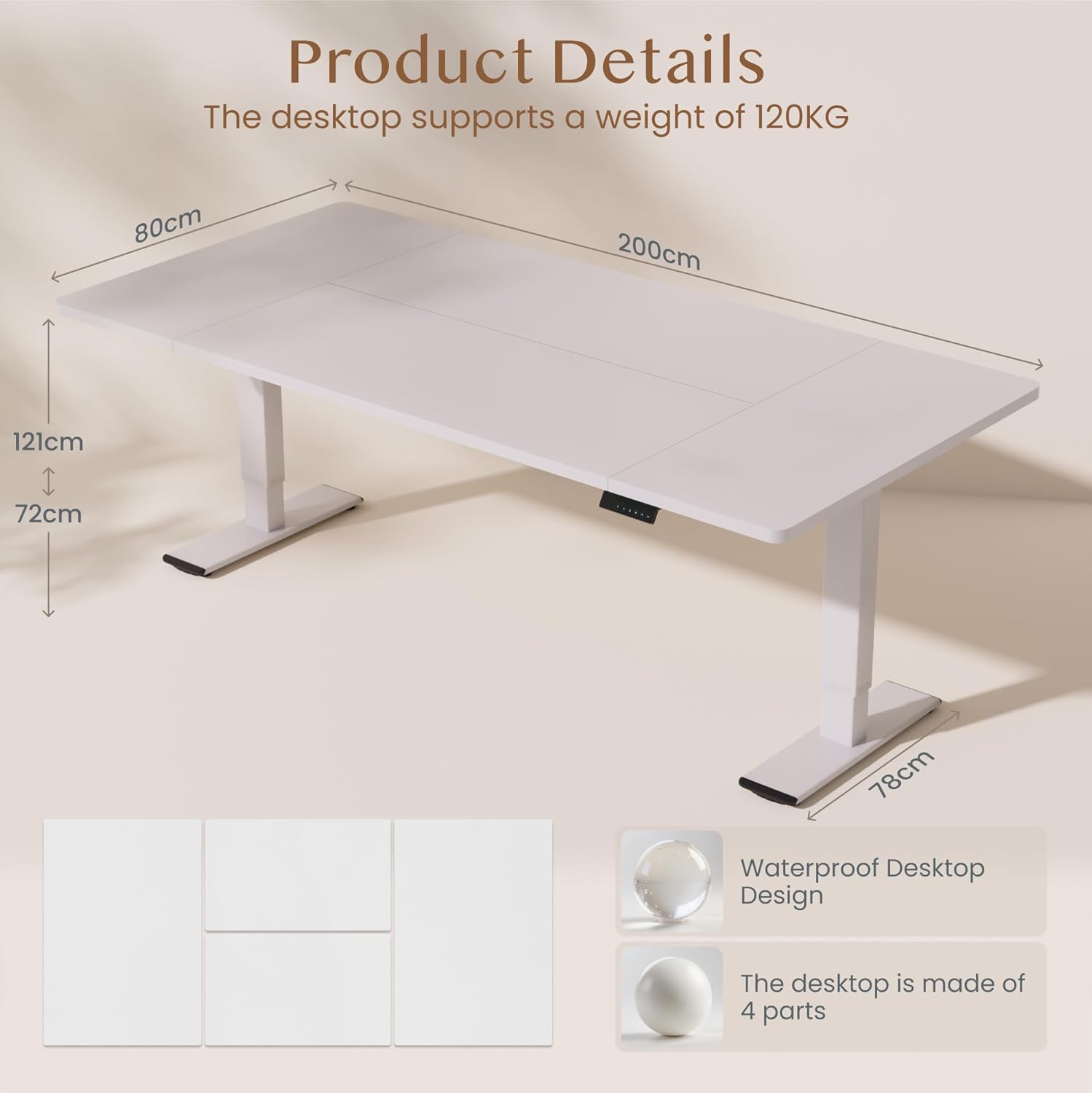
Image: Product details of the FLEXISPOT standing desk, illustrating its dimensions (200cm length, 80cm width, 72-121cm height range) and the four-part, waterproof desktop design. The desktop supports a weight of 120KG.

Image: The FLEXISPOT standing desk shown at its minimum (72cm) and maximum (121cm) height, demonstrating its height adjustability for both sitting and standing positions.
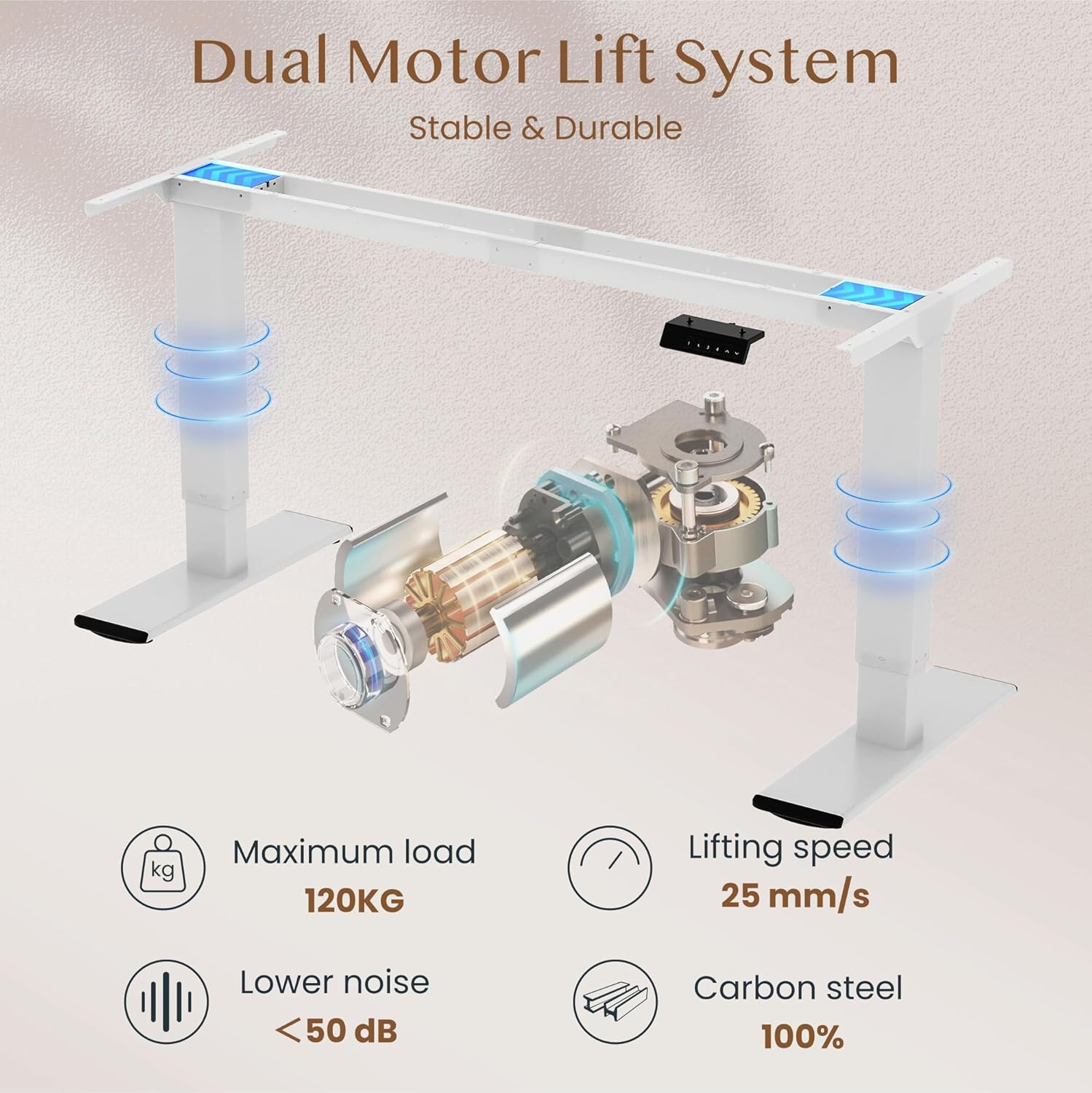
Image: Diagram illustrating the FLEXISPOT dual motor lift system, highlighting its stable and durable design. Key specifications like maximum load (120KG), lifting speed (25 mm/s), lower noise (<50 dB), and 100% carbon steel construction are visible.
5. Operating Instructions
The FLEXISPOT QB2W-2080-IE desk features an intuitive control panel for easy height adjustment and memory functions.
5.1. Basic Height Adjustment
- Press the "^" (Up) button to raise the desk.
- Press the "v" (Down) button to lower the desk.
- Release the button to stop the desk at the desired height.
5.2. Memory Presets
The control panel allows you to save up to four preferred height settings.
- Adjust the desk to your desired height using the Up/Down buttons.
- Press the "M" (Memory) button (often represented by a 'f' symbol). The LED display will show "S-".
- Immediately press one of the number buttons ("1", "2", "3", or "4") to save the current height to that preset. The display will show "S-1", "S-2", etc., to confirm.
- To recall a saved height, simply press the corresponding number button. The desk will automatically move to the saved position.
5.3. Anti-Collision Function
The desk is equipped with an anti-collision system that automatically stops and slightly reverses the desk's movement if it encounters an obstruction during height adjustment. This feature enhances safety and prevents damage to the desk or other objects.

Image: Close-up of the FLEXISPOT intelligent control panel, showing buttons for Up & Down adjustment, 4 Memory Heights, an LED Screen, and the Anti-Collision Function indicator.

Image: The FLEXISPOT standing desk in an office setting, illustrating its smooth and quiet operation with a lifting speed of 25mm/s and noise levels below 50 dB. The control panel is visible under the desk.

Image: A visual comparison demonstrating the FLEXISPOT safety collision avoidance system. One side shows an object being avoided by the desk's upward movement (WITH Anti-Collision Function), while the other side implies a collision without the function.
6. Maintenance
Regular maintenance ensures the longevity and optimal performance of your FLEXISPOT standing desk.
- Cleaning: Wipe the desk surface and legs with a damp cloth. Avoid using harsh chemicals or abrasive cleaners that could damage the finish.
- Check Connections: Periodically check all screws and bolts to ensure they are tight. Re-tighten if necessary.
- Cable Management: Ensure all cables are neatly organized and not pinched or tangled, which could affect desk operation or cause damage.
- Avoid Overloading: Do not place items exceeding the maximum weight capacity on the desk.
7. Troubleshooting
If you encounter issues with your desk, refer to the following common troubleshooting steps:
- Desk Not Moving:
- Check if the power cable is securely plugged into both the desk and the wall outlet.
- Ensure there are no obstructions preventing movement.
- Try resetting the desk by unplugging it for 10 seconds and then plugging it back in.
- Error Codes on Display:
- If an error code appears, consult the specific error code section in the full manual (if available) or contact customer support. Often, a reset (unplugging and replugging) can clear minor errors.
- Uneven Movement/Instability:
- Ensure the desk is on a level surface.
- Check that all assembly screws are tightened.
- Verify that the weight on the desk is evenly distributed and does not exceed the maximum capacity.
- Anti-Collision System Triggering Unnecessarily:
- Ensure there are no loose cables or objects near the desk's path that could be mistaken for an obstruction.
If these steps do not resolve the issue, please contact FLEXISPOT customer support for further assistance.
8. Specifications
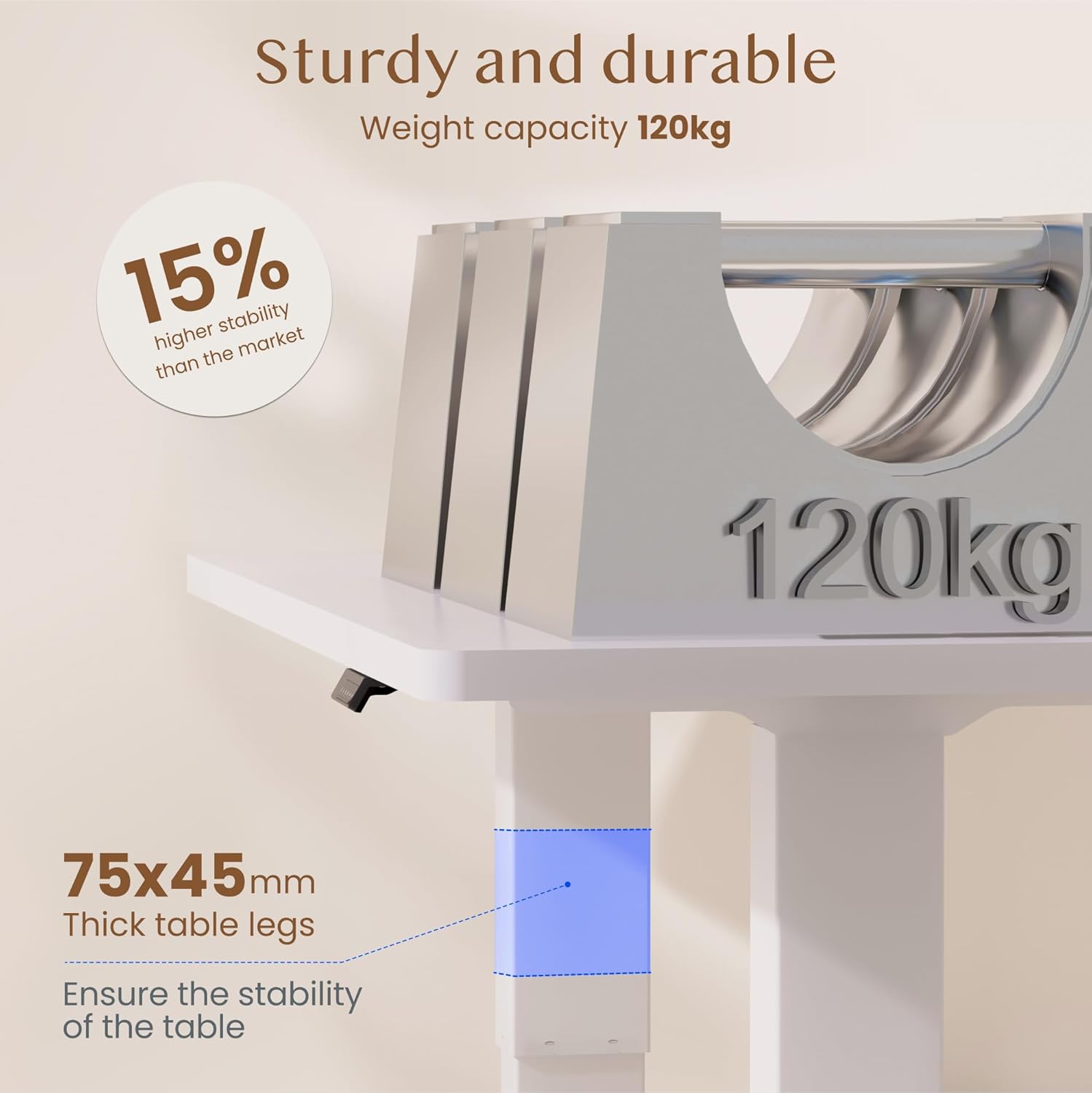
Image: The FLEXISPOT standing desk highlighting its sturdy and durable construction, specifically the 75x45mm thick table legs designed to ensure stability and support a weight capacity of 120kg.

Image: A close-up view of the FLEXISPOT desk's thickened table legs, illustrating the adjustable height range from 70cm to 119cm, providing unmatched stability.
| Feature | Specification |
|---|---|
| Model Number | QB2W-2080-IE |
| Brand | FLEXISPOT |
| Dimensions (L x W x H) | 200 x 80 x 72 cm (min height) |
| Height Adjustment Range | 70 cm - 119 cm (27.6 in - 46.9 in) |
| Desktop Thickness | 25 mm |
| Maximum Load Capacity (Static) | 120 kg (264 lbs) |
| Maximum Load Capacity (Dynamic) | 100 kg (220 lbs) |
| Lifting System | Dual Motor |
| Lifting Speed | 25 mm/s |
| Noise Level | < 50 dB |
| Material | Alloy Steel (Base and Top Material) |
| Color | White |
| Assembly Required | Yes (2 people recommended, tools included) |
| Special Features | Electric, 4 Memory Presets, Anti-Collision System |
| Product Weight | 40.9 kg |
| UPC | 810072889508 |
9. Warranty and Support
For warranty information, product support, or to report any issues, please contact FLEXISPOT customer service. Keep your purchase receipt and model number (QB2W-2080-IE) handy when contacting support.
The seller for this product is FLEXISPOT GmbH. Please refer to their official website or your purchase documentation for specific warranty terms and contact details.


