
1. Introduction
This manual provides comprehensive instructions for the Lamshaw Magnetic Replacement Charger, specifically designed for the TUYOMA LW36 Smartwatch (1.32 inches). Please read this manual carefully to ensure proper usage and to maximize the lifespan of your charger and smartwatch.
2. Safety Information
Your Lamshaw charger is equipped with a built-in Short-circuit Protection IC to prevent overvoltage and overcurrent. In the event of a short-circuit, this protection IC will automatically cut off the circuit. This feature also maintains safety if the charger remains plugged in after your device is fully charged.
Important Safety Guidelines:
- Do not expose the charger to water or excessive moisture.
- Avoid extreme temperatures.
- Do not attempt to disassemble or modify the charger.
- Keep out of reach of children.
3. Package Contents
Upon opening your package, please verify that all items are present:
- 1 x Lamshaw Magnetic Replacement Charger Dock (100cm Black)
Note: The smartwatch is not included with this charger.
4. Setup
Setting up your Lamshaw magnetic charger is straightforward. Follow these steps to begin charging your TUYOMA LW36 Smartwatch:
- Uncoil the charging cable.
- Connect the USB-A end of the charger cable to a compatible power source (e.g., a computer USB port, laptop, power bank, or a wall charger with a USB output).
- Align the magnetic charging end of the cable with the charging contacts on the back of your TUYOMA LW36 Smartwatch. The magnets will automatically snap into place when correctly aligned.
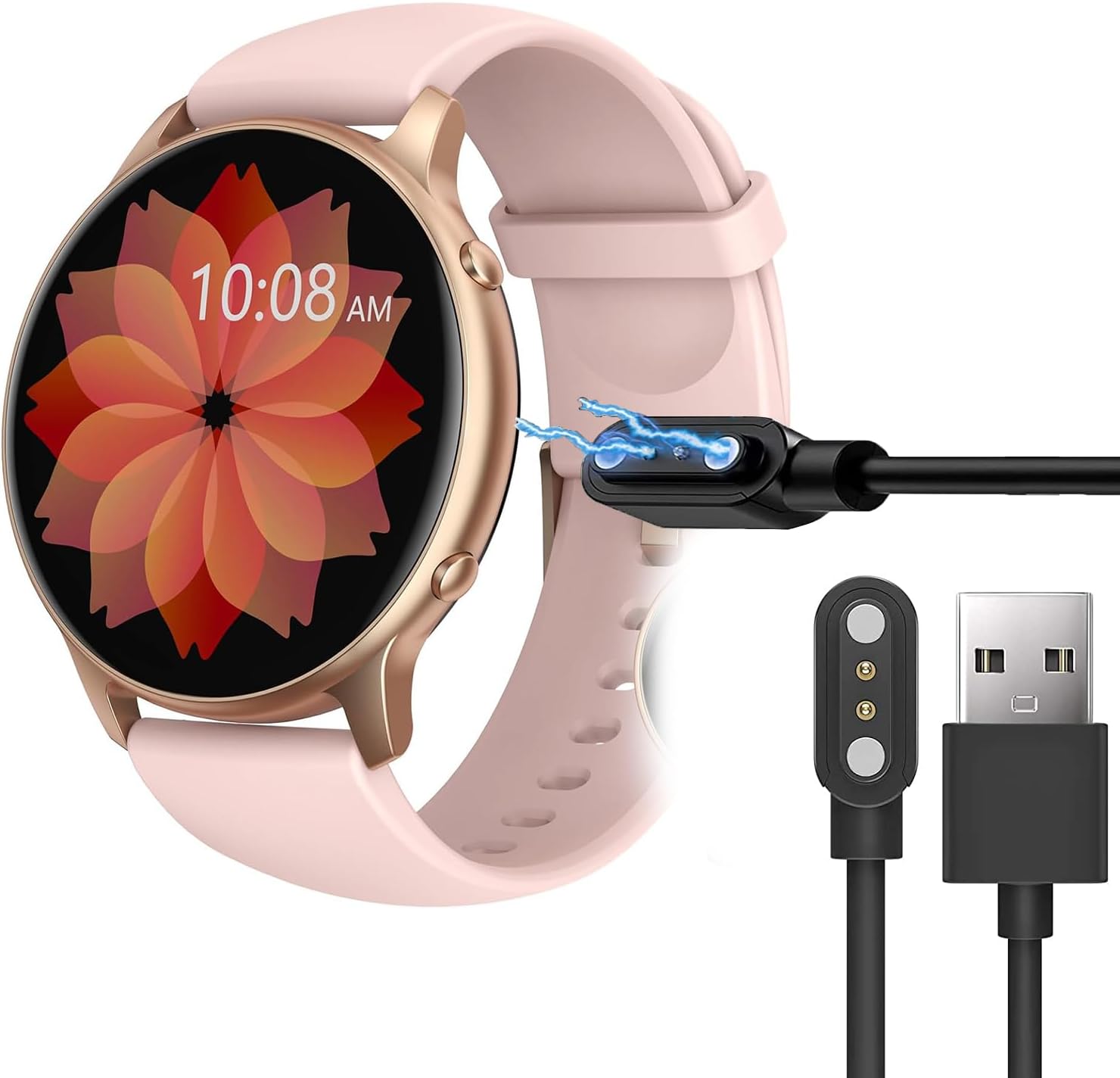
Image 4.1: The Lamshaw magnetic charging cable alongside a TUYOMA LW36 smartwatch, illustrating how the magnetic connector aligns with the watch's charging port.
Video 4.1: This video demonstrates the correct method for connecting and using the magnetic smartwatch charger, showing the alignment and attachment process.
5. Operating Instructions (Charging)
Once the charger is connected to a power source and magnetically attached to your smartwatch, the watch display will indicate that it is charging. Ensure the magnetic connection is secure for effective charging.
Charging Process:
- A correct magnetic connection will result in the magnets attracting and holding the charger firmly to the watch.
- If the magnets repel or do not connect securely, adjust the charger's orientation until it snaps into place. Incorrect alignment will prevent charging.
- The smartwatch typically requires approximately 2.5 hours for a full charge when using a 1A output current.
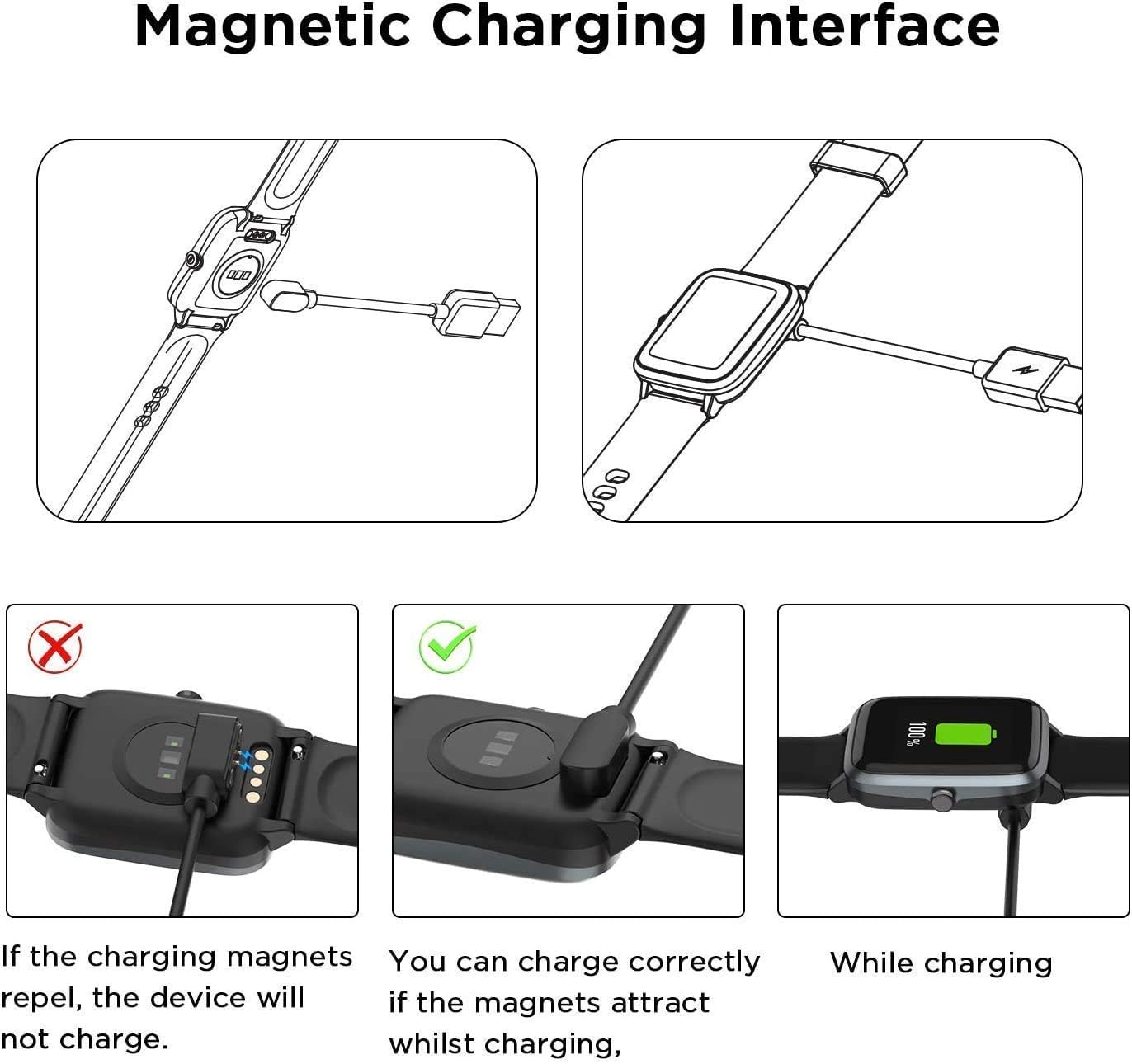
Image 5.1: This diagram demonstrates the proper magnetic alignment for charging the smartwatch. It shows that if the magnets repel, the device will not charge, but if they attract, charging will occur correctly.

Image 5.2: This image highlights the charging speed, indicating that a full charge for the smartwatch takes approximately 2.5 hours with a 1A output current.
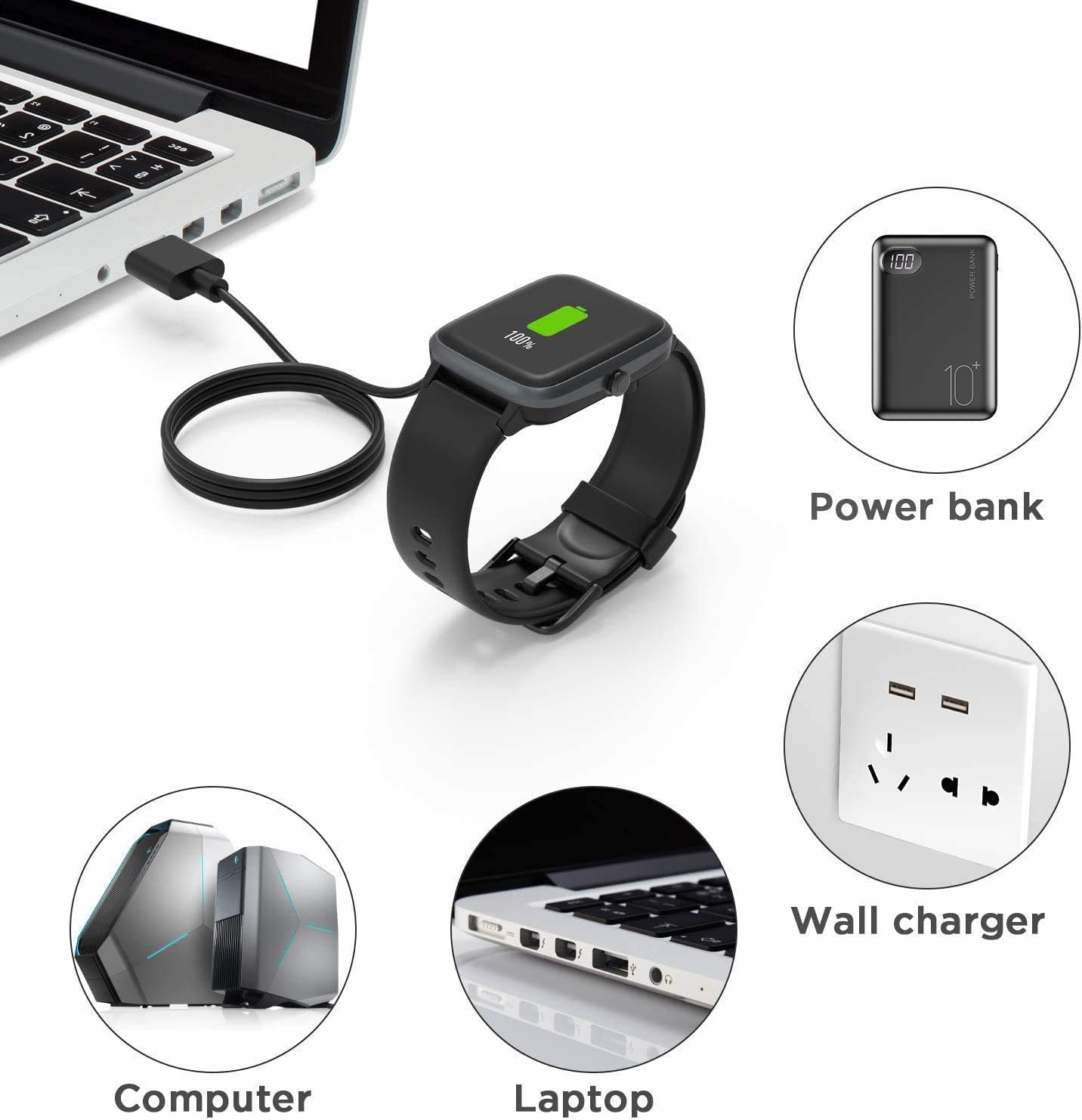
Image 5.3: This image illustrates the versatility of the charger, showing that the smartwatch can be charged using various power sources such as a power bank, computer, laptop, or a standard wall charger.
6. Maintenance
Proper care and maintenance will ensure the longevity and optimal performance of your Lamshaw charger.
- Cleaning: Gently wipe the charging contacts and cable with a dry, soft cloth to remove dust or debris. Do not use liquid cleaners.
- Storage: The flexible PVC cable is designed for easy storage. Coil it neatly when not in use to prevent kinks or damage. Store in a cool, dry place.
- Handling: Avoid pulling the cable forcefully from the smartwatch or power source. Always grasp the connector when disconnecting.

Image 6.1: This image details the construction of the charging cable, featuring pure copper probes for stable conduction, a durable ABS+PC connector housing, and a flexible PVC cable for convenience.
7. Troubleshooting
If you encounter issues with your charger, please refer to the following common problems and solutions:
- Smartwatch not charging:
- Ensure the USB-A end is securely plugged into a working power source. Try a different USB port or power adapter.
- Verify the magnetic connection to the smartwatch. The magnets should attract and hold firmly. If they repel, flip the magnetic connector 180 degrees and try again (refer to Image 5.1).
- Check for any debris on the charging contacts of both the charger and the smartwatch. Clean if necessary.
- Confirm that your smartwatch model is indeed the TUYOMA LW36. This charger is specifically designed for this model.
- Slow charging:
- Ensure your power source provides sufficient output (e.g., 1A or higher). Charging from a low-power USB port (like some older computer ports) may be slower.
- Avoid using the smartwatch while it is charging.
8. Specifications
| Feature | Detail |
|---|---|
| Brand | Lamshaw |
| Model Compatibility | TUYOMA LW36 Smartwatch (1.32 Inches), BCFHYK Smartwatch LW36, NiUFFiT Smartwatch LW36 |
| Connector Type | Micro USB (input), Magnetic (output to watch) |
| Cable Length | 100cm (approximately 3.3 feet) |
| Color | Black |
| Input Voltage | 5 Volts |
| Wattage | 5 watts |
| Special Features | Magnetic connection, Short Circuit Protection, Portable design |
| Product Dimensions | 4 x 2 x 0.3 inches |
| Item Weight | 0.598 ounces |
9. Warranty and Support
For any questions, concerns, or support regarding your Lamshaw Magnetic Replacement Charger, please contact Lamshaw customer service through your original point of purchase. Please retain your purchase receipt for warranty purposes, if applicable.