
1. Introduction
This manual provides detailed instructions for the safe and effective operation of your EYTSE 36 LED Stage Par Lights. Please read this manual thoroughly before use and retain it for future reference. These lights are designed for various lighting applications, including stage performances, parties, and events, offering multiple control options and lighting modes.
2. Safety Information
- Ensure the power supply voltage matches the specifications of the device (220V AC).
- Do not expose the device to rain or moisture to prevent electric shock or fire.
- Always disconnect the power before cleaning or servicing the unit.
- Avoid direct eye exposure to the light source, as it can cause eye damage.
- Ensure proper ventilation around the unit to prevent overheating.
- Do not attempt to repair the device yourself. Refer all servicing to qualified personnel.
- Keep the device away from flammable materials.
3. Package Contents
Verify that all items are present in the package:
- 2 x 36 LED Par Lights
- 2 x Mounting Brackets
- 2 x Remote Controls
- 2 x User Manuals (this document)
- 4 x Adjustment Knobs
- 4 x Rubber Rings
4. Product Overview
The EYTSE 36 LED Stage Par Light features 36x1W high-quality RGB LEDs (12 red, 12 green, 12 blue) and a durable metal housing for efficient heat dissipation. It offers multiple lighting modes and control options for versatile use.
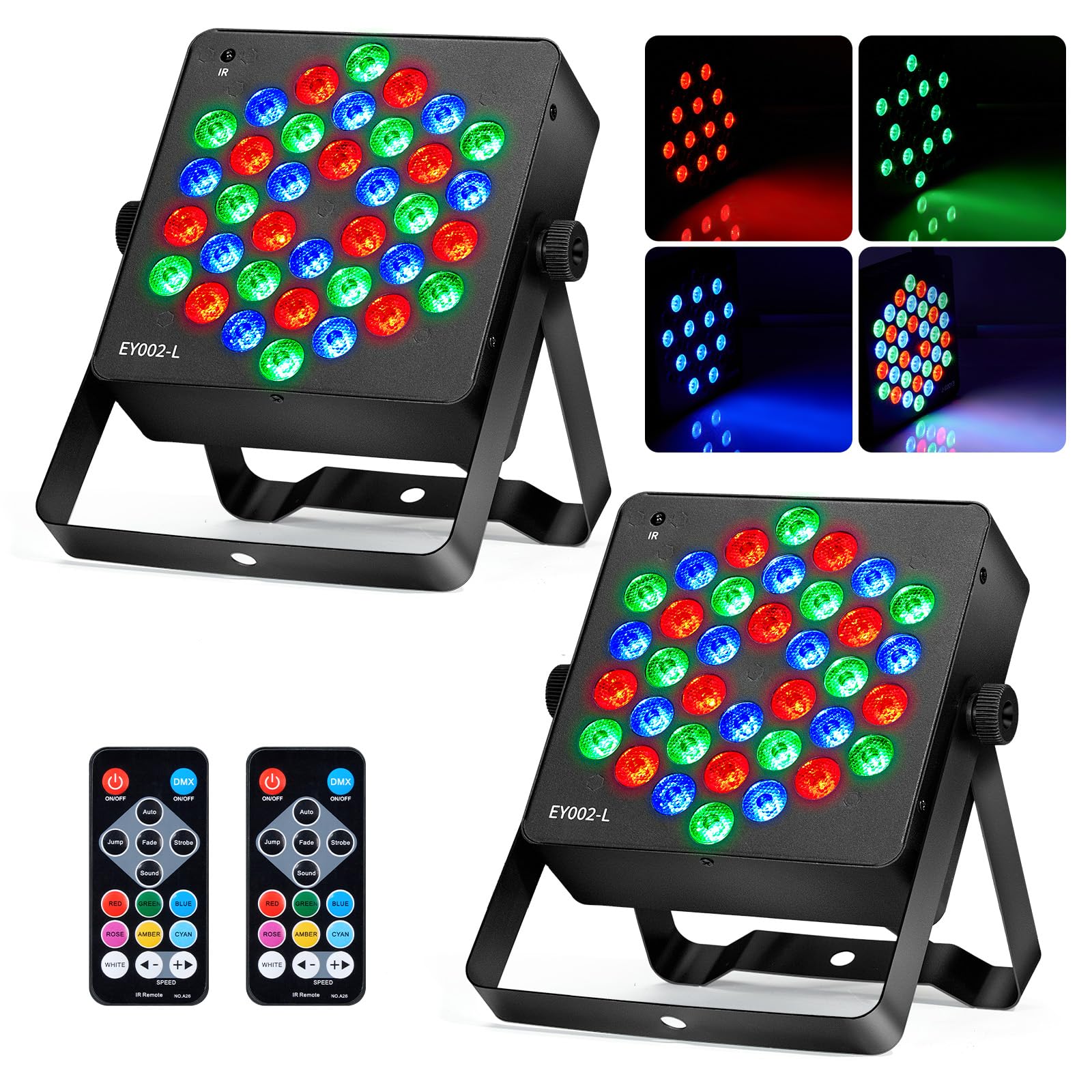
Image 4.1: Overview of the EYTSE 36 LED Stage Par Light and its various operational modes, including DMX, Strobe, Gradient, Auto, Remote Control, Master-Slave, Sound Activated, and Static Color Mode.
Key Features:
- Multiple Lighting Modes: Includes static color, strobe, automatic, sound-activated, master-slave, DMX, and gradient modes.
- Flexible Control: Can be controlled via the included remote or a DMX controller for precise adjustments and synchronized effects.
- Durable Construction: Solid metal housing ensures reliability, excellent heat dissipation, and minimal light decay.
- High Brightness: Equipped with a 95% transmittance PC lens and EPISTAR chip, providing 120LM/W brightness and pure, clear light.
- Easy Installation: Comes with mounting brackets and screws for flexible installation on walls, ceilings, or on the ground.

Image 4.2: Illustration of the light's long service life, highlighting its metal material for superior heat dissipation and an effective cooling system.
5. Setup
Mounting the Light:
The EYTSE 36 LED Stage Par Light can be installed in various positions using the included mounting brackets and screws. Choose a stable location that allows for proper ventilation and desired light projection.
- Attach the mounting bracket to the sides of the light using the adjustment knobs and rubber rings.
- Securely fasten the light to a wall, ceiling, or place it on a flat surface. Ensure all screws are tightened to prevent movement.
- Adjust the angle of the light as needed using the bracket.

Image 5.1: Product dimensions (6.3 x 6.3 x 2.8 inches) and the remote control, aiding in planning installation space.
6. Operating Instructions
The light can be controlled via the onboard digital display and buttons, the included IR remote control, or an external DMX controller.

Image 6.1: Detailed diagram of the light's digital display and control buttons (Menu, Up, Down, Enter, DMX In/Out, Power) and the remote control functions (On/Off, DMX, Auto, Fade, Strobe, Sound, color buttons, Speed +/-).
Control Panel Functions:
- Digital Display: Shows current mode or DMX address.
- Menu: Navigates through settings.
- Up/Down: Adjusts values or selects options.
- Enter: Confirms selection.
- DMX In/Out: Connects to DMX controllers for master-slave or DMX control.
- Power ON/OFF: Main power switch.
Remote Control Functions:
- ON/OFF: Turns the light on or off.
- DMX: Activates DMX mode.
- Auto: Activates automatic mode.
- Fade: Activates gradient mode.
- Strobe: Activates strobe mode.
- Sound: Activates sound-activated mode.
- Color Buttons (RED, GREEN, BLUE, ROSE, AMBER, CYAN, WHITE): Selects static colors.
- Speed +/-: Adjusts the speed of dynamic modes.
Lighting Modes:
- Static Color Mode: Displays a single, constant color. Selectable via remote or control panel.
- Strobe Mode: Flashes colors at an adjustable rate.
- Automatic Mode: Cycles through pre-programmed light sequences.
- Sound-Activated Mode: Lights react to ambient sound or music.
- Master-Slave Mode: Connect multiple lights via DMX cables. One light acts as the master, controlling all other slave units.
- DMX Mode: Allows professional control via an external DMX controller for precise lighting effects and synchronization. Set the DMX address on the light's digital display.
- Gradient Mode: Smoothly transitions between different colors.

Image 6.2: Examples of various color outputs, including Red (R), Green (G), Blue (B), combined RGB, Red-Blue (RB), Red-Green (RG), and Green-Blue (GB).
7. Maintenance
- Cleaning: Regularly clean the lens and housing with a soft, dry cloth to maintain optimal light output and prevent dust buildup. Do not use harsh chemicals or abrasive materials.
- Inspection: Periodically check power cables and DMX connections for any signs of damage. Replace damaged cables immediately.
- Storage: When not in use for extended periods, store the lights in a dry, dust-free environment.
8. Troubleshooting
| Problem | Possible Cause | Solution |
|---|---|---|
| Light does not turn on | No power supply; Power cable loose; Unit damaged | Check power connection; Ensure power outlet is functional; Contact customer support if unit is damaged. |
| Remote control not working | Batteries dead; Obstruction between remote and light; Remote sensor blocked | Replace remote batteries; Ensure clear line of sight to the light's IR sensor; Clean remote sensor area. |
| DMX control not working | Incorrect DMX address; Faulty DMX cable; DMX controller issue; Master/Slave conflict | Verify DMX address setting; Check DMX cable connections; Test with another DMX controller; Ensure only one master unit in Master/Slave setup. |
| Sound-activated mode not responding | No sound detected; Microphone sensitivity too low | Ensure music/sound is playing near the light; Adjust microphone sensitivity if available (check control panel settings). |
9. Specifications
| Feature | Specification |
|---|---|
| Model Number | EY002-L |
| Light Source | 36 x 1W RGB LEDs (12 Red, 12 Green, 12 Blue) |
| Power Source | Corded Electric |
| Voltage | 220 Volts (AC) |
| Maximum Wattage | 40 Watts |
| Amperage | 0.36 Amps |
| Color Temperature | 10000 Kelvin |
| Material | Metal |
| Color | Black |
| Item Dimensions (L x W x H) | 19.8L x 19.8W x 16.8H centimetres |
| Mounting Type | Wall Mount, Ceiling Mount, Floor Mount |
| Control Modes | Static Color, Strobe, Automatic, Sound-Activated, Master-Slave, DMX, Gradient |
10. Warranty and Support
EYTSE is committed to customer satisfaction. Your 36 LED Stage Par Lights come with:
- 30-Day Free Return Policy: For any issues within 30 days of purchase.
- 180-Day Warranty: Covers manufacturing defects and malfunctions for 180 days from the purchase date.
For any questions, issues, or technical assistance, please contact our customer service team. We are available 24/7 to provide support.
