
1. Introduction
Thank you for choosing the Vortex X28W Bladeless Table Fan. This manual provides essential information for the safe and efficient operation, maintenance, and troubleshooting of your device. Please read this manual thoroughly before use and retain it for future reference.
2. Safety Information
- No Exposed Blades: The bladeless design ensures safety, making it suitable for environments with children and pets.
- Power Source: Use only the specified charging cable and power adapter (5V DC) to prevent damage or fire hazards.
- Water Exposure: Do not immerse the fan in water or expose it to excessive moisture. This product is for indoor use only.
- Cleaning: Disconnect the power before cleaning. Use a soft, dry cloth. Do not use abrasive cleaners.
- Ventilation: Ensure the fan's air inlets and outlets are not blocked during operation.
- Repairs: Do not attempt to disassemble or repair the fan yourself. Contact qualified service personnel for assistance.
- Battery Safety: The fan contains a Lithium Polymer battery. Do not expose to extreme temperatures or puncture.
3. Package Contents
Please check the package for the following items:
- Vortex X28W Bladeless Table Fan
- USB-C Charging Cable
- User Manual
4. Product Overview
The Vortex X28W fan features a sleek, bladeless design for safe and efficient cooling. It utilizes advanced airflow technology to provide a smooth, consistent stream of air.

Figure 4.1: Front view of the white Vortex X28W Bladeless Table Fan, showcasing its minimalist design and digital display.

Figure 4.2: Illustration highlighting the bladeless design and the path of circulating air through the fan.

Figure 4.3: Detail of the fan's control interface, indicating the digital battery level display and the main power/function button.

Figure 4.4: Close-up view of the Type C USB charging port, located on the lower rear section of the fan.
5. Setup
- Unpacking: Carefully remove the fan and all accessories from the packaging.
- Placement: Place the fan on a stable, flat surface. Ensure there is adequate space around the air inlets (sides) and outlet (front) for optimal airflow.
- Initial Charge: Before first use, it is recommended to fully charge the fan. Connect the USB-C charging cable to the fan's charging port and the other end to a compatible USB power adapter (not included). The digital display will show the charging status.

Figure 5.1: A dark blue variant of the fan shown connected to a power source via its USB-C charging cable, illustrating the charging process.
6. Operating Instructions
The Vortex X28W fan features simple touch controls.
- Power On/Off: Press the main button (refer to Figure 4.3) once to turn the fan on. Press and hold the button for approximately 2 seconds to turn the fan off.
- Adjusting Fan Speed: While the fan is on, press the main button repeatedly to cycle through the 6 available fan speed levels. The digital display will indicate the current speed setting.
- Digital Display: The integrated digital display shows the current fan speed level and the battery charge percentage.
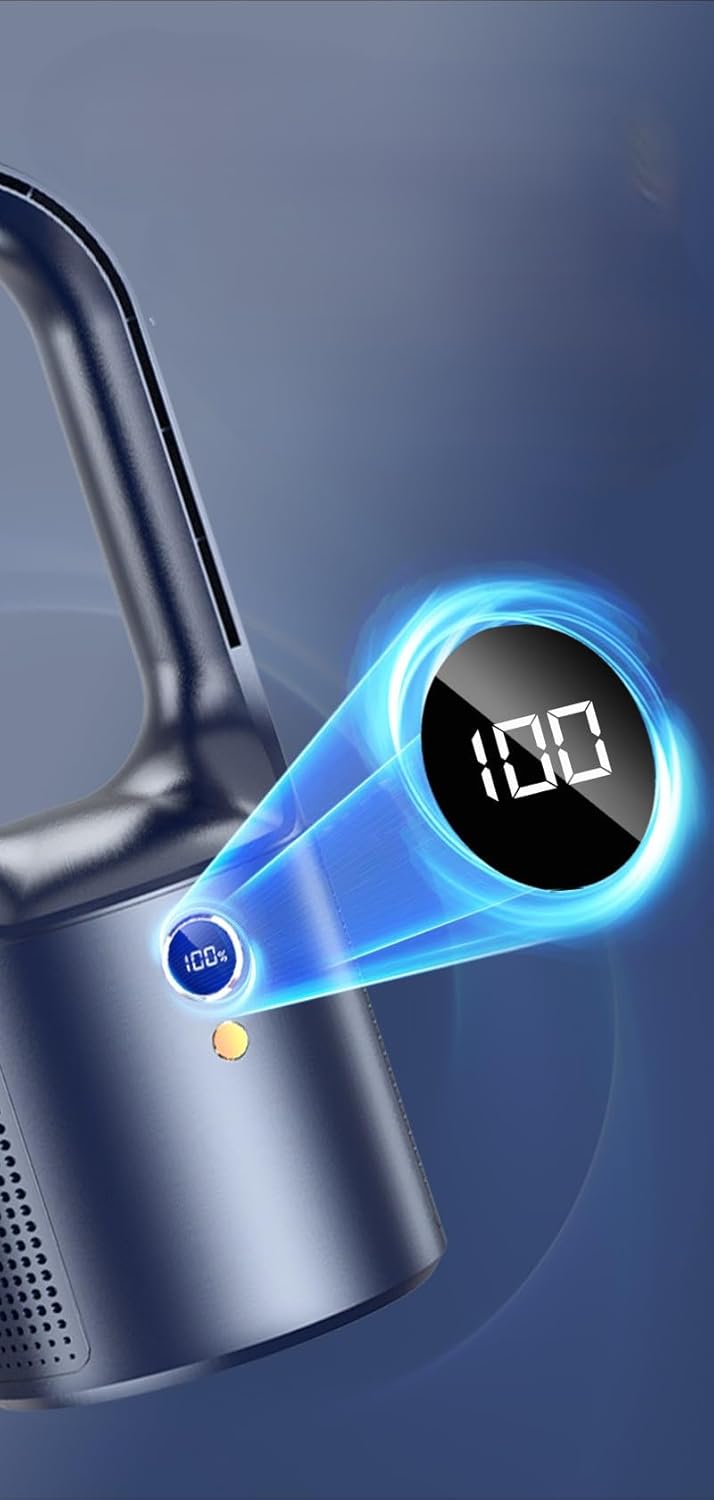
Figure 6.1: Close-up of the fan's digital display, indicating a full battery charge (100%).

Figure 6.2: Examples of the fan in typical usage scenarios, providing cooling in an office and bedroom setting.
7. Charging
The Vortex X28W is equipped with a rechargeable Lithium Polymer battery.
- Connect the provided USB-C cable to the fan's charging port and to a standard USB power source (e.g., computer USB port, wall adapter).
- The digital display will show the battery percentage, indicating charging progress.
- A full charge typically takes several hours. The display will show 100% when fully charged.
- Battery life varies depending on the fan speed setting. Higher speeds consume more power and will reduce operating time.
8. Maintenance and Cleaning
The bladeless design of the Vortex X28W makes cleaning simple.
- Power Off: Always ensure the fan is turned off and disconnected from any power source before cleaning.
- Exterior Cleaning: Use a soft, dry, or slightly damp cloth to wipe down the exterior surfaces of the fan.
- Air Inlets/Outlets: Gently wipe the air inlet grilles and the interior of the air loop with a soft cloth to remove dust. Do not use sharp objects to clean these areas.
- Avoid Liquids: Do not spray cleaning liquids directly onto the fan. Do not use abrasive cleaners, solvents, or harsh chemicals.

Figure 8.1: A hand cleaning the surface of a dark blue fan with a soft cloth, illustrating the ease of maintenance for the bladeless design.
9. Troubleshooting
| Problem | Possible Cause | Solution |
|---|---|---|
| Fan does not turn on. | Battery is depleted. | Charge the fan using the provided USB-C cable. |
| Fan runs but airflow is weak. | Air inlets/outlets are blocked; Fan speed is too low. | Ensure no obstructions. Increase fan speed using the control button. |
| Battery drains quickly on high settings. | High power consumption at higher speeds. | This is normal. For extended use, operate at lower speeds or keep connected to power. |
| Fan is noisy. | Operating at highest speed; Fan is on an uneven surface. | Reduce fan speed. Ensure the fan is placed on a stable, flat surface. |
10. Specifications
- Brand: Vortex
- Model Name: X28W
- Electric Fan Design: Table Fan
- Power Source: Battery Powered (1 Lithium Polymer battery included)
- Control Method: Touch
- Number of Power Levels: 6
- Special Feature: Bladeless, Rechargeable, Cordless
- Noise Level: 36 Decibels
- Wattage: 5 watts
- Voltage: 5 Volts (DC)
- Product Dimensions: 5"D x 5"W x 13"H (approximately 12.7cm D x 12.7cm W x 33cm H)
- Item Weight: 1.96 pounds (approximately 0.89 Kilograms)
- Indoor/Outdoor Usage: Indoor

Figure 10.1: Visual representation of the fan's dimensions, indicating a height of 340mm and a width of 138mm.
11. Warranty and Support
Vortex products are manufactured to high-quality standards. For warranty information, technical support, or service inquiries, please refer to the contact information provided with your purchase or visit the official Vortex website. Please retain your proof of purchase for warranty claims.


