
Introduction
This manual provides essential instructions for setting up, operating, and maintaining your Q7 Plus Smartwatch Fitness Tracker. Please read this guide thoroughly to ensure proper use and to maximize the device's capabilities. The Q7 Plus Smartwatch is designed to assist you in monitoring your health and fitness activities, offering features such as heart rate tracking, step counting, sleep monitoring, and smartphone notifications.
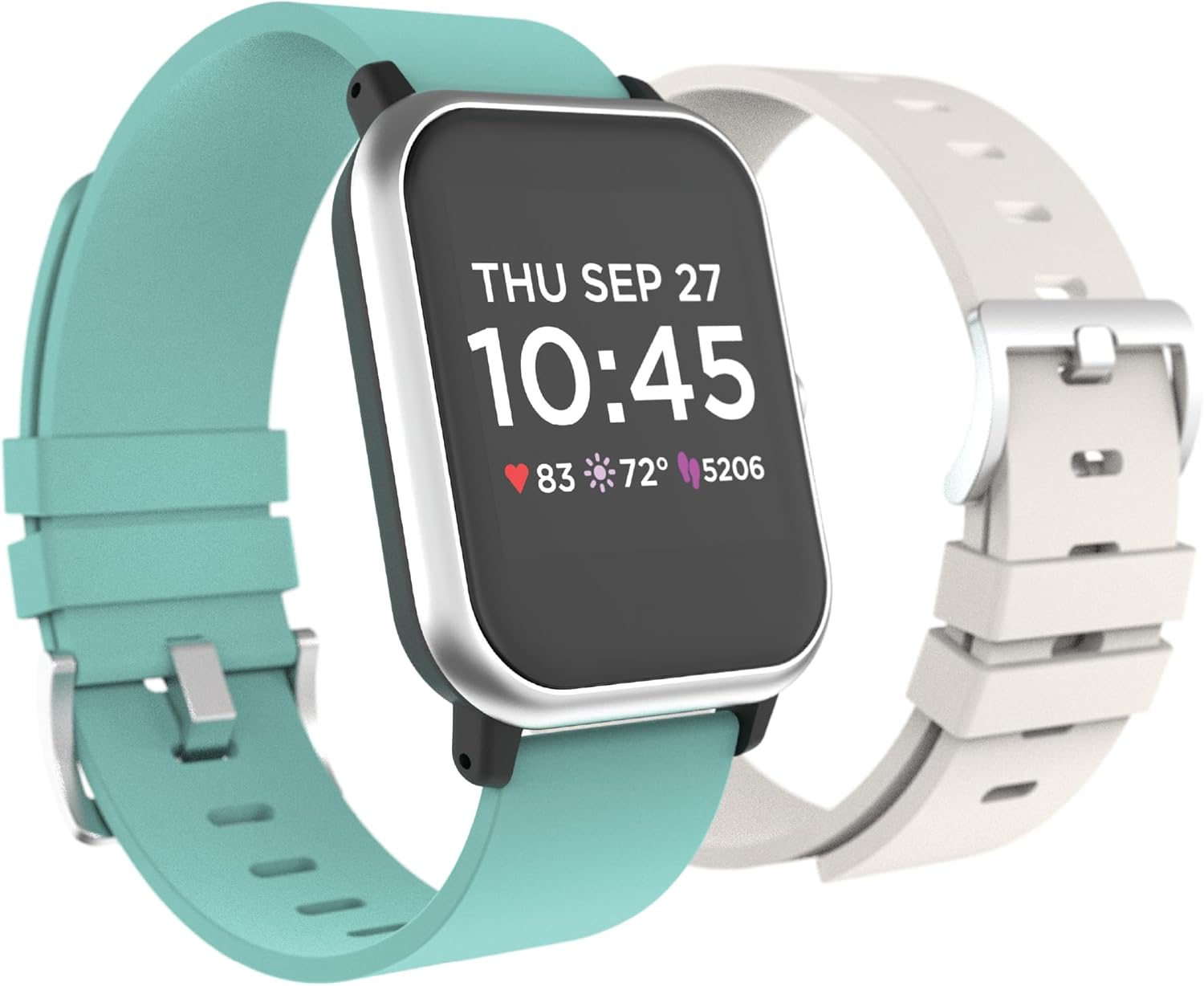
Image: The Q7 Plus Smartwatch, showcasing its rectangular display and two included interchangeable straps in teal and off-white.
1. Setup
1.1 Charging the Device
Before first use, fully charge your Q7 Plus Smartwatch. Connect the provided charging cable to the charging port on the back of the watch and plug the USB end into a standard USB power adapter (not included) or a computer USB port. The watch display will indicate charging status.
1.2 App Download and Pairing
- Download the companion application from your smartphone's app store (compatible with both iPhone and Android devices). Refer to the packaging or quick start guide for the specific app name.
- Ensure Bluetooth is enabled on your smartphone.
- Open the downloaded app and follow the on-screen instructions to create an account and pair your Q7 Plus Smartwatch. The app will guide you through the pairing process.
- Confirm the pairing request on your smartwatch when prompted.
1.3 Attaching/Replacing Straps
The Q7 Plus Smartwatch comes with an extra strap for customization. To attach or replace a strap, locate the quick-release pins on the underside of the strap where it connects to the watch body. Slide the pin to detach the current strap, then align the new strap and slide the pin back into place until it clicks securely.
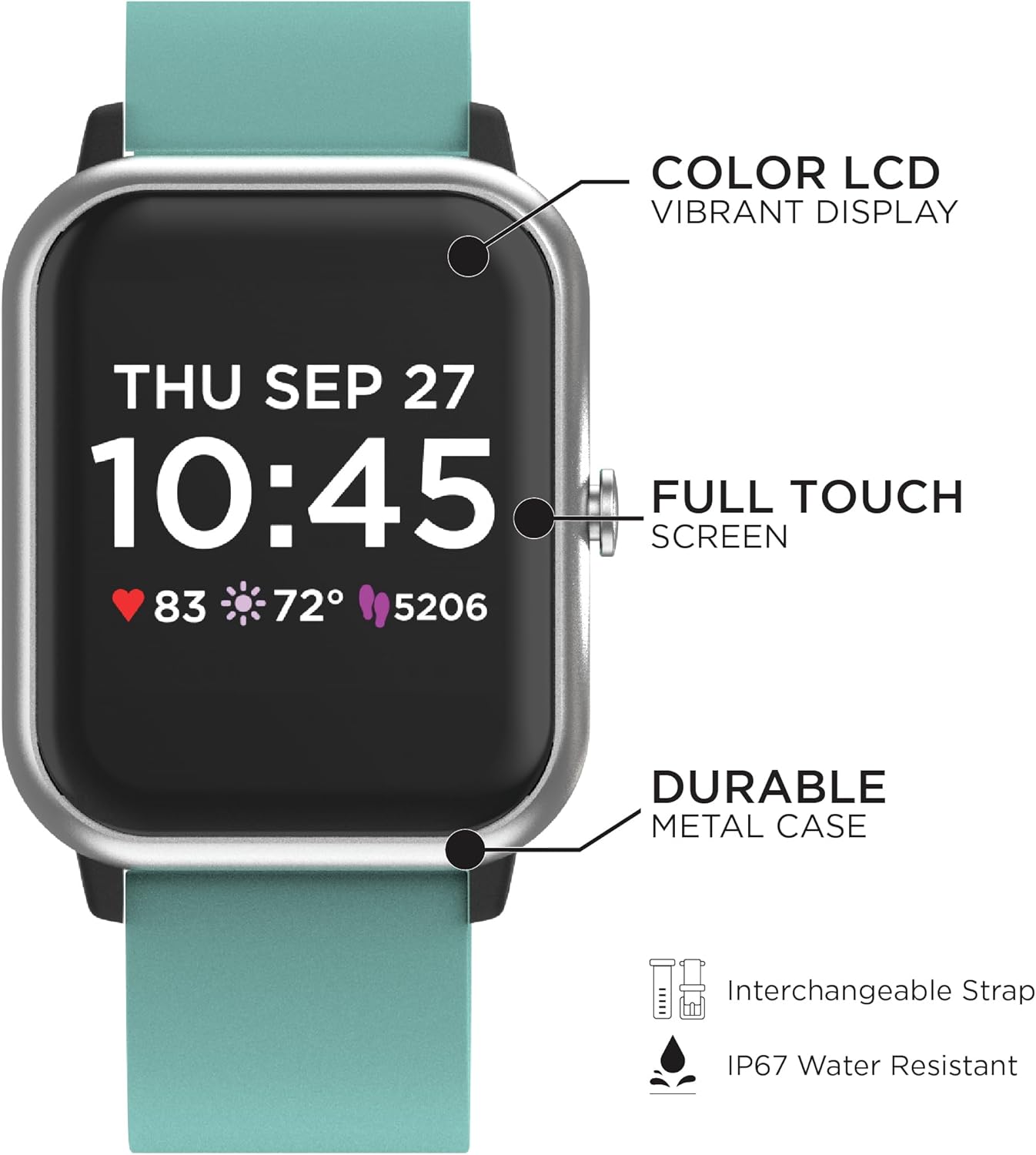
Image: Key features of the Q7 Plus Smartwatch, including its color LCD, full touch screen, durable metal case, interchangeable strap design, and IP67 water resistance rating.
2. Operating Instructions
2.1 Basic Navigation
The Q7 Plus Smartwatch features a full touch screen for intuitive navigation. Swipe left, right, up, or down to access different functions and menus. Tap to select an option or confirm an action. Press the side button (if present) to return to the home screen or activate the display.
2.2 Key Features
- Heart Rate Monitor: The watch continuously or periodically tracks your heart rate. Access the heart rate interface on the watch or view detailed data in the companion app.
- Activity Tracking: Monitors steps taken, distance traveled, and calories burned throughout the day. This data is synchronized with the app for historical analysis.
- Sleep Monitor: Wear the watch during sleep to track sleep patterns, including deep sleep, light sleep, and awake times. Review sleep quality reports in the app.
- Notifications: Once paired with your smartphone, the watch can display incoming call alerts, text messages, and notifications from various applications. Manage notification settings within the companion app.
- Music Remote: Control music playback on your connected smartphone directly from your wrist. Play, pause, skip tracks, and adjust volume.
- Weather: View current weather conditions and forecasts on your watch after syncing with the app and ensuring location services are enabled on your phone.
- Alarm & Stopwatch: Utilize the built-in alarm function for reminders and the stopwatch for timing activities.
- On-Watch Workouts: Select from various pre-set workout modes to track specific exercises and receive real-time data.
- Customizable Watch Faces: Personalize your watch's appearance by selecting from a variety of watch faces available on the device or through the companion app.

Image: Visual representation of the Heart Rate Monitor, Notifications, and Calorie Tracker functions available on the Q7 Plus Smartwatch.

Image: Visual representation of the Music Remote, Sleep Monitor, and Weather functions available on the Q7 Plus Smartwatch.
3. Maintenance
3.1 Cleaning
Regularly clean your smartwatch and strap to prevent skin irritation and maintain device functionality. Use a soft, damp, lint-free cloth to wipe the screen and watch body. For the strap, use mild soap and water if necessary, then rinse thoroughly and dry completely before reattaching to the watch.
3.2 Water Resistance
The Q7 Plus Smartwatch is IP67 water-resistant, meaning it can withstand splashes, rain, and brief immersion in shallow water. It is not suitable for swimming, diving, or high-pressure water activities. Avoid exposing the watch to hot water, steam, or chemicals, as these can compromise the water resistance.
3.3 Battery Care
To prolong battery life, avoid fully discharging the watch frequently. Charge the device using the provided cable and a compatible power source. Store the watch in a cool, dry place when not in use for extended periods.
4. Troubleshooting
- Watch not turning on: Ensure the watch is fully charged. Connect it to the charger for at least 30 minutes.
- Unable to pair with smartphone:
- Ensure Bluetooth is enabled on your phone.
- Make sure the watch is within Bluetooth range of your phone.
- Restart both your phone and the smartwatch.
- Try unpairing and re-pairing the device through the app.
- Inaccurate heart rate/activity data: Ensure the watch is worn snugly on your wrist, about one finger's width above your wrist bone. Clean the sensor on the back of the watch.
- Notifications not appearing: Check notification settings in the companion app and your phone's system settings to ensure the app has permission to display notifications.
- Short battery life: Reduce screen brightness, disable unnecessary features, and ensure the watch is fully charged.
If issues persist, consult the support section of the companion app or contact customer support.
5. Specifications
| Feature | Specification |
|---|---|
| Brand | Q7 |
| Model Name | Plus |
| Screen Size | 1.3 Inches |
| Shape | Rectangular |
| GPS | No GPS |
| Battery Cell Composition | Lithium Ion |
| Wireless Communication Standard | Bluetooth |
| Connectivity Technology | Bluetooth |
| Special Feature | Heart Rate Monitor |
| Operating System (Compatibility) | Android, iOS |
| Item Dimensions (LxWxH) | 9.5 x 1.29 x 0.39 inches |
| Included Components | Charging Cable, Smart Watch |
| Water Resistance | IP67 |
| Case Thickness | 10mm |
| Case Width | 33mm |
| Band Width | 19mm |
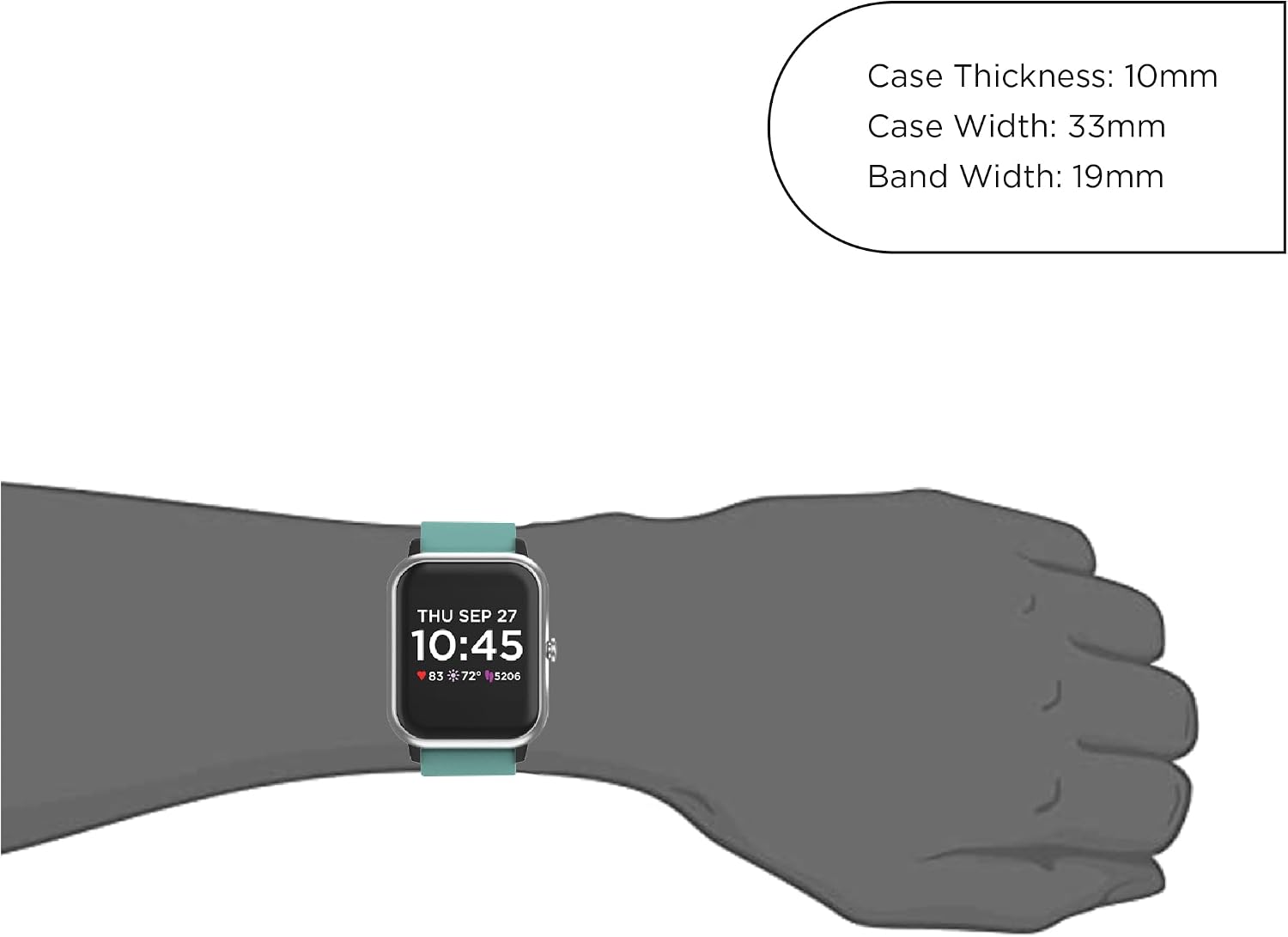
Image: Detailed dimensions of the Q7 Plus Smartwatch, including case thickness, case width, and band width, alongside a visual of the watch worn on a wrist.
6. Warranty and Support
Specific warranty information for the Q7 Plus Smartwatch is typically provided with the product packaging or available on the manufacturer's official website. Please refer to these resources for details regarding warranty coverage and terms.
For technical support, troubleshooting assistance, or any product-related inquiries, please contact the manufacturer's customer service. Contact information can usually be found in the product documentation or on the brand's website.


