
1. Product Overview
The llano LP-E8 18W Fast Dual Battery Charger is designed for efficient and safe charging of LP-E8 batteries used in various Canon EOS Rebel DSLR cameras. This charger features dual charging slots, fast charging capabilities, a digital display for real-time battery status, and multiple safety protections.
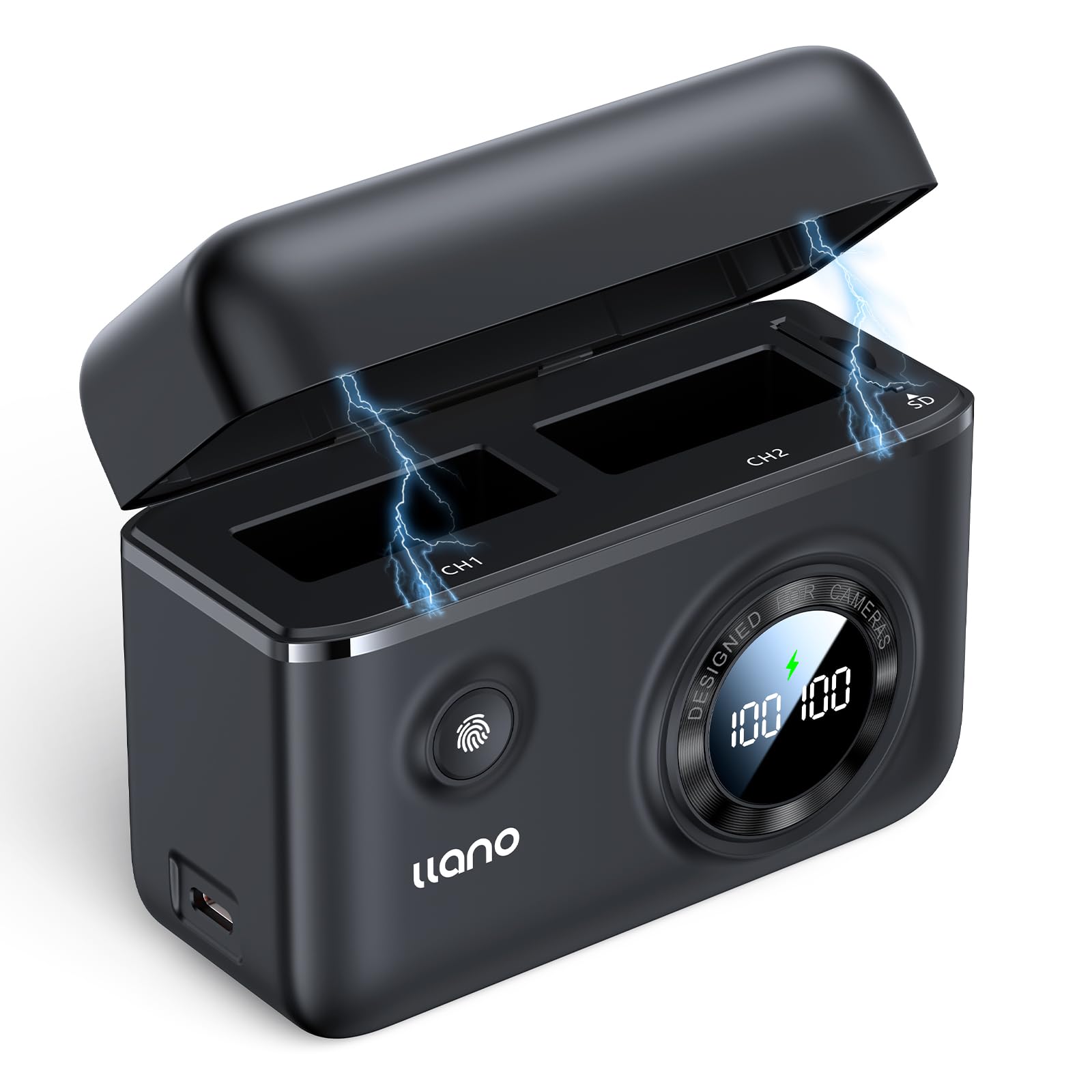
Figure 1.1: llano LP-E8 18W Fast Dual Battery Charger. This image shows the compact, black charger with its digital display and fingerprint-like power button, highlighting its modern design.
Key Features:
- Wide Compatibility: Supports Canon EOS Rebel T2i, T3i, T4i, T5i, 550D, 600D, 650D, 700D, Kiss X4, X5, X6i, X7i cameras, including original and third-party LP-E8 batteries.
- Fast Charging: 18W fast charge capability allows full charging of two LP-E8 batteries in approximately 1.4 hours.
- Advanced Safety Features: Integrated protection against overheating, overcharging, overvoltage, overcurrent, and short circuits ensures safe operation.
- Digital Display: Provides real-time updates on charging progress and individual battery levels.
- Flexible and Portable: USB-C port supports various power sources (wall adapters, power banks, laptops, car chargers) for charging on the go. Compact design for easy transport.
- Integrated Storage: Features a magnetic cover, internal compartments for two batteries, and slots for two SD cards/Micro SD card adapters.

Figure 1.2: Compatibility with LP-E8 batteries. This image displays the charger alongside various Canon EOS Rebel camera models (T3i, T5i, T2i, T4i, Kiss X4, X5, X6, X7i) that use the LP-E8 battery type.
2. Setup Guide
Follow these steps to set up your llano LP-E8 Fast Dual Battery Charger:
- Unpack the Charger: Carefully remove the charger, USB-C cable, and any included accessories from the packaging.
- Connect Power Source: Insert one end of the provided USB-C cable into the USB-C port on the charger. Connect the other end to a compatible 18W PD (Power Delivery) wall adapter, power bank, laptop, or car charger. For optimal fast charging, an 18W or higher PD charger is recommended.
- Initial Power Check: Once connected, the digital display on the charger should illuminate, indicating it is ready for use.

Figure 2.1: Wide Charging Options. This image illustrates the versatility of the charger, showing it connected to a wall charger, a car charger, and a power bank, demonstrating its adaptability to various power sources.
3. Operating Instructions
3.1. Inserting Batteries
- Open the magnetic cover of the charger.
- Align the LP-E8 batteries with the charging slots (CH1 and CH2) according to their orientation.
- Gently insert the batteries into the slots until they are securely seated.
- Close the magnetic cover to protect the batteries during charging.
3.2. Charging Process
Once batteries are inserted and the charger is connected to a power source, the charging process begins automatically.
- The digital display will show the real-time charging percentage for each battery.
- A lightning bolt icon will indicate the charging status. If the icon is solid, it signifies fast charging mode. If it is blinking, it indicates normal charging mode.
- Charging two LP-E8 batteries fully takes approximately 1.4 hours with an 18W PD power source.
- When a battery reaches 100% charge, the display for that slot will show "100" and the charging process for that battery will cease to prevent overcharging.
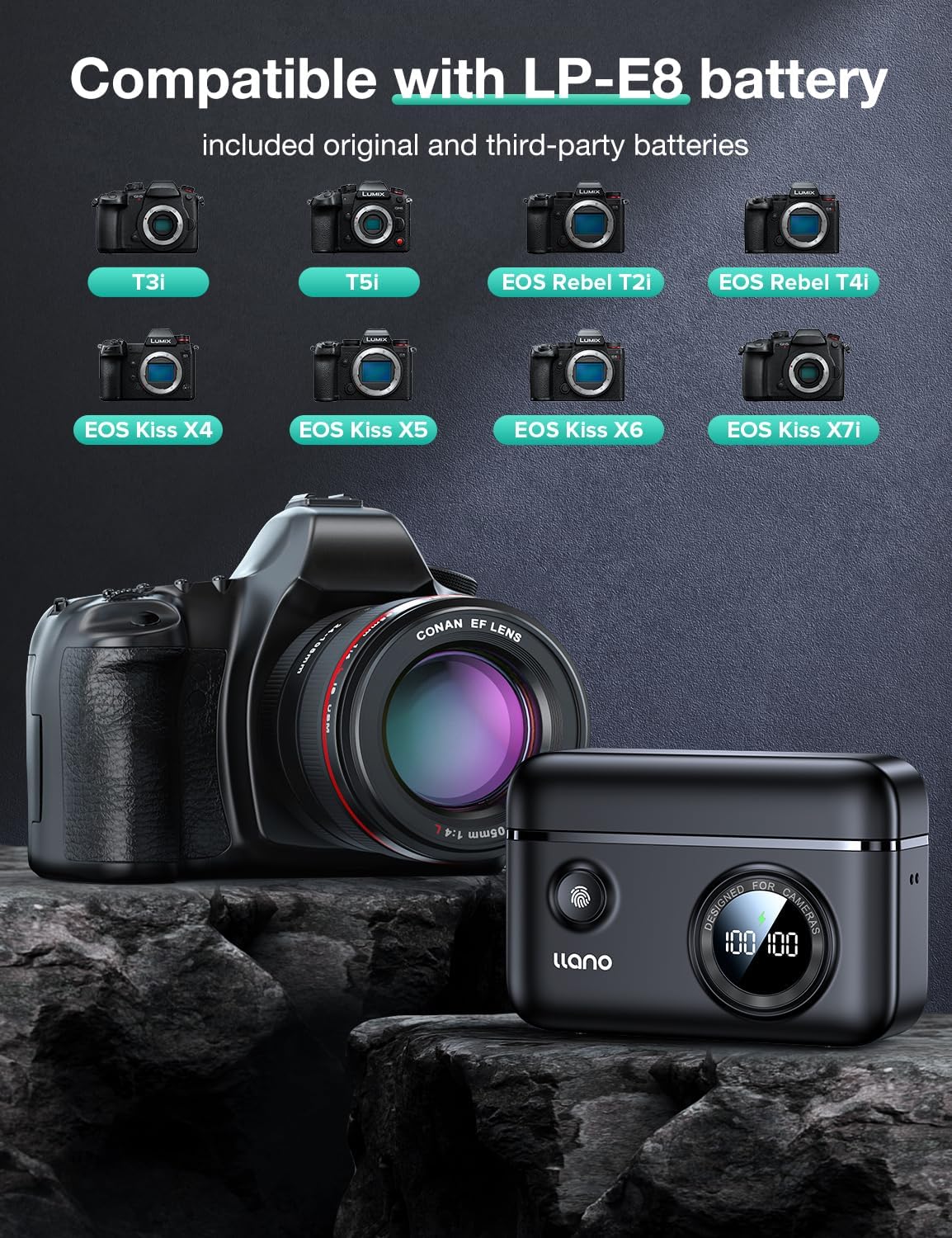
Figure 3.1: Fast Charging Capability. This image highlights the 18W fast charging feature, showing two batteries being charged and indicating a full charge time of 1.4 hours compared to 3.0 hours for other chargers.
3.3. Digital Display Interpretation
The charger's digital screen provides clear information:
- Battery Level Display: Shows the current charge percentage for each battery (e.g., "100" for fully charged).
- No Battery: If a slot is empty, the display will show "--" or similar.
- Rapid Charging Mode: Indicated by a solid lightning bolt icon.
Pressing the button on the charger provides a quick view of the remaining battery power if the display is off.

Figure 3.2: Smart Display On Demand. This image shows a user interacting with the charger's digital display, illustrating how it shows battery level, indicates no battery, and confirms rapid charging mode.
4. Maintenance and Care
- Cleaning: Use a soft, dry cloth to clean the charger's exterior. Avoid using liquid cleaners or solvents. Ensure no dust or debris accumulates in the charging slots or USB-C port.
- Storage: When not in use, store the charger in a cool, dry place, away from direct sunlight and extreme temperatures. The magnetic cover and internal foam pad help protect batteries and SD cards stored within the charger.
- Handling: Handle the charger with care. Avoid dropping it or subjecting it to strong impacts.
- SD Card Storage: The charger includes dedicated slots for two SD cards/Micro SD card adapters. Ensure cards are inserted correctly to prevent damage.

Figure 4.1: Embedded Thoughtful Design Details. This image details the charger's features, including the magnetic cover, storage box for batteries and SD cards, silicone foot pads for stability, and the included drawstring bag for protection.
5. Troubleshooting
| Problem | Possible Cause | Solution |
|---|---|---|
| Charger not powering on. | No power connection or faulty cable/adapter. | Ensure the USB-C cable is securely connected to both the charger and a working power source. Try a different USB-C cable or power adapter. |
| Batteries not charging. | Batteries incorrectly inserted, dirty contacts, or incompatible batteries. | Re-insert batteries, ensuring correct orientation. Clean battery and charger contacts with a dry cloth. Verify batteries are genuine LP-E8 type. |
| Slow charging speed. | Power source not 18W PD compatible. | Use an 18W or higher Power Delivery (PD) compatible wall adapter or power bank for optimal fast charging. |
| Digital display shows inconsistent percentages. | Minor calibration variations or immediate voltage drop after disconnection. | This can be a minor display characteristic. The charger's safety features prevent overcharging. For critical applications, allow batteries to charge fully until the display shows 100% and remains stable. |
| Charger feels warm during operation. | Normal during fast charging. | A slight warmth is normal during fast charging. If the charger becomes excessively hot or emits smoke/odor, disconnect it immediately and cease use. The charger has overheating protection. |
6. Product Specifications
- Model Number: LJN-CS001
- Input: USB-C, 18W Power Delivery (PD) recommended
- Output: Dual LP-E8 battery charging slots
- Charging Time: Approximately 1.4 hours for two LP-E8 batteries (with 18W PD input)
- Dimensions (L x W x H): 4.3 x 1.7 x 3.3 inches (10.9 x 4.3 x 8.4 cm)
- Item Weight: 12 ounces (340 grams)
- Compatibility: Canon EOS Rebel T2i, T3i, T4i, T5i, 550D, 600D, 650D, 700D, Kiss X4, X5, X6i, X7i
- Safety Features: Overheating, Overcharging, Overvoltage, Overcurrent, Short Circuit Protection
- UPC: 768771860734
- Manufacturer: SHENZHEN GREEN GIANT ENERGY TECHNOLOGY DEVELOPMENT CO.,LTD
7. Warranty and Customer Support
llano products are manufactured with quality and reliability in mind. For specific warranty details, please refer to the warranty card included with your purchase or visit the official llano website. Keep your proof of purchase for warranty claims.
If you encounter any issues or have questions regarding your llano LP-E8 Fast Dual Battery Charger, please contact llano customer support through the retailer where you purchased the product or via the contact information provided on the official llano website (llano Store on Amazon).
When contacting support, please provide your product model number (LJN-CS001) and a detailed description of the issue.