
BAOFENG F22
BAOFENG F22 FRS Radio User Manual
Model: F22
1. Introduction
This user manual provides comprehensive instructions for the operation, maintenance, and troubleshooting of your BAOFENG F22 FRS Radio. Please read this manual thoroughly before using the device to ensure safe and optimal performance.
Package Contents
- 2 x BAOFENG F22 Two-Way Radios
- 2 x Belt Clips
- 2 x Hand Straps
- 2 x 1400mAh Li-ion Batteries
- 1 x 2-in-1 Type-C USB Charger Cable
- 1 x User Manual

Image 1.1: Contents of the BAOFENG F22 package, including two radios, two batteries, and charging cables.
2. Product Overview
The BAOFENG F22 is a compact and durable FRS radio designed for reliable communication. It features multiple functions suitable for various outdoor and indoor activities.
Key Features
- FCC ID: 2AJGM-F22
- 22 FRS Channels
- 50 CTCSS Privacy Codes & 105 DCS Privilege Codes
- 12 NOAA Weather Channels with Alert Function
- VOX Hands-Free Operation
- Dual Monitoring Mode
- Channel Scanning
- Built-in Flashlight
- Keypad Lock
- Backlit LCD Display
- Low Battery Audible Alert
- 2-Pin Kenwood Headset Jack
- Type-C USB Charging

Image 2.1: Detailed diagram of the BAOFENG F22 radio components and their functions.
3. Setup
3.1 Battery Installation
- Ensure the radio is powered off.
- Locate the battery compartment on the back of the radio.
- Press the battery release latch and remove the battery cover.
- Insert the 1400mAh Li-ion battery pack, ensuring the contacts align correctly.
- Replace the battery cover and secure the latch.

Image 3.1: Proper orientation for inserting the 1400mAh Li-ion battery pack.
3.2 Charging the Battery
The BAOFENG F22 features a convenient Type-C USB charging port.
- Connect the Type-C end of the provided USB charger cable to the charging port on the side of the radio.
- Connect the USB-A end of the cable to a compatible USB power source (e.g., PC, car charger, power bank, or wall adapter).
- The battery indicator on the LCD will show charging status. A full charge typically takes several hours.
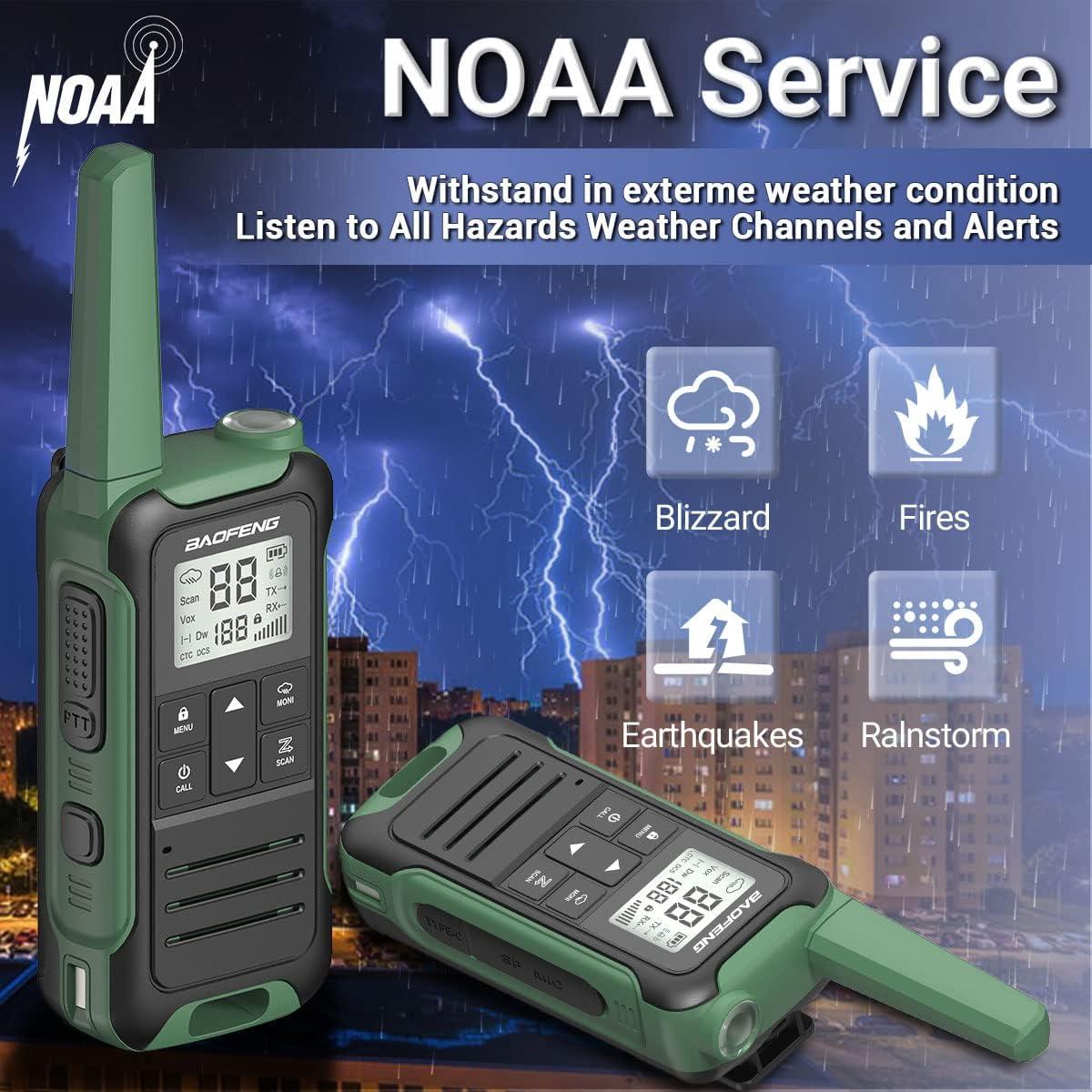
Image 3.2: Charging options for the BAOFENG F22 radio.
3.3 Attaching Accessories
- Belt Clip: Align the belt clip with the grooves on the back of the radio and slide it down until it clicks into place.
- Hand Strap: Thread the hand strap through the loop located at the top or side of the radio.
4. Operating Instructions
4.1 Power On/Off
Press and hold the Power/Call Button to turn the radio on or off.
4.2 Adjusting Volume
Use the UP and DOWN buttons to adjust the speaker volume. The volume level will be displayed on the LCD.
Video 4.1: Demonstration of multi-level volume adjustment and channel selection on the BAOFENG F22 radio.
4.3 Selecting Channels
The BAOFENG F22 has 22 FRS channels. To change channels:
- Press the MENU/Lock Button once to enter channel selection mode. The channel number will flash.
- Use the UP or DOWN buttons to select the desired channel (1-22).
- Press the MENU/Lock Button again to confirm your selection and exit channel selection mode.
4.4 Setting Privacy Codes (CTCSS/DCS)
Privacy codes help reduce interference from other users on the same channel. The F22 supports 50 CTCSS and 105 DCS codes.
- Select your desired main channel first (as described in 4.3).
- Press the MENU/Lock Button twice to enter privacy code selection mode. The current privacy code will flash.
- Use the UP or DOWN buttons to select a CTCSS (01-50) or DCS (D01-D105) code.
- Press the MENU/Lock Button again to confirm.
- Note: For communication, both radios must be on the same channel and have the same privacy code set.
4.5 Transmitting and Receiving
- To receive: Ensure your radio is on and set to the same channel and privacy code as the transmitting party. The radio will automatically receive incoming transmissions.
- To transmit: Press and hold the PTT (Push-To-Talk) Button located on the side of the radio. Speak clearly into the microphone. Release the PTT button when you are finished speaking to allow the other party to respond.
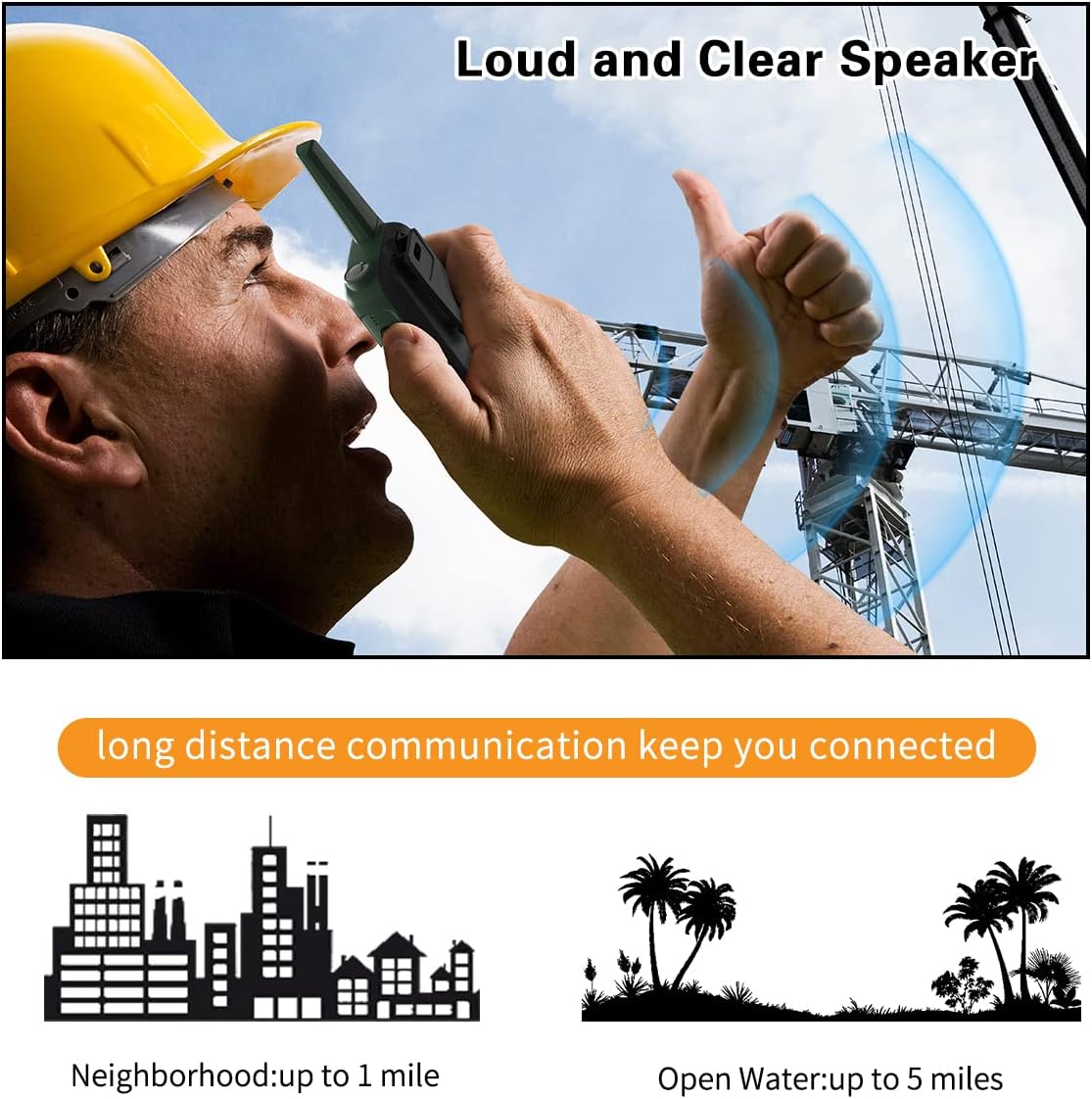
Image 4.1: Illustration of clear audio transmission and typical communication ranges.
4.6 NOAA Weather Alert
The F22 can scan 12 NOAA Weather channels and provide alerts for severe weather conditions.
- To activate NOAA Weather Scan: Press the Weather Monitor Button (often labeled "MONI" or a dedicated weather button). The radio will scan for active NOAA channels.
- To enable Weather Alert: Consult the specific menu options for enabling the weather alert function. When enabled, the radio will sound an alarm if a severe weather alert is broadcast.

Image 4.2: The BAOFENG F22's NOAA weather alert capability.
4.7 VOX (Voice Operated Exchange)
VOX allows hands-free transmission. When VOX is enabled, the radio transmits automatically when it detects your voice.
- To enable VOX: Press the MENU/Lock Button until the VOX setting appears on the LCD.
- Use the UP or DOWN buttons to select the desired VOX sensitivity level (higher numbers mean more sensitive).
- Press the MENU/Lock Button to confirm.
4.8 Keypad Lock
To prevent accidental changes to settings, you can lock the keypad.
- To lock: Press and hold the MENU/Lock Button until the lock icon appears on the LCD.
- To unlock: Press and hold the MENU/Lock Button again until the lock icon disappears.
5. Maintenance
5.1 Cleaning
- Wipe the radio's surface with a soft, damp cloth.
- Do not use harsh chemicals or abrasive cleaners.
- Ensure the charging port cover is securely closed to prevent dust and moisture ingress.
5.2 Battery Care
- Charge the battery fully before first use.
- Avoid overcharging or completely draining the battery.
- If storing the radio for an extended period, remove the battery.
- Store batteries in a cool, dry place.
5.3 Storage
- Store the radio in a dry environment, away from extreme temperatures.
- Keep out of direct sunlight.
6. Troubleshooting
| Problem | Possible Cause | Solution |
|---|---|---|
| No power | Battery low or not installed correctly. | Charge the battery. Reinstall the battery, ensuring proper contact. |
| Cannot transmit or receive | Incorrect channel/privacy code. Out of range. Battery low. | Verify both radios are on the same channel and privacy code. Move closer to the other radio. Charge the battery. |
| Poor audio quality | Volume too low/high. Obstructions. Out of range. | Adjust volume. Move to an open area. Move closer to the other radio. |
| Keypad locked | Keypad lock is active. | Press and hold the MENU/Lock Button to unlock. |
7. Specifications
| Feature | Detail |
|---|---|
| Model | F22 |
| FCC ID | 2AJGM-F22 |
| Channels | 22 FRS Channels |
| Privacy Codes | 50 CTCSS, 105 DCS |
| Frequency Range | 462-467 MHz |
| Battery | 1400mAh Li-ion (included) |
| Charging Port | Type-C USB |
| Talking Range (Open Areas) | Up to 3 miles (approx. 5 km) |
| Dimensions | Approx. 8.54 x 6.97 x 2.13 inches (package) |
| Weight | Approx. 1.06 pounds (package) |
| Water Resistance | Not Water Resistant |
8. Warranty and Support
8.1 Warranty Information
The product specifications indicate "Warranty: NO". Please refer to your point of purchase for any return or exchange policies. Typically, Amazon offers a 30-day return policy for most products.
8.2 Customer Support
For technical assistance or inquiries, please contact the seller, AUSWILL, through the Amazon platform. They offer "All day customer service replies to ensure your purchase enjoyment."
For general information about FRS radios or regulatory compliance, you may refer to the Federal Communications Commission (FCC) website.
Related documentsF22


Ask a question about this manual
Ask about setup, troubleshooting, compatibility, parts, safety, or missing instructions. Manuals+ will review the question and use this page’s manual context to help answer it.