
1. Product Overview
The Dowinx Gaming Chair LS-6668D09 is designed for comfort and support during extended periods of sitting, suitable for gaming, office work, reading, and relaxation. It features a breathable tech fabric, adjustable components, and integrated massage lumbar support.
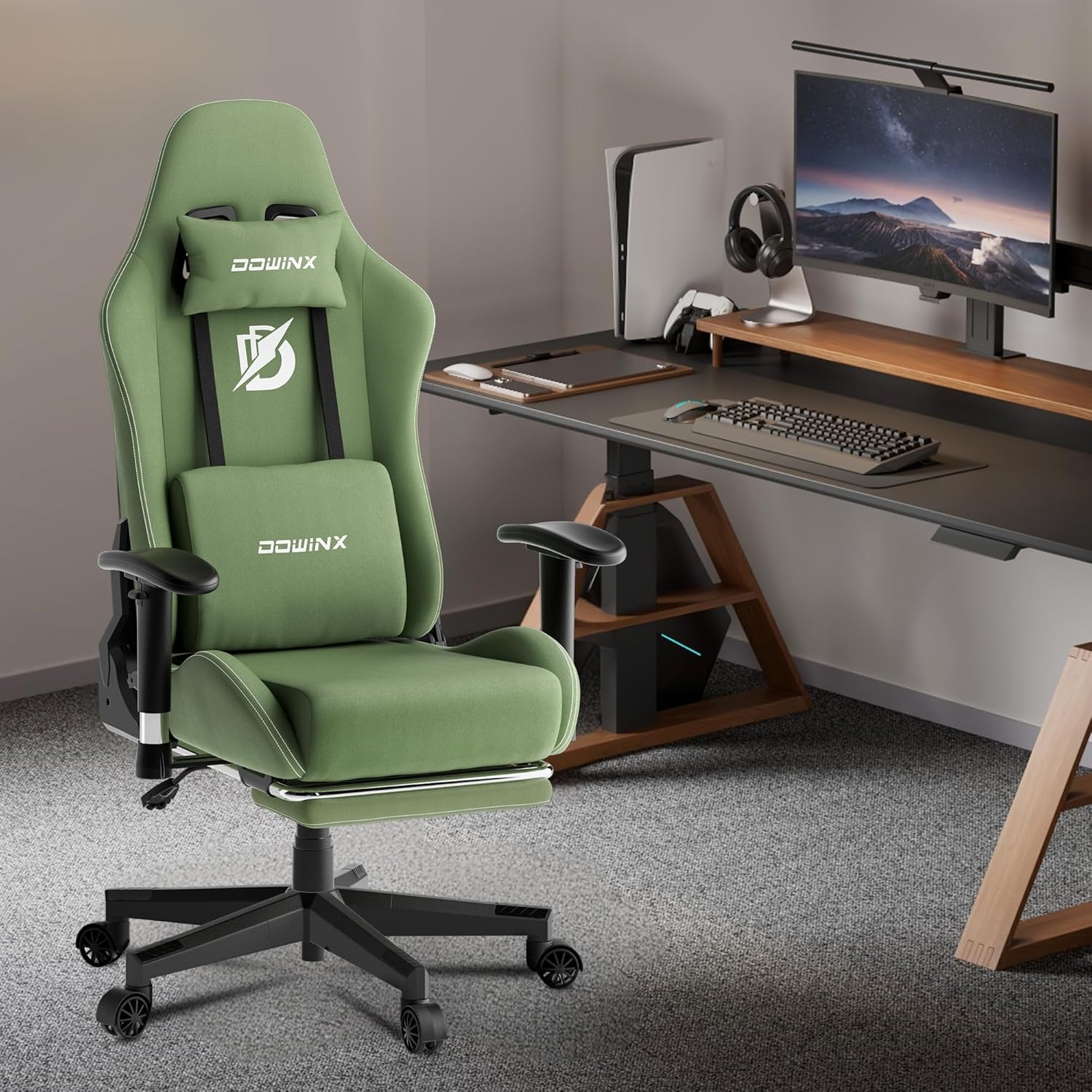
Figure 1: Dowinx Gaming Chair LS-6668D09
2. Specifications
- Model: LS-6668D09
- Brand: Dowinx
- Color: Green
- Material: Breathable Tech Fabric (Textile), High-density Sponge Filling, Alloy Frame
- Product Dimensions (D x W x H): 21.65" x 32.48" x 48"-51.6" (Adjustable Height)
- Item Weight: 45 pounds
- Recommended User Height: 5'4" - 6'2"
- Recommended User Weight: 132 lbs - 331 lbs
- Backrest Recline: 90° to 165°
- Armrests: 2D Adjustable (height and rotation)
- Casters: Five 60 mm nylon casters, 360-degree rotation
- Special Features: Massage Lumbar Support, Extendable Footrest, Ergonomic Design

Figure 2: Chair Dimensions and Recommended Usage
3. Setup and Assembly
An easy-to-follow assembly guide is included with your chair. Please refer to the provided guide for detailed step-by-step instructions. Ensure all components are present before beginning assembly.
- Unpack all parts and verify against the parts list in the assembly guide.
- Assemble the base and attach the casters.
- Install the gas lift cylinder.
- Attach the seat mechanism to the seat cushion.
- Connect the backrest to the seat.
- Attach the armrests.
- Place the assembled chair onto the gas lift cylinder.
Safety Note: Always assemble the chair according to the provided instructions. Ensure all screws and bolts are tightened securely before use.

Figure 3: Chair's Internal Metal Frame

Figure 4: Gas Lift Cylinder

Figure 5: Five-Star Base with Casters
4. Operating Instructions
4.1 Height Adjustment
To adjust the chair's height, locate the lever under the seat on the right side. Pull the lever upwards while seated to lower the chair, or pull the lever upwards while standing to raise the chair. Release the lever at the desired height.
4.2 Backrest Recline
The backrest can be reclined from 90° (upright) to 165° (nearly flat). To recline, pull the lever located on the side of the seat (typically the left side) and lean back to your desired angle. Release the lever to lock the backrest in position.

Figure 6: Backrest Recline Mechanism
4.3 Armrest Adjustment
The 2D armrests can be adjusted in height and rotated. To adjust height, press the button on the side of the armrest and move it up or down. To rotate the armrest surface, simply twist it to the desired angle.

Figure 7: Armrest Adjustment
4.4 Extendable Footrest
To use the footrest, pull it out from under the seat. It can be extended to provide leg support when reclining. Push it back under the seat when not in use.
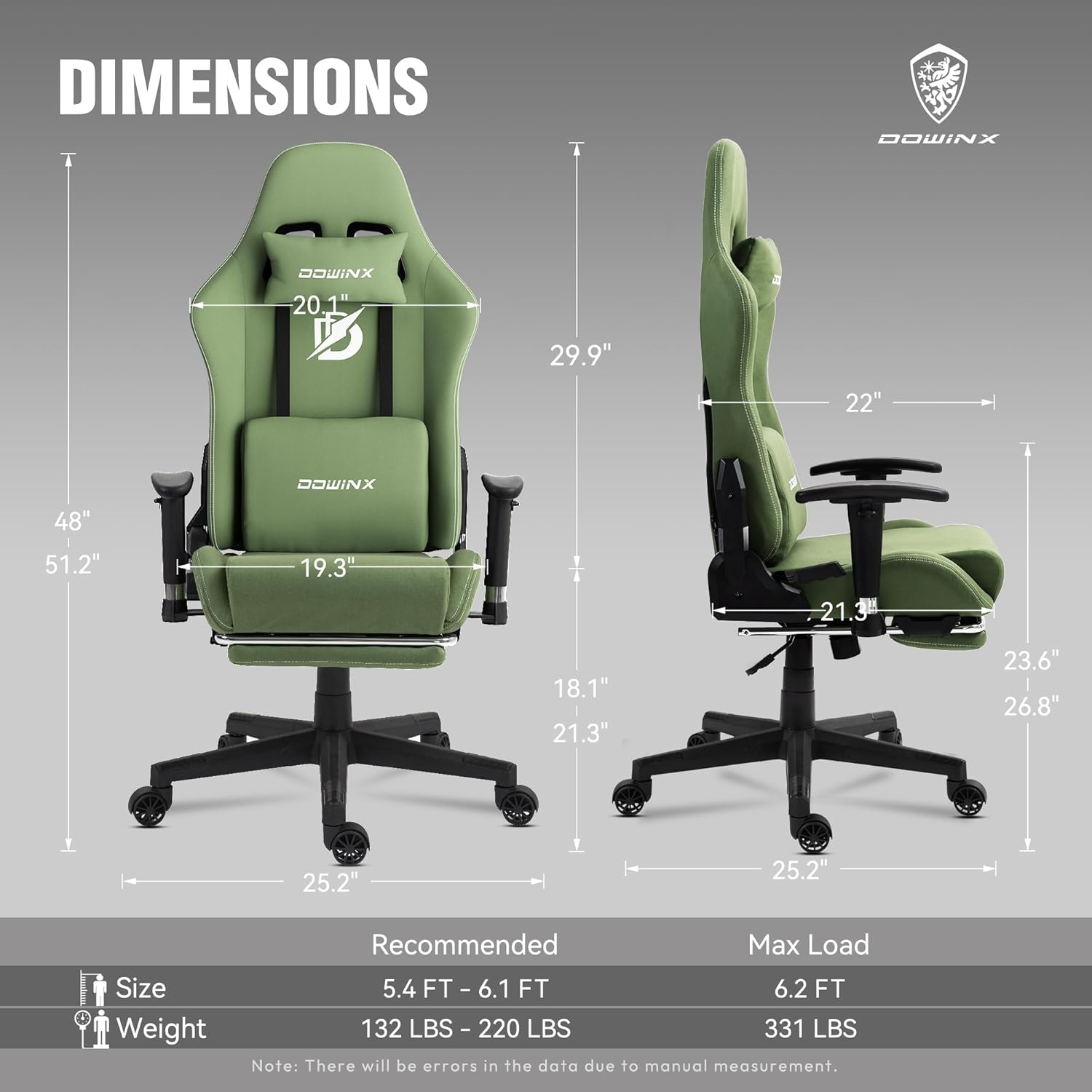
Figure 8: Extendable Footrest
4.5 Massage Lumbar Support
The chair includes a built-in massage function in the lumbar pillow. Connect the USB cable from the lumbar pillow to a compatible USB power source (e.g., computer, power bank) to activate the massage feature.
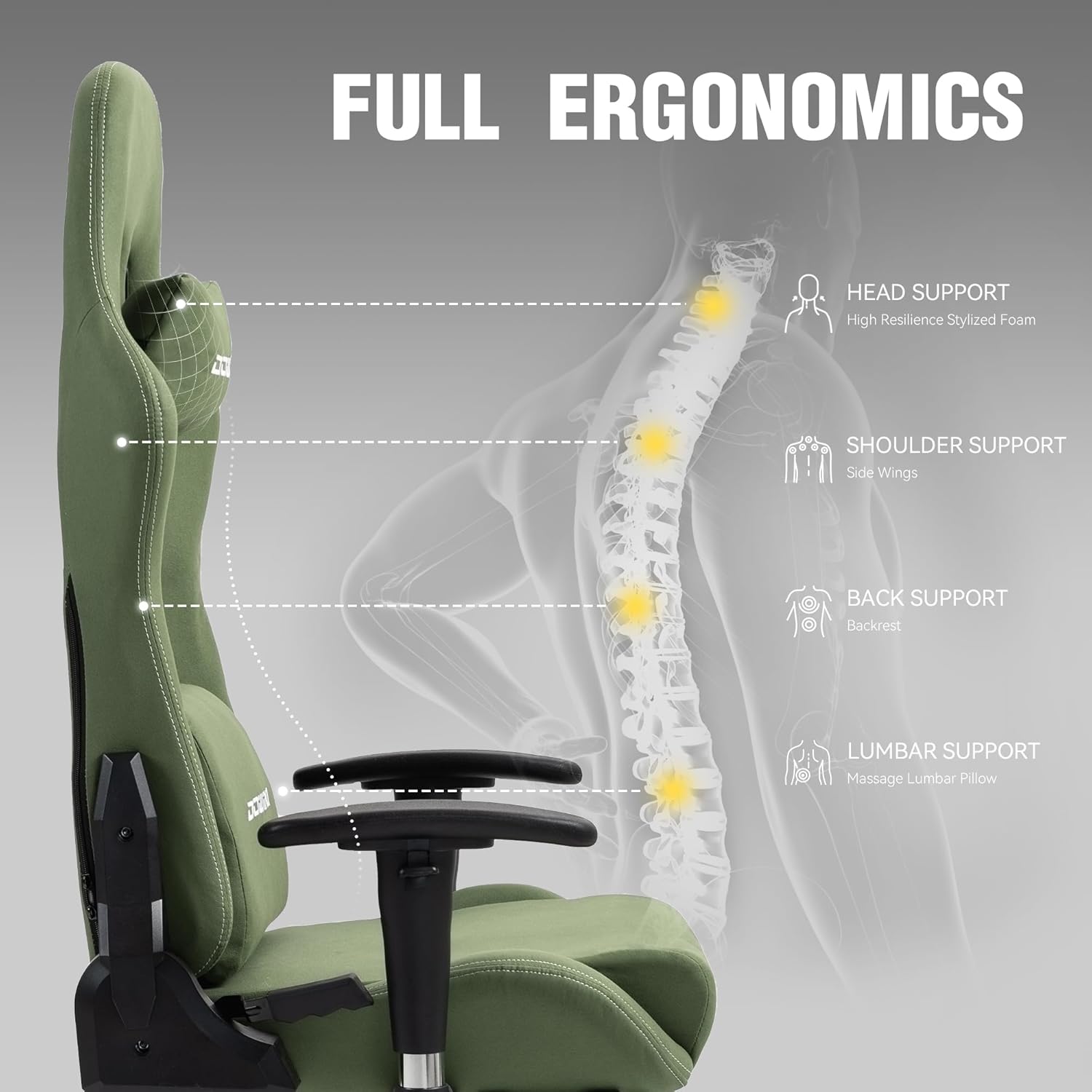
Figure 9: Massage Lumbar Pillow
4.6 Ergonomic Design
The chair is designed to support the natural curve of your back, providing head, shoulder, back, and lumbar support. Adjust the chair's components to find the most comfortable and supportive position for your body.

Figure 10: Ergonomic Support Areas
4.7 Breathable Tech Fabric and Cushioning
The chair features a breathable tech fabric that is soft, durable, anti-static, dust-resistant, and easy to clean. The 4-inch thick, high-density sponge seat cushion provides lasting comfort.

Figure 11: Breathable Tech Fabric Features

Figure 12: High-Density Seat Cushion
5. Maintenance
- Cleaning: The manufacturer recommends dry cleaning for the fabric. For minor spills, gently blot with a clean, dry cloth. Avoid harsh chemicals.
- Inspection: Periodically check all bolts and screws to ensure they remain tight. Re-tighten if necessary.
- Casters: Keep casters free of debris (hair, dust) to ensure smooth movement.
- General Care: Avoid exposing the chair to direct sunlight for prolonged periods to prevent fading.
6. Safety Information
- Always assemble the chair according to the provided instructions.
- Be cautious when using the reclining mechanism to prevent injury.
- Do not exceed the maximum weight capacity (331 lbs) to ensure stability and safety.
- Avoid standing on the chair or using it as a step stool.
- Keep children and pets away from moving parts during adjustment.
7. Troubleshooting
- Chair does not adjust height: Ensure the height adjustment lever is fully engaged. Check if the gas lift cylinder is properly installed.
- Backrest does not recline: Verify the recline lever is pulled completely. Ensure no obstructions are preventing movement.
- Casters not rolling smoothly: Inspect casters for trapped debris (hair, lint) and clean them.
- Chair feels unstable: Check all assembly bolts and screws for tightness. Ensure the chair is on a flat, even surface.
- Massage function not working: Ensure the USB cable is securely connected to a working power source.
8. Official Product Video
Watch the official product video for a visual guide on the features and functionality of the Dowinx Gaming Chair LS-6668D09.
Video 1: Dowinx Gaming Chair 68D Series Overview
9. Warranty and Support
The Dowinx Gaming Chair LS-6668D09 comes with a 30-day return policy and a 1-year repair service. For any issues, replacement parts, or support inquiries, please contact Dowinx customer service. Our factory ensures that replacement parts are identical to the original components.
For further assistance, please visit the official Dowinx website or contact their customer support channels.


