
DaToo DT-688
DaToo Aquarium Automatic Fish Feeder DT-688 User Manual
Model: DT-688
1. Introduction
Thank you for choosing the DaToo Aquarium Automatic Fish Feeder DT-688. This device is designed to simplify fish feeding, ensuring your aquatic pets receive consistent and appropriate nutrition even when you are away. With intelligent feeding modes, precise feeding amount customization, and a moisture-proof design, the DT-688 provides a reliable solution for maintaining a healthy feeding schedule for your fish.
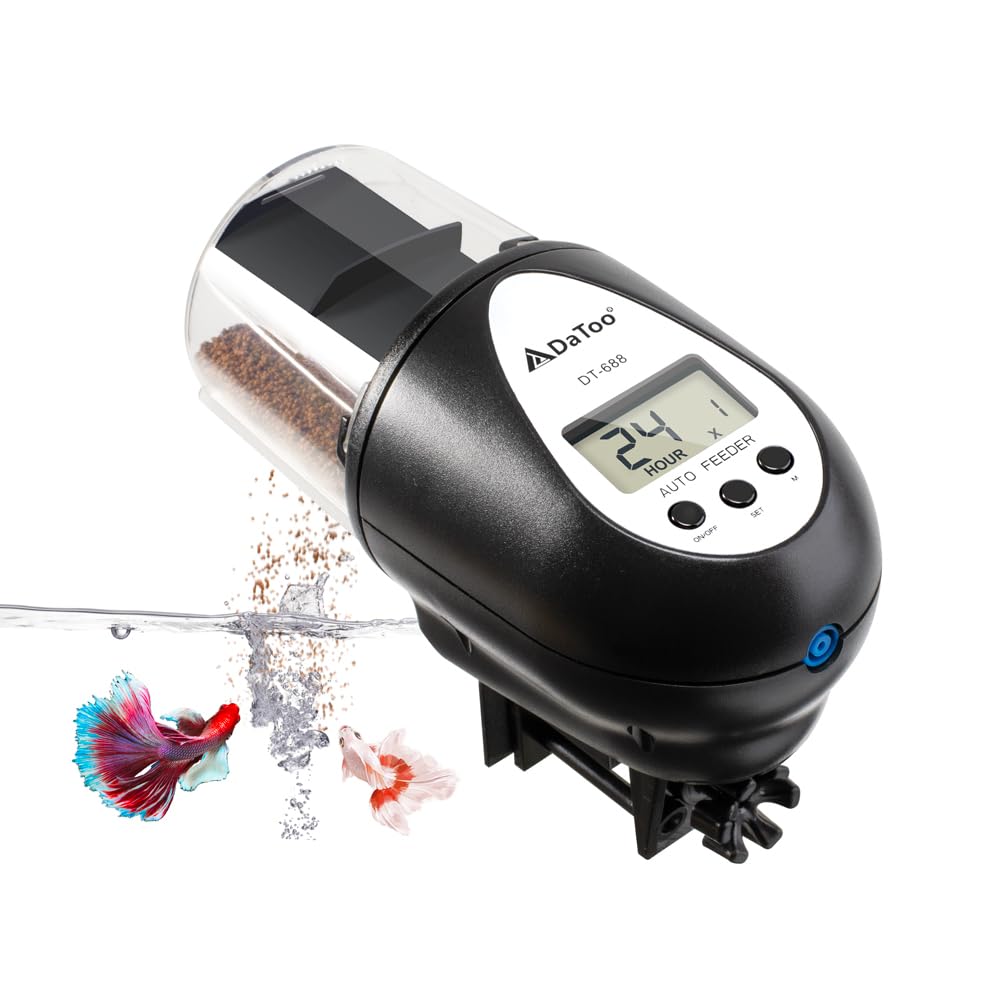
Image 1.1: The DaToo DT-688 Automatic Fish Feeder. This image shows the feeder mounted on an aquarium, actively dispensing food into the water, with two fish swimming below. The feeder is black with a clear food container and an LCD display.
2. Key Features
- Intelligent Feeding Modes: Offers four automatic feeding schedules (once every 24 hours, twice every 24 hours, once every 48 hours, once every 72 hours) and a manual feeding option.
- Precise Customised Feeding Amount: Features 8 adjustable feeding levels to suit various aquarium sizes and fish populations.
- Airflow Moisture-Proof Function: An integrated air hole allows connection to an air pump to keep food dry and prevent caking.
- Hidden Feeding Port: Designed to prevent water droplets, dust, and dirt from contaminating the food.
- Easy Installation: Provides three versatile mounting options: adjustable clamp base (horizontal), adjustable clamp base (vertical), and sticker base.
- LCD Display: Clear digital display for easy programming and monitoring.
3. Package Contents
Please check the package to ensure all items are present:
- 1 x DaToo Automatic Fish Feeder (DT-688)
- 1 x Adjustable Clamp Base
- 1 x Sticker Base
- 2 x AA Batteries (1.5V)
- 1 x User Manual

Image 3.1: Package Contents. This image displays all the items included in the DaToo Automatic Fish Feeder package: the feeder unit, an adjustable clamp base, a sticker base, two AA batteries, and the user manual.
4. Specifications
| Attribute | Value |
|---|---|
| Model | DT-688 |
| Dimensions (Feeder) | 5.5 x 2.8 x 2.2 inches (13.97 x 7.11 x 5.59 cm) |
| Weight | 272 g |
| Material | Plastic |
| Power Source | 2 x AA Batteries (included) |
| Food Container Capacity | 60 ML |
| Compatible Food Types | Flake, Pellet, Powder, Strip |
| Feeding Modes | 4 Automatic Modes, 1 Manual Mode |
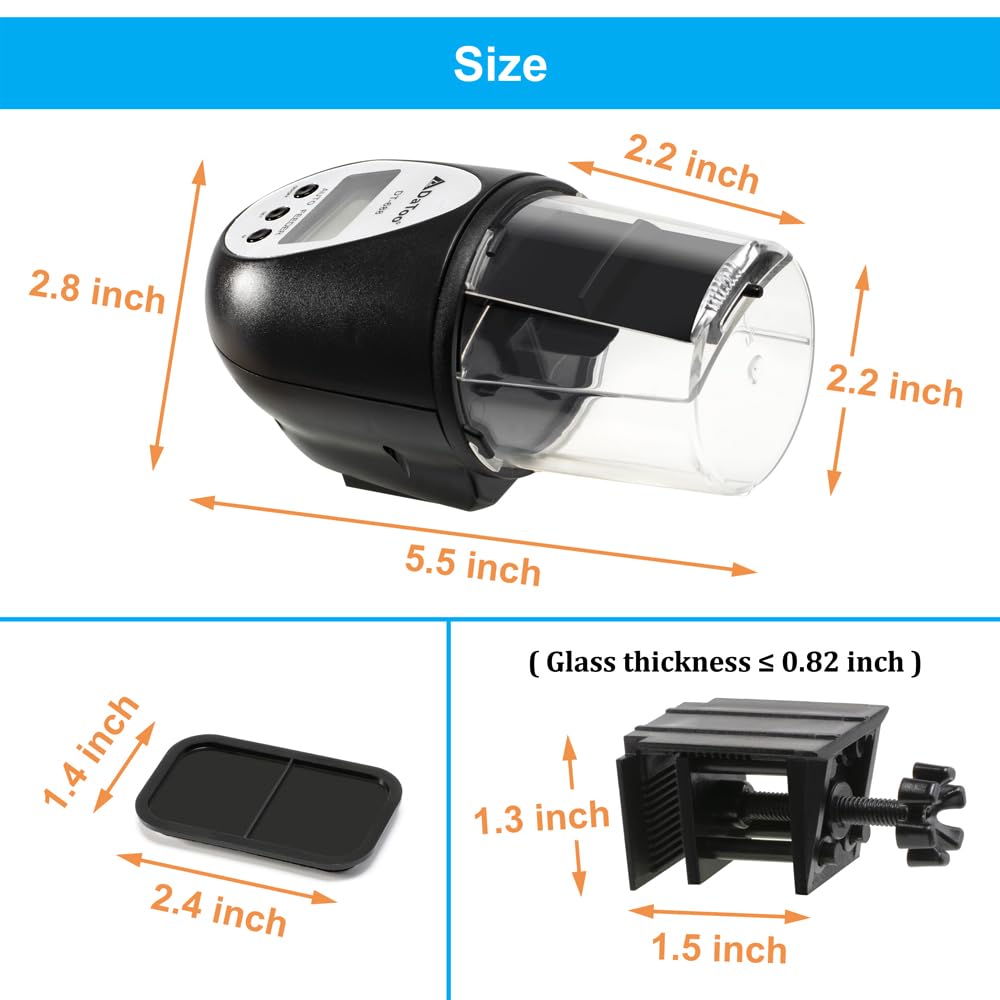
Image 4.1: Product Dimensions. This image illustrates the various dimensions of the DaToo Automatic Fish Feeder, including its length, width, and height, as well as the dimensions of the sticker base and the adjustable clamp base, indicating compatibility with glass thickness up to 0.82 inches.
5. Setup
5.1 Battery Installation
- Locate the battery compartment on the underside of the feeder.
- Open the battery cover.
- Insert 2 AA batteries, ensuring correct polarity (+/-).
- Close the battery cover securely.
5.2 Feeder Assembly and Food Filling
- Ensure the food container is clean and dry.
- Open the food container lid.
- Fill the container with your desired fish food (flakes, pellets, powder, or strips). Do not overfill.
- Close the food container lid securely.
5.3 Installation Methods
The DaToo feeder offers three installation options to suit different aquarium types:
- Method 1: Adjustable Clamp Base (Horizontal)
Attach the feeder to the adjustable clamp base. Secure the clamp horizontally to the rim of your aquarium. Ensure the feeder is positioned over the water surface. - Method 2: Adjustable Clamp Base (Vertical)
Attach the feeder to the adjustable clamp base. Secure the clamp vertically to the lid or side of your semi-open aquarium. Ensure the feeder is positioned over the water surface. - Method 3: Sticker Base
Attach the feeder to the sticker base. Peel off the protective film from the adhesive side of the sticker base. Adhere the base to a clean, dry surface near your tank's feeding port, ensuring the feeder is positioned correctly for food dispensing.
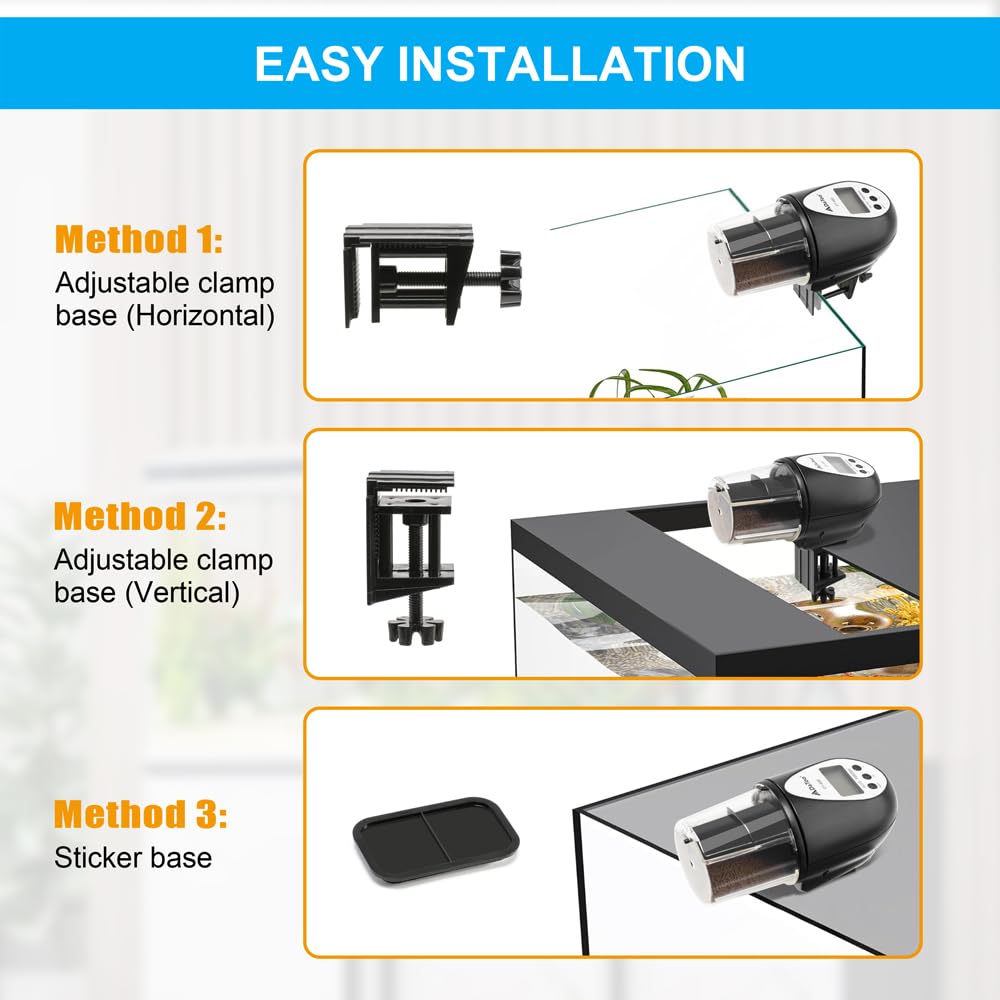
Image 5.1: Easy Installation Methods. This image illustrates the three different ways to install the DaToo Automatic Fish Feeder: using the adjustable clamp base horizontally on the tank rim, using the adjustable clamp base vertically on a tank lid, and using the sticker base on a flat surface.
6. Operation
6.1 Setting Intelligent Feeding Modes
The DT-688 offers four automatic feeding modes. Use the 'SET' button to cycle through the modes displayed on the LCD screen:
- Mode 1: Feed once every 24 hours.
- Mode 2: Feed twice every 24 hours.
- Mode 3: Feed once every 48 hours.
- Mode 4: Feed once every 72 hours.
Select the mode that best suits your fish's needs and your schedule.
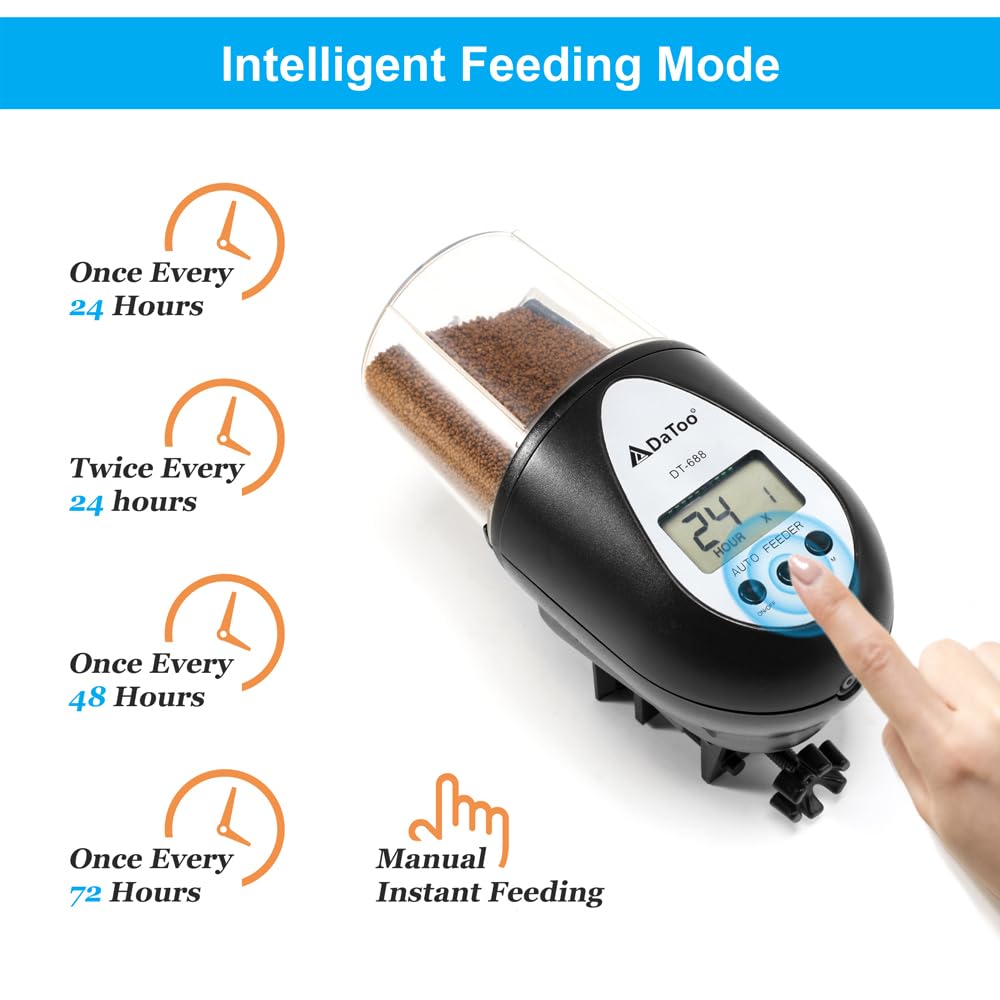
Image 6.1: Intelligent Feeding Modes. This image illustrates the four automatic feeding modes (Once Every 24 Hours, Twice Every 24 Hours, Once Every 48 Hours, Once Every 72 Hours) and the Manual Instant Feeding option available on the DaToo Automatic Fish Feeder.
6.2 Adjusting Precise Customised Feeding Amount
The feeder allows you to adjust the amount of food dispensed across 8 levels. To adjust, slide the toggle switch located on the feeder's side. Choose the level appropriate for your aquarium size and the number of fish to prevent overfeeding or underfeeding.
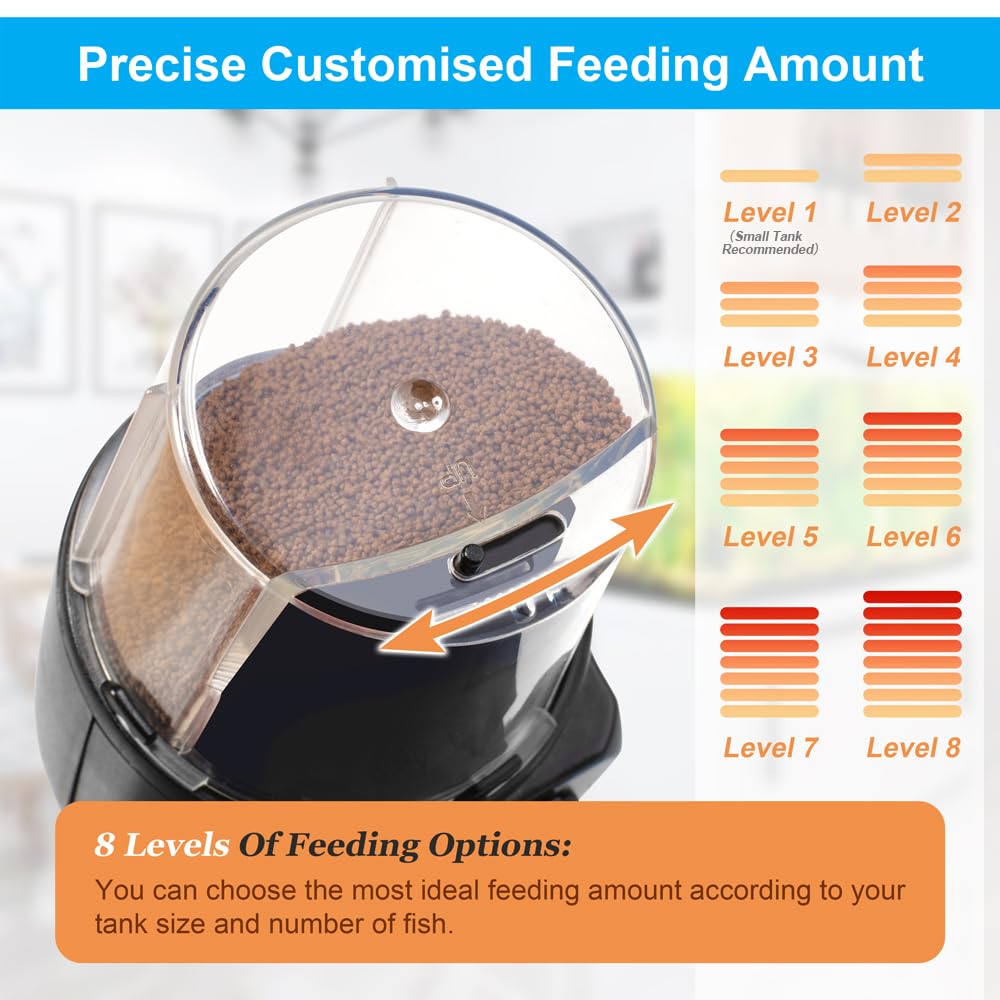
Image 6.2: Precise Customised Feeding Amount. This image demonstrates the 8 levels of feeding options available on the DaToo Automatic Fish Feeder, which can be adjusted by sliding a mechanism on the feeder to control the dispensed food quantity.
6.3 Manual Feeding
To dispense food immediately, press the 'Manual' button on the feeder. This is useful for additional feeding or observing your fish's feeding habits.
6.4 Airflow Moisture-Proof Function
The feeder features an air hole designed to prevent food moisture and caking. You can connect an air tube from an air pump (not included) to this air hole. The constant airflow will help keep the food dry and fresh. The hidden feeding port also prevents water droplets and dust from entering the food chamber.
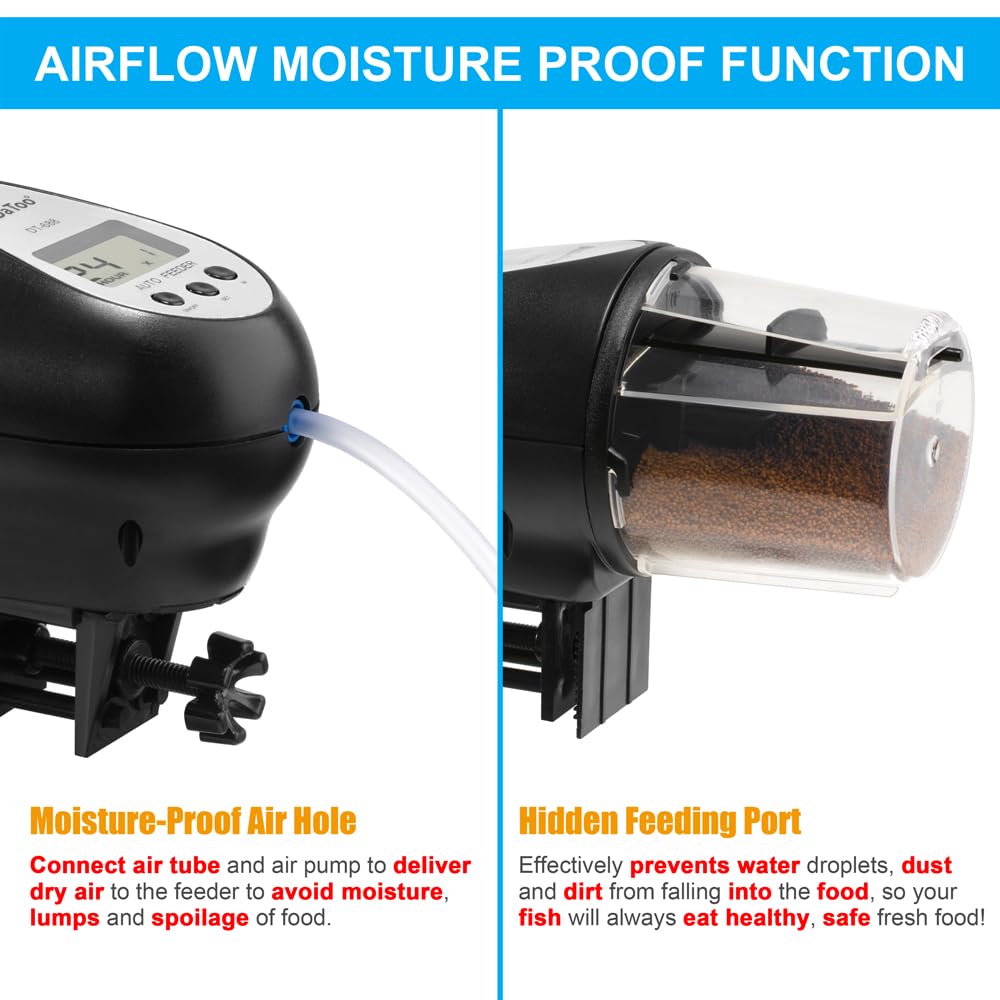
Image 6.3: Airflow Moisture-Proof Function. This image highlights two key features: the moisture-proof air hole, which can be connected to an air pump to deliver dry air and prevent food spoilage, and the hidden feeding port, designed to protect food from water droplets, dust, and dirt.
7. Maintenance
7.1 Cleaning the Feeder
Regular cleaning ensures optimal performance and hygiene:
- Before cleaning, remove the feeder from the aquarium and remove all fish food.
- Wipe the exterior of the feeder with a damp cloth. Do not submerge the main unit in water.
- The food container can be detached and rinsed with water. Ensure it is completely dry before reattaching and refilling with food.
- Clean the feeding port regularly to prevent blockages from food residue.
7.2 Food Storage
To maintain food quality and prevent spoilage:
- Store fish food in a cool, dry place away from direct sunlight.
- Ensure the food container lid is always securely closed when not in use.
- If using the airflow moisture-proof function, ensure your air pump is functioning correctly.
8. Troubleshooting
| Problem | Possible Cause | Solution |
|---|---|---|
| Feeder not dispensing food | Low batteries Food container empty Food caked or stuck Feeding port blocked | Replace batteries Refill food container Clean food container and break up caked food Clear any blockages from the feeding port |
| LCD display not working | Batteries incorrectly installed Dead batteries | Check battery polarity Replace batteries |
| Food getting damp/caked | High humidity Air pump not connected/working Food container not sealed properly | Ensure air pump is connected and functioning Check food container lid is securely closed Store food in a dry environment |
| Feeder falling off tank | Improper installation Clamp/sticker not secure | Re-install using appropriate method, ensuring clamp is tight or sticker is firmly adhered to a clean, dry surface. |
9. Warranty and Support
DaToo provides a one-year warranty for the Automatic Fish Feeder DT-688 from the date of purchase. This warranty covers manufacturing defects and malfunctions under normal use.
For any questions, technical support, or warranty claims, please contact our professional customer service team. We are committed to providing 24-hour customer service to assist you.
Please refer to your purchase documentation for specific contact details or visit the official DaToo website for support information.
Ask a question about this manual
Ask about setup, troubleshooting, compatibility, parts, safety, or missing instructions. Manuals+ will review the question and use this page’s manual context to help answer it.