
FOSSIBOT BlackF2400-US
FOSSIBOT F2400 Portable Power Station User Manual
Model: BlackF2400-US
Introduction
The FOSSIBOT F2400 Portable Power Station is a versatile and robust energy solution designed to provide reliable power for various applications, including camping, RV trips, home backup, and emergency situations. Featuring a 2048Wh LiFePO4 battery and 2400W AC output (4800W surge), it can power a wide range of devices. This manual provides essential information for safe and efficient operation, maintenance, and troubleshooting.

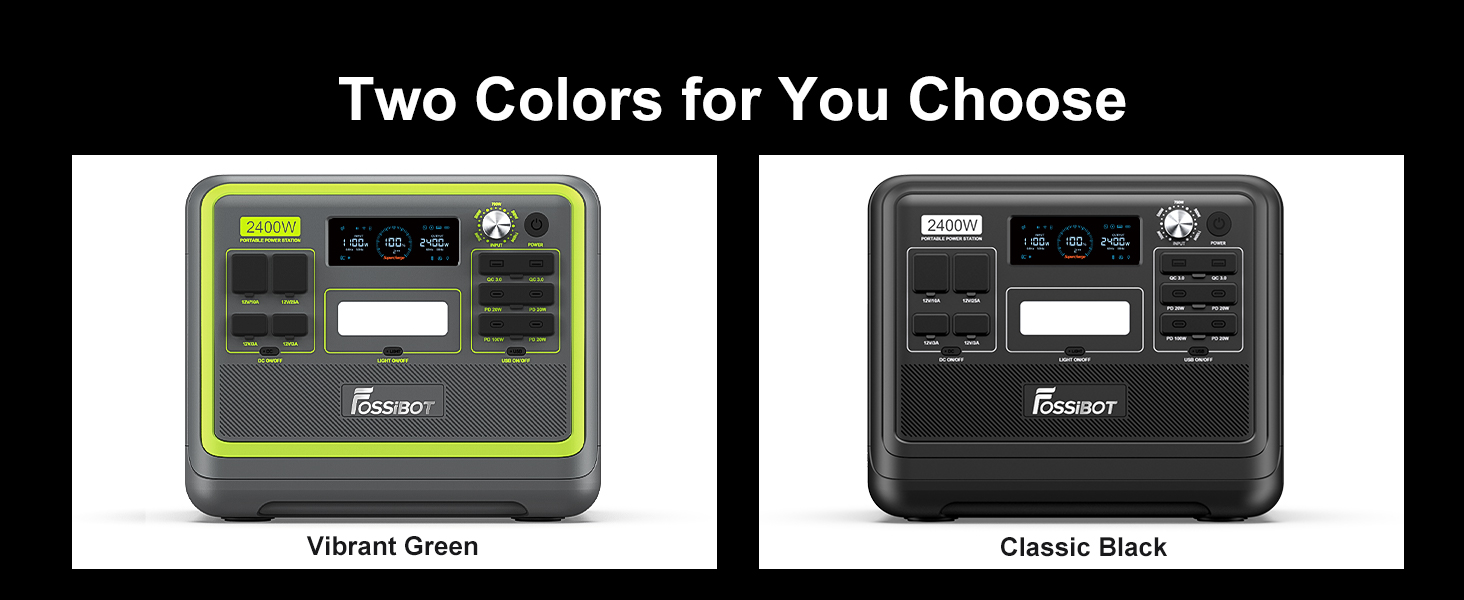
The FOSSIBOT F2400 Portable Power Station, shown with an accompanying solar panel, ready for various power needs.
Safety Information
Please read and understand all safety warnings and instructions before using the FOSSIBOT F2400. Failure to follow these instructions may result in electric shock, fire, or serious injury.
- Do not disassemble, repair, or modify the unit.
- Do not expose the unit to fire or high temperatures.
- Keep away from water, high humidity, and direct sunlight.
- Ensure proper ventilation during use to prevent overheating.
- Use only original or certified charging cables and accessories.
- Keep out of reach of children and pets.
- In case of abnormal operation, immediately disconnect the power station and contact customer support.

The advanced Battery Management System (BMS) provides multiple layers of protection, including overload, low/high temperature, over current, short circuit, over voltage, over discharge, and low/over charge protection.
Package Contents
Verify that all items are present in your package:
- 1x FOSSIBOT F2400 Portable Power Station
- 1x AC Charging Cable
- 1x Solar Charging Cable
- 1x Car Charging Cable
- 1x User Manual (this document)

Standard packing list for the FOSSIBOT F2400, including all necessary cables and documentation.
Product Overview
Familiarize yourself with the various components and ports of your FOSSIBOT F2400.

The FOSSIBOT F2400 offers 16 versatile ports for all your power requirements, including AC, USB-A, USB-C, DC, XT60, and car outlets.
The informative display screen provides real-time data on input/output wattage, battery level, remaining time, and connection status (Wi-Fi, Bluetooth).

Rubber plug covers are specially designed for the DC and USB output ports, offering dust-proof and daily life water-resistance.
Setup
Before first use, fully charge your FOSSIBOT F2400. Ensure the unit is placed on a stable, flat surface with adequate ventilation.
- Unpack all components and check against the package contents list.
- Connect the appropriate charging cable (AC, Solar, or Car) to the input port on the power station.
- Plug the charging cable into its power source. The display will show charging status.
- Once fully charged, disconnect the charging cable.
Operating Instructions
The FOSSIBOT F2400 can power various devices through its multiple output ports.
Turning On/Off
Press and hold the main power button to turn the unit on or off. The display screen will illuminate.
Using AC Outputs
Press the AC ON/OFF button to activate the AC outlets. Plug your devices into the 6 AC ports. Ensure the total wattage does not exceed 2400W (4800W surge).
Using DC Outputs
Press the DC ON/OFF button to activate the DC ports (Car Outlet, XT60, DC Output). Plug in your 12V devices.
Using USB Outputs
Press the USB ON/OFF button to activate the USB-A and USB-C ports. Connect your USB-powered devices. The USB-C ports support up to 100W Power Delivery for fast charging compatible devices.
Adjustable Input Power Knob
The F2400 features an adjustable input power knob (300W to 1100W) to control charging speed and adapt to different power sources or grid conditions.

Adjust the input power knob to optimize charging speed based on available power or desired charging time.
UPS Functionality
The F2400 provides an Uninterruptible Power Supply (UPS) function with a switchover time of less than 8ms, ensuring continuous power for sensitive electronics during outages.

The UPS feature ensures your essential devices remain powered without interruption.
LED Lighting
The integrated LED light offers multiple modes: All Bright, SOS, and Strobe, useful for emergencies or as a general light source.

The warm tone LED lighting provides illumination for various situations, from camping to emergencies.
Charging
The FOSSIBOT F2400 supports multiple charging methods for convenience.
AC Charging
Connect the AC charging cable to a standard wall outlet. The F2400 can be fully charged in approximately 2 hours using 1100W AC input.

The F2400 supports ultra-fast charging, reaching full capacity in as little as 1.5 hours with combined AC and solar input.
Solar Charging
Connect compatible solar panels (up to 500W max solar input) using the provided solar charging cable. Charging time varies based on sunlight intensity and solar panel wattage.

The F2400 is suitable for various solar panels, allowing for efficient charging in outdoor environments.
Car Charging
Use the car charging cable to charge the F2400 from your vehicle's 12V cigarette lighter port. This method is ideal for charging on the go, taking approximately 17 hours for a full charge.

Charge your power station conveniently from your car while traveling.
Maintenance
Proper maintenance ensures the longevity and optimal performance of your FOSSIBOT F2400.
- Storage: Store the power station in a cool, dry place away from direct sunlight and extreme temperatures. For long-term storage, charge the unit to 50-80% every 3-6 months.
- Cleaning: Use a dry, soft cloth to clean the exterior of the unit. Do not use abrasive cleaners or solvents.
- Battery Health: The LiFePO4 battery supports over 3500 full charge cycles, offering a lifespan of almost 10 years. Avoid fully discharging the battery regularly to maximize its lifespan.
- Ventilation: Ensure the fan covers are open during operation to allow for proper cooling.

The F2400 is built with a durable LiFePO4 battery, designed for safety, reliability, and a long lifespan.
Troubleshooting
If you encounter issues with your FOSSIBOT F2400, refer to the following common problems and solutions:
| Problem | Possible Cause | Solution |
|---|---|---|
| Unit not turning on | Battery is completely discharged; Power button not pressed long enough. | Charge the unit; Press and hold the power button for 3-5 seconds. |
| No AC output | AC output not enabled; Overload protection activated. | Press the AC ON/OFF button; Reduce load, then restart AC output. |
| Slow charging | Low input wattage; Inefficient solar panel placement. | Adjust input power knob to higher wattage; Reposition solar panels for direct sunlight. |
| Unit overheating | Blocked ventilation; Excessive load. | Ensure fan covers are open and clear; Reduce connected load. |
Specifications
| Feature | Detail |
|---|---|
| Model Name | BlackF2400-US |
| Battery Type | LiFePO4 |
| Capacity | 2048Wh (640000mAh) |
| AC Output Power | 2400W (Surge 4800W) |
| AC Output Voltage | 100-120V 50/60Hz (Pure Sine Wave) |
| Total Power Outlets | 16 |
| Max Solar Input | 500W |
| AC Charging Time (0-80%) | 1.5 hours (with 1100W AC + 500W Solar) |
| Battery Cycles | 3500+ to 80% capacity |
| UPS Switchover Time | <8ms |
| Dimensions (L x W x H) | 15.3"L x 11.4"W x 12.5"H |
| Item Weight | 55 Pounds |
Warranty and Support
FOSSIBOT offers a quality assurance for its products. For any questions or support needs, please contact FOSSIBOT customer service. They aim to reply within 24 hours.
For more information and support, visit the official FOSSIBOT website or contact their customer service team.
Online Support: FOSSIBOT Official Store on Amazon

FOSSIBOT is committed to providing reliable energy solutions and excellent customer service.
Related documentsBlackF2400-US


Ask a question about this manual
Ask about setup, troubleshooting, compatibility, parts, safety, or missing instructions. Manuals+ will review the question and use this page’s manual context to help answer it.