
Introduction
This user manual provides essential information for the safe and effective use of your Kircuit 12V Power Supply Adapter. This adapter is designed to convert AC power into the DC power required by compatible devices, specifically the Millenium MPS-750X and MPS-1000 E-Drum Sets. It serves as a reliable power source for operating your device or charging its internal battery from standard electrical outlets.
Setup
Follow these steps to properly set up your power supply adapter:
- Inspect the Adapter: Before use, visually inspect the power adapter and its cable for any signs of damage, such as frayed wires or cracks in the casing. Do not use if damaged.
- Identify Compatible Device: Ensure your device, such as the Millenium MPS-750X or MPS-1000 E-Drum Set, requires a 12V DC input and has a compatible barrel connector.
- Connect to Device: Carefully insert the barrel connector of the power adapter into the DC input port of your Millenium E-Drum Set. Ensure a snug fit.
- Connect to Power Outlet: Plug the AC prongs of the power adapter into a standard 100V-240V AC electrical wall outlet.
- Verify Power: Once connected, your device should receive power. Refer to your device's manual for indicators of successful power connection.

Image: The Kircuit 12V Power Supply Adapter showing the main unit with AC prongs and the attached DC barrel connector cable.
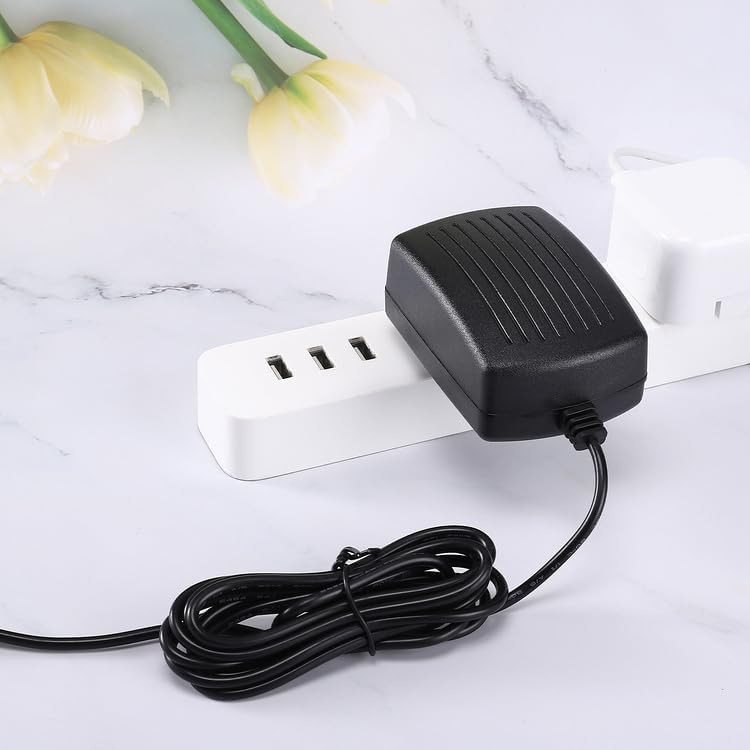
Image: The Kircuit 12V Power Supply Adapter plugged into a white power strip, demonstrating its compact design when in use.
Operating Instructions
The Kircuit 12V Power Supply Adapter is designed for straightforward operation:
- Plug and Play: Once properly connected to a power outlet and your compatible device, the adapter will automatically supply power.
- Continuous Power: The adapter provides continuous DC power to operate your device or charge its internal battery (if applicable).
- Safety Features: The adapter is built with Dynamic IC, Charger IC, and a power fuse for rapid charging and overcharge protection, ensuring safe operation.

Image: Two Kircuit 12V Power Supply Adapters, showcasing their identical design and compact form factor.
Maintenance
To ensure the longevity and optimal performance of your power adapter, follow these maintenance guidelines:
- Cleaning: Disconnect the adapter from all power sources and devices before cleaning. Use a soft, dry cloth to wipe the exterior. Do not use liquid cleaners or solvents.
- Storage: When not in use, store the adapter in a cool, dry place, away from direct sunlight and extreme temperatures. Avoid tightly coiling the cable to prevent damage.
- Handling: Always grasp the plug when disconnecting from an outlet; do not pull the cable. Avoid placing heavy objects on the cable or adapter.
- Environmental Conditions: Do not expose the adapter to water, high humidity, or excessive dust.

Image: The Kircuit 12V Power Supply Adapter with its cable, indicating a cord length of approximately 6.5 feet.
Troubleshooting
If you encounter issues with your power adapter, refer to the following common problems and solutions:
| Problem | Possible Cause | Solution |
|---|---|---|
| No power to device | Adapter not plugged in securely; Outlet not functioning; Damaged adapter/cable; Device issue. | Ensure adapter is fully plugged into a working outlet. Test the outlet with another device. Inspect adapter and cable for damage. If damaged, replace. Verify device is functioning correctly with its original power source if possible. |
| Device not charging/operating intermittently | Loose connection; Incorrect voltage/amperage (unlikely with compatible device); Overheating. | Ensure the barrel connector is firmly seated in the device's input port. Disconnect and reconnect. Allow adapter to cool down if it feels excessively hot. Ensure the adapter specifications match your device's requirements (12V DC). |
If the problem persists after trying these solutions, contact the seller or manufacturer for further assistance.
Specifications
| Feature | Detail |
|---|---|
| Brand | Kircuit |
| Input Voltage | 100V-240V AC |
| Output Voltage | 12 Volts DC |
| Connector Type | BARREL |
| Compatible Devices | Millenium MPS-750X, MPS-1000 E-Drum Set |
| Special Feature | 100% Brand New, High Quality AC/DC Power Charger (non-OEM), Build in Dynamic IC, Charger IC & Power fuse for rapid charging and over charge protection. |
| Color | Black |
| Manufacturer | Shenzhen Waweis Technology Co., Ltd |
Warranty Information
Specific warranty details for this Kircuit power supply adapter may vary. Please refer to the product listing or contact the seller directly for information regarding warranty coverage, terms, and conditions. Keep your proof of purchase for any warranty claims.
Customer Support
For technical assistance, troubleshooting beyond this manual, or product inquiries, please contact the seller or manufacturer. Refer to your purchase documentation for contact details.