
1. Introduction
Thank you for choosing the Kircuit 12V Power Supply Adapter. This adapter is designed to provide reliable power to your Medion MD 43084 DVD player. It converts standard AC power from an electrical outlet into the DC power required by your device, allowing for operation or battery charging.
This manual provides essential information for the safe and effective use of your power adapter, including setup, operation, maintenance, and troubleshooting.
2. Safety Information
- Read all instructions: Before using the power adapter, read and understand all safety and operating instructions.
- Indoor use only: This adapter is designed for indoor use. Do not expose it to rain, moisture, or extreme temperatures.
- Proper ventilation: Ensure adequate ventilation around the adapter. Do not cover it or place it in an enclosed space that could restrict airflow.
- Avoid damage: Do not use the adapter if the cord or plug is damaged. Do not attempt to open or repair the adapter yourself.
- Correct voltage: Only connect the adapter to power outlets providing the specified input voltage (100V-240V AC).
- Unplug when not in use: Disconnect the adapter from the power outlet when not in use for extended periods or during electrical storms.
- Keep away from children: Store the adapter out of reach of children.
3. Product Overview
The Kircuit 12V Power Supply Adapter is a compact and efficient power solution. It features a standard two-prong AC plug for wall outlets and a barrel connector for your compatible device.

Image: Two Kircuit 12V power adapters. The label on the adapter clearly displays the input (100-240V AC) and output (12V DC) specifications, along with safety certifications.

Image: A single Kircuit 12V power adapter with its attached power cord, which is coiled. The image indicates a cord length of 6.5 feet.
4. Setup
Follow these steps to set up your Kircuit 12V Power Supply Adapter:
- Identify Device Power Port: Locate the DC power input port on your Medion MD 43084 DVD player. Ensure it matches the barrel connector of the adapter.
- Connect Adapter to Device: Carefully insert the barrel connector of the power adapter into the DC input port of your DVD player. Ensure a snug and secure fit.
- Plug into Power Outlet: Insert the AC plug of the power adapter into a standard electrical wall outlet (100V-240V AC).
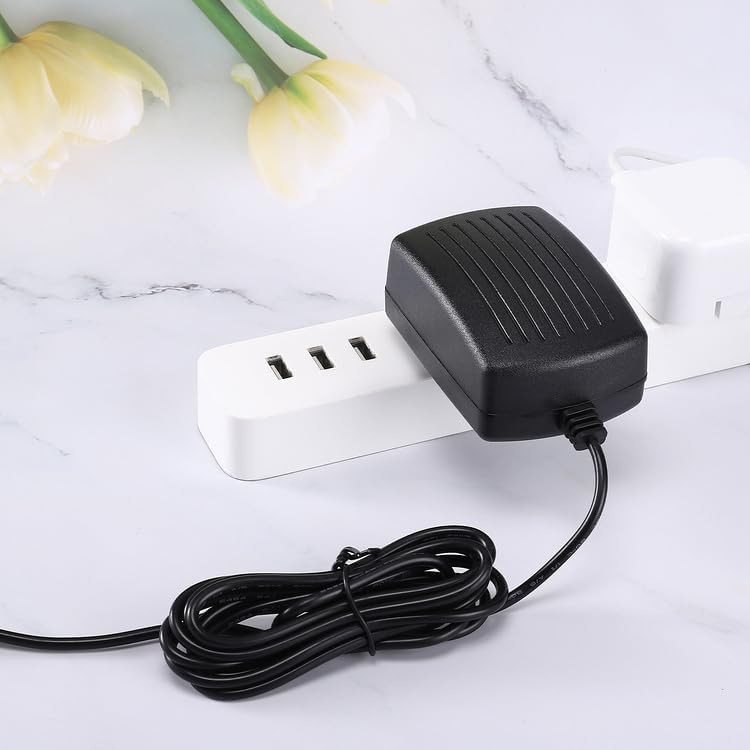
Image: The Kircuit 12V power adapter plugged into a white power strip, demonstrating a typical connection scenario.
Once connected, your Medion MD 43084 DVD player should receive power and be ready for operation or charging.
5. Operating Instructions
The Kircuit 12V Power Supply Adapter operates automatically once connected. It provides a stable 12V DC output to your compatible device.
- Ensure all connections are secure before powering on your device.
- The adapter is designed with built-in Dynamic IC, Charger IC, and a power fuse for rapid charging and overcharge protection, ensuring safe operation for your device.
- No user interaction is required for the adapter's operation beyond proper connection.
6. Maintenance
To ensure the longevity and optimal performance of your power adapter, follow these maintenance guidelines:
- Cleaning: Disconnect the adapter from the power outlet and your device before cleaning. Use a soft, dry cloth to wipe the exterior. Do not use liquid cleaners or aerosols.
- Storage: When not in use, store the adapter in a cool, dry place, away from direct sunlight and extreme temperatures. Avoid tightly coiling the cord to prevent damage.
- Inspection: Periodically inspect the power cord and adapter housing for any signs of damage, such as cuts, fraying, or cracks. If damage is found, discontinue use immediately.
- Environmental Conditions: Avoid exposing the adapter to water, high humidity, or dusty environments.
7. Troubleshooting
If you encounter issues with your Kircuit 12V Power Supply Adapter, refer to the following troubleshooting steps:
| Problem | Possible Cause | Solution |
|---|---|---|
| Device not powering on/charging | Adapter not properly connected to device or outlet. | Ensure the barrel connector is fully inserted into the device and the AC plug is firmly in the wall outlet. |
| Device not powering on/charging | Wall outlet is not active. | Test the wall outlet with another known working appliance. Check circuit breakers if necessary. |
| Device not powering on/charging | Adapter is faulty or incompatible. | Verify the adapter is the correct model for your Medion MD 43084 DVD player. If issues persist, the adapter may be faulty and require replacement. |
| Adapter feels warm during use | Normal operation. | It is normal for power adapters to generate some heat during operation. Ensure adequate ventilation. If it becomes excessively hot or emits smoke/odor, unplug immediately. |
8. Specifications
| Feature | Specification |
|---|---|
| Input Voltage | 100V-240V AC |
| Output Voltage | 12V DC |
| Connector Type | Barrel Connector |
| Compatible Device | Medion MD 43084 DVD Player |
| Special Features | Built-in Dynamic IC, Charger IC & Power fuse for rapid charging and overcharge protection. |
| Color | Black |
| Cord Length | Approximately 6.5 ft (2 meters) |
9. Warranty and Support
This product is covered by the standard warranty provided by the seller. Please refer to your purchase documentation or contact the seller directly for specific warranty terms and conditions.
For technical support or inquiries regarding your Kircuit 12V Power Supply Adapter, please contact the seller or manufacturer through the platform where the purchase was made. Ensure you have your order details and product information available when contacting support.