
1. Introduction
This manual provides essential information for the safe and effective use of your Kircuit 12V Power Supply Adapter. This adapter is specifically designed to provide reliable power to devices requiring a 12V DC input, such as the Subzero SZ-MIX08USB Mixer.
The Kircuit AC adapter converts standard AC power from electrical outlets into the DC power required by your compatible device. It serves as a primary power source or a convenient replacement/backup for your original adapter, ensuring your device operates correctly whether at home, in the office, or on the go.
2. Safety Instructions
Please read and understand all safety instructions before using the power adapter. Failure to follow these instructions may result in electric shock, fire, or damage to the adapter or connected device.
- Indoor Use Only: This adapter is designed for indoor use in dry locations. Do not expose it to rain, moisture, or extreme temperatures.
- Proper Voltage: Ensure the wall outlet voltage matches the input voltage range specified on the adapter (100V-240V AC).
- Avoid Overloading: Do not overload the power outlet. Connect the adapter directly to a wall outlet or a surge protector.
- Cable Care: Do not place heavy objects on the power cord. Avoid kinking, bending, or stretching the cord excessively.
- Disconnect Safely: Always grasp the plug, not the cord, when disconnecting the adapter from the power outlet.
- Ventilation: Ensure adequate ventilation around the adapter. Do not cover it or place it in an enclosed space that could restrict airflow.
- Damage: Do not use the adapter if the cord or plug is damaged, or if the adapter itself has been dropped or damaged. Contact customer support for assistance.
- Children: Keep the adapter out of reach of children.
3. Setup
Follow these steps to properly set up your Kircuit 12V Power Supply Adapter:
- Verify Compatibility: Confirm that your device requires a 12V DC power input and has a compatible barrel connector. This adapter is specifically compatible with the Subzero SZ-MIX08USB Mixer.
- Connect to Device: Insert the barrel connector of the power adapter firmly into the DC input port of your Subzero SZ-MIX08USB Mixer or other compatible device.
- Connect to Power Outlet: Plug the AC prongs of the power adapter into a standard electrical wall outlet (100V-240V AC).
- Power On Device: Once connected, you can power on your device. The adapter will supply the necessary power.

Figure 3.1: Kircuit 12V Power Supply Adapter with its coiled cable. This image shows the main body of the adapter with its input specifications and the DC barrel connector.
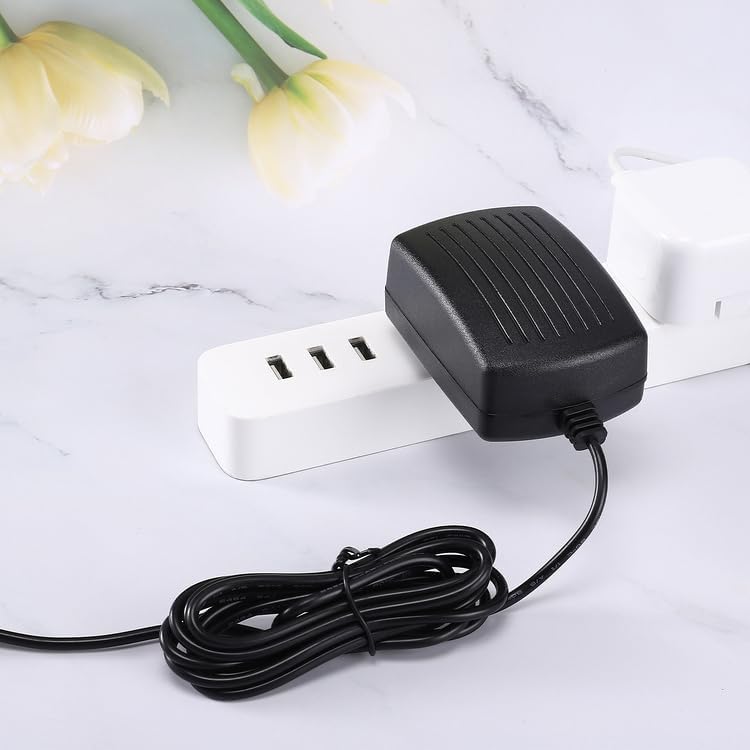
Figure 3.2: The Kircuit 12V Power Supply Adapter plugged into a power strip, demonstrating its compact design.
4. Operating
The Kircuit 12V Power Supply Adapter operates automatically once connected to a power source and a compatible device. It provides a stable 12V DC output to power your equipment.
- Continuous Power: The adapter is designed for continuous operation, providing consistent power to your device.
- Charging (if applicable): If your device has a rechargeable battery, the adapter will also facilitate charging while connected and powered.
- Overcharge Protection: The adapter includes built-in Dynamic IC, Charger IC, and a power fuse for rapid charging and overcharge protection, safeguarding your device.
5. Maintenance
Proper maintenance ensures the longevity and safe operation of your power adapter.
- Cleaning: Disconnect the adapter from the power outlet and the device before cleaning. Use a soft, dry cloth to wipe the exterior. Do not use liquid cleaners or solvents.
- Storage: When not in use, store the adapter in a cool, dry place, away from direct sunlight and extreme temperatures. Avoid tightly coiling the cable to prevent damage.
- Inspection: Periodically inspect the adapter, cord, and plug for any signs of damage, such as cuts, fraying, or bent prongs. If damage is found, discontinue use and replace the adapter.

Figure 5.1: The Kircuit 12V Power Supply Adapter with its cable uncoiled, indicating a cord length of 6.5 feet. Proper cable management is important for maintenance.
6. Troubleshooting
If you encounter issues with your Kircuit 12V Power Supply Adapter, refer to the following common troubleshooting steps:
- No Power to Device:
- Ensure the adapter is securely plugged into a working wall outlet. Test the outlet with another device.
- Verify the barrel connector is fully inserted into your device's DC input port.
- Check if your device is powered on and functioning correctly with its original power source (if available).
- Confirm the adapter's specifications (voltage, amperage) match your device's requirements.
- Adapter Feels Hot:
- It is normal for power adapters to feel warm during operation. However, if it is excessively hot to the touch, disconnect it immediately.
- Ensure adequate ventilation around the adapter. Do not cover it.
- Verify that the connected device is not drawing more power than the adapter is rated for.
- Device Not Charging (if applicable):
- Ensure the device's charging circuit is not faulty.
- Confirm the adapter is providing sufficient power for charging.
If the issue persists after following these steps, contact customer support.
7. Specifications
| Feature | Detail |
|---|---|
| Brand | Kircuit |
| Model | 12V Power Supply Adapter |
| Input Voltage / Frequency | 100-240V AC, 50/60Hz, 0.3A |
| Output Voltage | 12V DC (Amperage not specified, designed for compatible devices) |
| Connector Type | Barrel Connector |
| Compatible Devices | Subzero SZ-MIX08USB Mixer |
| Special Features | Built-in Dynamic IC, Charger IC & Power fuse for rapid charging and overcharge protection. |
| Color | Black |
| Cord Length | Approximately 6.5 feet |

Figure 7.1: Two Kircuit 12V Power Supply Adapters, illustrating the front label with input/output specifications and the ribbed design on the back for heat dissipation.
8. Warranty and Support
Kircuit products are designed for reliability and performance. For information regarding warranty coverage, technical support, or replacement parts, please refer to the contact information provided with your purchase or visit the official Kircuit website.
Please retain your proof of purchase for warranty claims.