
Introduction
This manual provides essential instructions for the safe and effective use of your Kircuit 5V Power Supply Adapter. This adapter is specifically designed to provide reliable power to the Majority Abbey BT, CB5-DAB-BLK-BT Digital Radio & Alarm Clock. Please read this manual thoroughly before use and retain it for future reference.
Safety Information
- Ensure the power adapter is used with devices that match its voltage and current specifications (5V).
- Do not expose the adapter to water, moisture, or extreme temperatures.
- Avoid dropping or subjecting the adapter to strong impacts.
- Do not attempt to open or repair the adapter. Refer servicing to qualified personnel.
- Unplug the adapter from the power outlet when not in use for extended periods.
Package Contents
- 1 x Kircuit 5V Power Supply Adapter

Image: The Kircuit 5V Power Supply Adapter, featuring a black rectangular body with a US-style two-prong plug and an attached black cable terminating in a barrel connector.
Setup
- Identify the Device: Ensure your device is the Majority Abbey BT, CB5-DAB-BLK-BT Digital Radio & Alarm Clock, or another device requiring a 5V DC power input with a compatible barrel connector.
- Connect to Device: Insert the barrel connector end of the adapter cable firmly into the power input port of your Majority Abbey BT radio.
- Connect to Power Outlet: Plug the two-prong AC plug of the adapter into a standard 100V-240V AC electrical wall outlet. Ensure the outlet is easily accessible.
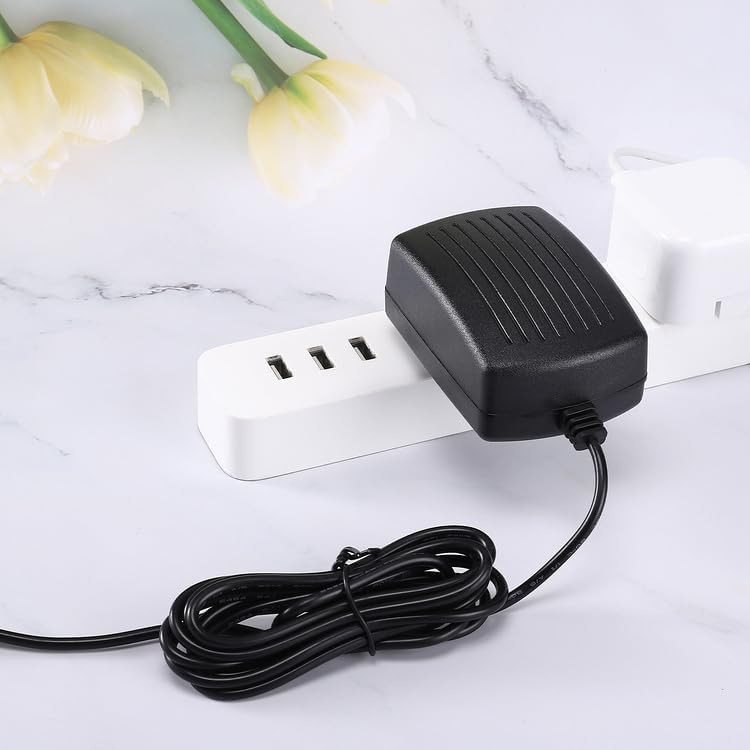
Image: The Kircuit power adapter shown plugged into a white power strip, demonstrating a typical connection scenario.
Operating Instructions
Once the adapter is correctly connected to both the device and a power outlet, it will supply the necessary power to operate your Majority Abbey BT Digital Radio & Alarm Clock. The device should power on or begin charging its internal battery, if applicable, according to its own operational design.
- The adapter provides a stable 5V DC output.
- It is designed for continuous use, but it is recommended to unplug it when not needed for extended periods.
Maintenance
- Cleaning: Disconnect the adapter from the power outlet and the device before cleaning. Use a soft, dry cloth to wipe the exterior. Do not use liquid cleaners or solvents.
- Storage: Store the adapter in a cool, dry place away from direct sunlight and moisture. Avoid tightly winding the cable to prevent damage.
- Inspection: Periodically inspect the adapter and cable for any signs of damage, such as frayed wires or cracked casing. If damage is observed, discontinue use immediately.

Image: Two Kircuit power adapters displayed, highlighting the standard US two-prong plug design.
Troubleshooting
If your device is not receiving power:
- Check Connections: Ensure the adapter's barrel connector is fully inserted into the device's power port and the AC plug is securely seated in the wall outlet.
- Verify Power Outlet: Test the wall outlet with another known working appliance to confirm it is supplying power.
- Inspect Adapter: Examine the adapter and its cable for any visible damage. If damaged, discontinue use.
- Device Compatibility: Confirm that your device (Majority Abbey BT, CB5-DAB-BLK-BT) requires a 5V power supply and uses a compatible barrel connector. Using an incorrect adapter can damage your device.
Specifications
| Feature | Specification |
|---|---|
| Brand | Kircuit |
| Input Voltage | 100V-240V AC |
| Output Voltage | 5V DC |
| Connector Type | BARREL |
| Compatible Devices | Majority Abbey BT, CB5-DAB-BLK-BT Digital Radio & Alarm Clock |
| Special Feature | High Quality AC/DC Power Charger (non-OEM), Overcharge Protection |
| Color | Black |
| Cord Length (Approx.) | 6.5 ft |

Image: The Kircuit power adapter with its cable, illustrating the approximate 6.5 ft cord length.
Warranty and Support
Specific warranty details for this Kircuit product are not provided in the available information. For warranty claims or technical support, please refer to the seller or manufacturer's contact information provided at the point of purchase.