
1. Introduction
Thank you for choosing the Kircuit 5V Power Supply Adapter. This manual provides essential information for the safe and effective use of your new power adapter. Please read it thoroughly before use and retain it for future reference.
This adapter is designed to provide reliable 5V DC power to compatible devices, specifically the Goodmans 347753 Turntable, allowing you to operate your device or charge its battery from standard electrical power outlets.
2. Safety Information
WARNING: To reduce the risk of fire or electric shock, carefully follow these instructions.
- INDOOR USE ONLY: This power adapter is designed for indoor use in dry locations. Do not expose to rain, moisture, or extreme temperatures.
- Ensure the power outlet voltage is within the adapter's specified input range (100V-240V AC).
- Do not disassemble or modify the adapter. Refer all servicing to qualified personnel.
- Avoid placing the adapter in areas with poor ventilation or near heat sources.
- Keep out of reach of children.
- Always unplug the adapter from the power outlet when not in use for extended periods.
- Do not use if the adapter or cable is damaged.
3. Product Overview
The Kircuit 5V Power Supply Adapter is a high-quality AC/DC power charger designed for compatibility with the Goodmans 347753 Turntable. It features built-in dynamic IC, charger IC, and power fuse for rapid charging and overcharge protection, ensuring safe and efficient power delivery.

Image 1: The Kircuit 5V Power Supply Adapter, showing the main unit with its specifications label and the coiled DC output cable with a barrel connector. The label indicates 'KIRCUT AC/DC ADAPTOR INPUT: 100-240V AC 50/60Hz 0.3A OUTPUT: 5V' and 'MADE IN CHINA'. A 'CAUTION INDOOR USE ONLY' warning is also visible.

Image 2: A view of two Kircuit 5V Power Supply Adapters, showcasing their compact design and the standard two-prong AC input. The ribbed texture on the sides of the adapter is visible.

Image 3: The Kircuit 5V Power Supply Adapter with its DC output cable, clearly indicating a 'Cord Length: 6.5 ft'. The cable is neatly coiled and secured.
4. Setup
- Verify Compatibility: Ensure your device, such as the Goodmans 347753 Turntable, requires a 5V DC power input and uses a compatible barrel connector.
- Connect to Device: Insert the barrel connector of the Kircuit power adapter into the DC input port of your Goodmans 347753 Turntable. Ensure a snug and secure fit.
- Connect to Power Outlet: Plug the AC prongs of the power adapter into a standard 100V-240V AC electrical wall outlet.
- Power On Device: Once connected, you can power on your device as usual.
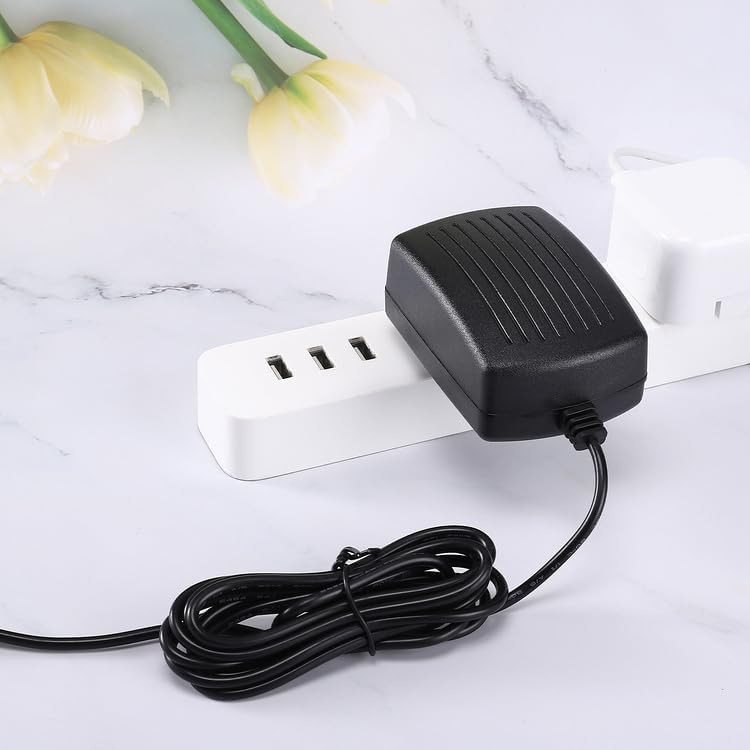
Image 4: The Kircuit 5V Power Supply Adapter plugged into a white power strip, demonstrating a typical setup for connecting the adapter to an electrical outlet.
5. Operating Instructions
Once the Kircuit 5V Power Supply Adapter is correctly connected to both the power outlet and your Goodmans 347753 Turntable, it will provide continuous power to operate the device. If your turntable has a rechargeable battery, the adapter will also facilitate charging.
- The adapter is designed for continuous operation within its specified limits.
- Monitor your device's power indicator (if available) to confirm it is receiving power or charging.
- Disconnect the adapter from the power outlet when not in use to conserve energy and for safety.
6. Maintenance
The Kircuit 5V Power Supply Adapter requires minimal maintenance to ensure its longevity and optimal performance.
- Cleaning: Disconnect the adapter from all power sources before cleaning. Use a soft, dry cloth to wipe the exterior. Do not use liquid cleaners or abrasive materials.
- Storage: When not in use, store the adapter in a cool, dry place, away from direct sunlight and extreme temperatures. Avoid tightly coiling the cable to prevent damage.
- Inspection: Periodically inspect the adapter and its cable for any signs of damage, such as cuts, fraying, or bent prongs. If damage is found, discontinue use immediately.
7. Troubleshooting
If you encounter issues with your Kircuit 5V Power Supply Adapter, please refer to the following common troubleshooting steps:
| Problem | Possible Cause | Solution |
|---|---|---|
| Device not powering on/charging | Adapter not properly plugged in Faulty power outlet Damaged adapter/cable Device issue | Ensure adapter is securely plugged into both the device and the wall outlet. Test the power outlet with another device. Inspect adapter and cable for visible damage. If damaged, discontinue use. Consult your device's manual for troubleshooting device-specific issues. |
| Adapter feels hot | Normal operation Poor ventilation Overload | A slight warmth is normal during operation. Ensure the adapter is in a well-ventilated area, not covered. Verify the device's power requirements do not exceed the adapter's output. If excessively hot, unplug immediately. |
If the problem persists after trying these steps, please contact customer support.
8. Specifications
- Brand: Kircuit
- Model: 5V Power Supply Adapter
- Input: 100V-240V AC, 50/60Hz, 0.3A
- Output: 5V DC
- Connector Type: Barrel
- Cord Length: Approximately 6.5 ft (2 meters)
- Compatible Devices: Goodmans 347753 Turntable
- Special Features: Built-in Dynamic IC, Charger IC & Power fuse for rapid charging and overcharge protection.
- Manufacturer: Shenzhen Waweis Technology Co., Ltd
9. Warranty and Support
Specific warranty information for this Kircuit product is not provided in the available documentation. For details regarding warranty coverage or technical support, please refer to the product packaging or contact your retailer or the manufacturer directly.
When contacting support, please have your product model (Kircuit 5V Power Supply Adapter) and purchase information readily available.