
Introduction
The Laney FRFR 412 is a 2600W Full Range, Flat Response (FRFR) powered cabinet designed to deliver accurate and uncolored amplification for digital guitar and bass modeling rigs. Its advanced features, including Laney's LA·IR Impulse Response technology, ensure a consistent and high-fidelity sound reproduction across various performance environments. This manual provides essential information for the safe and effective operation of your FRFR 412 cabinet.
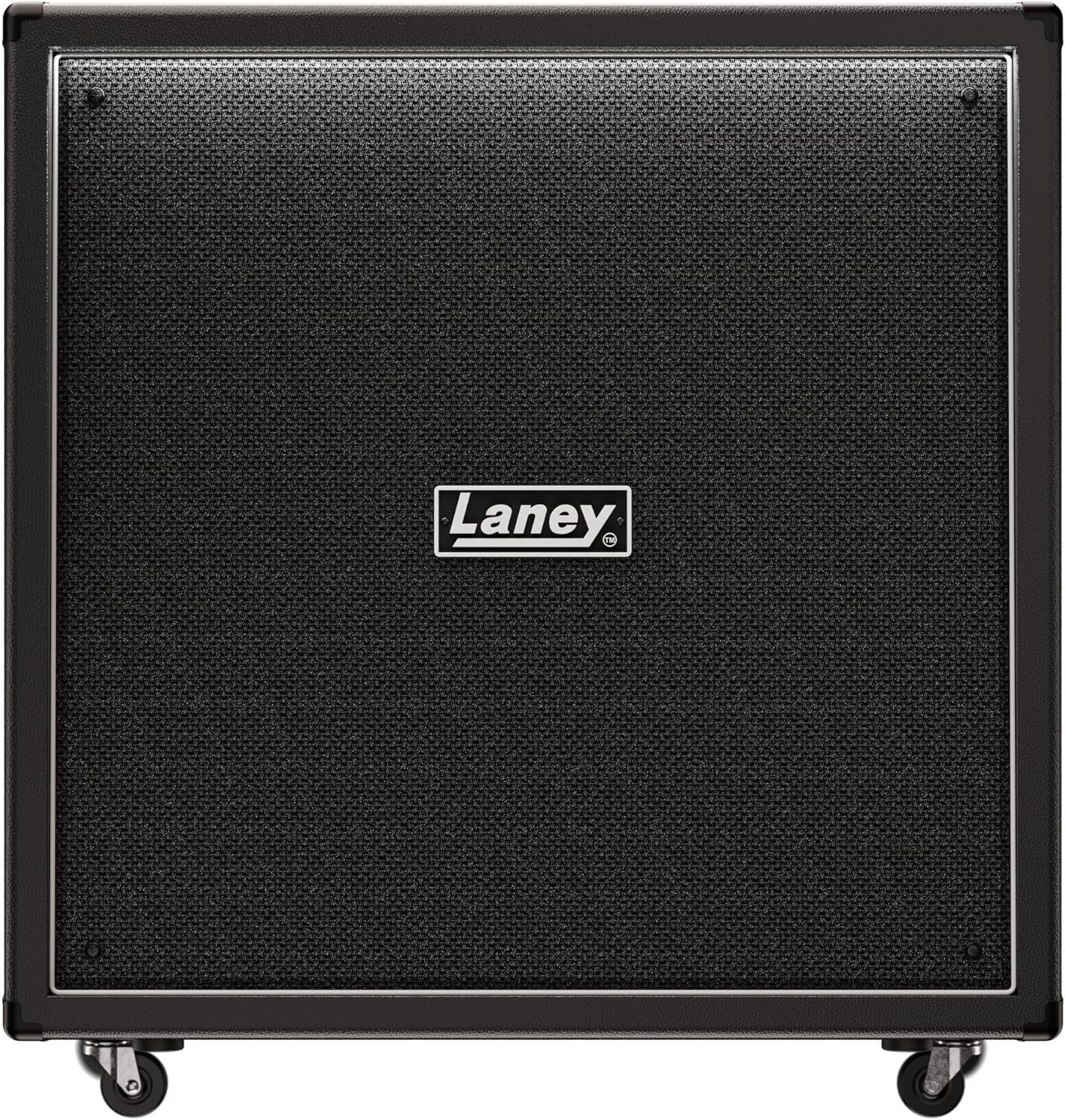
Figure 1: Front view of the Laney FRFR 412 Powered Cabinet, showcasing its robust grille and Laney logo.
Important Safety Instructions
- Read these instructions thoroughly before operating the unit.
- Keep these instructions for future reference.
- Heed all warnings on the product and in this manual.
- Follow all instructions.
- Do not use this apparatus near water.
- Clean only with a dry cloth.
- Do not block any ventilation openings. Install in accordance with the manufacturer's instructions.
- Do not install near any heat sources such as radiators, heat registers, stoves, or other apparatus (including amplifiers) that produce heat.
- Do not defeat the safety purpose of the polarized or grounding-type plug. A polarized plug has two blades with one wider than the other. A grounding-type plug has two blades and a third grounding prong. The wide blade or the third prong are provided for your safety. If the provided plug does not fit into your outlet, consult an electrician for replacement of the obsolete outlet.
- Protect the power cord from being walked on or pinched, particularly at plugs, convenience receptacles, and the point where they exit from the apparatus.
- Only use attachments/accessories specified by the manufacturer.
- Unplug this apparatus during lightning storms or when unused for long periods of time.
- Refer all servicing to qualified service personnel. Servicing is required when the apparatus has been damaged in any way, such as power-supply cord or plug is damaged, liquid has been spilled or objects have fallen into the apparatus, the apparatus has been exposed to rain or moisture, does not operate normally, or has been dropped.
Package Contents
Please check the box for the following items:
- Laney FRFR 412 Powered Cabinet
- Power Cable
- User Manual (this document)
Setup
1. Placement
Position the FRFR 412 cabinet on a stable, level surface. Ensure adequate ventilation around the unit. The cabinet is equipped with casters for easy movement; ensure they are locked when the cabinet is in its final position to prevent accidental movement.

Figure 2: Side view illustrating the integrated handles and casters for transport.
2. Connecting Power
Connect the supplied power cable to the AC input on the rear panel of the FRFR 412 and then to a suitable grounded power outlet. Ensure the power switch is in the OFF position before connecting.
3. Audio Connections
The FRFR 412 offers various input and output options for integration with your modeling rig or other audio equipment.

Figure 3: Rear panel connections including Input, Line Out, and Emulated DI Out.
- Input: Connect your modeling amplifier's output or other audio source to the XLR/TRS combo input. This input accepts both balanced and unbalanced signals.
- Line Out: Use the Line Out (XLR) to send the cabinet's signal to a mixing console, audio interface, or another powered speaker.
- Emulated DI Out: The Emulated DI Out (XLR) provides a signal with Laney's LA·IR cabinet emulation applied, ideal for direct recording or front-of-house mixing.
- USB: The USB port allows for connection to a computer for firmware updates and potential future features.
Operating the FRFR 412
1. Powering On/Off
After all connections are made, switch on your modeling rig or audio source first, then switch on the FRFR 412 using the power switch on the rear panel. When powering down, switch off the FRFR 412 first, then your audio source.
2. Controls and Indicators
- Volume: Adjusts the overall output level of the cabinet. Start with a low volume setting and gradually increase to your desired level.
- LA·IR (Laney Advance Impulse Response): This technology utilizes 56-bit FIR filters for high-quality cabinet emulation. The FRFR 412 features dual selectable digital IRs for both the cabinet output and the Emulated DI Out, allowing for versatile tonal shaping.
- Clip Indicator: An LED indicator will illuminate if the input signal is too hot, indicating potential clipping. Reduce the input level from your source if this occurs.
3. Optimizing Sound
The FRFR 412 is designed to provide a transparent amplification of your digital rig's tone. Experiment with the volume control and the settings on your modeling unit to achieve the desired sound. Utilize the LA·IR features to fine-tune the cabinet's response to your preference.
Maintenance
- Cleaning: Disconnect the power before cleaning. Use a soft, dry cloth to wipe down the exterior of the cabinet. Do not use abrasive cleaners, solvents, or waxes.
- Storage: When not in use for extended periods, store the cabinet in a dry, cool environment, away from direct sunlight and extreme temperatures.
- Transport: Use the integrated handles and casters for transport. Ensure the cabinet is secured during transit to prevent damage.
Troubleshooting
| Problem | Possible Cause | Solution |
|---|---|---|
| No sound output. |
|
|
| Distorted or clipping sound. |
|
|
| Hum or noise. |
|
|
Specifications
| Feature | Detail |
|---|---|
| Model | FRFR 412 (Model Number: 84340) |
| Power Output | 2600 Watts (Higher Power Asymmetric Class-D Power Amplifier) |
| Speaker Configuration | Four 12-inch speakers |
| Technology | LA·IR (Laney Advance Impulse Response) with 56-bit FIR filters, Dual Selectable Digital IR for CABINET and EMULATED DI OUT |
| Inputs | XLR/TRS Combo Input |
| Outputs | XLR Line Out, XLR Emulated DI Out |
| Connectivity | USB (for firmware updates) |
| Dimensions (L x W x H) | 37.01 x 35.43 x 19.69 inches |
| Weight | 113.1 pounds |
| Color | Black |
| Country of Origin | United Kingdom |
Warranty and Support
Laney products are designed and manufactured to the highest standards. For warranty information and technical support, please refer to the warranty card included with your product or visit the official Laney Amplification website. Keep your proof of purchase for warranty claims.
For customer support regarding this product, you may also refer to the seller's support options, which typically include a 30-day easy return policy and customer support services.
Online Resources: For the latest drivers, firmware updates, and additional product information, please visit the official Laney website.
