
CUBOT MAX 5
CUBOT MAX 5 5G Smartphone User Manual
Model: MAX 5
Introduction
This manual provides comprehensive instructions for the setup, operation, maintenance, and troubleshooting of your CUBOT MAX 5 5G smartphone. Please read this manual carefully to ensure proper use and to maximize the device's capabilities.
Package Contents
Upon opening the package, verify that all items listed below are present and in good condition:
- 1 x CUBOT MAX 5 phone
- 1 x Type C Cable
- 1 x Charger PD33W
- 1 x Cue card
- 1 x Protect case

Image: CUBOT MAX 5 smartphone with its included accessories, including the phone itself, charging cable, charger, cue card, and protective case.
Setup
1. Initial Charging
Before first use, fully charge your CUBOT MAX 5 phone using the provided 33W fast charger and Type-C cable. Connect the Type-C cable to the phone's charging port and the charger to a power outlet. The battery indicator on the screen will show charging progress.

Image: Illustration of the CUBOT MAX 5 phone connected to a 33W fast charger, highlighting its 5100mAh battery capacity and quick charging capability.
2. SIM Card and SD Card Installation
The CUBOT MAX 5 supports dual Nano SIM cards and external SD card expansion up to 1TB. Use the SIM ejector tool (not explicitly listed in "whats_in_the_box" but implied for SIM tray access) to open the SIM tray. Insert your Nano SIM cards and/or SD card into the designated slots, ensuring correct orientation. Close the tray securely.
Note: This phone does not support At&t, Cricket, and Verizon networks. Please confirm carrier compatibility before use.

Image: Diagram showing the dual Nano SIM card slots on the CUBOT MAX 5, indicating where to insert the SIM cards.
3. Powering On and Initial Configuration
Press and hold the power button located on the side of the device until the CUBOT logo appears. Follow the on-screen prompts to complete the initial setup, including language selection, Wi-Fi connection, Google account login, and security settings (fingerprint, Face ID, PIN/pattern).
Operating Your Device
Display and Navigation
The CUBOT MAX 5 features a large 6.95-inch FHD+ display with a resolution of 2460 x 1080 pixels. It boasts a 144Hz refresh rate for smooth visuals and responsive touch. The Eye Protect Screen technology reduces blue light emission for comfortable viewing during extended use.
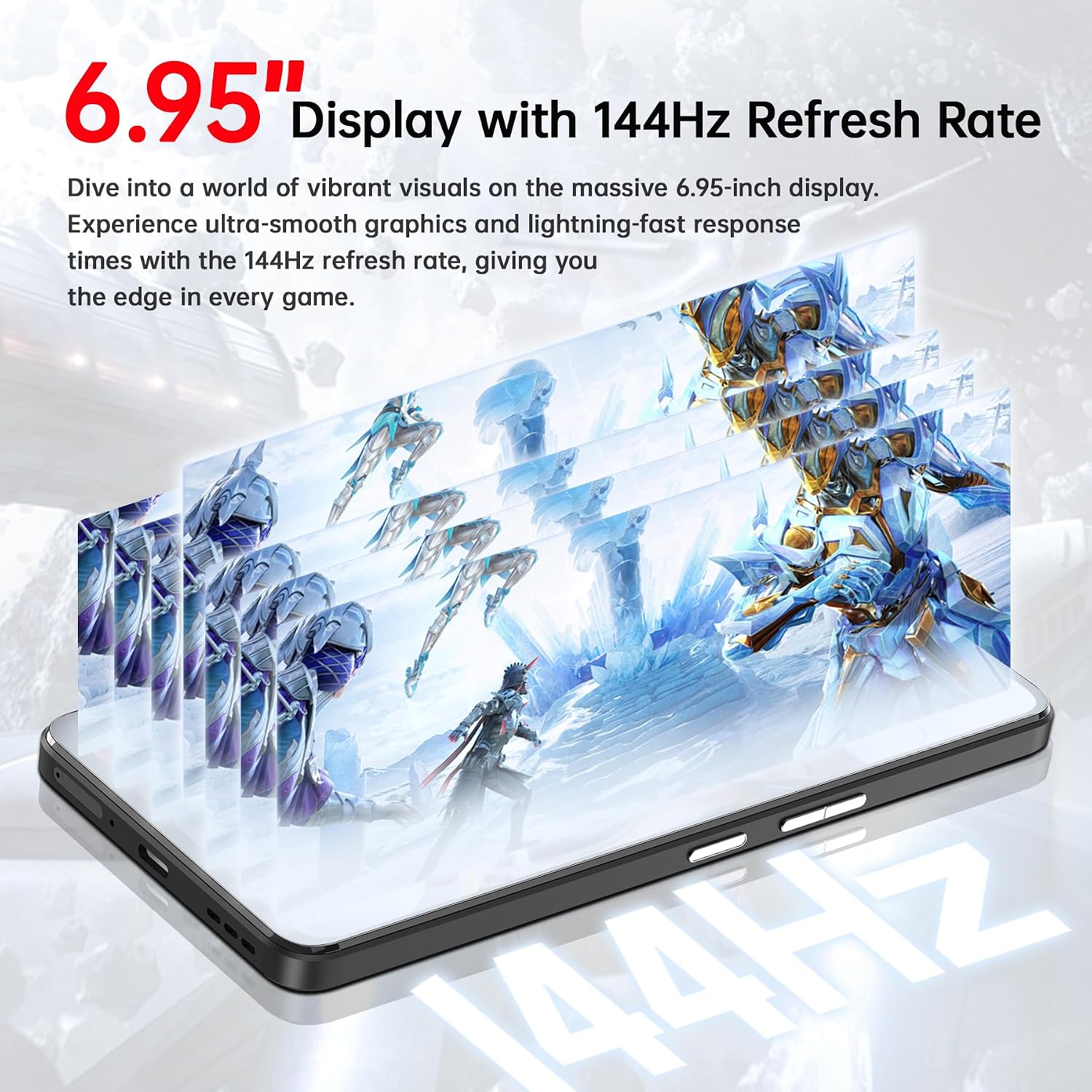
Image: The CUBOT MAX 5 phone displaying vibrant graphics, emphasizing its 6.95-inch screen and 144Hz refresh rate for a smooth visual experience.
Performance and Storage
Powered by the MediaTek Dimensity 8200 5G chipset (4nm technology, 3.1GHz octa-core CPU, Mali-G610 MC6 GPU), the MAX 5 delivers high performance for gaming and multitasking. It comes with 12GB RAM, expandable to 24GB with virtual memory, and 256GB of internal storage, expandable up to 1TB via an external SD card.

Image: A detailed view of the MediaTek Dimensity 8200 5G processor chip, highlighting its 4nm technology and 3.1GHz clock speed, central to the CUBOT MAX 5's performance.

Image: Visual representation of the CUBOT MAX 5's memory, showing 12GB RAM (expandable to 24GB) and 256GB ROM (expandable to 1TB), emphasizing its capacity for effortless multitasking and storage.
Camera Features
The device is equipped with a 100MP main camera for detailed photos and 4K video recording. A 5MP macro camera allows for close-up shots, and the 32MP front camera features portrait auto-tracking for clear selfies and video calls.

Image: Collage showcasing the CUBOT MAX 5's camera capabilities, including high-resolution 100MP photos and 4K video recording, with various example shots.
Connectivity and Features
The CUBOT MAX 5 supports 5G dual SIM, Wi-Fi 6 (2.4G/5G), Bluetooth 5.3, NFC, and built-in GPS. It also features a fingerprint sensor and Face ID for secure unlocking. The innovative LiquidCool Technology helps maintain optimal performance by dissipating heat during intensive use.

Image: An exploded view of the CUBOT MAX 5's internal components, illustrating the LiquidCool Technology with copper foil and graphite sheets designed to reduce phone temperature during operation.
The device runs on Android 14, offering an enhanced user experience. It includes a custom key that can be assigned to functions like SOS, screenshots, calculator, flashlight, or frequently used applications.
Seamless projection is available via USB to HDMI, allowing you to connect your phone to external displays for presentations or media viewing. (Note: USB to HDMI cable needs to be equipped by yourself.)
Maintenance
Software Updates
Regularly check for and install software updates to ensure your device has the latest features, security patches, and performance improvements. You can usually find this option in the phone's settings under "System" or "About phone."
Cleaning and Care
Use a soft, lint-free cloth to clean the screen and body of the phone. Avoid using harsh chemicals or abrasive materials. Keep the device away from extreme temperatures, direct sunlight, and liquids to prevent damage.
Battery Longevity
To prolong battery life, avoid fully discharging the battery frequently. It is recommended to keep the battery level between 20% and 80% when possible. Avoid leaving the phone connected to the charger for extended periods after it has reached 100%.
Troubleshooting
| Problem | Possible Cause / Solution |
|---|---|
| Phone not powering on | Ensure the battery is charged. Connect to charger for at least 10 minutes, then try powering on. If unresponsive, perform a forced restart (refer to device-specific instructions for button combination). |
| Poor network connectivity (5G/4G) | Check SIM card insertion. Verify that your carrier is supported by the device (Note: Not compatible with At&t, Cricket, and Verizon). Move to an area with better signal. Restart the phone. |
| Apps crashing or slow performance | Close background applications. Clear app cache. Ensure sufficient storage space. Restart the device. Consider a factory reset if issues persist (backup data first). |
| Battery draining quickly | Reduce screen brightness. Disable unnecessary features like GPS, Bluetooth, Wi-Fi when not in use. Limit background app activity. Check for power-intensive apps. |
| Screen unresponsive or frozen | Perform a forced restart by holding the power button for approximately 10-15 seconds until the device reboots. |
Specifications
| Feature | Detail |
|---|---|
| Model Name | CUBOT MAX 5 |
| Operating System | Android 14 |
| Processor | MediaTek Dimensity 8200 5G (4nm, 3.1 GHz Octa-core) |
| RAM | 24 GB (12GB + 12GB virtual) |
| Internal Storage | 256 GB |
| Expandable Storage | Up to 1 TB (via SD card) |
| Display Size | 6.95 Inches |
| Display Resolution | 2460 x 1080 pixels (FHD+) |
| Refresh Rate | 144 Hz |
| Main Camera | 100 MP |
| Front Camera | 32 MP |
| Battery Capacity | 5100 mAh |
| Charging | 33W Fast Charging |
| Connectivity | 5G Dual SIM, Wi-Fi 6 (2.4G/5G), Bluetooth 5.3, NFC, GPS |
| Dimensions | 7.63 x 4.13 x 2.28 inches (Package) |
| Item Weight | 1.33 pounds |
Warranty and Support
For warranty information and technical support, please refer to the official CUBOT website or contact CUBOT customer service directly. Details regarding warranty periods and service procedures are typically provided with your purchase documentation or on the manufacturer's official support channels.
Keep your purchase receipt as proof of purchase for warranty claims.
Related documentsMAX 5


Ask a question about this manual
Ask about setup, troubleshooting, compatibility, parts, safety, or missing instructions. Manuals+ will review the question and use this page’s manual context to help answer it.