
Introduction
The Nespresso Pixie coffee maker is designed for preparing Espresso and Lungo beverages using Nespresso Original capsules. This compact and intuitive machine features a fast heating system and a 19-bar high-pressure extraction system to ensure optimal flavor extraction. Its design incorporates polished metal sides and a solid steel handle for durability and aesthetic appeal.

Figure 1: Nespresso Pixie Aluminum Espresso Machine in use.
Setup
- Unboxing: Carefully remove all components from the packaging. Ensure all parts listed in the 'Included Components' section are present.
- Placement: Place the machine on a stable, flat, heat-resistant surface, away from water splashes and heat sources.
- Water Tank: Fill the water tank with fresh drinking water.
- Initial Rinse: Before first use, perform an initial rinse cycle. Fill the water tank, place a container under the coffee outlet, and press either the Espresso or Lungo button without a capsule inserted. Repeat this process 2-3 times to clean the internal system.
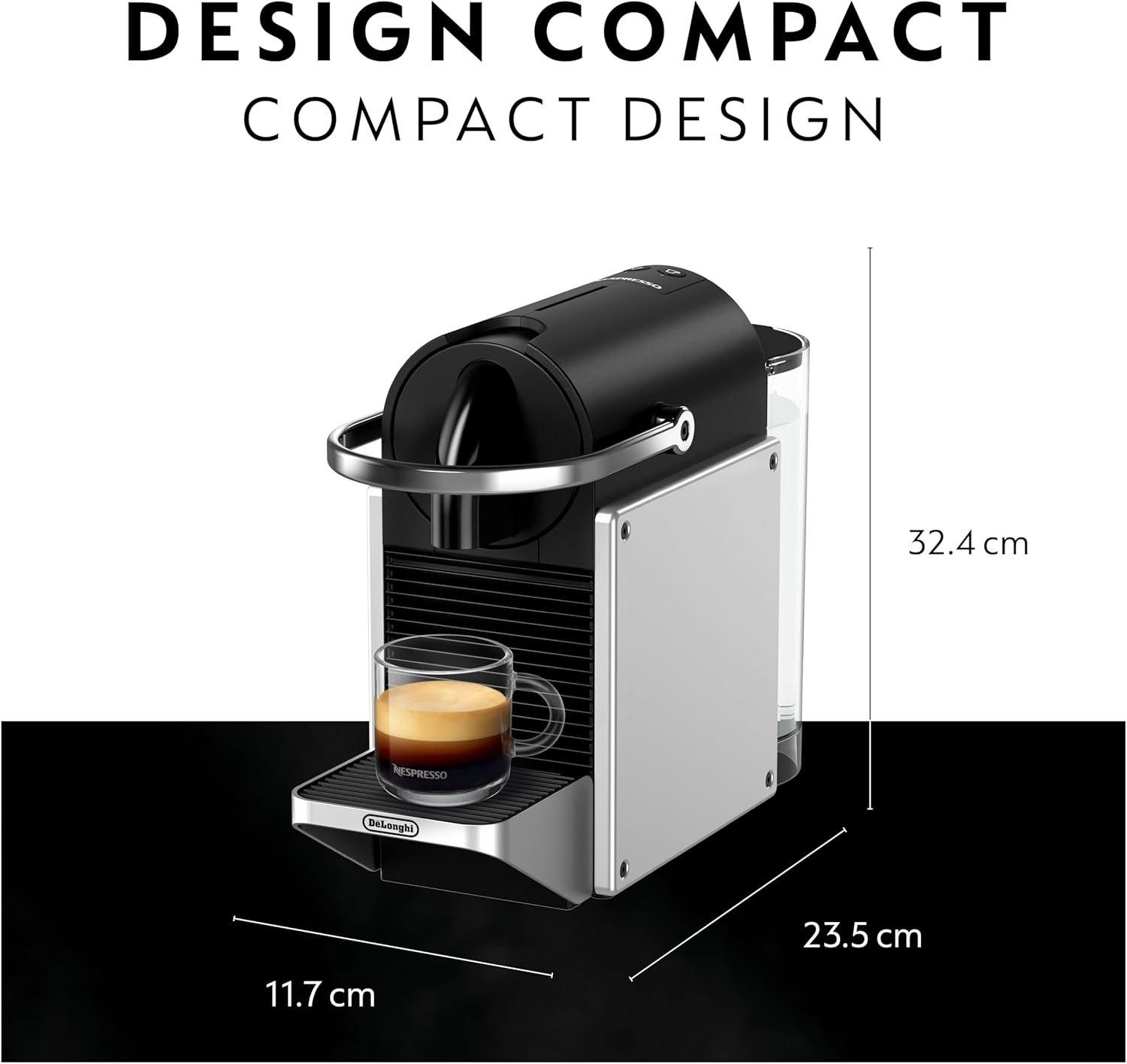
Figure 2: Unboxed components of the Nespresso Pixie machine.
Operating Instructions
- Power On: Press either the Espresso or Lungo button to turn on the machine. The buttons will blink while heating up and become steady when ready (approximately 25-30 seconds).
- Fill Water Tank: Ensure the water tank is filled with fresh drinking water.
- Insert Capsule: Lift the handle, insert a Nespresso Original capsule into the capsule slot, and close the handle.
- Place Cup: Place a cup under the coffee outlet.
- Brew Coffee: Press the Espresso button for a short coffee (40 ml) or the Lungo button for a long coffee (110 ml). The machine will automatically stop when the selected volume is dispensed.
- Eject Capsule: After brewing, lift the handle to eject the used capsule into the integrated capsule container.
- Power Off: The machine automatically shuts off after 2 minutes of inactivity to save energy. To manually turn off, press both Espresso and Lungo buttons simultaneously.

Figure 3: Top view of the machine with brew buttons.
Maintenance
Daily Cleaning
- Empty Capsule Container & Drip Tray: After each use, or when full, empty and rinse the used capsule container and drip tray with warm water.
- Wipe Machine: Wipe the machine exterior with a damp cloth. Do not immerse the machine in water.
- Water Tank: Rinse the water tank regularly and refill with fresh water.
Descaling
Descaling is essential to maintain the machine's performance and ensure consistent coffee quality. The frequency depends on water hardness and usage. Refer to the full user manual for detailed descaling instructions and recommended descaling solutions. Generally, the descaling process involves filling the water tank with descaling solution and water, then running the solution through the machine.

Figure 4: Side view showing water tank and drip tray.
Troubleshooting
- No Coffee Flow / Slow Flow:
- Ensure the water tank is filled.
- Check if a capsule is correctly inserted.
- Perform a descaling cycle if the machine has not been descaled recently, as mineral buildup can restrict flow.
- An air blockage in the suction tubing can occur. To resolve, fill the water tank, lift the handle, and press the Lungo button. While the machine is trying to pump, gently press down on the capsule holder area to help release the air.
- Leaking:
- Ensure the water tank is correctly positioned and not overfilled.
- Check the drip tray for proper placement.
- Machine Not Turning On:
- Verify the power cord is securely plugged into a working electrical outlet.
- Ensure the power button (either brew button) has been pressed.
Specifications
| Feature | Detail |
|---|---|
| Brand | Nespresso |
| Model Name | Nespresso Pixie Espresso Machine by De’Longhi, Aluminum |
| Model Number | EN127SCA |
| Color | metallic silver |
| Product Dimensions | 4.6"D x 12.76"W x 9.25"H |
| Item Weight | 5.4 pounds |
| Coffee Maker Type | Espresso Machine |
| Operation Mode | Fully Automatic |
| Voltage | 120 Volts |
| Coffee Input Type | capsules |
| Special Feature | Lightweight |
| Energy Saving | Auto-off after 2 minutes |
Warranty
Warranty information for the Nespresso Pixie Aluminum Espresso Machine is typically included with the product packaging. Please refer to the warranty card or the official Nespresso website for specific terms, conditions, and registration details. Keep your proof of purchase for warranty claims.
Support
For further assistance, troubleshooting, or to order Nespresso capsules and accessories, please visit the official Nespresso website or contact Nespresso customer service. Contact details can usually be found in the included documentation or on the Nespresso website.