
AJAZZ AJ179
AJAZZ AJ179 8K Wireless Gaming Mouse User Manual
Comprehensive Guide for Your AJAZZ AJ179 Gaming Mouse
Introduction
The AJAZZ AJ179 is a high-performance wireless gaming mouse designed for precision and speed. Featuring a PAW3950 optical sensor, multiple connectivity options (Bluetooth, 2.4G wireless, USB-C wired), and an innovative magnetic charging dock with an RGB screen, this mouse offers a superior gaming experience. This manual provides detailed instructions for setup, operation, maintenance, and troubleshooting to ensure optimal performance of your AJ179 gaming mouse.
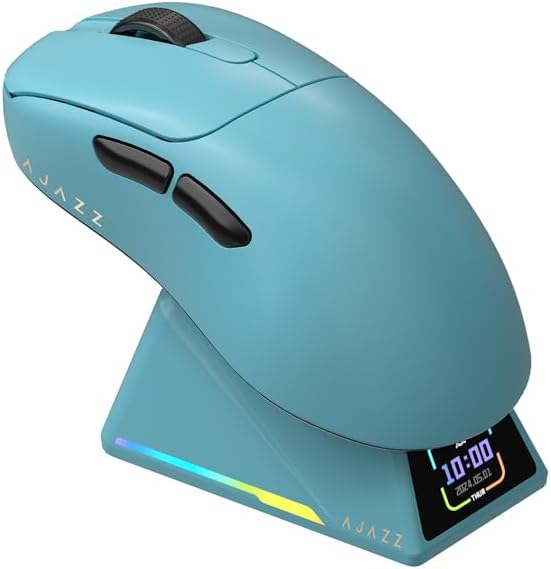
Figure 1: AJAZZ AJ179 Blue Wireless Gaming Mouse with Magnetic Charging Dock.
Product Features
- Advanced Sensor: Equipped with the PAW3950 optical sensor for exceptional accuracy and precision, supporting up to 42,000 DPI (overclocked).
- Ultra-High Polling Rate: Up to 8000Hz wireless return rate for minimal latency (as low as 0.125ms).
- Tri-Mode Connectivity: Seamless switching between USB wired, 2.4G wireless, and Bluetooth 5.0.
- Magnetic Charging Dock: Features an RGB full-color interactive TFT screen displaying mouse status, GIF images, LOD, DPI, polling rate, battery level, and date.
- Lightweight Design: Weighs approximately 58g, designed for comfort and speed with an ice-sensitive coating.
- Durable Switches: Huanuo green translucent white dot micro switches rated for over 100 million clicks.
- Customizable Software: Powerful software for macro assignment, button remapping, DPI/LOD adjustment, polling rate control, and charging base personalization.
- Enhanced Glide: Pure Teflon (ETFE) feet on the bottom for smooth and fast movement.

Figure 2: Key features of the AJAZZ AJ179APEX Tri-Mode Gaming Mouse, highlighting the PAW3950 sensor, 8000Hz return rate, 400mAh battery, and color screen charging dock.
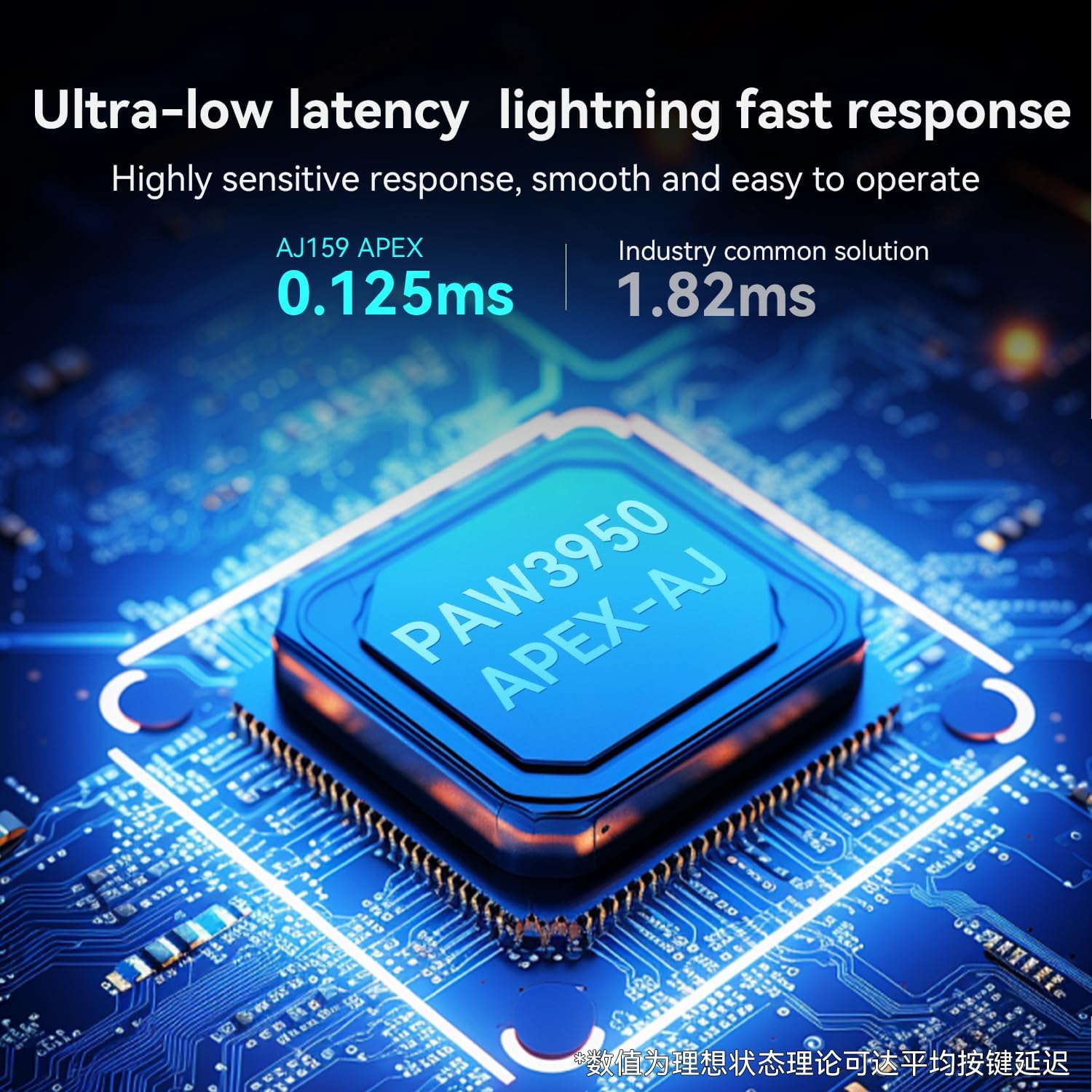
Figure 3: Illustration of the ultra-low latency (0.125ms) and the advanced PAW3950 APEX flagship sensor for accurate and fast response.
Setup Guide
1. Charging the Mouse
Before first use, it is recommended to fully charge the mouse. The AJ179 comes with a 400mAh battery.
- Using the Magnetic Charging Dock: Connect the charging dock to your computer or a USB power adapter using the provided USB-C cable. Place the mouse onto the magnetic charging dock. The dock's screen will display charging status and battery level.
- Direct USB-C Wired Connection: Connect the mouse directly to your computer using the USB-C cable. The mouse will charge while in wired mode.

Figure 4: The magnetic charging dock with its RGB full-color interactive screen, showing time and date.

Figure 5: A black AJAZZ AJ179 mouse placed on its magnetic charging docking station, illustrating ease of charging.
2. Connecting the Mouse
The AJ179 supports three connection modes:
- 2.4G Wireless Mode:
- Locate the 2.4G USB receiver. It is typically stored in a compartment on the underside of the mouse or integrated into the charging dock.
- Plug the USB receiver into an available USB port on your computer.
- Turn on the mouse using the switch on its underside. The mouse should automatically connect.
- Bluetooth (BT5.0) Mode:
- Turn on the mouse and switch it to Bluetooth mode (refer to the switch on the mouse's underside).
- On your computer, go to Bluetooth settings and search for new devices.
- Select "AJAZZ AJ179" (or similar) from the list of available devices to pair.
- USB-C Wired Mode:
- Connect the provided USB-C cable to the mouse and the other end to a USB port on your computer.
- The mouse will function immediately in wired mode and charge simultaneously.
Operating Instructions
Button Functions
The AJ179 mouse features 6 programmable keys and 1 switch. Default functions are as follows:
- Left Click: Primary action.
- Right Click: Secondary action/context menu.
- Middle Click (Scroll Wheel): Universal scroll/click.
- Forward/Backward Buttons: Navigate web pages or in-game actions.
- DPI Cycle Button: Cycles through preset DPI levels (located on the underside or top, depending on configuration).
DPI Adjustment
The mouse has a default DPI range of 400-3200, adjustable in six speeds. For advanced customization, use the driver software.
- On-Mouse Adjustment: Press the DPI button to cycle through the preset DPI levels.
- Software Adjustment: Download and install the official AJAZZ driver software. Within the software, you can fine-tune DPI from a minimum of 50 DPI to a maximum of 42,000 DPI (30,000-42,000 DPI is overclocking).
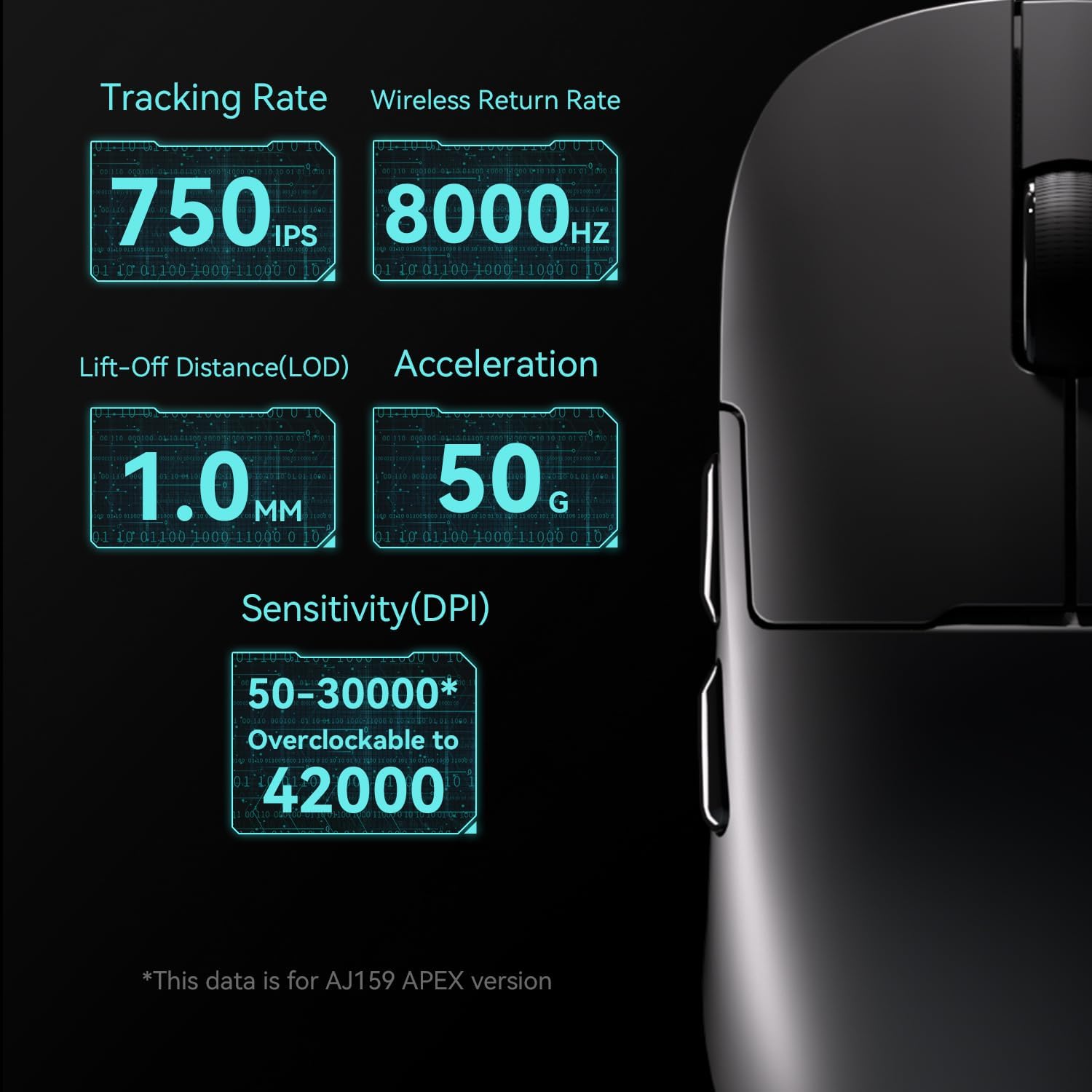
Figure 6: Detailed specifications including 750 IPS tracking rate, 8000Hz wireless return rate, 1.0mm Lift-Off Distance (LOD), 50g acceleration, and 50-30000 DPI (overclockable to 42000 DPI).
Using the Driver Software
The powerful software allows for extensive customization:
- Assign macros to buttons.
- Remap button functions.
- Redefine DPI and Lift-Off Distance (LOD).
- Adjust polling rates (125Hz/250Hz/500Hz/1000Hz for wired; 125Hz/250Hz/500Hz/1000Hz/2000Hz/4000Hz/8000Hz for 2.4G wireless). Bluetooth polling rate is not adjustable (default 125Hz).
- Personalize the charging base display (GIF images, status information).
- Monitor battery status.
The software is compatible with Windows Vista/XP/7/8/10/11 and Mac operating systems. Visit the official AJAZZ website for the latest driver downloads.
Maintenance
- Cleaning: Use a soft, dry cloth to wipe the mouse and charging dock. Avoid using harsh chemicals or abrasive materials. For optical sensor, use a cotton swab lightly dampened with isopropyl alcohol if necessary, ensuring no liquid enters the mouse.
- Battery Care: To prolong battery life, avoid fully discharging the mouse frequently. Charge it regularly using the provided dock or USB-C cable.
- Storage: Store the mouse in a cool, dry place away from direct sunlight and extreme temperatures.
- Feet Replacement: The mouse comes with an additional set of competitive foot stickers. If the original Teflon feet show significant wear, they can be replaced for optimal glide performance.
- Non-slip Stickers: An additional set of competitive non-slip stickers is included for enhanced grip.
Troubleshooting
| Problem | Possible Cause | Solution |
|---|---|---|
| Mouse not responding/connecting. | Low battery, incorrect connection mode, receiver not plugged in, driver issue. |
|
| Cursor movement is erratic or lags. | Dirty sensor, unsuitable surface, low battery, interference. |
|
| Buttons not responding. | Software conflict, physical damage, low battery. |
|
| Charging dock screen not displaying. | Power issue, cable connection. |
|
Specifications
| Feature | Detail |
|---|---|
| Product Brand | AJAZZ |
| Model | AJ179 |
| Transmission Method | USB wired + 2.4G wireless + BT5.0 |
| Interface Type | Type-C interface |
| Product Dimensions | 117.80 x 65.55 x 41.32 mm (4.65 x 2.56 x 0.04 inches) |
| Product Weight | ~58g (2.04 oz) |
| Shell Material | ABS injection molding |
| Number of Keys | 6 Keys + 1 switch |
| Wire Length | 1.5M |
| DPI Adjustment | 400-3200 (six-speed, driver adjustable from 50 DPI to 42000 DPI) |
| Sensor | PAW3950 |
| Button Life | 100 million times |
| Battery Capacity | 400mAh (Lithium Ion) |
| Polling Rate (Wired) | Default 1000Hz (Adjustable: 125Hz/250Hz/500Hz/1000Hz) |
| Polling Rate (2.4G) | Default 1000Hz (Adjustable: 125Hz/250Hz/500Hz/1000Hz/2000Hz/4000Hz/8000Hz) |
| Polling Rate (BT) | Default 125Hz (Not adjustable) |
| Tracking Rate | 750 IPS |
| Acceleration | 50g |
| Lift-Off Distance (LOD) | 1.0mm |
| Supported Systems | Windows Vista/XP/7/8/10/11, Mac |
Warranty and Support
The AJAZZ AJ179 gaming mouse comes with a 12-month warranty from the date of purchase. This warranty covers manufacturing defects and issues arising from normal use.
What is Covered:
- Defects in materials and workmanship.
- Malfunctions under normal operating conditions.
What is Not Covered:
- Damage caused by misuse, abuse, accidents, or unauthorized modifications.
- Normal wear and tear (e.g., cosmetic damage, worn feet).
- Damage from improper storage or operation outside specified environmental conditions.
Claiming Warranty:
If you encounter any problems with your AJAZZ AJ179 mouse, please contact our professional support team. Provide your purchase details and a description of the issue. Our team is dedicated to answering your questions and providing assistance.
For support, please visit the AJAZZ Store on Amazon or refer to the contact information provided with your product packaging.
Related documentsAJ179


Ask a question about this manual
Ask about setup, troubleshooting, compatibility, parts, safety, or missing instructions. Manuals+ will review the question and use this page’s manual context to help answer it.