
1. Introduction
Thank you for choosing the MOMYEASY Baby Wipe Warmer. This device is designed to provide warm, moist wipes for babies and adults, enhancing comfort during diaper changes or personal care. Please read this manual thoroughly before use to ensure proper operation and safety.
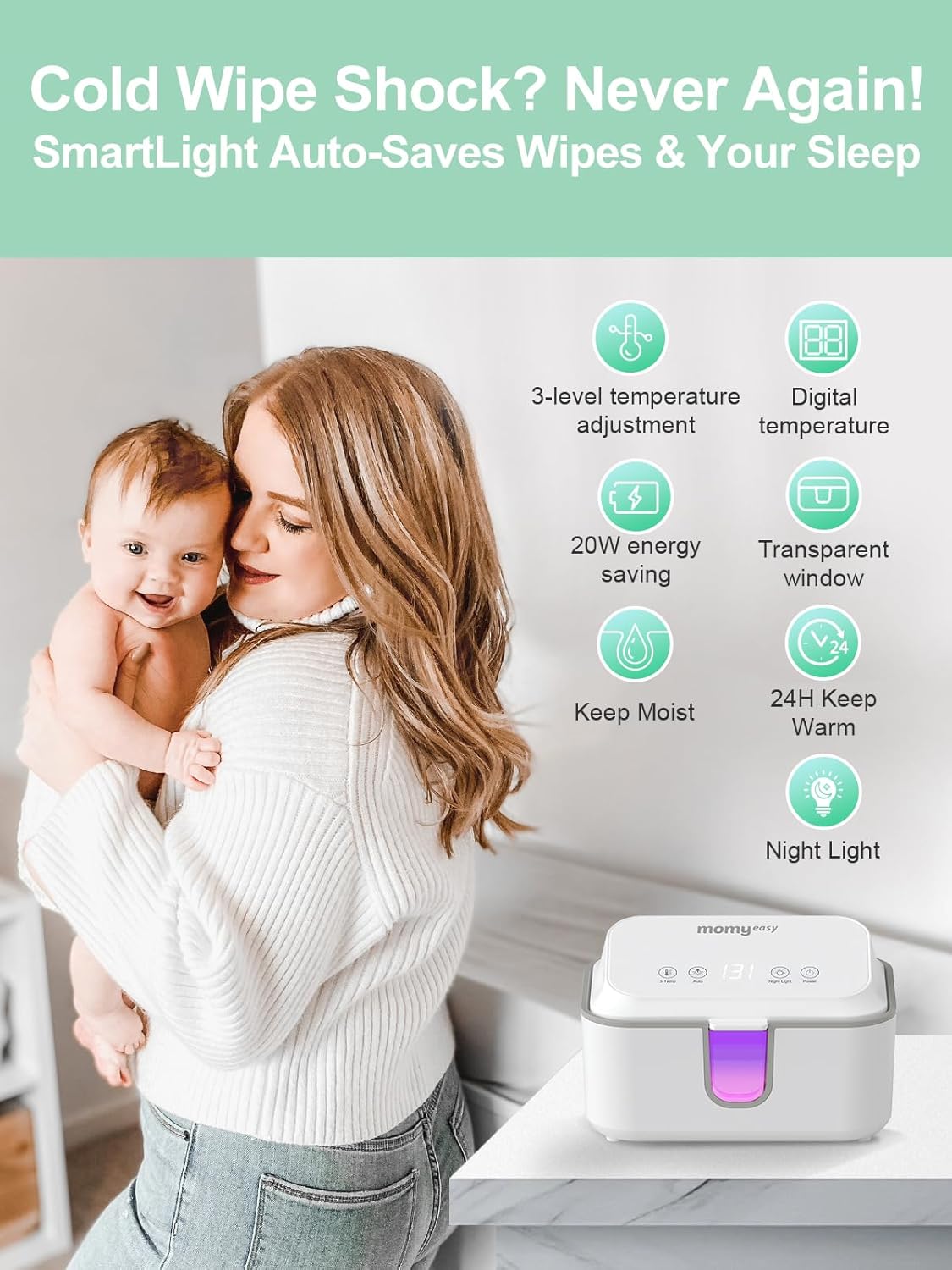
Image 1.1: MOMYEASY Baby Wipe Warmer. This image shows the top view of the wipe warmer with its digital display and control buttons, indicating its compact and user-friendly design.
2. Safety Information
- Always unplug the device when not in use or before cleaning.
- Do not immerse the device in water or other liquids.
- Keep out of reach of children.
- Use only with the provided power adapter.
- Do not operate if the power cord or plug is damaged.
- Ensure the lid is properly closed to maintain temperature and moisture.
3. Product Overview
The MOMYEASY Baby Wipe Warmer features a large capacity and multiple functions to ensure wipes are always warm, moist, and ready for use.
Key Features:
- 3 Temperature Modes: Digital precision with real-time display for 100°F/38°C (newborn), 113°F/45°C (sensitive), and 131°F/55°C (deep clean).
- Large Capacity: Holds over 100 standard wipes or up to 4 towels without needing to remove original packaging.
- Surround Heating: Evenly heats wipes from all sides, preventing drying and maintaining moisture.
- Pure Cycle Freshness Guard: Smart Clean cycles (3min/5min/8min) prevent moisture buildup and maintain wipe purity.
- Night Light: Ultra-dim night light for nighttime changes without disturbing sleep.
- Transparent Window: Allows for easy monitoring of wipe levels.

Image 3.1: Overview of MOMYEASY Wipe Warmer features. This image highlights the main functionalities such as temperature control, moisture retention, and night light.
4. Setup Instructions
- Unpack: Remove the wipe warmer from its packaging and place it on a flat, stable surface.
- Open Lid: Press the latch to open the top lid of the warmer.
- Insert Wipes: Place a full pack of baby wipes (up to 100+ standard wipes) directly into the warmer. Ensure the opening of the wipe pack is accessible for easy dispensing.
- Close Lid: Close the lid securely until it clicks into place.
- Connect Power: Plug the power adapter into the warmer and then into a standard electrical outlet.

Image 4.1: Inserting wipes into the warmer. This diagram illustrates the process of placing a full wipe package into the device, emphasizing that no cutting or packaging changes are needed.
5. Operating Instructions
Once plugged in, the digital display will show the current temperature. Use the control buttons on the top panel to adjust settings.
Power On/Off:
- Press the Power button to turn the warmer on or off.
Temperature Adjustment:
- Press the 3-Temp button to cycle through the three preset temperature modes: 100°F (Newborn), 113°F (Sensitive Skin), and 131°F (Deep Clean). The digital display will show the selected temperature.
- The warmer will automatically heat the wipes to the chosen temperature.

Image 5.1: Digital temperature display. This image shows the warmer's digital display cycling through the three available temperature settings.
Smart Clean Mode (Sanitize):
- Press the Auto button to activate the Smart Clean cycle. This feature helps prevent moisture buildup and maintains wipe freshness.
- The cycles are set for 3, 5, or 8 minutes.
Video 5.2: Demonstration of the Momyeasy baby wipes warmer. This video shows the warmer in operation, highlighting its features and ease of use, including the sanitize function.
Night Light Function:
- Press the Night Light button to turn the gentle night light on or off. This provides subtle illumination for nighttime diaper changes without fully waking the baby.
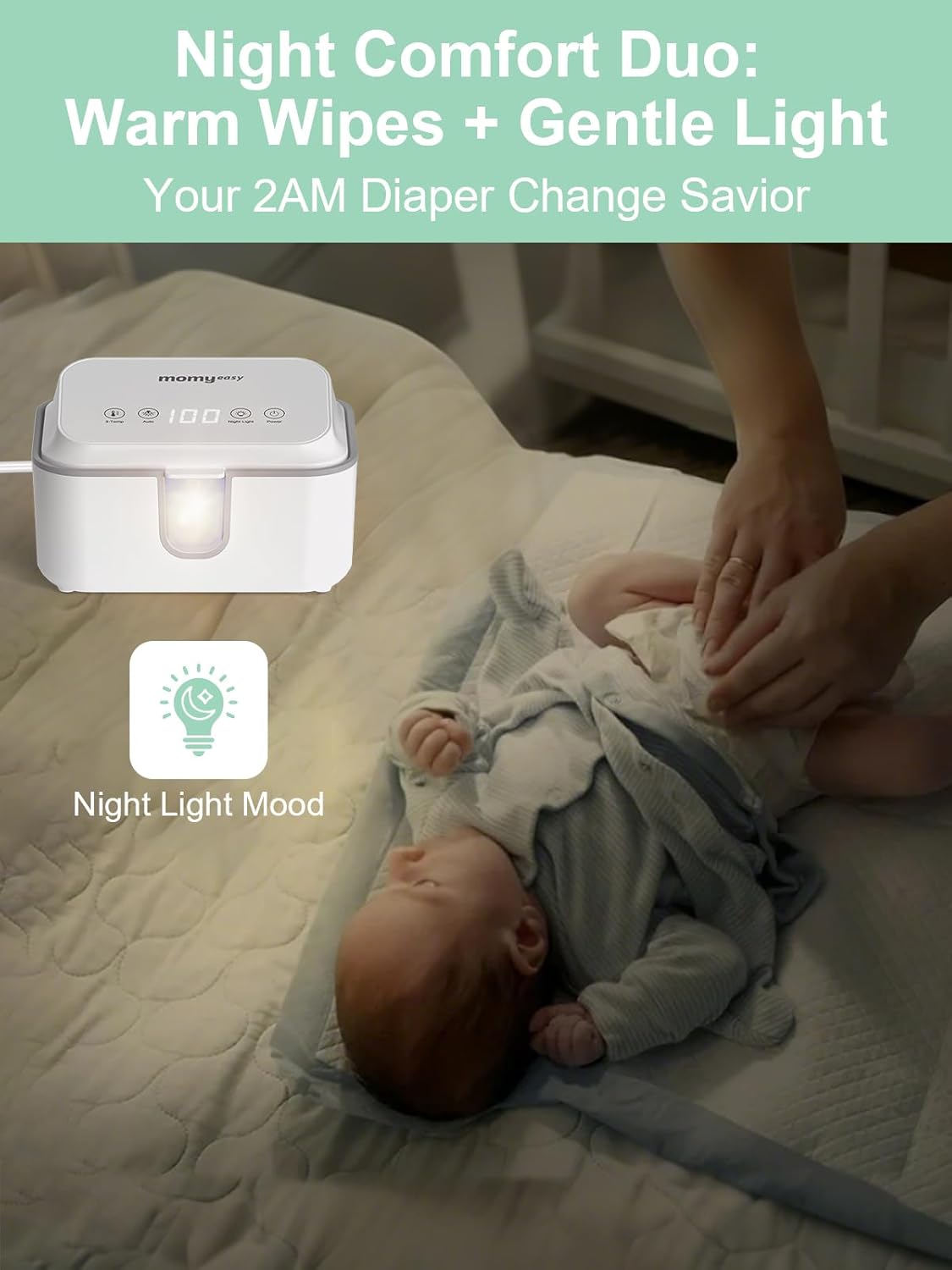
Image 5.3: Night Comfort Duo: Warm Wipes + Gentle Light. This image illustrates the night light feature, providing soft illumination for diaper changes.
6. Maintenance
Cleaning:
- Unplug the warmer before cleaning.
- Wipe the exterior with a soft, damp cloth. Do not use abrasive cleaners.
- For the interior, ensure all wipes are removed. Wipe down the inside surfaces with a damp cloth and mild soap if necessary, then rinse with a clean damp cloth. Allow to air dry completely before reinserting wipes or plugging in.
Maintaining Moisture:
- Always keep the lid securely closed when not in use to prevent wipes from drying out.
- The surround heating design and Pure Cycle Freshness Guard are designed to maintain moisture, but ensuring the lid is sealed is crucial.

Image 6.1: Moisture Lock feature. This image visually compares the moistness of wipes kept in the MOMYEASY warmer against those that have dried out, demonstrating the effectiveness of its moisture-locking design.
7. Troubleshooting
- Wipes are not warm: Ensure the warmer is plugged in and powered on. Check the selected temperature setting. Allow 1-2 hours for the wipes to reach the desired temperature after initial setup or refilling.
- Wipes are drying out: Ensure the lid is closed properly and completely sealed. The Pure Cycle Freshness Guard should be active. If using very thin wipes, they may dry faster; consider adding a small amount of water to the bottom of the warmer (away from electrical components) or using thicker wipes.
- Night light not working: Press the Night Light button to toggle it on/off. If it still doesn't work, ensure the device is powered on.
- Digital display is off: Check if the device is powered on. If it is, and the display remains off, contact customer support.
8. Specifications
| Feature | Detail |
|---|---|
| Model Number | B0D95P4GCV |
| Package Dimensions | 9.88 x 7.64 x 6.3 inches |
| Item Weight | 1.32 pounds |
| Material Composition | Plastic |
| Care Instructions | Hand Wash |
| Additional Features | 3-Mode Smart Clean Time, 99% Moisture Lock, No-Cut Surround Heating, Real-Time Temp Display, Sleep-Safe Night Light |
| Batteries Required | No |
9. Warranty and Support
MOMYEASY products are designed for quality and reliability. For warranty information, technical support, or any questions regarding your product, please refer to the contact information provided on the product packaging or visit the official MOMYEASY website. Please retain your proof of purchase for warranty claims.