
Introduction
The Kmise 3D DELAY pedal is an analog delay effect designed for electric guitars and bass. It provides a warm, natural classic delay tone, suitable for various musical styles. This manual provides essential information for the proper setup, operation, and maintenance of your pedal.
Safety Information
- Ensure the pedal is connected to a DC 9V power supply with the correct polarity (center negative). Incorrect power supply can damage the unit.
- Do not expose the pedal to water, moisture, or extreme temperatures.
- Avoid dropping or subjecting the pedal to strong impacts.
- Disconnect the power supply when not in use or during cleaning.
- Keep out of reach of children.
Package Contents
Please check the package to ensure all items are present:
- Kmise 3D DELAY Guitar Pedal
- User Manual (this document)
- Note: A DC 9V power adapter is not included and must be purchased separately.
Product Overview
The Kmise 3D DELAY pedal features a compact design with intuitive controls for shaping your delay sound.

Figure 1: Front view of the Kmise 3D DELAY pedal, showing the input, output, control knobs, and footswitch.
Controls and Connections:
- MIX Knob: Adjusts the balance between the dry (unaffected) signal and the wet (effected) signal.
- DELAY Knob: Controls the delay time, from short slap-back echoes to long, atmospheric repeats.
- F.BACK Knob (Feedback): Determines the number of repeats. Higher settings result in more echoes.
- INPUT Jack: Connect your guitar or the output of another effect pedal here.
- OUTPUT Jack: Connect to your amplifier or the input of another effect pedal.
- DC 9V Input: For connecting a standard DC 9V power adapter (center negative).
- Footswitch: Toggles the effect on/off. The LED indicates the effect status (on/off).

Figure 2: Top-down view highlighting the MIX, DELAY, and F.BACK control knobs, along with the input and output labels.
Setup
- Power Connection:
Connect a standard DC 9V power adapter (center negative) to the DC 9V input jack on the pedal. Ensure the power supply meets the pedal's requirements to prevent damage.
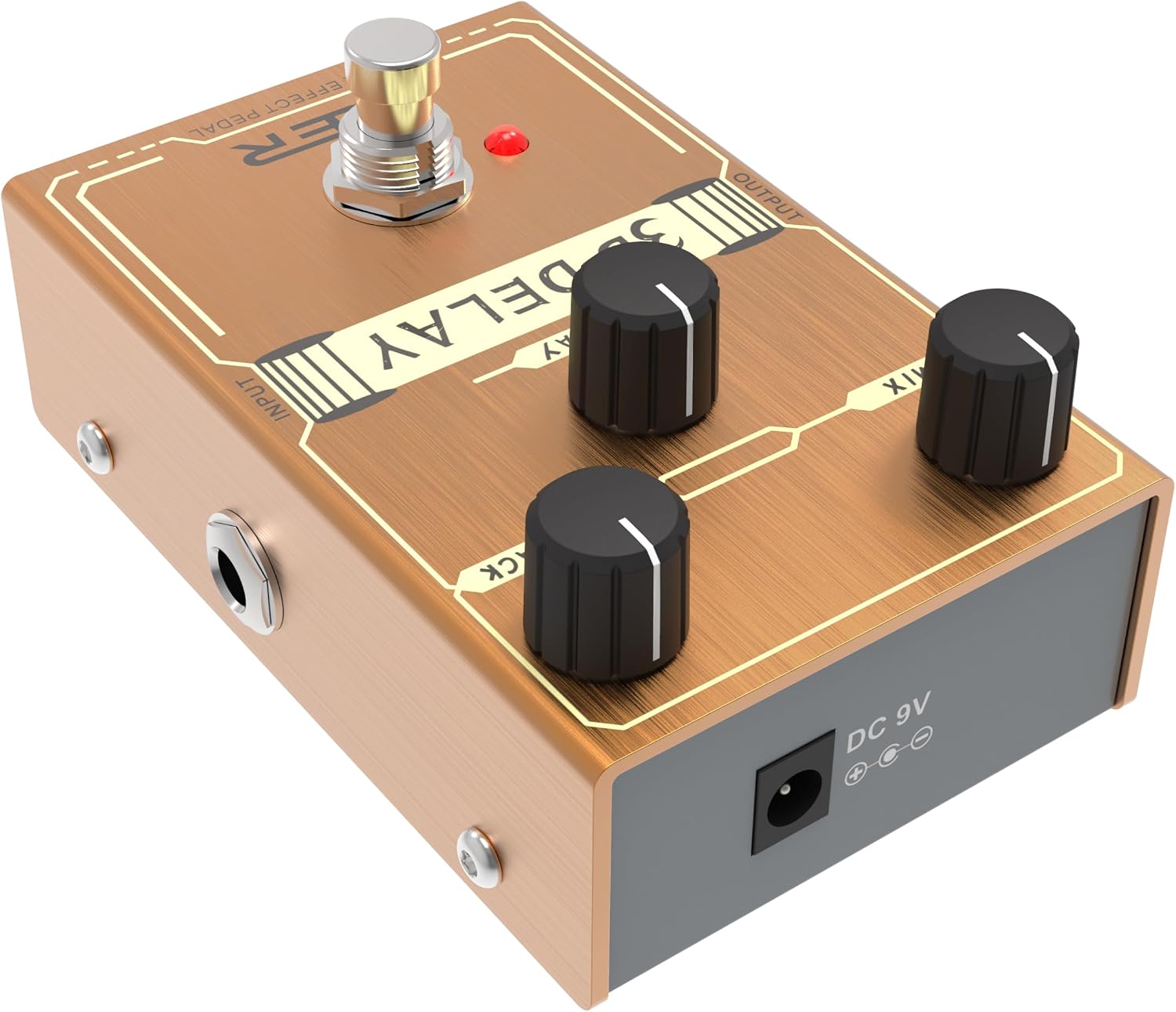
Figure 3: Side view showing the DC 9V power input jack.
- Audio Connections:
- Connect your guitar (or the output of a preceding pedal) to the INPUT jack of the 3D DELAY pedal.
- Connect the OUTPUT jack of the 3D DELAY pedal to your amplifier (or the input of a subsequent pedal).
- Initial Settings: Before turning on your amplifier, set the volume on your amplifier to a low level.
Operating the Pedal
- Power On: Once all connections are secure, plug in your DC 9V power adapter. The pedal's LED will illuminate when the effect is active.
- Engaging the Effect: Press the footswitch to toggle the delay effect on or off. The LED will light up when the effect is engaged.
- Adjusting the Delay:
- Use the DELAY knob to set the desired delay time.
- Adjust the F.BACK knob to control the number of repeats. Lower settings produce fewer repeats, while higher settings create a longer, more sustained echo.
- The MIX knob blends the dry signal with the delayed signal. Start with the MIX knob at a lower setting and gradually increase it to find your preferred balance.
- True Bypass: The 3D DELAY pedal features true bypass, meaning that when the effect is disengaged, your guitar's signal passes directly through the pedal without any tonal coloration.
Maintenance
- Cleaning: Use a soft, dry cloth to clean the pedal's surface. Do not use abrasive cleaners or solvents.
- Storage: Store the pedal in a dry, cool place away from direct sunlight and extreme temperatures.
- Cable Care: Regularly check all cables for damage and ensure secure connections.
Troubleshooting
| Problem | Possible Cause | Solution |
|---|---|---|
| No sound when pedal is on. |
|
|
| Weak or distorted sound. |
|
|
| Excessive noise or hum. |
|
|
Specifications
- Model: 3D DELAY
- Effect Type: Analog Delay
- Power Supply: DC 9V (center negative)
- Current Draw: Not specified in provided data, but typically low for analog pedals.
- Input: 1/4" Monaural Jack
- Output: 1/4" Monaural Jack
- Bypass: True Bypass
- Material: Metal casing
- Dimensions: Approximately 5 x 3 x 2 inches (Package Dimensions, actual pedal size is smaller)
- Weight: Approximately 8 ounces
Warranty and Support
Kmise products are designed for reliability and performance. For warranty information, technical support, or service inquiries, please refer to the official Kmise website or contact your local distributor. Keep your proof of purchase for any warranty claims.


