1. Introduction
Thank you for choosing the pocobob GO Wireless Semi In-Ear Earbuds. These earbuds are designed to provide a high-quality audio experience with comfort and advanced features. This manual will guide you through the setup, operation, and maintenance of your new earbuds.
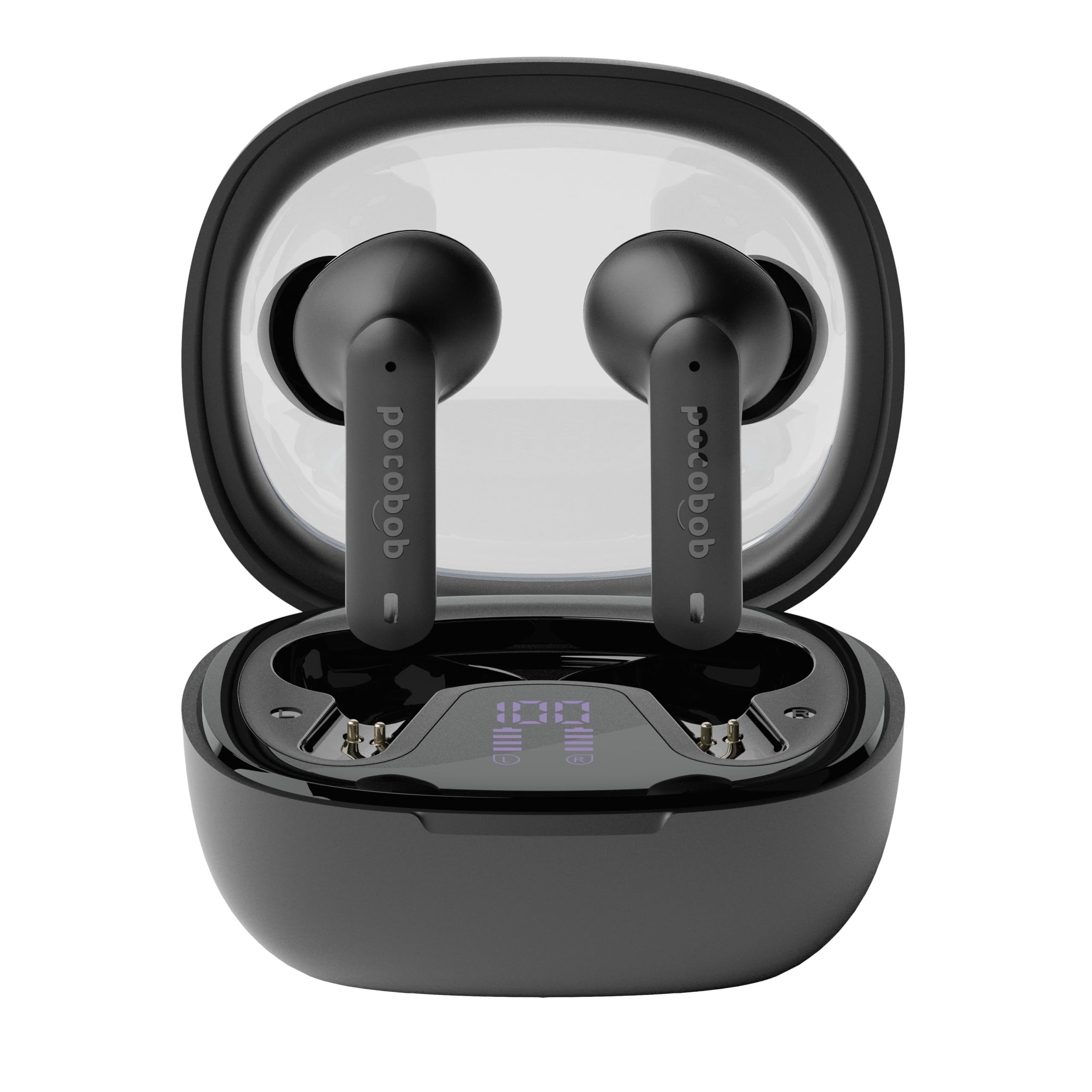
Image: The pocobob GO Wireless Semi In-Ear Earbuds in their charging case.
2. Product Features
- Semi In-Ear Design: Features a hard casing that rests comfortably in your ear, allowing for awareness of ambient sounds while enjoying your audio.
- High-Quality Sound: Equipped with AAC audio technology for a rich and full sound experience.
- Advanced ENC Microphone: Four integrated microphones with Environmental Noise Cancellation (ENC) technology ensure crystal-clear calls and video conferencing by filtering out background noise. The elongated boom mic directs towards your mouth for optimal voice capture.
- Flexible Usage: Supports independent use of either the left or right earbud.
- Extended Battery Life: Enjoy up to 6.5 hours of listening time on a single charge, with a total of up to 30 hours using the portable charging case.
- Universal Compatibility: Works seamlessly with iOS, Android, and laptop devices.
3. Setup and Pairing
3.1 Initial Charging
Before first use, fully charge the earbuds and the charging case. Connect the provided USB cable to the charging case and a compatible USB power source. The indicator lights on the case will show the charging status.
3.2 Bluetooth Pairing
- Ensure the earbuds are charged and placed inside the charging case.
- Open the charging case lid. The earbuds will automatically enter pairing mode, indicated by a flashing light on the earbuds.
- On your device (smartphone, tablet, laptop), go to the Bluetooth settings.
- Search for new devices and select "pocobob GO" from the list of available devices.
- Once connected, a voice prompt will confirm successful pairing, and the indicator lights on the earbuds will turn off or show a steady light.
- For subsequent use, the earbuds will automatically connect to the last paired device when removed from the case.
4. Operating Instructions
4.1 Basic Controls
The pocobob GO earbuds feature touch controls for easy management of audio and calls.
- Play/Pause: Tap either earbud once.
- Next Track: Double-tap the right earbud.
- Previous Track: Double-tap the left earbud.
- Answer/End Call: Tap either earbud once.
- Reject Call: Press and hold either earbud for 2 seconds.
- Activate Voice Assistant: Triple-tap either earbud.
4.2 Single Earbud Mode
You can use either the left or right earbud independently. Simply remove one earbud from the charging case, and it will automatically connect to your device. The other earbud can remain in the case or be used later to switch to stereo mode.
5. Maintenance
5.1 Cleaning
Regularly clean your earbuds and charging case to ensure optimal performance and hygiene.
- Use a soft, dry, lint-free cloth to wipe the earbuds and charging case.
- Do not use abrasive cleaners, solvents, or aerosol sprays.
- Gently remove any earwax or debris from the speaker mesh using a small, soft brush or cotton swab.
5.2 Storage
When not in use, store the earbuds in their charging case to protect them from dust and damage.
6. Troubleshooting
If you encounter any issues with your pocobob GO earbuds, please refer to the following common solutions:
- Earbuds not pairing: Ensure both earbuds are charged. Place them back in the charging case, close the lid, wait a few seconds, then open the lid to re-enter pairing mode. Check your device's Bluetooth settings and try reconnecting.
- No sound from one earbud: Place both earbuds back in the charging case. Close the lid, then open it again. This often resets the connection between the earbuds.
- Charging issues: Verify that the charging cable is securely connected to both the case and the power source. Ensure the charging contacts on the earbuds and inside the case are clean and free of debris.
- Low volume or poor sound quality: Check the volume level on your connected device. Ensure the earbuds are properly seated in your ears. Clean the speaker mesh if necessary.
- Earbuds not turning on: Ensure the earbuds are sufficiently charged.
If the problem persists, try resetting the earbuds (refer to the manufacturer's website for specific reset instructions if not detailed here) or contact customer support.
7. Specifications
| Model Name | GO |
| Model Number | PBGOW |
| Brand | pocobob |
| Manufacturer | Grupo Audio |
| Form Factor | Semi In-Ear |
| Connectivity Technology | Wireless (Bluetooth) |
| Microphone Type | Built-in with ENC (Environmental Noise Cancellation) |
| Earbud Battery Life | Up to 6.5 hours |
| Total Battery Life (with case) | Up to 30 hours |
| Included Components | Protective case, User manual, Charging cable, Charging station |
| Item Weight | 115 Grams (package weight) |
| Color | White |
8. Warranty and Support
Your pocobob GO Wireless Semi In-Ear Earbuds come with a standard manufacturer's warranty. For detailed warranty information, product support, or to report any issues, please visit the official pocobob website or contact your retailer. Keep your proof of purchase for warranty claims.

