
1. Introduction and Overview
This manual provides comprehensive instructions for the Fossil Autocross BQ2875 men's analog quartz watch. Designed for versatility and style, this timepiece features a precise quartz movement and is suitable for various occasions. Please read these instructions carefully to ensure proper use and maintenance of your watch.
Key Features:
- Made from high-quality materials.
- Features timeless, elegant designs suitable for various occasions.
- Powered by a precise and reliable quartz movement for accurate timekeeping.
- Easy-to-read numbers and markers for quick time checks.

Image 1.1: Front view of the Fossil Autocross BQ2875 watch, showcasing the black dial and easy-to-read markers.
2. Setup
Your Fossil Autocross BQ2875 watch is designed for ease of use. Follow these steps to set up your watch.
2.1 Setting the Time
- Pull the crown (the small knob on the side of the watch) out to position 2.
- Turn the crown clockwise or counter-clockwise to adjust the hour and minute hands to the correct time.
- Once the time is set, push the crown back into position 1 (normal operating position).
2.2 Setting the Date (if applicable)
If your watch features a date display, follow these steps:
- Pull the crown out to position 1 (first click).
- Turn the crown clockwise or counter-clockwise to adjust the date.
- Once the date is set, push the crown back into position 0 (normal operating position).
- Note: Avoid setting the date between 9 PM and 3 AM, as this may interfere with the automatic date change mechanism.
2.3 Adjusting the Bracelet
The stainless steel bracelet can be adjusted by adding or removing links. This procedure typically requires specialized tools and is best performed by a professional jeweler or watch repair service to avoid damage.

Image 2.1: Side view of the watch, highlighting the crown for time and date adjustment.
3. Operating Instructions
Understanding the functions of your watch will enhance your experience.
3.1 Timekeeping
Your watch displays hours, minutes, and seconds using an analog display. The precise quartz movement ensures accurate timekeeping.
3.2 Multi-Function Dials (if applicable)
The Fossil Autocross BQ2875 may feature sub-dials for additional functions such as a 24-hour indicator, day of the week, or date. Refer to the specific markings on your watch dial for their respective indications.
3.3 Water Resistance
This watch is water resistant up to 50 meters (5 ATM). This means it is suitable for short periods of recreational swimming, but not for diving or snorkeling. Avoid operating the crown or pushers while the watch is wet or submerged to prevent water ingress.
- 3 ATM / 30 Meters: Suitable for everyday use. Splash/rain resistant.
- 5 ATM / 50 Meters: Suitable for short periods of recreational swimming.
- 10 ATM / 100 Meters: Suitable for swimming and snorkeling.
4. Maintenance
Proper care will ensure the longevity and performance of your Fossil watch.
4.1 Cleaning
- Wipe the watch case and bracelet regularly with a soft, dry cloth to remove dirt and perspiration.
- For stainless steel bracelets, a slightly damp cloth can be used, followed by a dry cloth.
- Avoid using chemical cleaners, as they may damage the watch's finish.
4.2 Battery Replacement
Your quartz watch is powered by a battery. When the watch stops or the second hand starts skipping (indicating low battery), the battery needs to be replaced. It is recommended to have the battery replaced by a qualified watch technician to ensure proper sealing and maintain water resistance.
4.3 Storage
When not wearing your watch, store it in a cool, dry place, away from direct sunlight and extreme temperatures. Keep it away from magnetic fields, which can affect the accuracy of quartz movements.
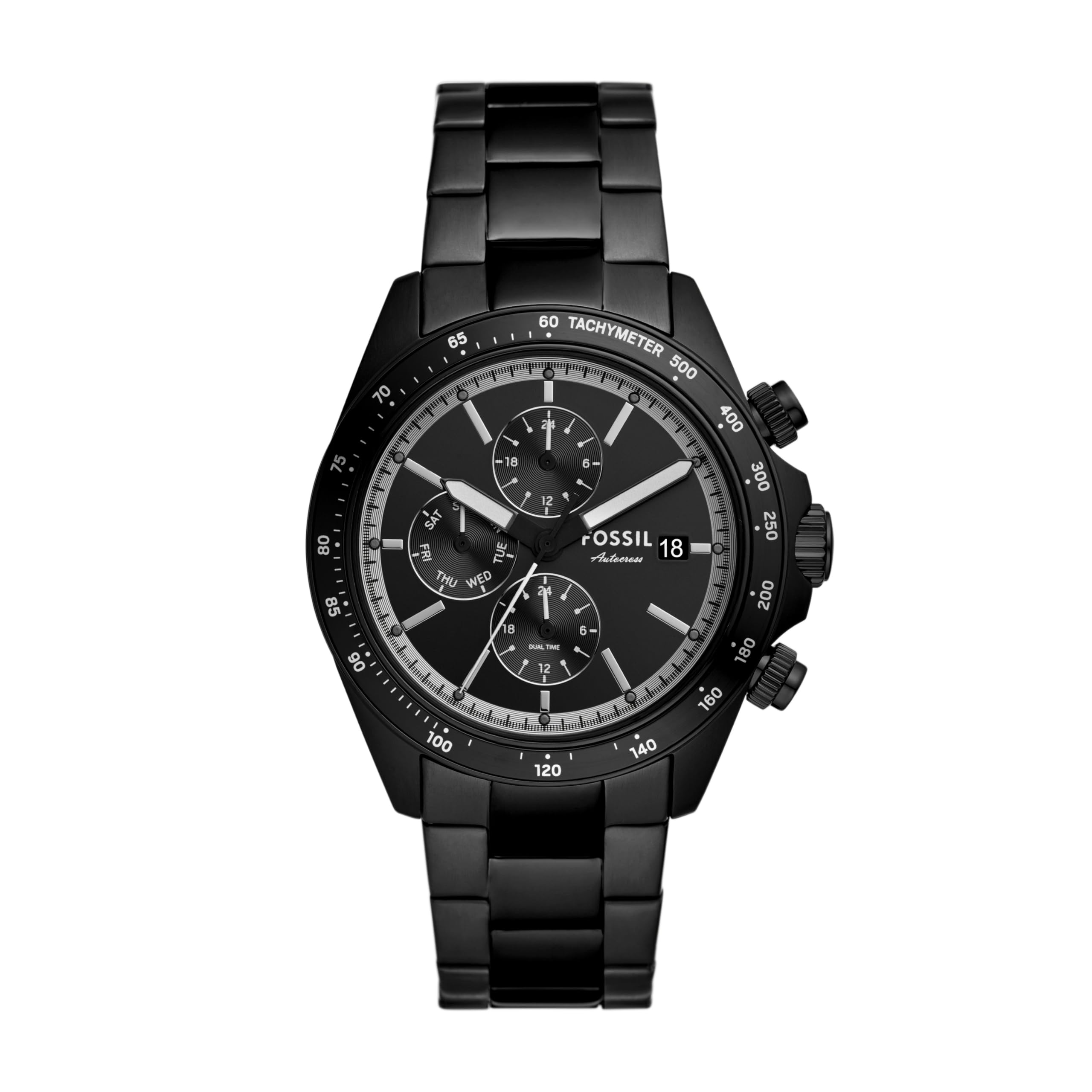
Image 4.1: View of the watch clasp, which should be regularly cleaned.
5. Troubleshooting
If you encounter any issues with your watch, refer to the following common problems and solutions.
| Problem | Possible Cause | Solution |
|---|---|---|
| Watch has stopped or is running slow. | Low or dead battery. | Replace the battery. It is recommended to have this done by a professional. |
| Condensation inside the watch. | Temperature changes or water ingress. | Seek professional service immediately to prevent damage to the movement. |
| Time is incorrect after setting. | Crown not fully pushed in, or exposure to strong magnetic fields. | Ensure the crown is fully pushed in. Keep the watch away from strong magnets. Reset the time. |
If the problem persists, please contact Fossil customer support or an authorized service center.
6. Specifications
| Brand | Fossil |
| Model Name | Autocross |
| Model Number | BQ2875 |
| Display Type | Analog |
| Movement | Quartz |
| Case Material | Metal |
| Case Diameter | 42 millimeters |
| Case Thickness | 11.3 millimeters |
| Band Material Type | Stainless Steel |
| Band Width | 22 millimeters |
| Band Color | Black |
| Dial Color | Black |
| Watch Glass Material Type | Mineral Glass |
| Clasp Type | Buckle |
| Water Resistance Depth | 50 meters (5 ATM) |
| Item Weight | 140 grams |
| Batteries | 1 Unknown battery required (included) |
7. Warranty Information
Fossil watches typically come with a limited warranty covering manufacturing defects. The duration and terms of the warranty may vary by region and purchase date. Please retain your proof of purchase.
For detailed warranty information, including coverage and how to make a claim, please refer to the official Fossil website or the warranty card included with your watch.
Important: Unauthorized repairs or battery replacements may void your warranty.
8. Support and Contact
For further assistance, product inquiries, or service requests, please contact Fossil customer support:
- Official Website: www.fossil.com (Check for regional support contacts)
- Service Centers: Locate an authorized Fossil service center through their official website for professional repairs and maintenance.
When contacting support, please have your watch model number (BQ2875) and proof of purchase readily available.
