
1. Product Overview
This manual provides instructions for the RuenTech replacement charger cables designed for various smartwatches. These cables ensure a stable and efficient charging experience for your compatible device.
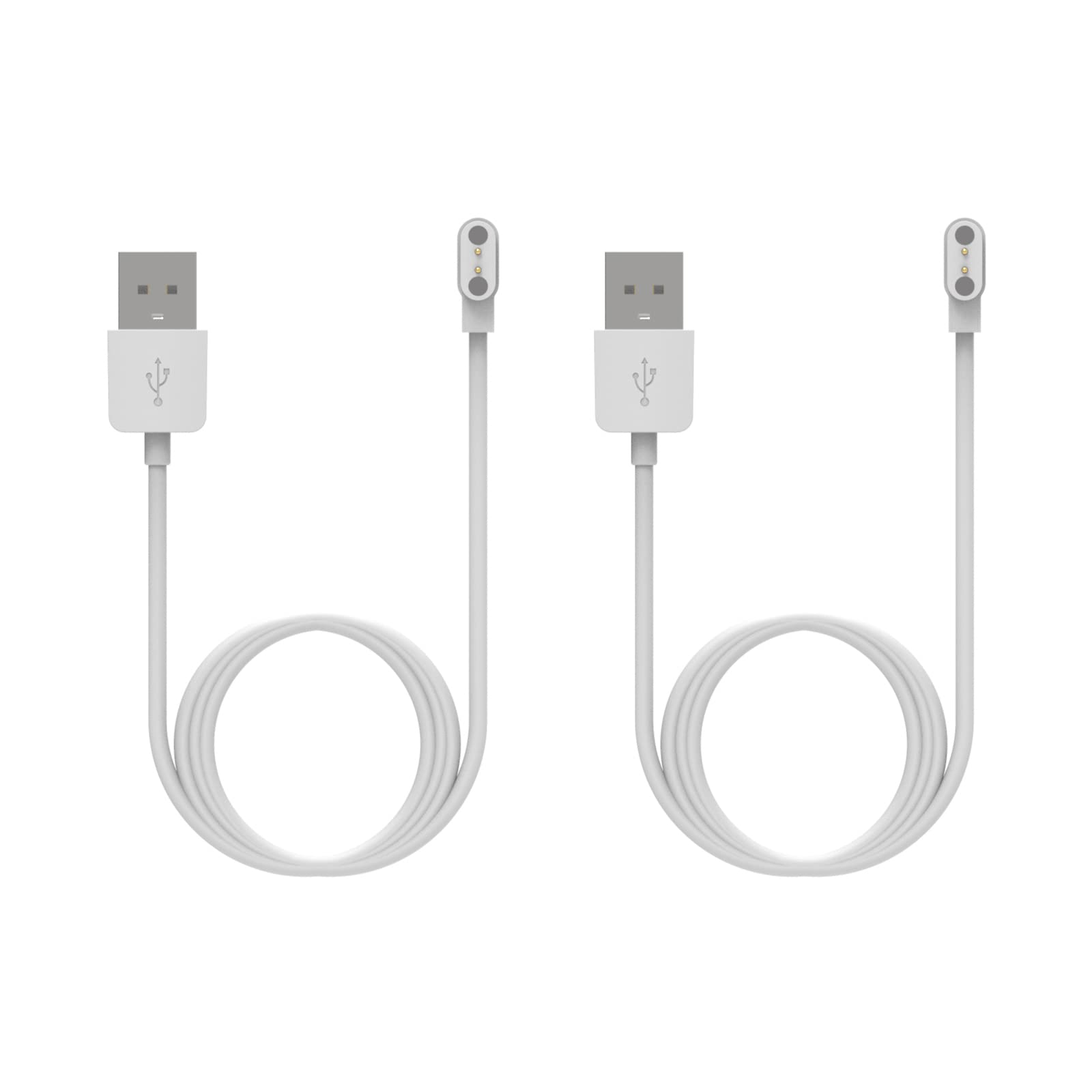
Figure 1: RuenTech Charger Cable (White)
2. Compatible Devices
The RuenTech charger cables are compatible with the following smartwatch models:
- Fitpolo IDW208 Plus
- Tensky ID208 Plus
- ENOMIR ID208
- aeac ID207
- TOOBUR IDW16
- GRV FC1
- TOZO S2
- TOZO S3
- TOZO S4
- TOZO S5
3. Setup and Connection
To set up your RuenTech charger cable, follow these steps:
- Identify the Connectors: The charger cable has two ends: a USB Type-A connector and a magnetic charging connector.
- Connect to Power Source: Insert the USB Type-A end of the cable into a compatible USB power source. Recommended power sources include:
- Computer USB port (recommended for optimal safety)
- Power bank
- Car adapter
- USB wall adapter (ensure output is less than 5V/1A)
- Connect to Smartwatch: Align the magnetic charging connector with the charging pins on the back of your smartwatch. The magnets will help secure the connection.

Figure 2: USB Type-A and Magnetic Charging Connector

Figure 3: Close-up of Magnetic Charging Connector
4. Operating Instructions (Charging)
Once connected, your smartwatch should indicate that it is charging. The cable is designed with a voltage regulator and PTC (Positive Temperature Coefficient) to protect your device during the charging process.
Important Charging Notes:
- For optimal safety and to prevent damage to your smartwatch, do not use a USB wall adapter with an output exceeding 5V/1A.
- Using a computer's USB port for charging is the recommended method.
- The cable ensures stable current transmission for reliable charging.
5. Safety Precautions
- Always use a power source that meets the specified voltage and current requirements (less than 5V/1A).
- Avoid exposing the cable to extreme temperatures or direct sunlight.
- Do not attempt to disassemble or modify the charger cable.
- Keep the magnetic connector clean and free from metallic debris to ensure proper contact.
- This cable is designed for outdoor use, but avoid prolonged exposure to harsh weather conditions.
6. Specifications
| Brand | RuenTech |
| Connector Type | USB Type A (Male) to Magnetic (Male) |
| Compatible Devices | Smartwatches (Fitpolo IDW208 Plus, Tensky ID208 Plus, ENOMIR ID208, aeac ID207, TOOBUR IDW16, GRV FC1, TOZO S2/S3/S4/S5), Power Bank, Personal Computer, Laptop |
| Cable Length (White) | 60 cm (each cable) |
| Quantity | 2 cables |
| Safety Features | Voltage Regulator, PTC (Positive Temperature Coefficient) |
| Material | High-quality PC + ABS, Copper Wire |
7. Troubleshooting
- Smartwatch not charging:
- Ensure the magnetic connector is properly aligned with the smartwatch's charging pins.
- Verify that the USB end is securely connected to a working power source.
- Try a different USB port or power source.
- Check if the power source output is within the recommended specifications (less than 5V/1A).
- Inspect the cable for any visible damage.
- Cable does not fit my smartwatch:
- Double-check the compatibility list in Section 2 to ensure your smartwatch model is supported.
- If your model is listed and the cable still does not fit, contact customer support for assistance.
- Slow charging:
- Ensure you are using a stable power source, preferably a computer USB port.
- Avoid using power sources with very low current output.
8. Warranty and Support
RuenTech offers a full refund or replacement if this charger cable does not fit your device or meet your expectations. For any issues or inquiries, please contact RuenTech customer support. We are committed to providing a satisfactory shopping experience.
Contact information can typically be found on the product packaging or the seller's page on the platform where the product was purchased.