
AJAZZ AK35I V3
AJAZZ AK35I V3 Mechanical Keyboard User Manual
Model: AK35I V3 | Brand: AJAZZ
1. Introduction
The AJAZZ AK35I V3 is a full-size RGB gasket mount mechanical keyboard designed for both gaming and professional use. It features an innovative multi-function TFT color display screen, a volume knob, and triple connection modes (Bluetooth 5.0, 2.4G wireless, and Type-C wired). With its five-layer sound and shock-absorbing internal design and pre-lubricated linear switches, it offers a quiet, stable, and satisfying typing experience. This manual provides detailed instructions for setting up, operating, and maintaining your AK35I V3 keyboard.

Figure 1: AJAZZ AK35I V3 Full Size Mechanical Keyboard
2. Key Features
- Multi-function TFT Color Display Screen: Customize GIF images, RGB mode, Win/Mac settings, connection mode, backlight brightness, and speed.
- Five-Layer Pad & FR4 Positioning Board: Features two layers of Poron cotton, IXPE switch pad, PET sound enhancement pad, and bottom silicone pad for reduced typing noise and resonance. The 1.2mm thick FR-4 single-key slotted immersion gold positioning board ensures accurate and stable keystrokes.
- Pre-lubricated Linear Switches & Cherry PBT Keycaps: Equipped with durable 50 million times Avocado linear switches for quiet and smooth clicks. Cherry profile double-shot PBT keycaps offer wear-resistance and a stylish design.
- 8000mAh Battery Life & Triple Mode Connection: Built-in 8000mAh battery for extended use. Supports Bluetooth 5.0, 2.4G wireless, and Type-C wired modes, allowing connection to up to 3 devices.
- Programmable RGB & South-Facing LED: Customizable RGB lighting with 20 default modes. South-facing LED design and two-color injection molded PBT keycaps enhance lighting effects. Compatible software allows for further DIY settings.
- Hot-swappable with Metal Knobs: Integrated multimedia control knob and 3 multimedia keys for quick adjustments. Gasket structure and five layers of noise reduction cotton reduce hollow sounds. Compatible with 3/5-pin switches.
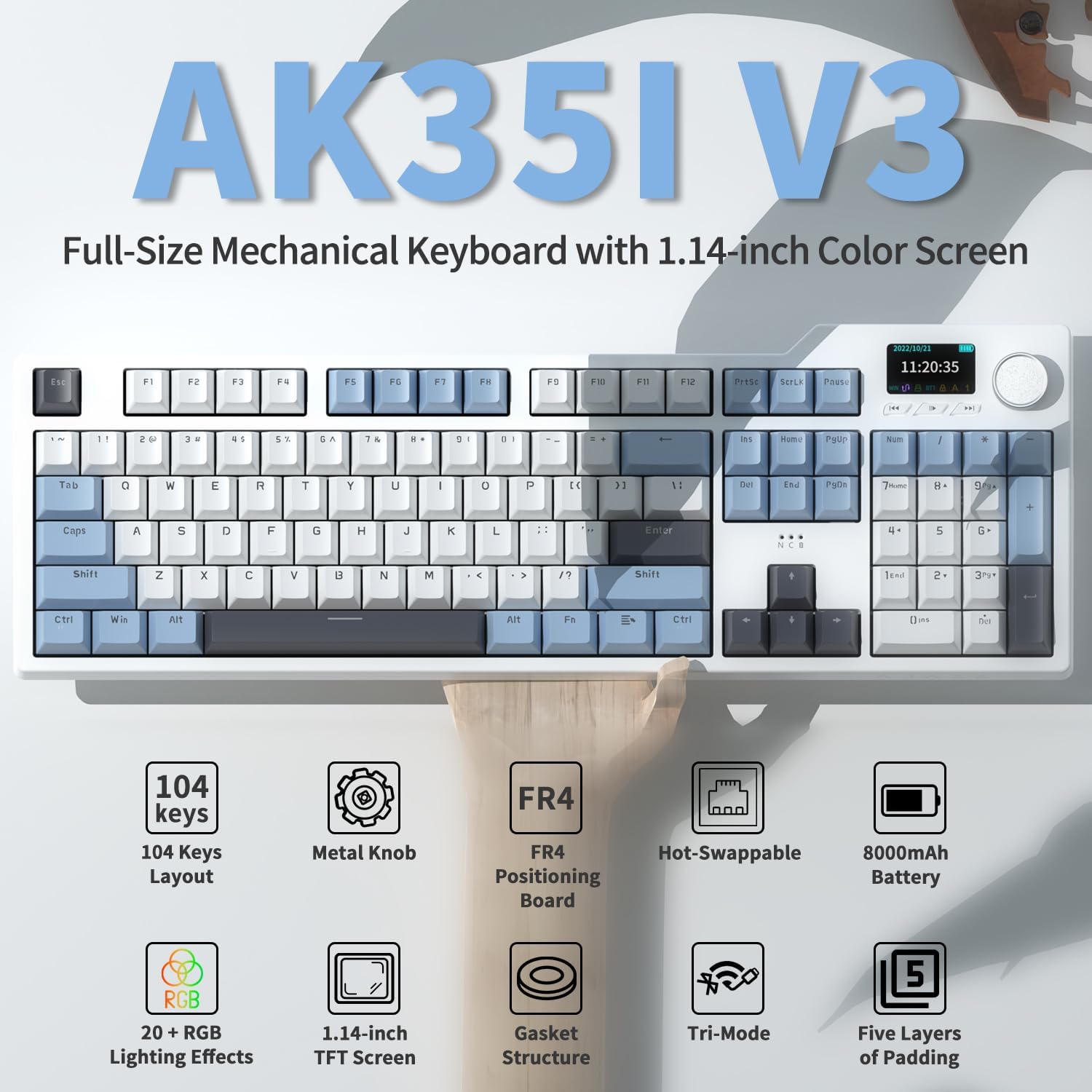
Figure 2: Overview of AK35I V3 Key Features
3. Package Contents
Please check the package for the following items:
- AJAZZ AK35I V3 Mechanical Keyboard
- USB Type-C Cable
- 2-in-1 Keycap & Switch Puller
- Metal Knobs (pre-installed)
- 3 Multimedia Buttons (pre-installed)
- Detachable Number Pad (integrated into full size layout)
- Volume Knob (pre-installed)
4. Specifications
| Product Dimensions | 17.64 x 5.83 x 0.91 inches |
| Item Weight | 3.89 pounds |
| Model Number | AK35I V3 |
| Batteries | 1 Lithium Ion battery (included) |
| Connectivity Technology | Bluetooth 5.0, 2.4G Wireless, Type-C Wired |
| Number of Keys | 104 |
| Special Feature | 8000mAh Battery, TFT Color Display, Knob Control, Hot-swappable |
| Compatible Devices | PC (Windows/Mac compatible) |
5. Setup
5.1 Connection Modes
The AK35I V3 keyboard supports three connection modes:
- Bluetooth 5.0: Quickly connect and switch between multiple devices. Ideal for office use and portability.
- 2.4G Wireless: Plug and play with the included USB receiver. No additional setup or drivers required for quick connection. The 2.4G receiver is conveniently stored in a hidden compartment on the underside of the keyboard.
- Type-C Wired: Connect the keyboard directly to your device using the provided USB Type-C cable. Select USB mode on the keyboard if necessary.

Figure 3: Triple Connection Modes (Bluetooth, 2.4G Wireless, Type-C Wired)
5.2 Adjustable Foot Pads
The keyboard features two-stage adjustable foot pads on the underside, allowing you to set the typing angle for optimal comfort. The non-slip foot pads ensure stability during use.
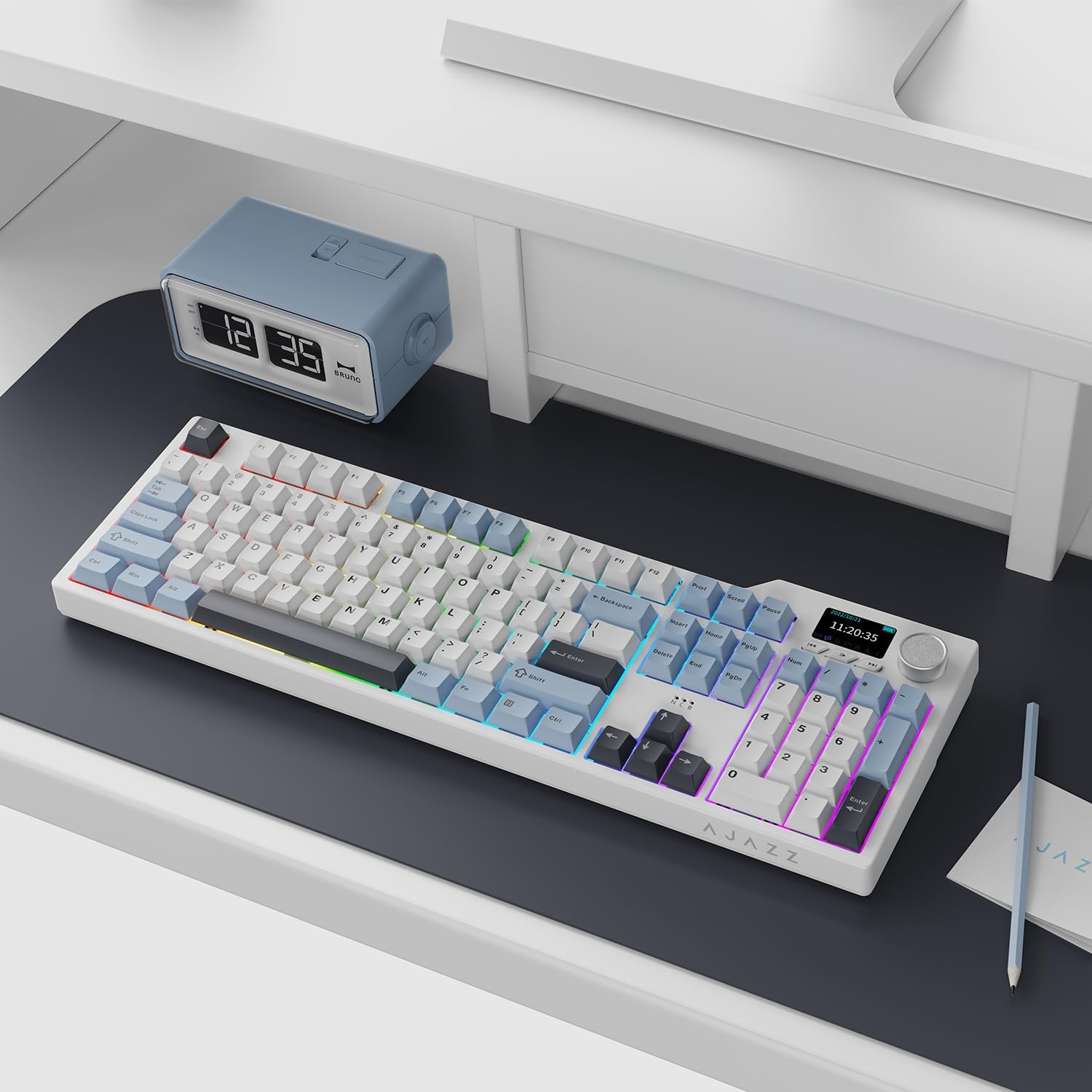
Figure 4: AJAZZ AK35I V3 Keyboard on a desk, showcasing its full size and RGB lighting.
6. Operating Instructions
6.1 Multi-function TFT Color Display Screen & Knob Control
The 1.14-inch intelligent TFT color screen and the metal knob provide intuitive control over various keyboard functions:
- Custom GIF Images: Personalize your keyboard by uploading custom GIF images via the driver software.
- RGB Mode: Cycle through different RGB lighting modes.
- Win/Mac Mode: Switch between Windows and Mac compatibility modes.
- Connection Mode: View and select your preferred connection mode (Bluetooth, 2.4G, Wired).
- Backlight Brightness/Speed: Adjust the intensity and speed of the RGB backlighting.
- Volume Control: The metal knob allows for easy volume adjustment.
- Media Control: Use the dedicated media buttons for play, pause, skip forward, and skip backward.

Figure 5: TFT Color Display Screen Interface
Video 1: Quick overview of the AK35I V3 keyboard, highlighting the 2.4G receiver storage, customizable color display screen, and typing sound.
Video 2: Detailed demonstration of the AK35I V3 keyboard, showcasing its full size with screen, dust cover, Type-C cable, key & switch puller, retro white-grey color, 104 keys + screen + knob, 1.14" TFT screen, metal knob, three-mode switch, Win/Mac compatibility, 8000mAh battery, non-slip foot pad, and two-stage adjustable foot pad.
6.2 RGB Lighting Effects
The keyboard features programmable RGB lighting with 20 default lighting modes. You can switch between these modes using "FN+|". For more advanced customization, compatible software allows you to create your preferred lighting effects.

Figure 6: 20 Sets of LED RGB Lighting Effects
6.3 Hot-swappable Switches
The AK35I V3 is hot-swappable, meaning you can easily change the mechanical switches without soldering. It supports both 3-pin and 5-pin switches, allowing for extensive customization. Use the included 2-in-1 keycap and switch puller for safe removal and installation.

Figure 7: FR4 Single Slot Locator Plate and Hot Swap functionality
7. Maintenance
- Cleaning: Regularly clean the keyboard with a soft, dry cloth. For deeper cleaning, remove keycaps using the provided puller and use compressed air to clear debris.
- Keycap Care: The PBT keycaps are durable, but avoid harsh chemicals. Clean them with mild soap and water if necessary, ensuring they are completely dry before reattaching.
- Switch Care: As switches are pre-lubricated, no immediate lubrication is needed. If you replace switches, ensure proper alignment to avoid bending pins.
- Battery: To prolong battery life, avoid fully discharging the keyboard frequently. Charge it when the battery indicator on the TFT screen shows low power.
8. Troubleshooting
| Problem | Possible Cause | Solution |
|---|---|---|
| Keyboard not responding (Wireless) | Low battery, incorrect connection mode, receiver not plugged in, interference. | Charge the keyboard. Ensure the switch is set to 2.4G or Bluetooth. Re-insert the 2.4G receiver or re-pair Bluetooth. Move closer to the receiver/device. |
| TFT screen not displaying correctly | Software glitch, incorrect settings. | Restart the keyboard. Check settings via the knob or driver software. Ensure the driver is up to date. |
| RGB lighting not working/customizing | Incorrect mode, software issue. | Press FN+| to cycle modes. Install or update the keyboard driver for full customization options. |
| Keys not registering or double-typing | Loose switch, debris under keycap, software issue. | Remove the keycap and switch, then re-insert firmly. Clean under the keycap. Update keyboard firmware/driver. |
| Bluetooth pairing issues | Keyboard not in pairing mode, device Bluetooth off, interference. | Ensure keyboard is in Bluetooth pairing mode (refer to specific key combination in quick start guide if available). Turn device Bluetooth off and on. Remove previous pairings and try again. |
9. Warranty and Support
AJAZZ products are manufactured to high quality standards. For any issues or questions regarding your AK35I V3 mechanical keyboard, please contact AJAZZ customer support. Keep your purchase receipt for warranty claims.
For further assistance, visit the official AJAZZ website or contact their support channels.
Related documentsAK35I V3


Ask a question about this manual
Ask about setup, troubleshooting, compatibility, parts, safety, or missing instructions. Manuals+ will review the question and use this page’s manual context to help answer it.