Introduction
The KLARUS G15 is a high-performance, compact EDC (Everyday Carry) flashlight designed for various applications including camping, hiking, inspection, patrol, and emergency use. It features a powerful XHP70 second-generation LED, USB-C fast charging, and a long-lasting 5000mAh battery, offering exceptional brightness and extended runtime in a portable form factor.
Product Features
- High Lumen Flood Light: Equipped with a high-performance XHP70 second-generation LED, providing a maximum output of 4200 lumens with a 6500K color temperature for a wide viewing angle.
- Compact EDC Design: Measuring only 4.7 inches in length, it includes a convenient pocket clip and a magnetic tailcap for hands-free operation on metal surfaces.
- Long-Lasting Battery: Features a large 5000mAh battery, offering up to 200 hours of runtime on the lowest setting. The flashlight can also function as a power bank to charge other devices via its USB-C port.
- Quick Charge & Safe Lock: Supports 2A USB-C fast charging with a smart battery indicator (Green: 70-100%, Orange: 30-70%, Red: below 30%). A lock function prevents accidental activation.
- Multiple Lighting Modes: Offers 5 brightness levels (Turbo, High, Mid, Low, Moonlight) and 3 emergency modes (Strobe, Beacon, SOS) with a convenient memory function to recall the last used setting.
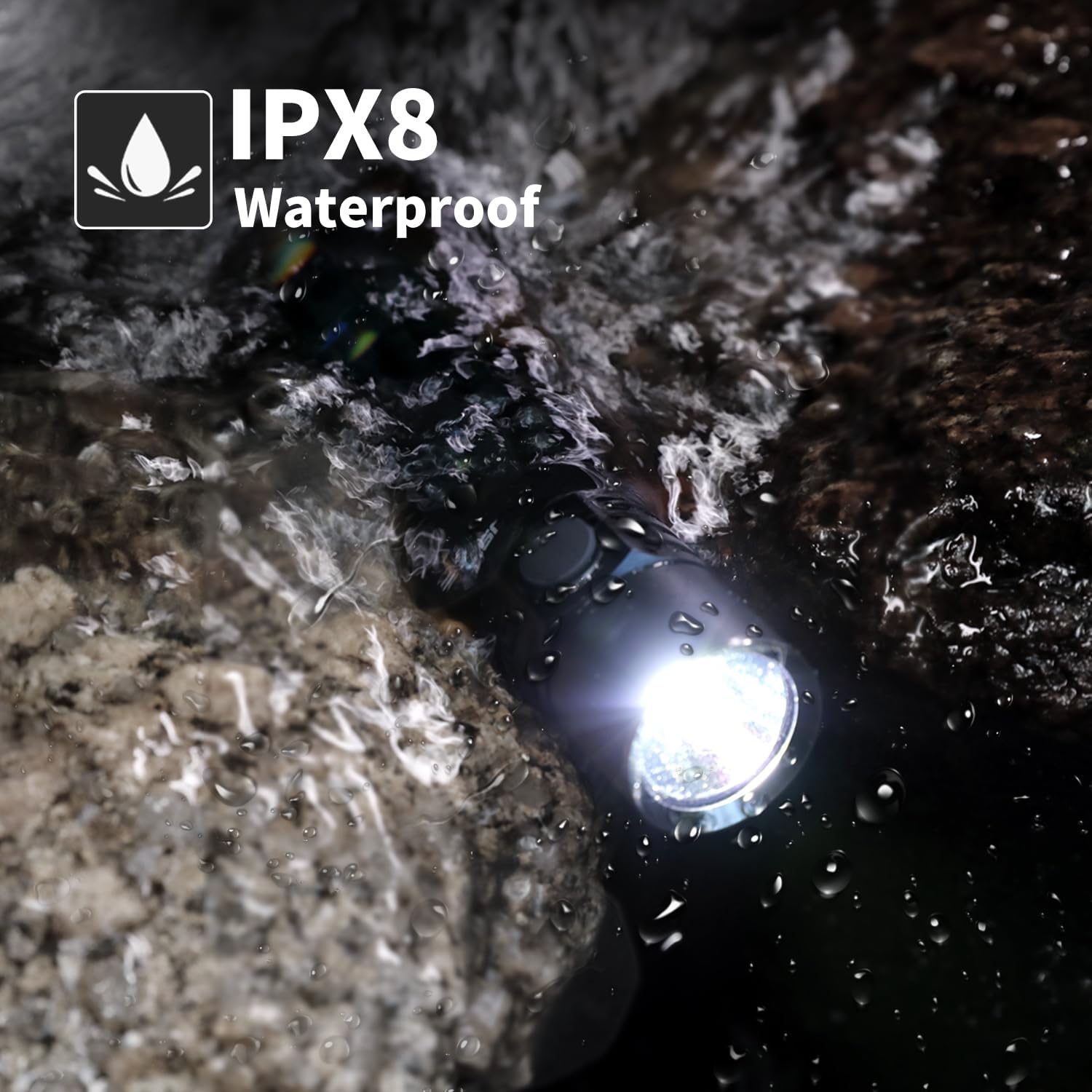
- Durable Construction: Made from superior space aluminum material with IPX8 waterproof rating, ensuring durability and reliability in various conditions.
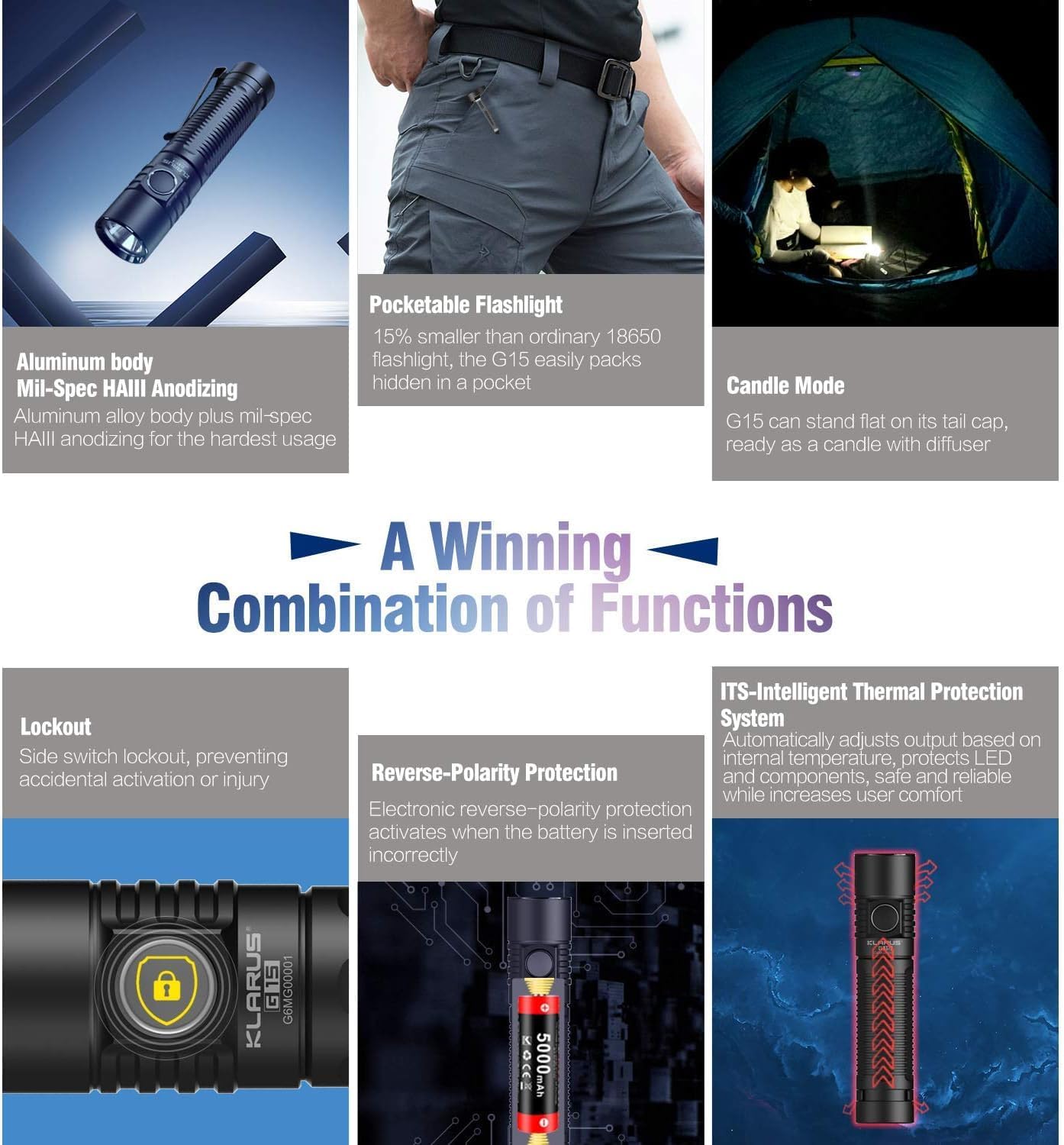
- Advanced Protection: Includes an Intelligent Thermal Protection System (ITS) to regulate temperature and Reverse-Polarity Protection for battery safety.
Package Contents
The KLARUS G15 package typically includes the following items:
- KLARUS G15 Flashlight
- 5000mAh Lithium Ion Battery
- USB-C Charging Cable
- Pouch
- Lanyard
- Spare O-rings
- 18650 Battery Adapter
- User Manual

Setup
1. Battery Installation
Unscrew the tail cap of the flashlight. Insert the included 5000mAh Lithium Ion battery with the positive (+) end facing towards the head of the flashlight. Screw the tail cap back on securely.
2. Charging the Flashlight
The KLARUS G15 features a USB-C charging port for convenient and fast recharging. Locate the USB-C port on the side of the flashlight, typically protected by a rubber cover. Open the cover and insert the provided USB-C charging cable. Connect the other end of the cable to a compatible USB power source (e.g., wall adapter, computer USB port).
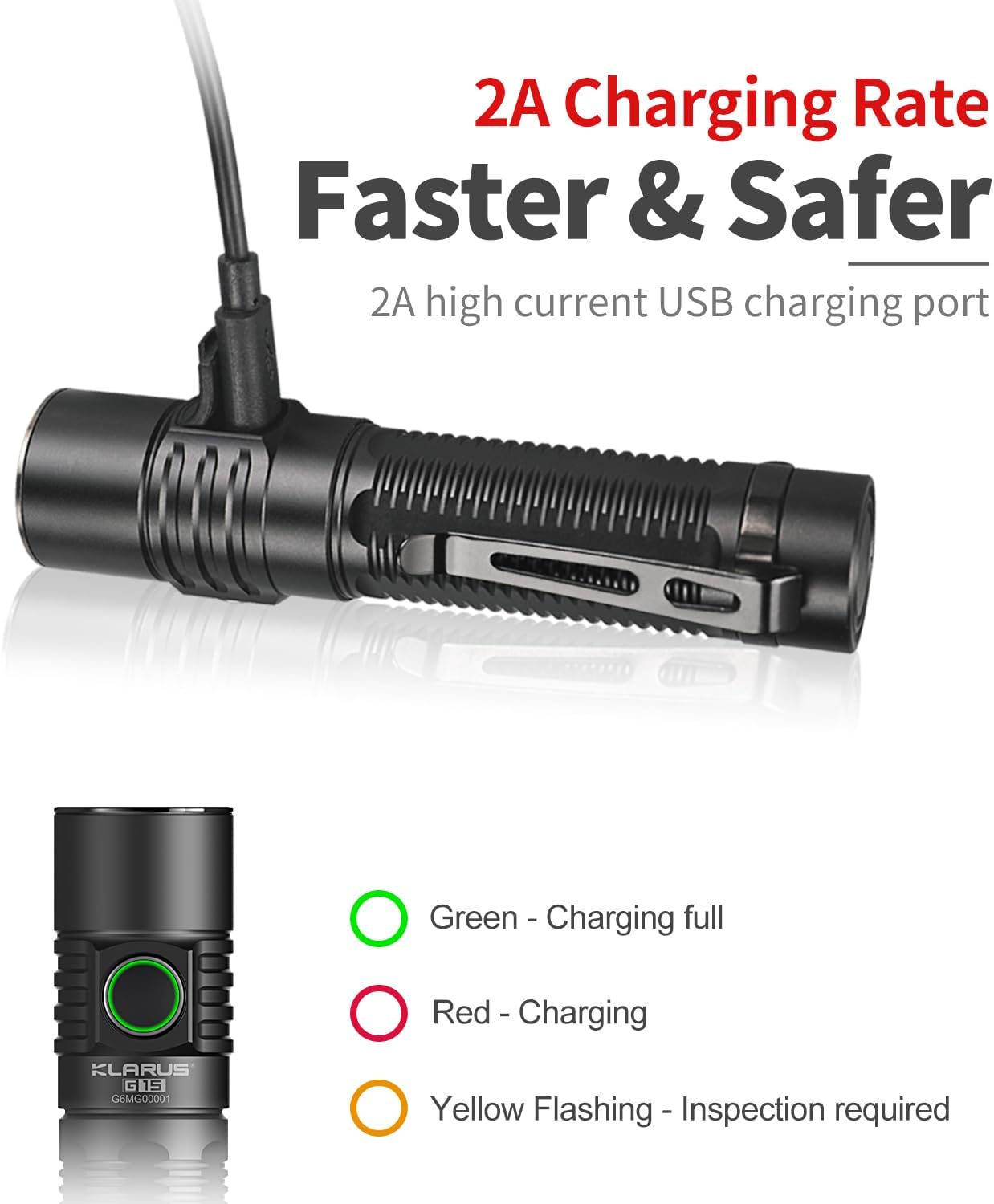
The smart battery indicator will show the charging status:
- Green: 70%-100% charged
- Orange: 30%-70% charged
- Red: Below 30% charged
A full charge typically takes approximately 4 hours with a 2A charger. The flashlight can also be used to charge other mobile devices (phones, headphones) using the appropriate adapters (not included but mentioned in A+ content).

Operating Instructions
1. Power On/Off
Press the side switch once to turn the flashlight on. Press it again to turn it off.
2. Brightness Levels (5 Modes)
When the flashlight is on, press and hold the side switch to cycle through the 5 brightness levels: Moonlight (10LM) → Low (100LM) → Medium (500LM) → High (2000LM) → Turbo (4200LM). Release the switch to select the desired brightness. The flashlight has a memory function and will turn on in the last used brightness mode (excluding emergency modes).

3. Emergency Modes (3 Functions)
From the OFF state, quickly double-press the side switch to activate the Turbo mode. From any state (ON or OFF), quickly triple-press the side switch to activate Strobe mode. While in Strobe, press and hold to cycle through Strobe → Beacon → SOS. Release to select. Press once to turn off.
4. Lockout Function
To prevent accidental activation, especially during transport, the G15 features a lockout function. From the OFF state, press and hold the side switch for 5 seconds until the light blinks twice. The flashlight is now locked. To unlock, quickly triple-press the side switch. The light will blink once to confirm unlock.
5. Candle Mode
The G15 can stand upright on its tail cap. When combined with a diffuser (not included but often available separately), it can function as a convenient area light or "candle" for ambient illumination.
6. General Usage Scenarios
The KLARUS G15 is versatile for various activities:
- Outdoor Adventures: Ideal for camping, hiking, and exploring, providing powerful illumination for wide areas.
- Everyday Carry (EDC): Its compact size and clip make it easy to carry in a pocket for daily tasks.
- Emergency Situations: SOS and Beacon modes are useful for signaling, and the power bank feature can charge essential devices.
- Professional Use: Suitable for inspection, patrol, and other tasks requiring reliable and bright light.


Video: Overview of the Klarus G15 High Lumens Flashlight, demonstrating its features and performance.
Maintenance
- Cleaning: Wipe the flashlight body with a clean, soft cloth. For the lens, use a lens cleaning cloth.
- Lubrication: Periodically apply silicone grease to the O-rings and threads to maintain water resistance and smooth operation.
- Battery Care: Recharge the battery regularly, especially if not used for extended periods, to prolong its lifespan. Store the flashlight with a partially charged battery if storing long-term.
- Water Resistance: The G15 is IPX8 waterproof. Ensure the USB-C port cover is securely closed before exposing the flashlight to water.
Troubleshooting
| Problem | Possible Cause | Solution |
|---|---|---|
| Flashlight does not turn on. | Battery is depleted or incorrectly inserted. Flashlight is in lockout mode. | Recharge or correctly insert the battery. Triple-press the side switch to exit lockout mode. |
| Light is dim or flickers. | Low battery. Loose connections. | Recharge the battery. Tighten the tail cap and head. Clean battery contacts if necessary. |
| Flashlight gets hot quickly. | Operating in Turbo/High mode for extended periods. | This is normal due to high lumen output. The Intelligent Thermal Protection System (ITS) will automatically reduce brightness to prevent overheating. Switch to a lower mode if desired. |
| Charging indicator not working. | Charging cable or power source issue. Port cover not fully open. | Try a different USB-C cable or power source. Ensure the rubber cover is fully open and the cable is inserted correctly. |
Specifications
| Feature | Detail |
|---|---|
| Brand | KLARUS |
| Model | G15 |
| Light Source Type | LED (XHP70 second-generation) |
| Brightness | Up to 4200 Lumens (Turbo) |
| Color Temperature | 6500 Kelvin |
| Power Source | Battery Powered (1 x 5000mAh Lithium Ion included) |
| Runtime | Up to 200 hours (Moonlight mode) |
| Charging | USB-C, 2A Fast Charging |
| Material | Aluminum |
| Water Resistance Level | IPX8 Waterproof |
| Product Dimensions | 4.75"D x 1"W x 1"H (approx. 120.7mm length) |
| Item Weight | 10.2 ounces |
| Special Features | High Lumen, Compact, Memory Function, Safe Lock, IPX8 Waterproof, Power Bank Function, Intelligent Thermal Protection System (ITS), Reverse-Polarity Protection |
Warranty and Support
KLARUS provides a warranty for its products. For specific warranty terms, conditions, and duration, please refer to the warranty card included in your product packaging or visit the official KLARUS website. In case of any issues or for technical support, please contact the seller, Klarus® Direct, or the KLARUS customer service team.
You can find more information and support resources on the KLARUS Brand Store on Amazon.


