
ALPGEN YAN-240709
ALPGEN Headlight Head Light Lamp Column Switch
Model: YAN-240709
1. Introduction
This instruction manual provides detailed information for the ALPGEN Headlight Head Light Lamp Column Switch, designed as a direct replacement for original equipment. This switch integrates control for headlights, parking lights, and turn signals, ensuring essential vehicle lighting functions. Please read this manual thoroughly before installation and operation to ensure correct usage and safety.
2. Safety Information
Always prioritize safety when working on vehicle electrical systems. Failure to follow these guidelines may result in personal injury or damage to the vehicle.
- Disconnect Battery: Before beginning any installation, disconnect the vehicle's negative battery terminal to prevent electrical shock or short circuits.
- Professional Installation Recommended: If you are not experienced with automotive electrical systems, it is highly recommended to seek professional installation.
- Wear Protective Gear: Always wear appropriate safety glasses and gloves during installation.
- Handle with Care: Avoid dropping or subjecting the switch to impact, as this may damage internal components.
3. Compatibility
This headlight column switch is designed to be compatible with specific vehicle models and years. Please verify your vehicle's make, model, and year against the list below and cross-reference with the OEM part numbers.
OEM Part Numbers:
- 25540-5M000
- 255405M000
Compatible Vehicle Models:
| Vehicle Model | Years | Engine Types |
|---|---|---|
| Frontier | 2002, 2003, 2004 | 2.4L L4 - Gas, 3.3L V6 - Gas (SC, SE, SVE, XE trims) |
| Sentra | 2000, 2001, 2002, 2003, 2004, 2005, 2006 | 1.8L L4 - Gas, 2.0L L4 - Gas, 2.5L L4 - Gas (Various trims including Base, S, SE, GXE, XE, SE-R, SE-R Spec V, Limited Edition) |
| Xterra | 2002, 2003, 2004 | 2.4L L4 - Gas, 3.3L V6 - Gas (SE, XE trims) |
4. Package Contents
Upon opening the package, please ensure all components are present and undamaged.
- 1 x ALPGEN Headlight Head Light Lamp Column Switch (Model: YAN-240709)
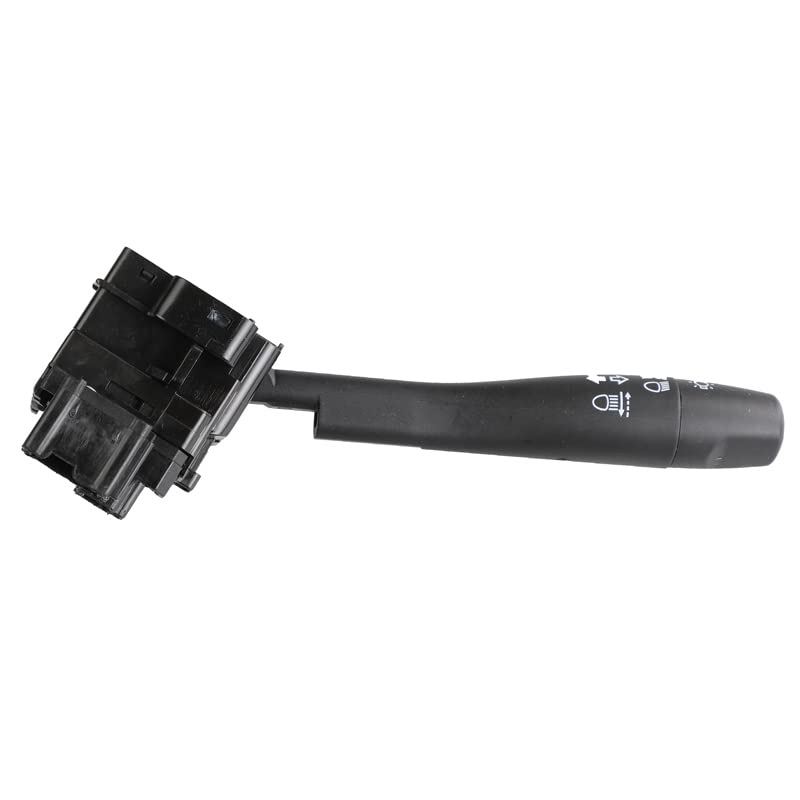
Figure 4.1: The ALPGEN Headlight Head Light Lamp Column Switch, showing its overall design and lever.
5. Setup and Installation
This section outlines the general steps for replacing a headlight column switch. Specific procedures may vary by vehicle model. Refer to your vehicle's service manual for detailed instructions.
- Prepare Vehicle: Park the vehicle on a level surface, engage the parking brake, and turn off the ignition.
- Disconnect Battery: Using a wrench, disconnect the negative (-) terminal from the vehicle's battery. This is a critical safety step.
- Access Steering Column: Depending on your vehicle, you may need to remove plastic covers around the steering column. This usually involves unscrewing fasteners and carefully prying the covers apart.
- Locate and Disconnect Old Switch: Identify the existing headlight column switch. It will be mounted to the steering column and connected by electrical harnesses. Carefully disconnect all electrical connectors by pressing release tabs and pulling.
- Remove Old Switch: The switch is typically held in place by screws or clips. Remove these fasteners and carefully slide the old switch out of its mounting position.
- Install New Switch: Align the new ALPGEN switch with the mounting points on the steering column. Secure it with the screws or clips removed earlier. Ensure it is seated firmly.
- Connect Electrical Harnesses: Reconnect all electrical connectors to the new switch. Ensure they click into place securely.
- Reassemble Steering Column Covers: Carefully reattach the steering column covers, ensuring all fasteners are tightened.
- Reconnect Battery: Reconnect the negative (-) battery terminal.
- Test Functionality: Turn on the ignition (do not start the engine yet) and test all functions of the new switch: headlights (low and high beam), parking lights, and turn signals (left and right). Ensure all lights illuminate correctly and the turn signals flash as expected.
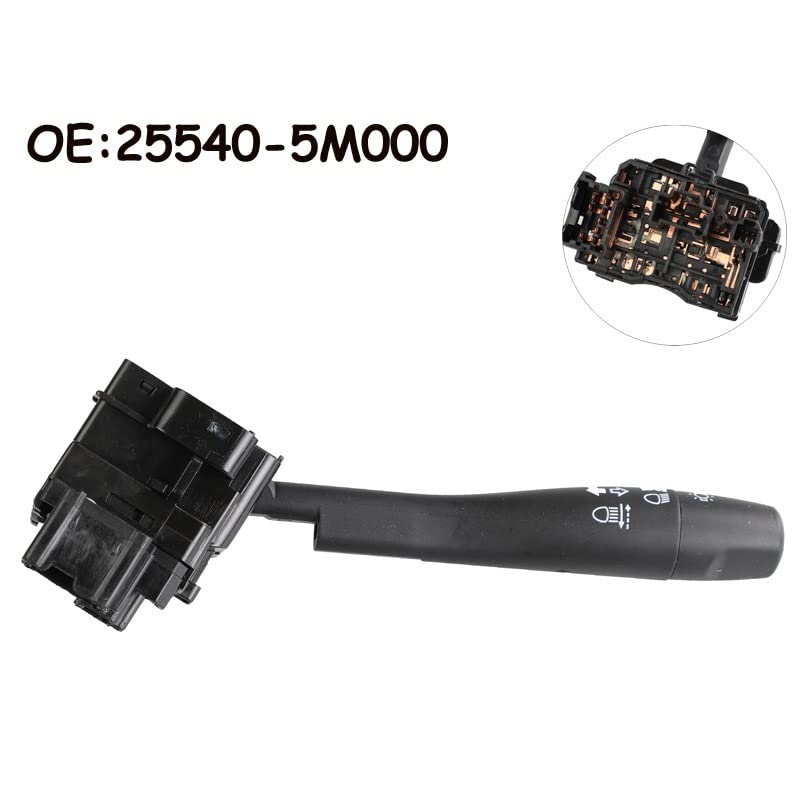
Figure 5.1: The headlight switch with its OEM part number clearly visible, aiding in identification and proper replacement.
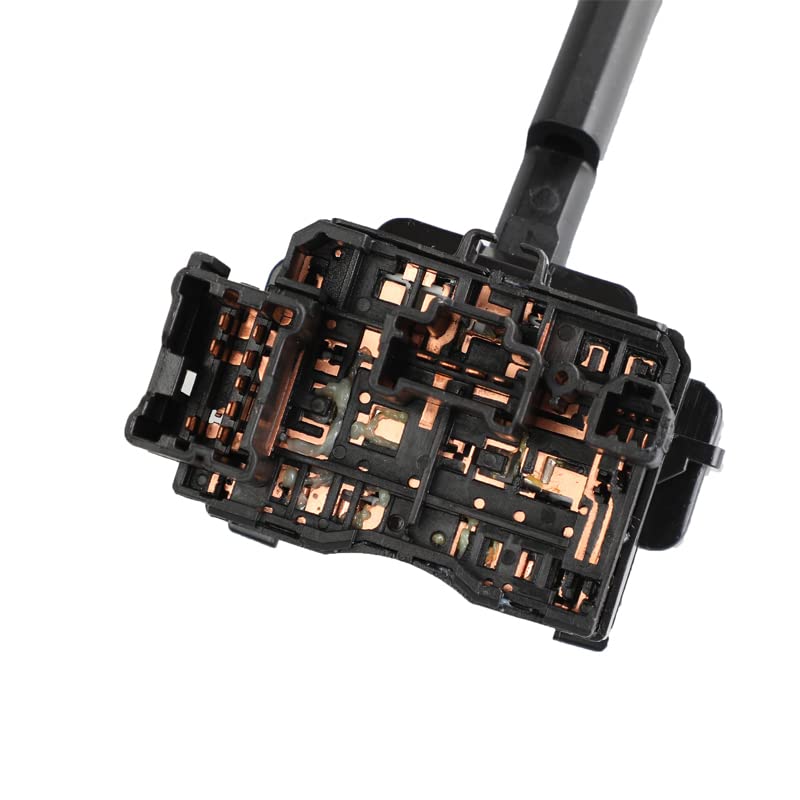
Figure 5.2: A close-up view of the electrical connectors on the headlight switch, showing the intricate pin layout for proper connection.
6. Operating Instructions
The ALPGEN Headlight Head Light Lamp Column Switch provides intuitive control over your vehicle's lighting system.
- Headlight Control:
- Rotate the outer ring of the switch to select lighting modes:
- OFF: All lights are off (unless automatic daytime running lights are active).
- Parking Lights: Activates front parking lights, taillights, and license plate lights.
- Headlights ON: Activates low beam headlights, parking lights, taillights, and license plate lights.
- High Beam Control:
- With headlights ON, push the lever forward (away from you) to engage high beams.
- Pull the lever back (towards you) to disengage high beams and return to low beams.
- Pull the lever momentarily towards you and release for a "flash-to-pass" signal.
- Turn Signal Control:
- Push the lever up for a right turn signal.
- Push the lever down for a left turn signal.
- The lever will automatically return to the center position after completing a turn. For lane changes, partially move the lever up or down and release; it will flash a few times and then turn off.
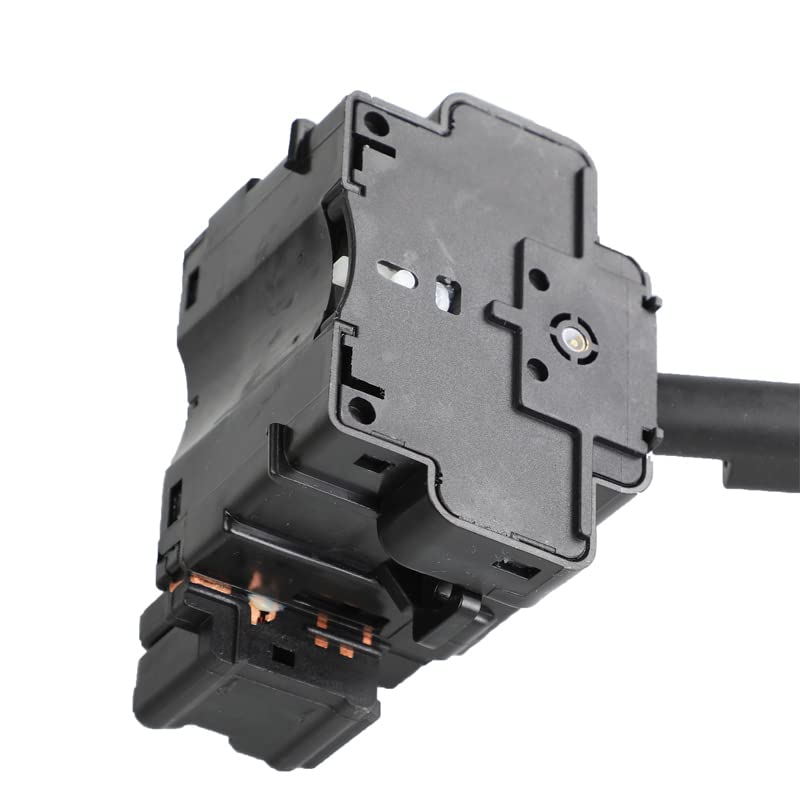
Figure 6.1: The control lever of the switch, showing the symbols for headlight settings (OFF, parking lights, headlights ON) and turn signals.
7. Maintenance
The ALPGEN Headlight Head Light Lamp Column Switch is designed for durability and requires minimal maintenance. Following these simple guidelines can help ensure its longevity:
- Keep Clean: Periodically wipe the exterior of the switch with a soft, dry cloth to remove dust and grime. Avoid using harsh chemicals or abrasive cleaners, as they may damage the plastic or markings.
- Avoid Liquid Exposure: Do not allow liquids to spill onto or into the switch, as this can cause electrical shorts or corrosion.
- Gentle Operation: Operate the lever and rotary switch with gentle, firm movements. Avoid excessive force, which could lead to premature wear or damage.
- Regular Function Check: Occasionally test all functions of the switch (headlights, high beams, turn signals) to ensure they are operating correctly.
8. Troubleshooting
If you encounter issues with your ALPGEN Headlight Head Light Lamp Column Switch, refer to the following common problems and solutions. For complex issues, professional assistance is recommended.
| Problem | Possible Cause | Solution |
|---|---|---|
| Headlights or turn signals do not activate. | Loose electrical connection, blown fuse, faulty bulb, or internal switch failure. | Check all electrical connections to the switch. Inspect the vehicle's fuse box for a blown fuse related to lighting. Check the bulbs for the affected lights. If these are fine, the switch may be faulty and require replacement. |
| Turn signals flash too fast or too slow. | Faulty flasher relay or a burnt-out turn signal bulb. | Check all turn signal bulbs. If a bulb is out, replace it. If all bulbs are functional, the flasher relay may need to be replaced. |
| High beams do not engage. | Faulty high beam circuit, relay, or switch. | Verify that low beams are functioning. Check the high beam fuse and relay. If the issue persists, the switch or associated wiring may be at fault. |
| Switch feels loose or sticky. | Wear and tear, or foreign debris. | Ensure the switch is securely mounted. If the issue is internal, the switch may need replacement. Do not attempt to lubricate the switch internally. |
If troubleshooting steps do not resolve the issue, it is recommended to consult a qualified automotive technician.
9. Specifications
Detailed technical specifications for the ALPGEN Headlight Head Light Lamp Column Switch.
- Brand: ALPGEN
- Model Number: YAN-240709
- OEM Part Numbers: 25540-5M000, 255405M000
- Package Dimensions: 1.18 x 0.79 x 0.39 inches
- Item Weight: 1.76 ounces
- Color: One Color (Black)
- Number of Items: 1
- Department: Unisex Adult
- First Available Date: July 9, 2024
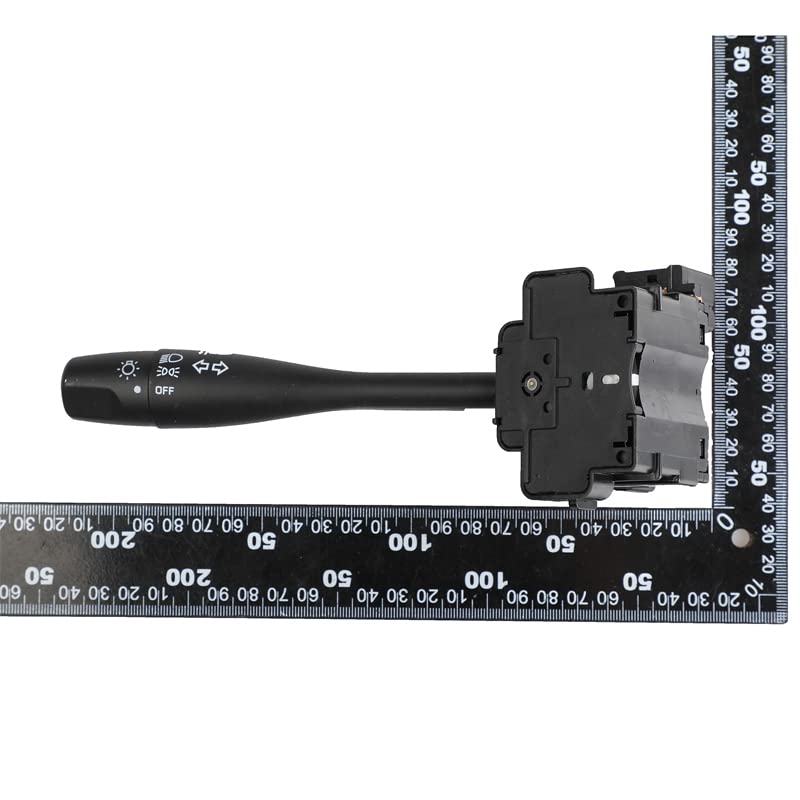
Figure 9.1: The headlight switch shown alongside a ruler, providing a visual reference for its dimensions and compact size.
10. Warranty Information
ALPGEN products are manufactured to high standards. For specific warranty terms and conditions, including coverage duration and claim procedures, please refer to the seller or manufacturer's official website. Keep your purchase receipt as proof of purchase for any warranty claims.
11. Support and Contact Information
For technical assistance, installation queries, or any other support needs regarding your ALPGEN Headlight Head Light Lamp Column Switch, please contact your retailer or the manufacturer directly. Provide your product model number (YAN-240709) and OEM part numbers (25540-5M000, 255405M000) when seeking support to expedite assistance.
For general inquiries, you may also visit the ALPGEN brand page on Amazon: ALPGEN Brand Store
Ask a question about this manual
Ask about setup, troubleshooting, compatibility, parts, safety, or missing instructions. Manuals+ will review the question and use this page’s manual context to help answer it.