
occer 15x42
Occer 15x42 HD Binoculars User Manual
Model: 15x42
Introduction
Thank you for choosing Occer 15x42 HD Binoculars. These high-powered binoculars are engineered for clarity, comfort, and durability, making them ideal for a wide range of outdoor activities such as bird watching, hunting, hiking, travel, and wildlife observation. Featuring 15x magnification and 42mm objective lenses, they provide a large, bright, and clear field of view. The fully multi-coated (FMC) lenses and BAK4 prisms ensure superior light transmission and image fidelity, even in low-light conditions. Designed to be lightweight and ergonomic, these binoculars offer a comfortable viewing experience for extended periods.
Safety Information
- Do not look directly at the sun through the binoculars. This can cause severe and permanent eye damage.
- Keep binoculars away from direct sunlight when not in use to prevent potential fire hazards from concentrated light.
- Store the binoculars in a cool, dry place to prevent fogging and damage to optical components.
- Keep out of reach of small children to prevent accidental damage or misuse.
- Avoid dropping or subjecting the binoculars to severe impacts, as this can damage the internal optics and alignment.
Package Contents

This image displays the complete package contents. On the left, arranged neatly, are the accessories: a black carrying case, a black neck strap, two pairs of black lens covers (one for objective lenses, one for eyepieces), and a grey cleaning cloth. To the right of these accessories is the pair of black Occer 15x42 binoculars. In the background, a person with a backpack is seen looking out over a mountain landscape, suggesting outdoor use.
Please check the package carefully to ensure all items are present:
- Occer 15x42 Binoculars (1)
- Neck Strap (1)
- Objective Lens Covers (1 pair)
- Eyepiece Lens Cover (1)
- Carrying Case (1)
- Cleaning Cloth (1)
- User Manual (1)
Product Overview
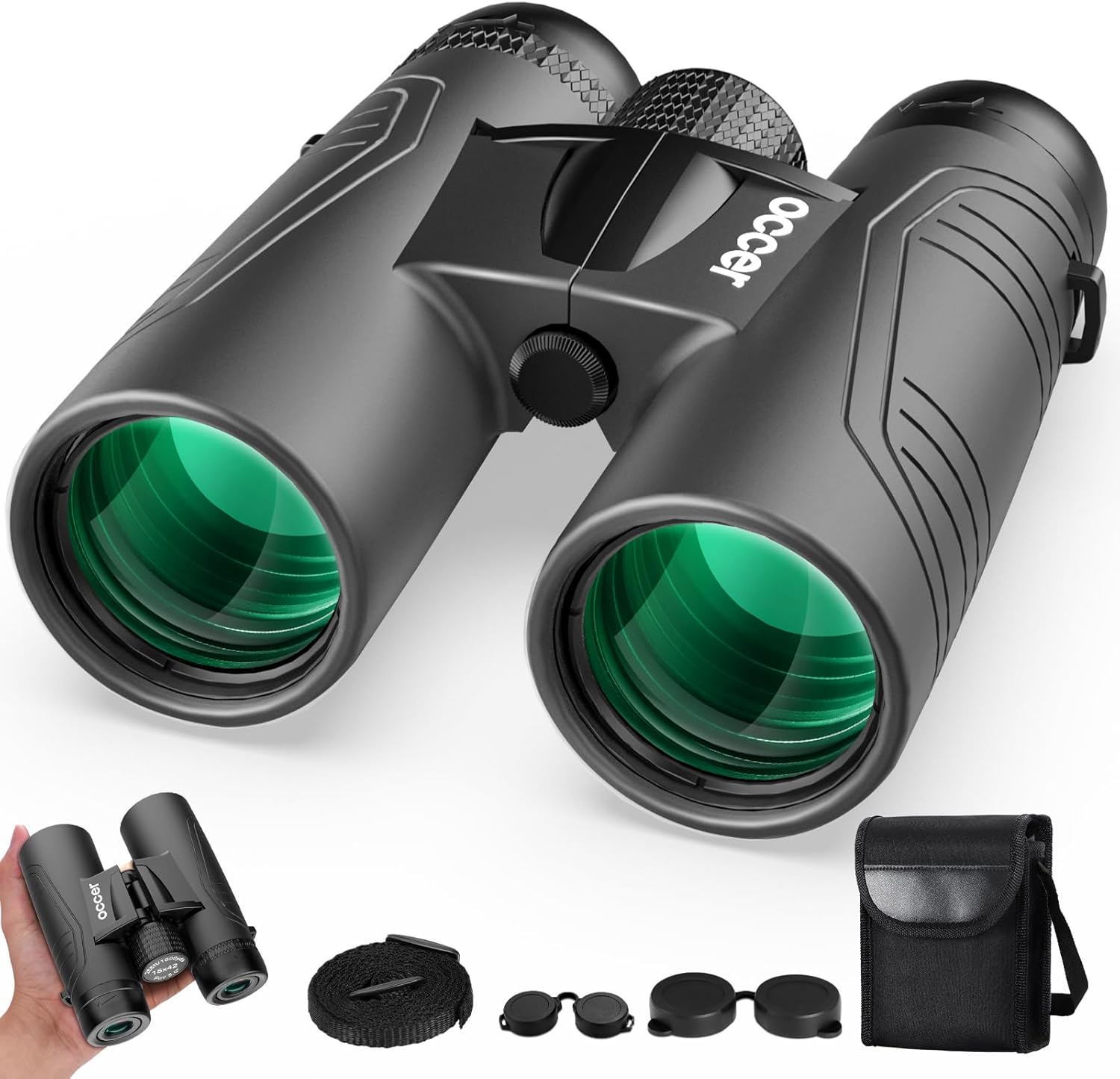
This image provides a comprehensive view of the Occer 15x42 binoculars and their accompanying accessories. The main binoculars are prominently displayed in the center, showcasing their black body and green-tinted objective lenses. Below and to the left, a smaller image shows the binoculars being held in a hand, emphasizing their compact size. To the right, the neck strap, various lens caps, and a black carrying case are neatly arranged, illustrating all components included with the product.
Familiarize yourself with the main parts of your Occer 15x42 Binoculars:
- Objective Lenses: The large lenses at the front of the binoculars that gather light.
- Eyepieces: The lenses you look through.
- Center Focus Wheel: Used to adjust the focus for both barrels simultaneously.
- Diopter Adjustment Ring: Located on the right eyepiece, used to compensate for differences in vision between your eyes.
- Interpupillary Distance Adjustment: The hinge that allows you to adjust the distance between the two barrels to match your eye width.
- Neck Strap Lugs: Points on the binoculars where the neck strap can be attached.
Setup
1. Attaching the Neck Strap
Thread the ends of the neck strap through the strap lugs on each side of the binoculars. Secure the strap by feeding it back through its buckle, ensuring it is firmly attached and adjusted to a comfortable length for carrying.
2. Adjusting Interpupillary Distance (IPD)
The interpupillary distance is the distance between the centers of your pupils. To adjust, hold the binoculars with both hands and bend the body until you see a single, clear circular field of view. This ensures proper alignment with your eyes for comfortable viewing.
3. Eyecup Adjustment
The eyepieces feature twist-up eyecups. If you wear eyeglasses, twist the eyecups down to their lowest position. If you do not wear eyeglasses, twist the eyecups up to their highest position for optimal viewing comfort and to block out peripheral light.
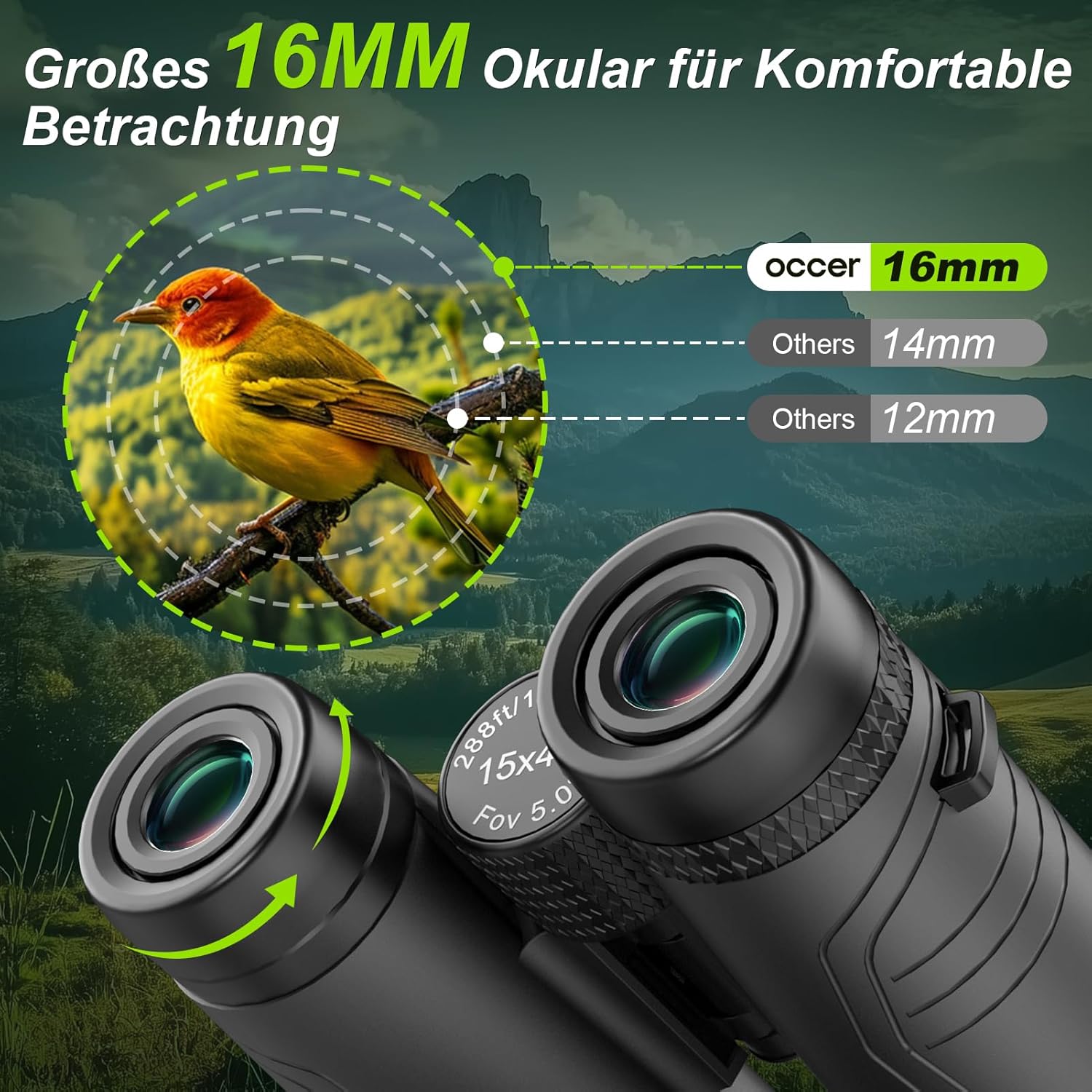
This image provides a detailed close-up of the Occer 15x42 binoculars' eyepieces. The text "occer 16mm" is visible, indicating the large 16mm eyepiece size designed for comfortable viewing. Green arrows illustrate the twisting motion for adjusting the eyecups, which helps users achieve optimal eye relief whether they wear glasses or not. The image emphasizes the ergonomic design of the eyepieces for a wider and clearer field of view.
Operating Instructions
1. Focusing Your Binoculars
- Close your right eye and look through the left barrel with your left eye. Rotate the center focus wheel until the image is sharp and clear.
- Close your left eye and look through the right barrel with your right eye. Rotate the diopter adjustment ring on the right eyepiece until the image is sharp and clear.
- Now, with both eyes open, use only the center focus wheel to adjust the focus for different distances. The diopter setting should remain constant for your eyes.
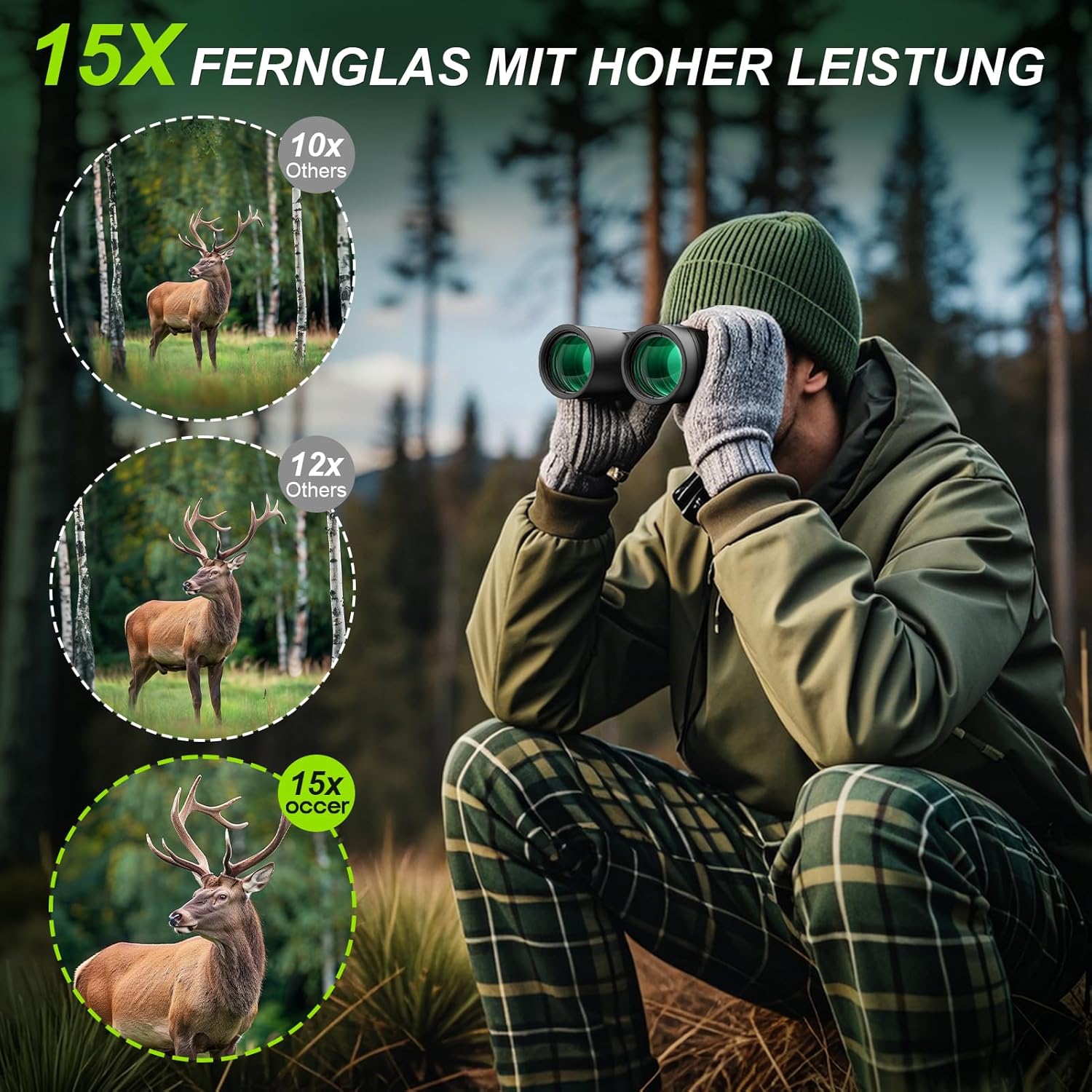
This image illustrates the powerful 15x magnification of the Occer binoculars. A person is shown in a forest setting, looking through the binoculars. On the left side of the image, three circular insets compare the view of a deer at different magnifications: 10x (labeled "10x Others"), 12x (labeled "12x Others"), and 15x (labeled "15x occer"). The 15x view clearly shows a more detailed and closer image of the deer, demonstrating the superior magnification provided by these binoculars.
2. Optical Performance
Your Occer 15x42 Binoculars feature Fully Multi-Coated (FMC) lenses and BAK4 prisms. FMC lenses reduce light reflection and increase light transmission, resulting in brighter, higher-contrast images with accurate color reproduction. BAK4 prisms are made of high-density barium crown glass, providing superior light throughput and a perfectly round exit pupil for clear, sharp images across the entire field of view.

This image provides a cutaway diagram of the Occer binoculars, focusing on the internal optical system and the BAK4 prism. A green light beam is depicted entering the objective lens and passing through various internal lenses and the prism, illustrating how light is refracted and reflected to produce a clear image. The text "ERZIELEN SIE KLARE SCHARFE BILDER MIT BAK4 PRISM" (Achieve Clear Sharp Images with BAK4 Prism) highlights the role of the BAK4 prism in enhancing image quality. Two small inset images show a bird in flight, one appearing clearer and more vibrant (labeled "occer Mit BAK4") compared to a less clear one (labeled "Others Ohne BAK4"), visually demonstrating the benefit of BAK4 prisms.
Maintenance
Cleaning the Lenses
When cleaning the lenses, use the provided cleaning cloth or a soft, lint-free cloth. For stubborn smudges or dirt, apply a small amount of lens cleaning fluid to the cloth, not directly to the lens. Avoid using abrasive materials or excessive force, which can scratch the lens coatings.
General Care
- Always replace the lens covers when the binoculars are not in use to protect the lenses from dust and scratches.
- Store the binoculars in their carrying case when transporting them to prevent damage.
- Avoid exposing the binoculars to extreme temperatures or sudden temperature changes, which can cause internal fogging.
- If the binoculars get wet, wipe them dry immediately with a soft cloth. Do not immerse them in water.
Troubleshooting
| Problem | Possible Cause | Solution |
|---|---|---|
| Image is blurry or out of focus. | Incorrect focus adjustment. | Adjust the center focus wheel and diopter ring as described in the "Operating Instructions" section. |
| Seeing two overlapping images. | Interpupillary distance is not correctly set. | Adjust the hinge to match the distance between your eyes until a single circular field of view is seen. |
| Image appears dim or dark. | Lens caps are still on, or viewing in very low light conditions. | Ensure lens caps are removed. Binoculars perform best in adequate light, though they offer low-light vision. |
| Fogging on lenses. | Sudden temperature changes or high humidity. | Allow binoculars to acclimate to the ambient temperature. Wipe external fog with a soft cloth. If internal, store in a dry place. |
Specifications
- Magnification: 15x
- Objective Lens Diameter: 42mm
- Eyepiece Diameter: 16mm
- Prism Type: BAK4
- Lens Coating: Fully Multi-Coated (FMC)
- Weight: Approximately 1.43 pounds (0.65 kg)
- Product Dimensions: 6.5 x 2.8 x 0.04 inches (approximate)
- Model Number: occer 15x42 Ferngläser

This image highlights the lightweight and portable design of the Occer 15x42 binoculars. The main text "LEICHTE FERNGALÄSER FÜR ERWACHSENE ONLY 0.65 KG" (Lightweight Binoculars for Adults ONLY 0.65 KG) emphasizes their low weight. Three smaller insets show the binoculars in practical use: being held comfortably in a hand, worn around the neck with the included strap, and easily fitting into a small bag, demonstrating their suitability for travel and extended outdoor activities.
Warranty and Support
Occer products are designed for durability and performance. For warranty information, technical support, or any inquiries regarding your Occer 15x42 Binoculars, please refer to the contact information provided with your purchase or visit the official Occer website. Please retain your proof of purchase for warranty claims.
For further assistance, you may contact the manufacturer:
- Manufacturer: Occer
- Email: haoxutecheuro2021@outlook.com (as per product box image)
Ask a question about this manual
Ask about setup, troubleshooting, compatibility, parts, safety, or missing instructions. Manuals+ will review the question and use this page’s manual context to help answer it.