
LOXIM HS02004950
LOXIM Essential Oil Diffuser User Manual
Model: HS02004950
Introduction
Thank you for choosing the LOXIM Essential Oil Diffuser. This waterless aromatherapy diffuser utilizes advanced nebulizing technology to disperse essential oils without heat or water, preserving their therapeutic properties. Its compact, portable, and quiet design makes it ideal for various environments. Please read this manual thoroughly before use to ensure proper operation and maintenance.

Image: LOXIM Essential Oil Diffuser. This image shows the sleek white and gold design of the diffuser with an essential oil bottle visible inside its chamber.
Safety Information
For your safety and to prevent damage to the device, please adhere to the following guidelines:
- Avoid direct skin contact with undiluted essential oils.
- Keep the diffuser out of reach of children and pets.
- Ensure proper ventilation during use.
- Do not immerse the device in water or any other liquid.
- Use only the provided USB cable for charging.
- Do not attempt to disassemble or repair the diffuser yourself. Contact customer support if issues arise.
Product Features
The LOXIM Essential Oil Diffuser incorporates several innovative features:
- Patented Technology: Features Vibrate-To-Atomize and Droplet-On-Demand technology for precise, stable, and efficient oil dispersion without altering oil composition.
- Time Setting and Powerful: Includes 1H/2H/4H/8H timer functions for energy-saving and prolonged diffusion. Intermittent atomized diffusion optimizes oil consumption.
- Quiet Operation: Operates at less than 38 dB, ensuring minimal disturbance, even during sleep.
- Large Room Coverage: Capable of scenting a 700 square foot space quickly.
- Portable and Rechargeable: USB rechargeable, compact, and sleek design for use anywhere, from daily commutes to outdoor activities.
- Modern and Stylish: Refined, subtle aesthetic with a sophisticated minimalist appearance, serving as both a decorative and functional item.
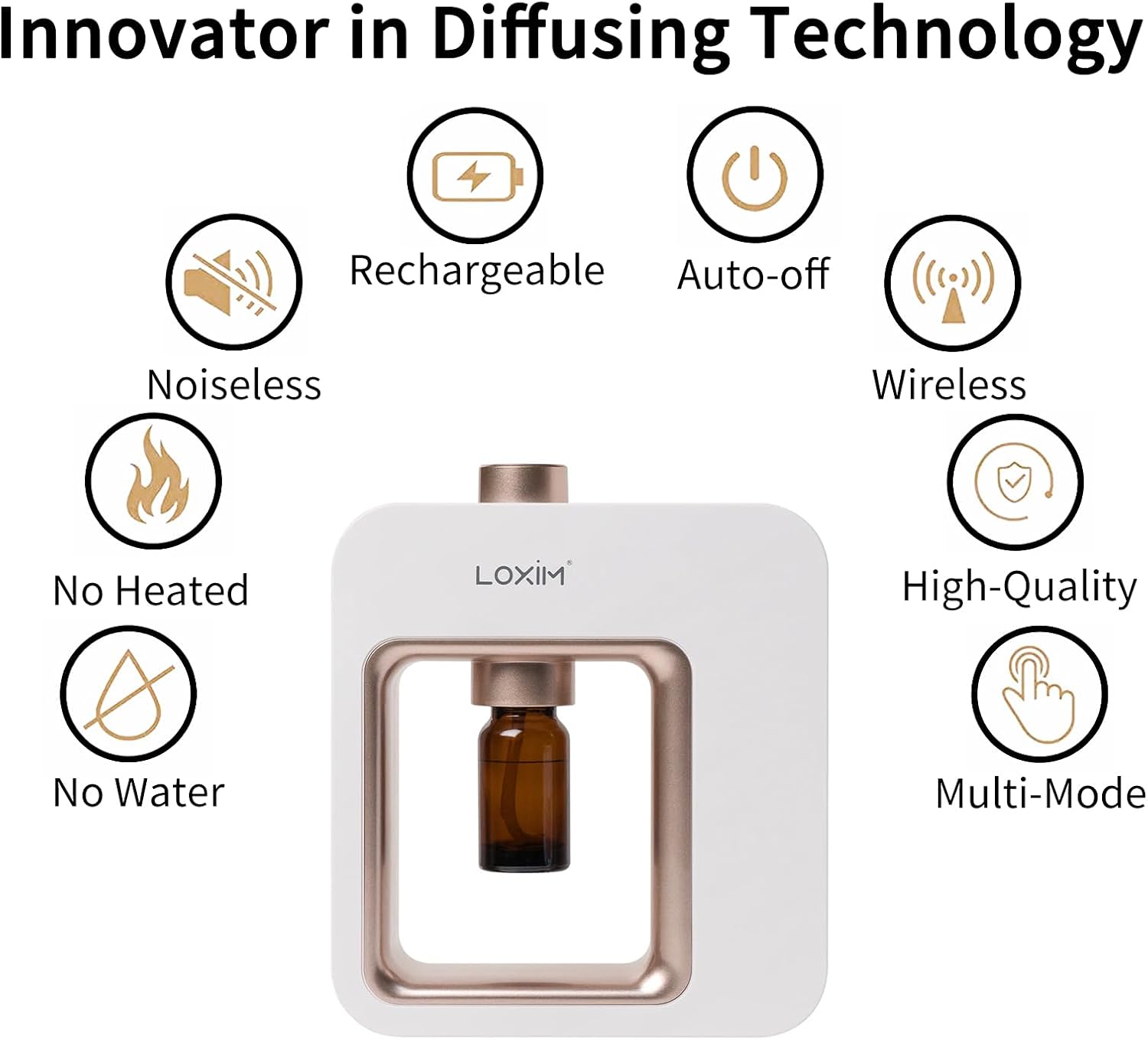
Image: Key Features Diagram. This diagram highlights the diffuser's main attributes: noiseless operation, rechargeable battery, auto-off function, wireless capability, no heating element, waterless operation, high-quality build, and multiple modes.
Package Contents
Please check the box for the following items:
- LOXIM Essential Oil Diffuser Unit
- USB Charging Cable
- User Manual
- Empty Essential Oil Bottle (for refilling if needed)
Setup
Follow these steps to set up your LOXIM Essential Oil Diffuser:
- Charge the Diffuser: Connect the provided USB cable to the diffuser's charging port and plug the other end into a compatible USB power adapter (not included) or a computer USB port. The indicator light will show charging status.
- Prepare Essential Oil: The diffuser is designed to work with standard essential oil bottles. If your oil bottle does not fit, you can transfer the essential oil into the empty bottle provided with the diffuser.
- Install Essential Oil Bottle: Carefully screw your essential oil bottle directly onto the nebulizing nozzle located inside the diffuser's chamber. Ensure it is securely fastened to prevent leaks.
- Place the Diffuser: Position the diffuser on a flat, stable surface in your desired location. Ensure there are no obstructions around the mist outlet.

Image: Installing Essential Oil Bottle. This image demonstrates how to securely screw an essential oil bottle into the diffuser's internal mechanism.
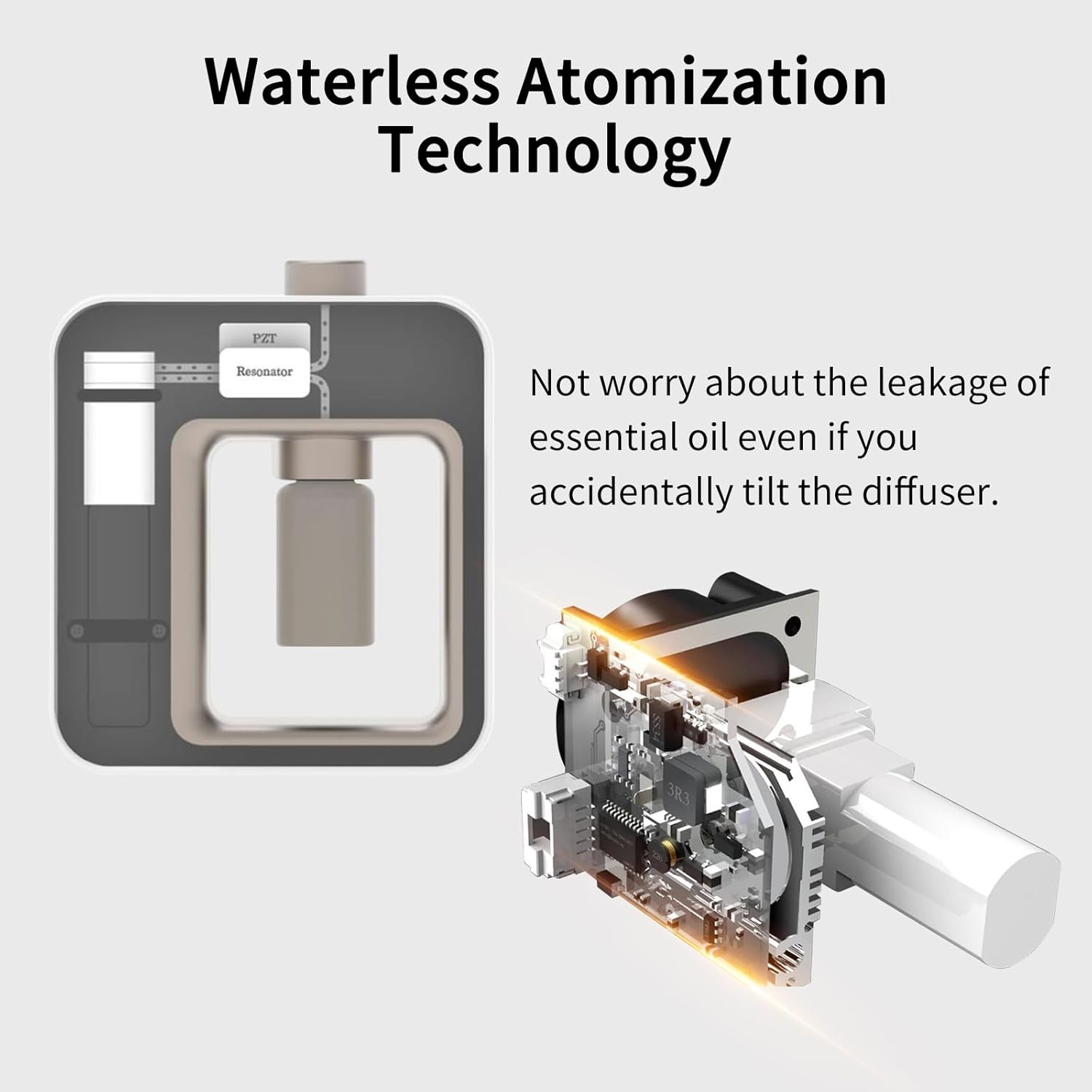
Image: Waterless Atomization Technology. This diagram provides an internal view of the diffuser, highlighting the nebulizing technology that atomizes essential oils without water, preventing leakage even if tilted.
Operating Instructions
Your LOXIM diffuser features simple controls for ease of use:

Image: Control Buttons. This close-up shows the two main control buttons on the diffuser: the power button and the timer setting button, along with their respective indicator lights.
- Power On/Off: Press the Power button (usually marked with a universal power symbol) to turn the diffuser on. Press it again to turn it off.
- Set Timer: Press the Timer button (usually marked with a clock symbol or "1H 2H 4H 8H") to cycle through the available timer settings:
- 1H: Diffuses for 1 hour, then automatically shuts off.
- 2H: Diffuses for 2 hours, then automatically shuts off.
- 4H: Diffuses for 4 hours, then automatically shuts off.
- 8H: Diffuses for 8 hours, then automatically shuts off.
- Diffusion Modes (if applicable): Some models may have multiple mist intensity settings. If available, these are typically controlled by additional presses of the power or timer button, or a dedicated mode button. Refer to the indicator lights for the current mode.
- Enjoy Aromatherapy: Once powered on and a timer is set, the diffuser will begin to atomize the essential oil, releasing fragrance into your space.
Maintenance
Regular cleaning ensures optimal performance and longevity of your diffuser:
- Daily Cleaning: After each use, or when changing essential oils, unscrew the essential oil bottle. Wipe the nebulizing nozzle and the inside of the chamber with a clean, dry cloth.
- Deep Cleaning (Weekly/Bi-weekly):
- Unscrew the essential oil bottle.
- Add a small amount of rubbing alcohol (isopropyl alcohol) to an empty essential oil bottle.
- Screw the bottle with alcohol onto the nebulizing nozzle.
- Run the diffuser for 5-10 minutes in a well-ventilated area to clean the internal components.
- Remove the alcohol bottle and allow the diffuser to air dry completely before next use or storing.
- Exterior Cleaning: Wipe the exterior of the diffuser with a soft, damp cloth. Do not use abrasive cleaners or solvents.
- Storage: When not in use for an extended period, ensure the diffuser is clean and dry. Store it in a cool, dry place away from direct sunlight.
Troubleshooting
| Problem | Possible Cause | Solution |
|---|---|---|
| No mist or weak mist |
|
|
| Diffuser not turning on |
|
|
| Unusual noise during operation |
|
|
Specifications
| Brand | LOXIM |
| Model Number | HS02004950 |
| Colour | White |
| Product Dimensions | 15.19 x 13 x 4.19 cm |
| Item Weight | 599 g |
| Power/Wattage | 12 watts |
| Material | Acrylonitrile Butadiene Styrene (ABS) |
| Runtime | Up to 8 hours (depending on setting) |
| Special Features | Multiple Mist Setting, Compact, Long Lasting Aroma, Timer Setting |
Warranty and Support
LOXIM products are manufactured with high-quality standards. For information regarding warranty coverage, please refer to the warranty card included with your product or visit the official LOXIM website.
If you encounter any issues or have questions about your LOXIM Essential Oil Diffuser, please contact our customer support team:
- Email: support@loxim.com (Example email, replace if actual contact info is available)
- Website: www.loxim.com (Example website, replace if actual contact info is available)
Please have your model number (HS02004950) and purchase date ready when contacting support.
Related documentsHS02004950

Ask a question about this manual
Ask about setup, troubleshooting, compatibility, parts, safety, or missing instructions. Manuals+ will review the question and use this page’s manual context to help answer it.