
1. Introduction and Overview
The Standard Horizon HX891BTBK is a robust and feature-rich handheld marine VHF radio designed for safety and reliable communication on the water. It integrates advanced functionalities such as GPS, Bluetooth, and Digital Selective Calling (DSC) to enhance your boating experience and ensure peace of mind in various marine conditions.
Key features include:
- Integrated GPS with Full DSC capabilities (66 Channels) for precise location sharing and emergency communication.
- Integrated Bluetooth for hands-free VHF operation, compatible with various headsets.
- Selectable 6W/2W/1W transmit power output to adapt to different communication needs.
- 700mW loud audio and noise canceling function for clear transmission and reception.
- Floating, rugged case construction conforming to Military Standard (MIL-STD-810F) and Submersible IPX8 rating.
- Easy to operate menu system with a 1.7 x 1.7 inches full-dot matrix display, offering selectable Day & Night Modes.
- Waypoint and Route navigation, along with a MOB (Man over Board) feature for enhanced safety.
- Water Activated Emergency WHITE Strobe Light for increased visibility in overboard situations.
- Two built-in Scrambler Systems (4-code CVS2500A & 32-code FVP-42) for secure communications.
- Versatile Scanning operation, including Dual Watch and Triple Watch.
- NOAA Weather Channels with Weather Alert and FM Broadcast Radio Receiver.
- Micro USB Data jack for convenient PC programming.
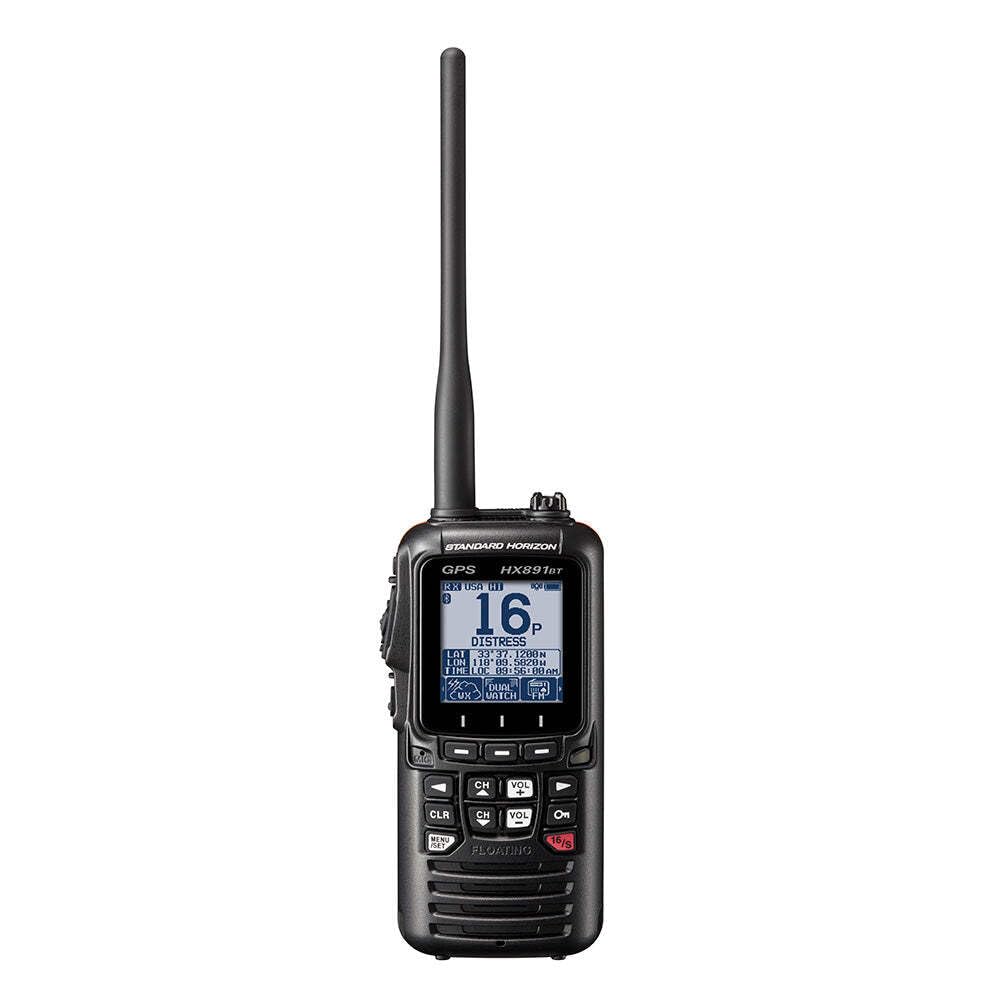
Figure 1: Standard Horizon HX891BTBK Marine VHF/GPS/Bluetooth Radio. This image shows the black handheld radio with its antenna, displaying a clear screen and accessible buttons.
2. Setup
2.1 Initial Charging
Before first use, fully charge the 1800mAh Li-ion battery. The radio is supplied with a USB AC charger and a charging cradle. Connect the charger to a power source and place the radio in the cradle. The battery indicator on the display will show charging progress. Alternatively, the radio features a Micro USB Data jack for PC programming and charging.
2.2 Antenna Attachment
Carefully screw the provided antenna onto the antenna connector at the top of the radio until it is finger-tight. Do not overtighten.
2.3 MMSI Registration
To utilize the full Digital Selective Calling (DSC) capabilities, including emergency alerts and direct calling, you must register your Maritime Mobile Service Identity (MMSI) number. Refer to the detailed instructions in the full user manual for the specific steps to program your MMSI number into the radio.
2.4 Belt Clip and Lanyard
Attach the provided belt clip to the back of the radio for convenient carrying. A lanyard is also included for securing the radio, especially when operating near water, to prevent accidental loss.
3. Operating Instructions
3.1 Power On/Off and Volume Control
- To power on/off, press and hold the power button (usually marked with a circle and a vertical line).
- Adjust the volume using the dedicated volume up/down buttons or rotary knob, if available.
3.2 Channel Selection and Transmit Power
- Use the up/down arrow buttons to navigate through the 66 available VHF channels.
- Quickly access Channel 16 (International Distress and Calling) and Channel 9 (Boater Calling) using the dedicated 16/9 button.
- Select transmit power (6W, 2W, or 1W) based on your communication range needs to conserve battery life.
3.3 Digital Selective Calling (DSC)
The HX891BTBK features Class-H DSC operation. Once your MMSI is programmed, you can initiate distress calls with your GPS position, make individual calls to other DSC-equipped vessels, or group calls. Consult the full manual for detailed DSC operation procedures.
3.4 GPS and Navigation
With its integrated GPS, the radio provides accurate position information. You can use it for Waypoint and Route navigation, and the Man Over Board (MOB) feature allows you to quickly mark and navigate back to an overboard location.
3.5 Bluetooth Connectivity
Pair your Bluetooth headset (e.g., SSM-BT-20) with the radio for hands-free communication. This is particularly useful in noisy environments or when you need to keep your hands free for other tasks.
3.6 Scanning and Weather Alerts
Utilize the versatile scanning functions, including Dual Watch (monitoring Channel 16 and one user-selected channel) and Triple Watch (monitoring Channel 16, Channel 9, and one user-selected channel), to stay informed. The NOAA Weather Channels with Weather Alert feature will notify you of severe weather conditions.
3.7 Display Modes
Switch between Day and Night display modes for optimal visibility in varying light conditions.
4. Maintenance
4.1 Cleaning
Regularly clean the radio with a soft, damp cloth. Avoid using harsh chemicals or abrasive cleaners. Ensure the USB port cover is securely closed to maintain its waterproof integrity.
4.2 Battery Care
To maximize the lifespan of the 1800mAh Li-ion battery, avoid fully discharging it frequently. Store the radio in a cool, dry place when not in use, and ensure it is partially charged (around 50%) for long-term storage.
4.3 Waterproofing
The HX891BTBK is Submersible IPX8 rated, meaning it can withstand immersion in water. Always ensure all covers (e.g., USB port cover) are properly sealed before exposing the radio to water. The rugged case construction also conforms to Military Standard (MIL-STD-810F) for durability.
5. Troubleshooting
- No Power: Ensure the battery is fully charged. Check the charging connections if using the cradle or USB port.
- Poor Reception/Transmission: Verify the antenna is securely attached. Ensure you are within range of other vessels or shore stations. Handheld VHF radios have limited range compared to fixed-mount units.
- GPS Not Acquiring Position: Ensure the radio has a clear view of the sky. GPS acquisition may take longer in certain conditions or if the radio has been off for an extended period.
- Bluetooth Connectivity Issues: Ensure the radio and your headset are in pairing mode and within range. Refer to your headset's manual for specific pairing instructions.
- Water Activated Strobe Not Working: Ensure the radio is powered on or in a mode that allows the strobe to activate upon water immersion. Check for any obstructions around the water sensors.
For more detailed troubleshooting, refer to the complete user manual or contact Standard Horizon customer support.
6. Specifications
| Feature | Specification |
|---|---|
| Brand | STANDARD HORIZON |
| Model Number | HX891BT |
| Color | Black |
| Number of Channels | 66 |
| Special Feature | Bluetooth |
| Frequency Range | 156-174 MHz |
| Talking Range Maximum | 6 Feet (Note: Actual VHF range is line-of-sight and much greater than 6 feet) |
| Voltage | 7.4 Volts (DC) |
| Water Resistance Level | Waterproof (IPX8) |
| Product Dimensions (D x W x H) | 1.5"D x 2.6"W x 5.43"H |
| Item Weight | 1 Pounds |
| Battery Type | 1 Lithium Ion battery required (1800mAh Li-ion) |
| Connectivity Protocol | Bluetooth |
| Tuner Type | VHF |
| Manufacturer | STANDARD HORIZON |
| UPC | 788026183067 |
7. Warranty and Support
The Standard Horizon HX891BTBK comes with a 3 Year Waterproof Warranty. For warranty claims, technical support, or further assistance, please refer to the contact information provided in your product packaging or visit the official Standard Horizon website.
Note: Operating a VHF marine radio requires a valid license in many regions. Ensure you comply with all local and international regulations for marine radio operation.


