
Ulefone Ulefone Armor 27T Pro
Ulefone Armor 27T Pro 5G Rugged Phone User Manual
Model: Ulefone Armor 27T Pro
1. Introduction
The Ulefone Armor 27T Pro is a robust 5G rugged smartphone designed for demanding environments, featuring advanced thermal imaging, a high-resolution camera system, and a durable build. This manual provides essential information for setting up, operating, maintaining, and troubleshooting your device to ensure optimal performance and longevity.
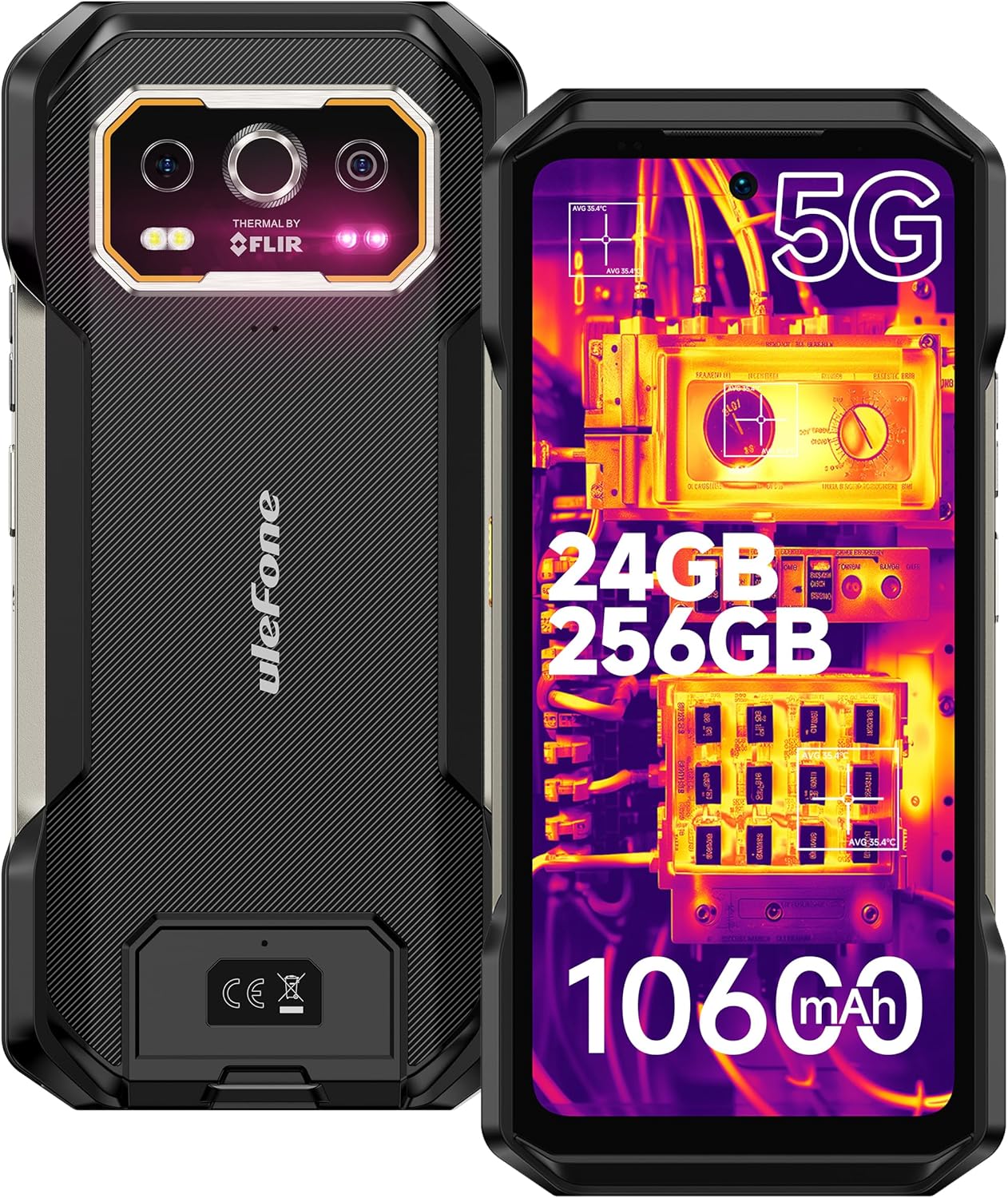
Figure 1: Front and back view of the Ulefone Armor 27T Pro 5G Rugged Phone, highlighting its robust design and camera module.
2. Setup
2.1. Package Contents
Verify that all items are present in the package:
- Ulefone Armor 27T Pro 5G Rugged Phone
- AC power charger (33W)
- Type-C to Type-C Data cable (100cm)
- Screen Protector
- SIM Tray Ejector
- Lanyard

Figure 2: Illustration of the Ulefone Armor 27T Pro's package contents and physical dimensions.
2.2. SIM and SD Card Installation
To install your SIM cards and an optional microSD card:
- Locate the SIM tray on the side of the phone.
- Insert the SIM tray ejector tool into the small hole next to the tray and press firmly until the tray pops out.
- Place your Nano-SIM cards and/or microSD card into the designated slots on the tray. Ensure the gold contacts face downwards.
- Carefully reinsert the tray into the phone until it clicks into place.
2.3. Initial Power On and Charging
Press and hold the Power button until the Ulefone logo appears. Follow the on-screen instructions to complete the initial setup. For optimal battery life, fully charge the device before first use using the provided 33W AC power charger and Type-C cable.
3. Operating Instructions
3.1. Display and User Interface
The Ulefone Armor 27T Pro features a 6.78-inch FHD+ display with a 120Hz refresh rate, providing a smooth visual experience. The display is protected by Corning Gorilla Glass Victus, offering enhanced scratch and drop resistance.

Figure 3: Details of the 6.78-inch FHD+ 120Hz display, emphasizing its visual quality and responsiveness.

Figure 4: Illustration of the Corning Gorilla Glass Victus protection, highlighting its durability against scratches and drops.
3.2. Camera System
The device is equipped with a versatile camera system:
- Thermal Imaging Camera: Built-in FLIR Lepton thermal micro-camera for detecting infrared light and heat. Features MSX and VividlR image processing.
- 64MP Night Vision Camera: OMNVISION'S OV64B sensor with two infrared LEDs and Ulefone NightElf Ultra 3.0 algorithm for clear images in low-light conditions.
- 50MP Main Camera: Samsung ISOCELL GN1 sensor with 1/1.31" ultra-large size and F/1.65 aperture for high-quality photos.
- 32MP Selfie Camera: Samsung GD1 Sensor with 5P lens and 80.4° field of view for clear self-portraits.

Figure 5: Overview of the Ulefone Armor 27T Pro's camera system, detailing the 50MP main, 64MP night vision, and 32MP front cameras.

Figure 6: Detailed view of the thermal imaging capabilities, including pixel resolution, temperature measurement range, and spectral range.

Figure 7: Demonstration of the 64MP Night Vision Camera capturing an image in low-light conditions.
3.3. Battery and Charging
The Armor 27T Pro is equipped with a 10600mAh battery, supporting extended usage. It features:
- 33W Flash Charge: Rapid wired charging for quick power replenishment.
- 30W Wireless Charging: Convenient wireless charging capability.
- Wireless Reverse Charging: Allows the phone to charge other compatible devices wirelessly.

Figure 8: Visual representation of the 10600mAh battery capacity and various charging methods, including 33W fast charging, 30W wireless charging, and wireless reverse charging.
3.4. Performance
Powered by the MediaTek Dimensity 6300 5G processor, the phone offers robust performance. It includes 12GB of physical RAM, expandable up to an additional 12GB of virtual RAM, and 256GB of internal storage, expandable up to 2TB via TF card.

Figure 9: Diagram illustrating the MediaTek Dimensity 6300 5G processor and memory configurations (RAM, virtual RAM, ROM, and expansion).
3.5. Ruggedness and Durability
The Armor 27T Pro is built to withstand harsh conditions, certified with IP68/IP69K and MIL-STD-810H standards. This ensures protection against water, dust, and accidental drops, and reliable operation in extreme temperatures (-30°C to 55°C).
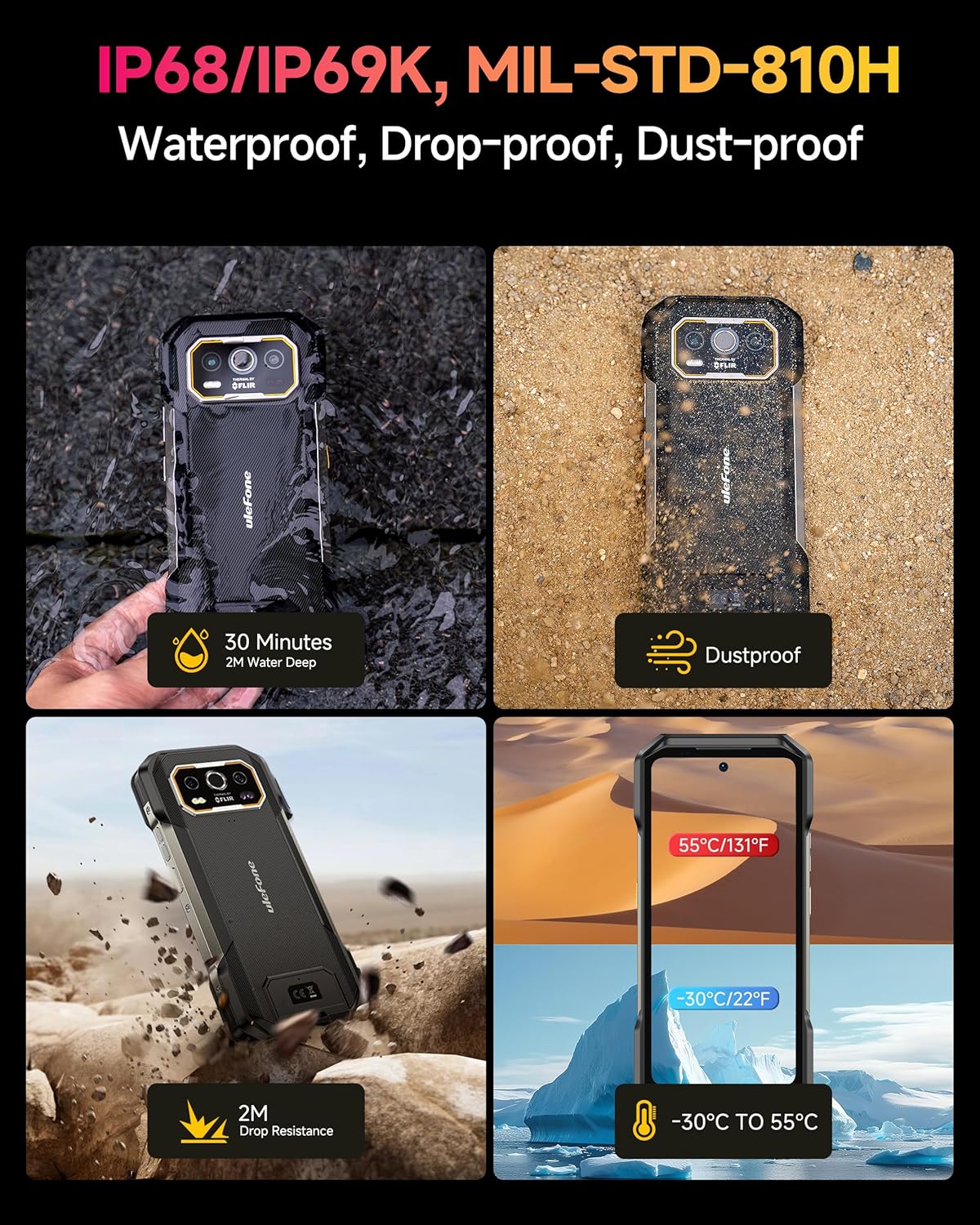
Figure 10: Visual representation of the phone's IP68/IP69K and MIL-STD-810H certifications, demonstrating its water, dust, and drop resistance, as well as temperature tolerance.
3.6. Connectivity and Features
The phone supports global 5G networks with dual SIM dual standby. Other features include:
- NFC: For contactless payments and data transfer.
- Custom Key: Programmable button for quick access to functions.
- Fingerprint Unlock & Face Unlock: Biometric security options.
- GPS + GLONASS + Beidou + Galileo: Comprehensive navigation support.
- IR Blaster: Allows the phone to act as a universal remote control.
- Headset-Free FM Radio: Listen to FM radio without needing headphones as an antenna.
- uSmart 2.0 Expansion Connector: For connecting professional accessories like endoscopes or microscopes (sold separately).

Figure 11: Display of various additional features including NFC, custom key, fingerprint unlock, GPS, IR Blaster, and headset-free FM radio.

Figure 12: Illustration of the uSmart Expansion Connector and examples of compatible professional accessories like endoscopes.
3.7. Operating System
The Ulefone Armor 27T Pro runs on Android 14, offering an updated and personalized user experience with enhanced security and accessibility features.

Figure 13: Screenshots of the Android 14 operating system interface on the Ulefone Armor 27T Pro, showing various app icons and settings menus.
4. Maintenance
To ensure the longevity and optimal performance of your Ulefone Armor 27T Pro, follow these maintenance guidelines:
- Cleaning: Wipe the phone with a soft, damp cloth. Avoid using harsh chemicals or abrasive materials. For the screen, use a microfiber cloth.
- Water Exposure: While waterproof, ensure all ports and covers are securely closed before exposing the phone to water. After water exposure, dry the phone thoroughly, especially the charging port, before charging.
- Temperature: Avoid prolonged exposure to extreme temperatures outside the operating range (-30°C to 55°C).
- Storage: Store the device in a cool, dry place when not in use for extended periods.
- Software Updates: Regularly check for and install system updates to ensure the latest features, security patches, and performance improvements.
5. Troubleshooting
This section addresses common issues you might encounter with your Ulefone Armor 27T Pro.
| Problem | Possible Cause | Solution |
|---|---|---|
| Phone does not power on | Low battery; System crash | Charge the phone for at least 30 minutes. Press and hold the Power button for 10-15 seconds to force restart. |
| Poor network signal | Out of network coverage; SIM card issue | Move to an area with better signal. Reinsert the SIM card. Contact your network provider. |
| Battery drains quickly | Too many background apps; High screen brightness; Network search | Close unused apps. Reduce screen brightness. Disable Wi-Fi/Bluetooth when not in use. Check battery usage in settings. |
| Thermal camera not working | Software glitch; Obstructed lens | Restart the camera app or the phone. Ensure the thermal lens is clean and unobstructed. |
| Touchscreen unresponsive | Temporary software issue; Screen protector interference | Restart the phone. Ensure the screen protector is correctly applied and not interfering. |
6. Specifications
Detailed technical specifications for the Ulefone Armor 27T Pro:
| Feature | Specification |
|---|---|
| Model | Ulefone Armor 27T Pro |
| Operating System | Android 14 |
| Processor | MediaTek Dimensity 6300 5G (2.4 GHz 8-core CPU) |
| RAM | 24 GB (12GB physical + 12GB virtual) |
| Internal Storage | 256 GB (expandable up to 2TB via TF card) |
| Display | 6.78 inches FHD+ (2460x1080), 120Hz Refresh Rate, Corning Gorilla Glass Victus |
| Main Camera | 50MP Samsung ISOCELL GN1 |
| Night Vision Camera | 64MP OMNVISION OV64B |
| Front Camera | 32MP Samsung GD1 Sensor |
| Thermal Camera | FLIR Lepton (80x60 pixels) |
| Battery Capacity | 10600 mAh |
| Charging | 33W Wired Fast Charge, 30W Wireless Charging, Wireless Reverse Charging |
| Durability | IP68/IP69K, MIL-STD-810H |
| Dimensions | 7.19 x 3.4 x 0.73 inches (182.8 x 86.8 x 18.5 mm) |
| Weight | 15.6 ounces (441 grams) |
| Connectivity | 5G, Wi-Fi 6, Bluetooth, NFC, GPS (GPS+GLONASS+Beidou+Galileo) |
| Ports | USB Type-C, 3.5mm Audio Jack, uSmart 2.0 Expansion Connector |
7. Warranty and Support
Ulefone provides a 12-month manufacturer warranty service in the US for the Armor 27T Pro. For any questions or support needs regarding your product, please contact Ulefone customer service. You can find more information and contact details on the official Ulefone website or through the 'Ulefone Exclusive Service Center' application on your device.

Figure 14: Screenshot of the Ulefone Exclusive Service Center application, showing options for customer service and support.
Related documentsUlefone Armor 27T Pro


Ask a question about this manual
Ask about setup, troubleshooting, compatibility, parts, safety, or missing instructions. Manuals+ will review the question and use this page’s manual context to help answer it.