
SONRU J52
SONRU J52 Bluetooth Transmitter Receiver User Manual
Model: J52
1. Introduction
The SONRU J52 is a versatile 2-in-1 Bluetooth adapter designed to function as both a transmitter (TX) and a receiver (RX). This device allows you to wirelessly stream audio from non-Bluetooth devices to Bluetooth headphones or speakers, or to enable non-Bluetooth audio systems to receive audio from Bluetooth-enabled devices like smartphones or tablets. Its compact design and long battery life make it ideal for various applications, including in-flight entertainment, home audio systems, and car audio.
2. Package Contents

Image: The SONRU J52 device, along with its packaging and included accessories such as charging cables and audio adapters.
Please check the package for the following items:
- SONRU J52 Bluetooth Transmitter Receiver
- USB Charging Cable
- 3.5mm Audio Cable
- RCA Audio Cable (often included for broader compatibility)
- Airplane Audio Adapter (dual-prong)
- User Manual
3. Product Features
- 2-in-1 Design: Functions as both a Bluetooth Transmitter (TX) and Receiver (RX).
- Bluetooth 5.3 Technology: Provides stable connection, faster pairing, and high-quality audio transmission.
- Dual Pairing: Connects to two Bluetooth headphones or speakers simultaneously in TX mode.
- Long Battery Life: Up to 14 hours in TX mode and 11 hours in RX mode on a single charge.
- Hands-Free Calling: Built-in microphone for convenient call management in RX mode.
- Wide Compatibility: Includes airplane adapter for in-flight entertainment systems.

Image: Visual representation of Bluetooth 5.3 technology, highlighting faster connection and more stable transmission compared to older versions.
4. Product Overview

Image: Front view of the SONRU J52 Bluetooth adapter, showing its buttons, indicator lights, and the included airplane adapter.
Controls and Indicators:
- Power Button / Multi-function Button: Press and hold to power on/off. Short press for play/pause, answer/end calls.
- TX/RX Switch: Slide to select Transmitter (TX) or Receiver (RX) mode.
- Reset Button: Small pinhole button to reset the device.
- Indicator Lights (A/B): Indicate connection status for paired devices.
- 3.5mm Audio Jack: For connecting to audio sources or output devices.
- USB-C Charging Port: For charging the device.
5. Setup
5.1 Charging the Device

Image: Illustration of the SONRU J52 being charged via USB-C, with indicators for charging time and battery capacity.
Before first use, fully charge the SONRU J52. Connect the provided USB charging cable to the device's USB-C port and a standard USB power adapter (5V/1A recommended).
- Charging time: Approximately 2.5 hours.
- The indicator light will show charging status (e.g., red while charging, off when fully charged).
5.2 Initial Pairing
The pairing process varies slightly depending on whether you are using Transmitter (TX) or Receiver (RX) mode.
General Steps:
- Ensure the SONRU J52 is fully charged.
- Slide the TX/RX switch to the desired mode (TX or RX).
- Power on the device by pressing and holding the Power button until the indicator lights flash.
- Put your target Bluetooth device (headphones, speaker, phone) into pairing mode.
- The SONRU J52 will automatically search for and attempt to pair with nearby Bluetooth devices.
- Once paired, the indicator light(s) on the J52 will change (e.g., solid blue).
6. Operating Modes

Image: A split diagram showing the SONRU J52 in Transmitter (TX) mode connecting to various audio sources like airplanes and TVs, and in Receiver (RX) mode connecting to audio output devices like car stereos and amplifiers.
6.1 Transmitter (TX) Mode
In TX mode, the SONRU J52 transmits audio from a non-Bluetooth device (e.g., TV, PC, airplane entertainment system) to your Bluetooth headphones or speakers.
- Slide the switch to "TX".
- Connect the J52 to the audio output jack of your non-Bluetooth device using the 3.5mm audio cable or RCA cable. For airplane use, connect the airplane adapter to the J52, then plug it into the airplane's audio jack.
- Power on the J52. It will enter pairing mode (indicator light flashes).
- Put your Bluetooth headphones/speaker into pairing mode.
- The J52 will automatically connect. Once connected, the indicator light will become solid.

Image: A person wearing wireless headphones, connected to an in-flight entertainment system via the SONRU J52 and its airplane adapter.
6.2 Receiver (RX) Mode
In RX mode, the SONRU J52 receives audio from a Bluetooth-enabled device (e.g., smartphone, tablet) and outputs it to a non-Bluetooth audio system (e.g., car stereo, home amplifier, wired headphones).
- Slide the switch to "RX".
- Connect the J52 to the audio input jack of your non-Bluetooth audio system using the 3.5mm audio cable or RCA cable.
- Power on the J52. It will enter pairing mode (indicator light flashes).
- Enable Bluetooth on your smartphone/tablet and search for "SONRU J52" in the list of available devices.
- Select "SONRU J52" to connect. Once connected, the indicator light will become solid.
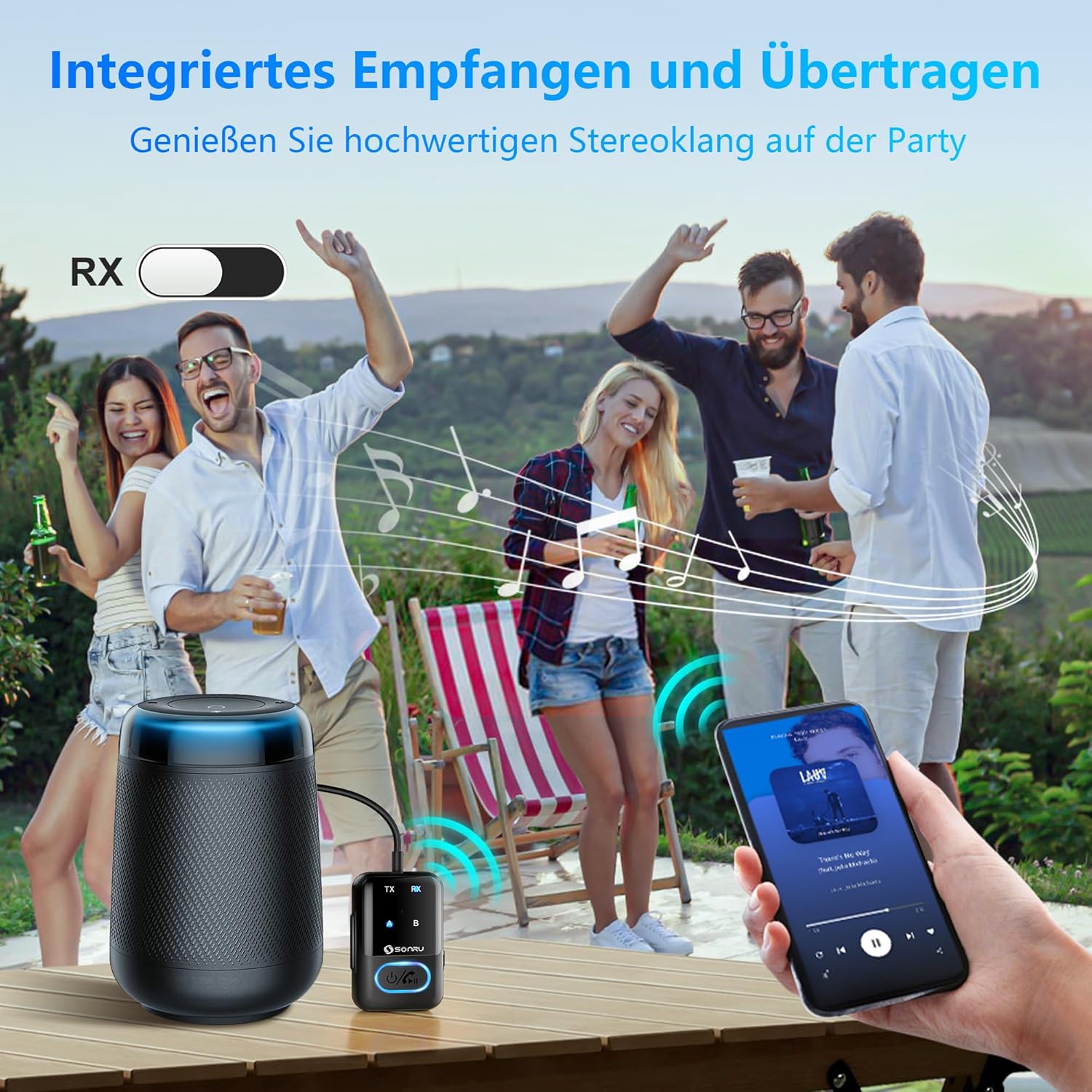
Image: A group of people at an outdoor gathering, with a smartphone streaming music via the SONRU J52 to a non-Bluetooth speaker, demonstrating the RX mode for portable audio.
6.3 Dual Pairing (TX Mode Only)
The SONRU J52 can connect to two Bluetooth headphones or speakers simultaneously in Transmitter (TX) mode, allowing two people to listen to the same audio source wirelessly.
- Connect the J52 to your audio source and pair the first Bluetooth headphone/speaker as described in Section 6.1.
- Once the first device is connected (indicator A is solid), short press the Power button on the J52 to enter pairing mode for the second device (indicator B flashes).
- Put your second Bluetooth headphone/speaker into pairing mode.
- The J52 will automatically connect to the second device. Both indicator A and B will be solid when both devices are connected.

Image: A couple sitting on a couch, each wearing Bluetooth headphones, listening to audio from a TV connected to the SONRU J52, demonstrating the dual pairing feature.
6.4 Hands-Free Calling (RX Mode Only)
When in Receiver (RX) mode and connected to a smartphone, the SONRU J52's built-in microphone allows for hands-free calling.
- Answer/End Call: Short press the Power button.
- Reject Call: Press and hold the Power button for 2 seconds.
- Redial Last Number: Double-press the Power button.

Image: A person driving a car, with a smartphone displaying a call interface, indicating the use of the SONRU J52 for hands-free communication.
7. Specifications
| Model Number | J52 |
| Bluetooth Version | 5.3 |
| Operating Modes | Transmitter (TX) / Receiver (RX) |
| Battery Capacity | 300mAh Lithium Ion |
| Charging Time | Approx. 2.5 hours |
| Battery Life (TX Mode) | Up to 14 hours |
| Battery Life (RX Mode) | Up to 11 hours |
| Dimensions (L x W x H) | 6.38" x 0.91" x 2.8" (approx. 16.2 x 2.3 x 7.1 cm) |
| Weight | 0.003 ounces (approx. 0.085 grams) |
| Special Feature | Hands-Free Calls |
8. Troubleshooting
If you encounter issues with your SONRU J52, please refer to the following common solutions:
- Device not powering on:
Ensure the device is fully charged. Connect it to a power source and allow it to charge for at least 30 minutes before attempting to power on again.
- Cannot pair with a device:
- Ensure the J52 is in the correct TX or RX mode.
- Make sure both the J52 and the target device are in pairing mode.
- Bring the devices closer together (within 10 meters).
- Clear previous pairing records on both devices if possible.
- Try resetting the J52 by pressing the Reset button with a pin.
- Restart both the J52 and the target device.
- No audio or poor audio quality:
- Check that all audio cables are securely connected.
- Ensure the volume on both the J52 and the connected audio device is turned up.
- Verify that the J52 is correctly paired and connected to the desired device.
- Move away from sources of interference (e.g., Wi-Fi routers, other Bluetooth devices).
- If in TX mode, ensure the audio source is playing sound. If in RX mode, ensure the Bluetooth source device is playing sound.
- Dual pairing issues:
- Ensure both target headphones/speakers are in pairing mode when attempting to connect the second device.
- Some older Bluetooth devices may not be fully compatible with dual pairing.
9. Maintenance
- Keep the device dry. Do not expose it to moisture or extreme temperatures.
- Clean the device with a soft, dry cloth. Do not use harsh chemicals or abrasive cleaners.
- Store the device in a cool, dry place when not in use.
- Avoid dropping or subjecting the device to strong impacts.
10. Warranty and Support
SONRU products are designed and manufactured to the highest quality standards. For warranty information or technical support, please refer to the contact details provided with your purchase or visit the official SONRU website. Please retain your proof of purchase for warranty claims.
For further assistance, you may contact SONRU customer support via their official channels.
Related documentsJ52


Ask a question about this manual
Ask about setup, troubleshooting, compatibility, parts, safety, or missing instructions. Manuals+ will review the question and use this page’s manual context to help answer it.