
1. Introduction
This manual provides detailed instructions for the safe and effective use of your NAWAZJEE 5D Detachable Magnetic Head Shaver, Model RQ518. Please read this manual thoroughly before first use and retain it for future reference. This electric shaver is designed for a close and comfortable shave on the scalp and face, suitable for both wet and dry use.
2. Safety Information
For your safety and to ensure proper operation, observe the following precautions:
- Use with caution to avoid cuts and skin irritation.
- Ensure the device is fully dry before storing to prevent bacterial growth.
- Do not use near water while charging.
- Keep out of reach of children.
- Do not disassemble or attempt to repair the shaver yourself. Contact customer support for assistance.
- Only use the provided charging cable or a certified Type-C cable.
- Avoid dropping the shaver or subjecting it to strong impacts.
3. Product Overview
The NAWAZJEE RQ518 is a versatile electric shaver featuring a 5D detachable magnetic head for efficient and comfortable shaving. It is designed for both wet and dry use and is IPX8 waterproof, allowing for easy cleaning under running water. The integrated LED display provides essential information such as battery level and maintenance reminders.
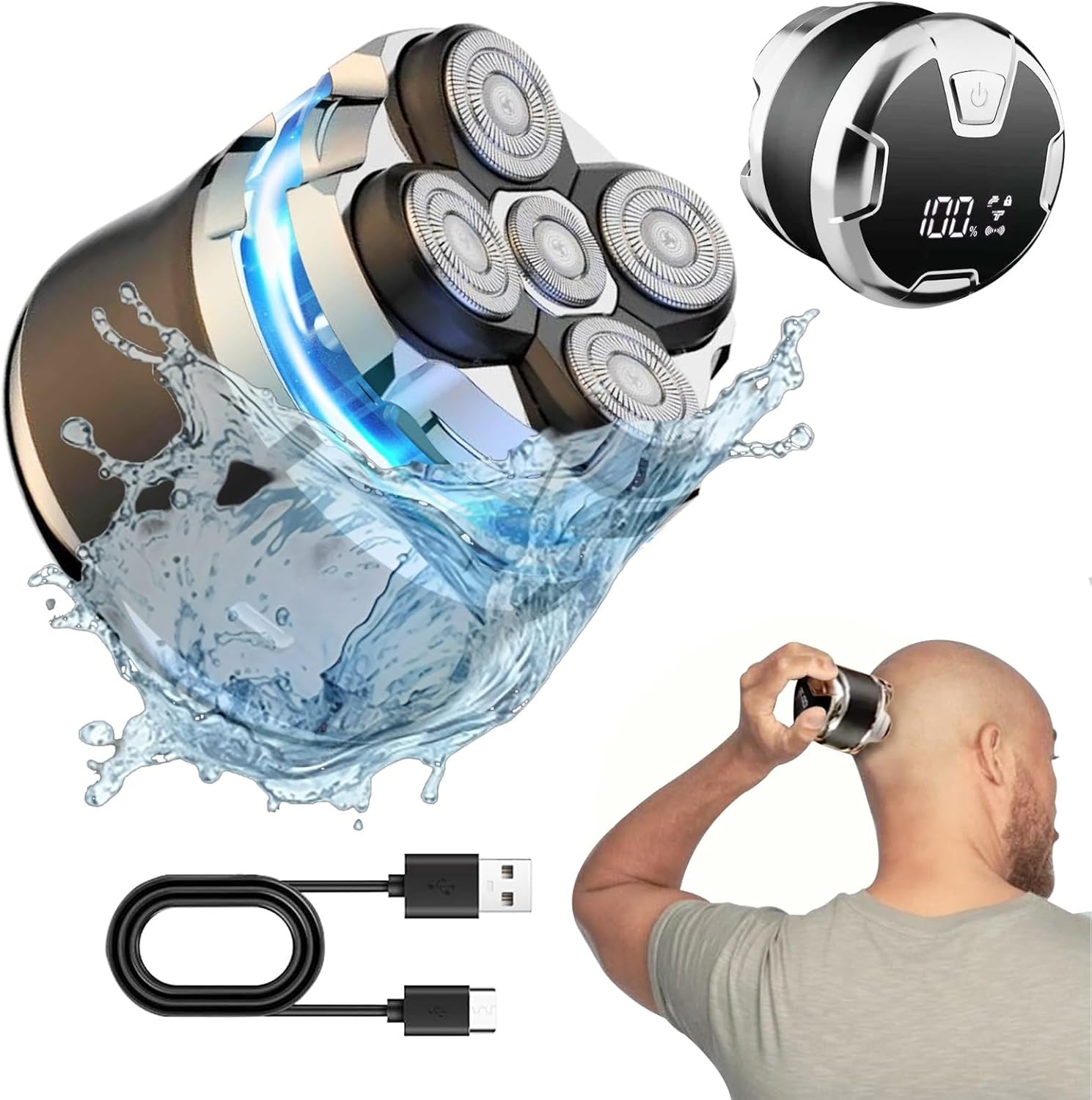
Figure 3.1: NAWAZJEE 5D Detachable Magnetic Head Shaver (Model RQ518) with its components and in use.
Key Features:
- 5D Detachable Magnetic Head: Provides a flexible shave and easy cleaning.
- Wet & Dry Shaving: Suitable for use with or without shaving cream, in or out of the shower.
- IPX8 Waterproof: Fully washable for hygienic maintenance.
- Cordless Operation: Offers freedom of movement during shaving.
- Type-C Charging: Convenient and widely compatible charging port.
- LED Display: Shows battery percentage, washing tips, child lock status, acceleration gear, and charging reminders.
- Ergonomic Design: Comfortable to hold for precise control.
4. Setup
4.1 Initial Charging
Before first use, fully charge the shaver. Connect the provided Type-C charging cable to the shaver's charging port and plug the USB end into a compatible power adapter (not included) or a USB port. The LED display will show the charging progress.
- A full charge typically takes approximately 2 hours.
- Do not use the shaver while it is charging.

Figure 4.1: Connecting the Type-C charging cable to the shaver.
4.2 Attaching and Detaching the Shaver Head
The shaver head is magnetically attached for easy removal and reattachment.
- To Detach: Gently pull the shaver head upwards from the main body. The magnetic connection will release.
- To Attach: Align the shaver head with the main body and gently lower it until the magnets connect and secure it in place.

Figure 4.2: Magnetic detachment of the shaver head for cleaning or replacement.
5. Operating Instructions
5.1 Powering On/Off
- To Power On: Press the power button once. The LED display will illuminate.
- To Power Off: Press the power button once again.
5.2 Shaving
The shaver can be used for both wet and dry shaving.
- Dry Shaving: For a quick shave, ensure your skin is clean and dry. Gently press the shaver against your skin and move it in circular motions.
- Wet Shaving: Apply shaving foam or gel to your skin. Shave in circular motions. Rinse the shaver head under running water during and after shaving to prevent clogging.
- For optimal results, shave against the direction of hair growth.
- If you have longer hair, it is recommended to trim it shorter before using the shaver to prevent pulling and ensure a smoother shave.
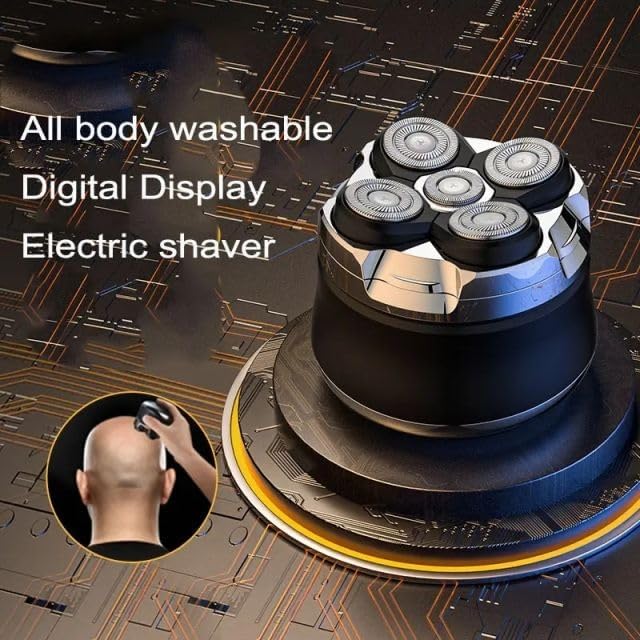
Figure 5.1: Using the electric shaver for a bald head shave.
5.3 LED Display Indicators
The LED display provides real-time information about the shaver's status:
- Remaining Power: Displays the battery percentage.
- Washing Tips: An icon will illuminate to remind you to clean the shaver head.
- Child Lock: Long press the power button for 3 seconds to activate/deactivate the child lock. This prevents accidental activation.
- Acceleration Gear: Indicates the current shaving speed setting.
- Charging Reminder: An icon will appear when the battery is low, indicating it's time to charge.

Figure 5.2: Detailed view of the LED display indicators.
6. Maintenance
6.1 Cleaning the Shaver Head
Regular cleaning ensures optimal performance and hygiene.
- Ensure the shaver is turned off before cleaning.
- Detach the magnetic shaver head from the main body (refer to Section 4.2).
- Rinse the shaver head thoroughly under running water to remove hair clippings and residue.
- You may use a small brush (if provided) to dislodge stubborn hair from the blades.
- Shake off excess water and allow the shaver head to air dry completely before reattaching it to the main body or storing.
- Do not use harsh chemicals or abrasive cleaners on any part of the shaver.

Figure 6.1: The shaver head being rinsed under water, demonstrating its washable design.
6.2 Storage
Store the shaver in a cool, dry place away from direct sunlight and extreme temperatures. Ensure it is clean and dry before storage.
7. Troubleshooting
If you encounter issues with your shaver, refer to the following common solutions:
| Problem | Possible Cause | Solution |
|---|---|---|
| Shaver does not turn on. | Low battery or child lock activated. | Charge the shaver. Deactivate child lock by long-pressing the power button for 3 seconds. |
| Poor shaving performance / pulling hair. | Shaver head is clogged with hair or blades are dull. Hair is too long. | Clean the shaver head thoroughly. If hair is long, trim it before shaving. Consider replacing the shaver head if blades are dull. |
| Shaver stops during use. | Battery is depleted. | Recharge the shaver. |
| Skin irritation after shaving. | Incorrect shaving technique or sensitive skin. | Ensure gentle circular motions. Try wet shaving with foam. Allow skin to adapt. |
If the problem persists, please contact NAWAZJEE customer support.
8. Specifications
| Feature | Detail |
|---|---|
| Model Number | RQ518 |
| Product Dimensions | 4.5 x 2.5 x 3.2 inches |
| Item Weight | 11.2 ounces |
| Power Source | Battery Powered (1 Lithium Ion battery required) |
| Charging Type | Type-C USB |
| Waterproof Rating | IPX8 |
| Special Feature | Detachable Magnetic Head, LED Display |
| Recommended Use | Scalp |
9. Warranty and Support
For warranty information or technical support, please contact NAWAZJEE customer service through the retailer where the product was purchased or visit the official NAWAZJEE website. Please have your model number (RQ518) and purchase details ready when contacting support.
Manufacturer: China
Date First Available: July 7, 2024