
1. Introduction
Thank you for choosing the Alpha Digital V8 Wireless Earbuds. These earbuds feature an LCD touch screen, Bluetooth 5.3 connectivity, active noise cancelling (ANC), and a lightweight, ergonomic design for an immersive audio experience. This manual provides detailed instructions for setup, operation, and maintenance to ensure optimal performance.
2. What's in the Box
- Alpha Digital V8 Wireless Earbuds (Left and Right)
- Wireless Charging Case
- USB-C Charging Cable
- User Manual
- Multiple sizes of ear tips (typically S, M, L)
3. Product Overview
Earbuds and Charging Case
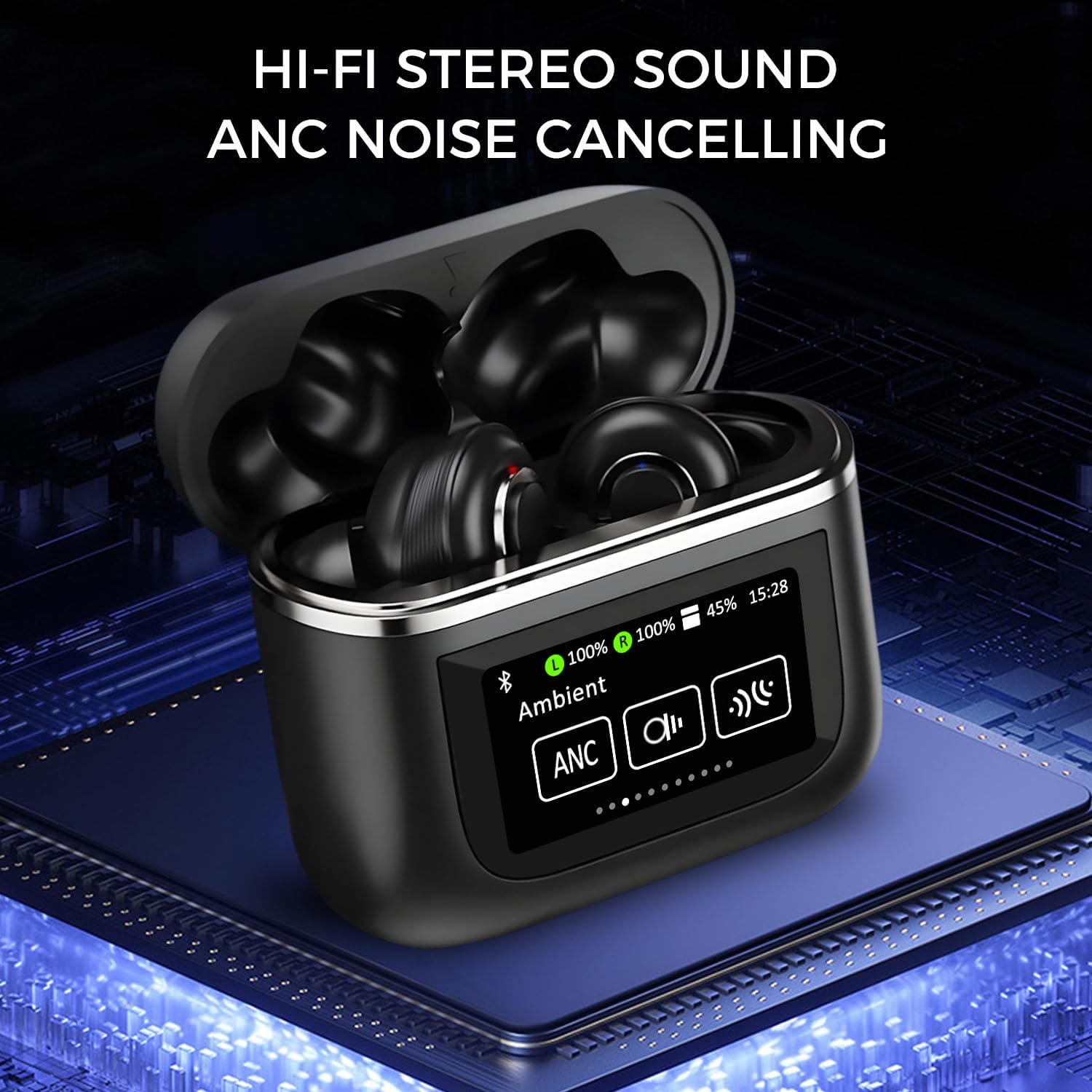
The image displays the Alpha Digital V8 Wireless Earbuds nestled within their charging case, showcasing the sleek black design and the integrated LCD touch screen on the case.
LCD Full-Color Touch Screen Functions

This image illustrates the various functions accessible via the 1.47-inch LCD full-color touch screen on the charging case, including music control, volume adjustment, language selection, flashlight, stop timer, ambient sound modes, spatial audio settings, brightness adjustment, and a 'Find Earbuds' feature.
Ergonomic Design

The diagram highlights the ergonomic in-ear design of the earbuds, emphasizing a stable and secure fit that prevents them from falling off during activity. Each earbud weighs approximately 4.6g.
Hi-Fi Stereo Sound

This graphic details the audio capabilities, including Hi-Fi Stereo Sound, powerful bass, and HD clear call quality, with an exploded view of an earbud's internal components.
Intelligent Noise Reduction

A visual representation of the intelligent noise reduction feature, showing the difference in sound levels before and after activation. It also indicates the availability of both Transparency Mode and Noise Reduction Mode.
Earbud One-Touch Control

This image provides a clear guide to the one-touch controls on each earbud, detailing actions for pressing and holding, single clicks, double clicks, and triple clicks for various functions.
4. Setup
4.1 Charging the Earbuds and Case
Before first use, fully charge the earbuds and charging case. The charging case has a 450mAh battery capacity, providing up to 32 hours of total playback time with the earbuds. The earbuds themselves offer over 6 hours of playback on a single charge.
- Connect the provided USB-C cable to the charging port on the case and a power source.
- The LCD screen on the case will display the charging status.
- The charging case takes approximately 1.5 hours to fully charge using USB-C fast charging.

The image shows the charging case connected via a USB-C cable, indicating its fast-charging capability and battery specifications (450mAh for case, 40mAh for earbuds, 32 hours playing time, 120 hours standby time).
4.2 Pairing with Your Device
The Alpha Digital V8 earbuds support automatic power-on pairing after the first connection, and are compatible with Windows, Android, iOS, and all Bluetooth-enabled devices.
- First-time Pairing: Open the charging case. The earbuds will automatically power on and enter pairing mode.
- On your device (smartphone, tablet, computer), go to Bluetooth settings and search for available devices.
- Select "Alpha Digital V8" from the list to connect.
- Once connected, the earbuds will automatically pair with your device whenever you open the case.
- The earbuds can be used in Single Mode (one earbud) or Binaural Mode (both earbuds).

This image demonstrates the 'Quick Connect' feature, showing the earbuds and case near a laptop and smartphone, indicating automatic power-on pairing and the flexibility of single or binaural mode operation.
5. Operating Instructions
5.1 Using the LCD Touch Screen
The 1.47-inch LCD touch screen on the charging case provides intuitive control over various functions:
- Music Control: Play/pause, skip tracks (up/down song switch).
- Volume Adjustment: Control playback volume directly from the screen.
- Language Selection: Choose your preferred operating language.
- Multi-Wallpaper Switch: Customize the screen background.
- Ambient Modes: Switch between Active Noise Cancelling (ANC) and Transparency Mode.
- Spatial Audio: Adjust spatial audio settings for an immersive experience.
- Flashlight: Activate a small light feature.
- Stop Timer: Set a timer for various activities.
- Brightness Adjustment: Control screen brightness.
- Find Earbuds: Locate misplaced earbuds by triggering an audible signal.
5.2 Earbud Touch Controls
The earbuds feature one-touch control buttons for convenient management of audio and calls:
| Action | Left Earbud Function | Right Earbud Function |
|---|---|---|
| Click 1 time | Play/Pause | Play/Pause |
| Click 2 times | Answer/Hang up call | Next track / Answer/Hang up call |
| Click 3 times | Previous song | Previous song |
| Press and hold for 2 seconds | Sound/Mute / Wake up Siri | Sound/Mute / Wake up Siri |
| Press and hold for 5 seconds | Noise reduction / Environment awareness | Noise reduction / Environment awareness |
5.3 Active Noise Cancelling (ANC) & Transparency Mode
The earbuds offer two distinct listening modes:
- Active Noise Cancelling (ANC): Reduces ambient noise for an immersive audio experience. Activate by pressing and holding either earbud for 5 seconds.
- Transparency Mode: Allows you to hear your surroundings while still enjoying your audio, enhancing situational awareness. Activate by pressing and holding either earbud for 5 seconds to cycle through modes.
5.4 Official Product Video
This official product video provides a visual overview of the Alpha Digital V8 Wireless Earbuds, demonstrating key features and functionalities. It highlights the LCD touch screen, noise cancelling capabilities, and ergonomic design.
6. Maintenance
Proper maintenance ensures the longevity and performance of your earbuds:
- Cleaning: Regularly clean the earbuds and charging case with a soft, dry, lint-free cloth. Do not use abrasive materials or harsh chemicals.
- Ear Tips: Remove and clean the ear tips periodically with water and mild soap. Ensure they are completely dry before reattaching.
- Storage: When not in use, store the earbuds in their charging case to protect them from dust and damage.
- Water Resistance: The earbuds are IP4 waterproof, meaning they are resistant to splashes. Do not submerge them in water or expose them to heavy rain.
- Temperature: Avoid exposing the earbuds to extreme temperatures (hot or cold) or direct sunlight for extended periods.
7. Troubleshooting
If you encounter any issues, refer to the following common solutions:
| Problem | Possible Solution |
|---|---|
| Earbuds not pairing | Ensure earbuds are charged. Turn off and on your device's Bluetooth. Forget the device in Bluetooth settings and re-pair. |
| No sound from one earbud | Place both earbuds back in the case, close it, then reopen. Check device's audio balance settings. |
| Charging case not charging | Ensure the USB-C cable is securely connected to both the case and the power source. Try a different cable or power adapter. |
| Touch controls unresponsive | Ensure your fingers are clean and dry. Restart the earbuds by placing them in the case and taking them out. |
| Poor sound quality | Ensure ear tips provide a good seal. Clean any debris from the earbud speakers. Move closer to your connected device. |
If the issue persists after trying these steps, please contact customer support.
8. Specifications
| Feature | Detail |
|---|---|
| Model Name | V8 |
| Connectivity Technology | Wireless (Bluetooth 5.3) |
| Noise Control | Active Noise Cancellation |
| Display | 1.47" LCD Full-color Touch Screen |
| Earbud Weight | Approx. 4.6g per earbud |
| Water Resistance Level | IP4 (Splashproof) |
| Earbud Battery Life | 6 Hours (single charge) |
| Total Playback Time | 32 Hours (with charging case) |
| Charging Case Capacity | 450mAh |
| Charging Time (Case) | 1.5 Hours (USB-C Fast Charging) |
| Microphones | Dual built-in microphones |
| Compatible Devices | Windows, Android, iOS, all Bluetooth-enabled devices |
| Material | Plastic, Silicone |
9. Warranty and Support
Alpha Digital products are designed for reliability and performance. For warranty information and customer support, please refer to the warranty card included in your product packaging or visit the official Alpha Digital website. Our support team is available to assist with any questions or concerns you may have regarding your V8 Wireless Earbuds.


