
JFUDJKLI JFUDJKLI
XTP-SP820 Tire Pressure Sensor Programming Fault Diagnostic Instrument
Model: XTP-SP820 | Brand: JFUDJKLI
1. Introduction
The JFUDJKLI XTP-SP820 is a comprehensive diagnostic and programming tool designed for automotive professionals and enthusiasts. It specializes in Tire Pressure Monitoring System (TPMS) functions, including sensor activation, programming, matching, and resetting. Additionally, it offers On-Board Diagnostics (OBD) capabilities for fault detection and general vehicle system analysis. This instrument is essential for maintaining proper tire pressure and ensuring the correct operation of your vehicle's TPMS.
2. Product Overview
The XTP-SP820 unit is a handheld device featuring a clear display and intuitive button layout. It comes with essential accessories for connectivity and data transfer.

Figure 2.1: The XTP-SP820 diagnostic tool, showing the main unit, the OBD-II connection cable, and a USB dongle for potential software updates or data transfer. The device is blue with a black screen and keypad.
2.1 Components
- Main Unit: The primary diagnostic device with a display screen and control buttons.
- OBD-II Cable: Used to connect the XTP-SP820 to the vehicle's On-Board Diagnostics port.
- USB Dongle: For potential firmware updates or data management.
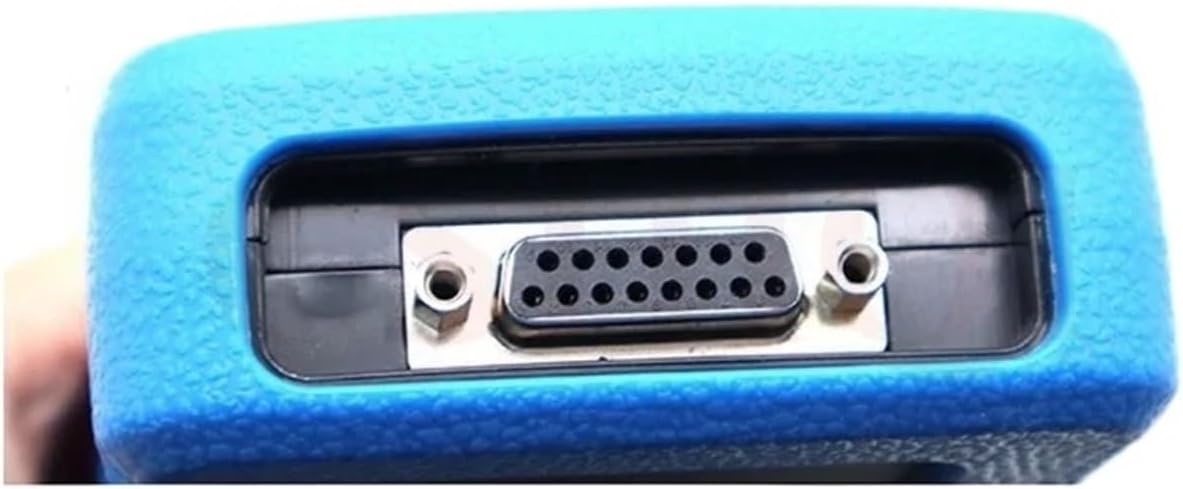
Figure 2.2: A close-up view of the multi-pin connector port on the XTP-SP820 device, typically used for connecting the OBD-II cable or other accessories.
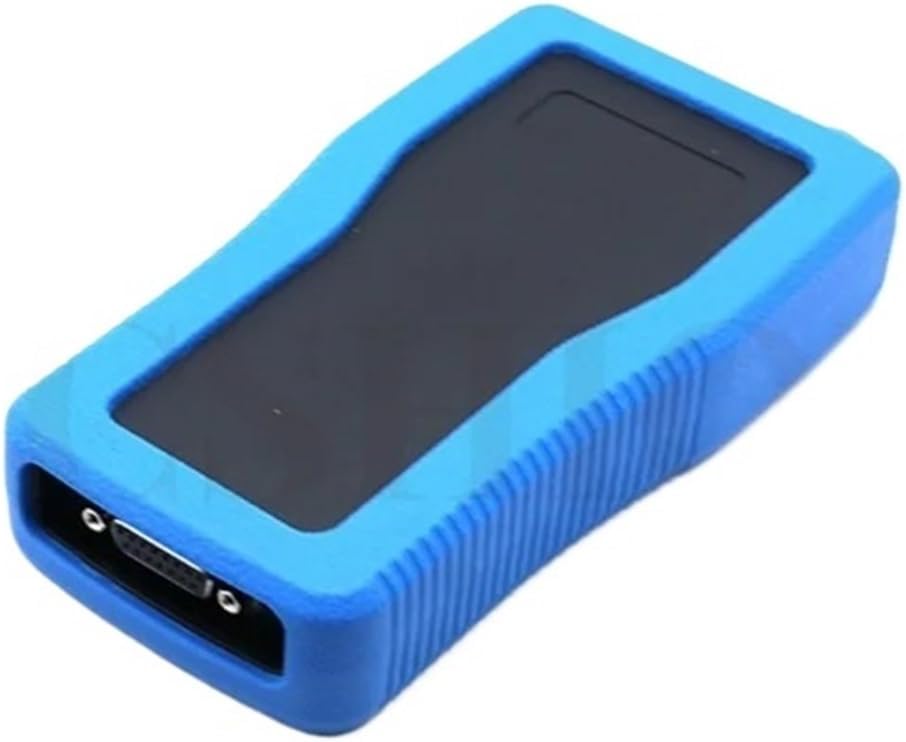
Figure 2.3: A top-down perspective of the XTP-SP820 device, highlighting its ergonomic design and the location of the screen and keypad area.
3. Setup
Follow these steps to prepare your XTP-SP820 for operation:
- Locate OBD-II Port: Identify the OBD-II diagnostic port in your vehicle, typically located under the dashboard on the driver's side.
- Connect Cable: Plug one end of the provided OBD-II cable into the XTP-SP820 unit and the other end into the vehicle's OBD-II port.
- Power On: The device should power on automatically upon connection to the vehicle's OBD-II port. If not, press the power button (if available) on the device.
- Initial Boot: Allow the device to complete its initial boot sequence. The main menu should appear on the screen.
4. Operating Instructions
The XTP-SP820 offers various functions accessible through its menu system. Use the directional arrows (Up, Down, Left, Right) to navigate, 'Y' (Yes/Enter) to confirm, and 'N' (No/Back) to return.
4.1 TPMS Sensor Activation
- From the main menu, select the 'TPMS' option.
- Choose 'Activate Sensor' or 'Sensor Read'.
- Follow the on-screen prompts to position the tool near each tire's sensor to activate and read its ID and pressure data.
4.2 TPMS Sensor Programming
This function allows you to program new blank sensors or clone existing sensor IDs.
- Navigate to 'TPMS' and then 'Program Sensor'.
- Select the programming method: 'Create ID' (for new sensors) or 'Copy by Activation' (to clone an existing sensor).
- Follow the specific instructions displayed on the screen for the chosen method.
4.3 TPMS Relearn/Matching
After replacing or programming TPMS sensors, the vehicle's ECU needs to learn the new sensor IDs.
- From the 'TPMS' menu, select 'Relearn' or 'Matching'.
- Choose the vehicle make, model, and year.
- Follow the specific relearn procedure for your vehicle as guided by the tool. This may involve driving the vehicle or performing specific actions.
4.4 OBD-II Diagnostics
Access vehicle diagnostic trouble codes (DTCs) and live data.
- From the main menu, select 'OBD-II' or 'Diagnostics'.
- Choose 'Read Codes' to view current, pending, or historic DTCs.
- Select 'Clear Codes' to erase DTCs (ensure the underlying issue is resolved first).
- Explore 'Live Data' to view real-time sensor readings and vehicle parameters.
5. Maintenance
Proper maintenance ensures the longevity and reliability of your XTP-SP820 tool.
- Cleaning: Wipe the device with a soft, dry cloth. Do not use abrasive cleaners or solvents.
- Storage: Store the tool in a cool, dry place, away from direct sunlight and extreme temperatures. Keep it in its original case to prevent damage.
- Firmware Updates: Periodically check the manufacturer's website (JFUDJKLI) for available firmware updates. Updates can improve functionality, add new vehicle coverage, and fix bugs. Use the provided USB dongle and follow specific instructions for updating.
- Cable Care: Inspect the OBD-II cable regularly for any signs of wear or damage. Replace if necessary to ensure reliable connection.
6. Troubleshooting
If you encounter issues with your XTP-SP820, refer to the following common problems and solutions:
| Problem | Possible Cause | Solution |
|---|---|---|
| Device does not power on. | Loose OBD-II connection; vehicle's ignition off; vehicle battery low. | Ensure cable is securely connected. Turn vehicle ignition to ON position. Check vehicle battery voltage. |
| Cannot communicate with vehicle. | Incorrect vehicle protocol; faulty OBD-II port; damaged cable. | Verify vehicle compatibility. Check vehicle's OBD-II port with another tool. Inspect and replace cable if damaged. |
| TPMS sensor not activating/reading. | Incorrect sensor type selected; sensor too far from tool; dead sensor battery. | Ensure correct sensor type is selected in the tool's menu. Hold tool closer to the tire valve stem. Sensor may need replacement. |
| Programming/Relearn failed. | Incorrect procedure followed; vehicle not in relearn mode; incompatible sensor. | Review and repeat the specific programming/relearn steps. Ensure vehicle is in the correct relearn mode. Verify sensor compatibility with vehicle. |
7. Specifications
Technical specifications for the XTP-SP820 diagnostic tool:
- Model Number: JFUDJKLI (XTP-SP820)
- Brand: JFUDJKLI
- Package Dimensions: 1.18 x 0.79 x 0.39 inches
- Item Weight: 1.76 ounces (50 Grams)
- Color: One Color (Blue/Black)
- Number of Pieces: 1 (Main Unit)
- Manufacturer: JFUDJKLI
- Country of Origin: China
- ASIN: B0D8XMLC8X
8. Warranty and Support
For warranty information and technical support, please refer to the documentation included with your purchase or visit the official JFUDJKLI website. Protection plans may be available for extended coverage.
- Protection Plans: Optional 3-Year and 4-Year Protection Plans may be available for purchase.
- Return Policy: Standard 30-day return/replacement policy applies.
- Manufacturer Support: Contact JFUDJKLI for product-specific inquiries and technical assistance.
Ask a question about this manual
Ask about setup, troubleshooting, compatibility, parts, safety, or missing instructions. Manuals+ will review the question and use this page’s manual context to help answer it.